
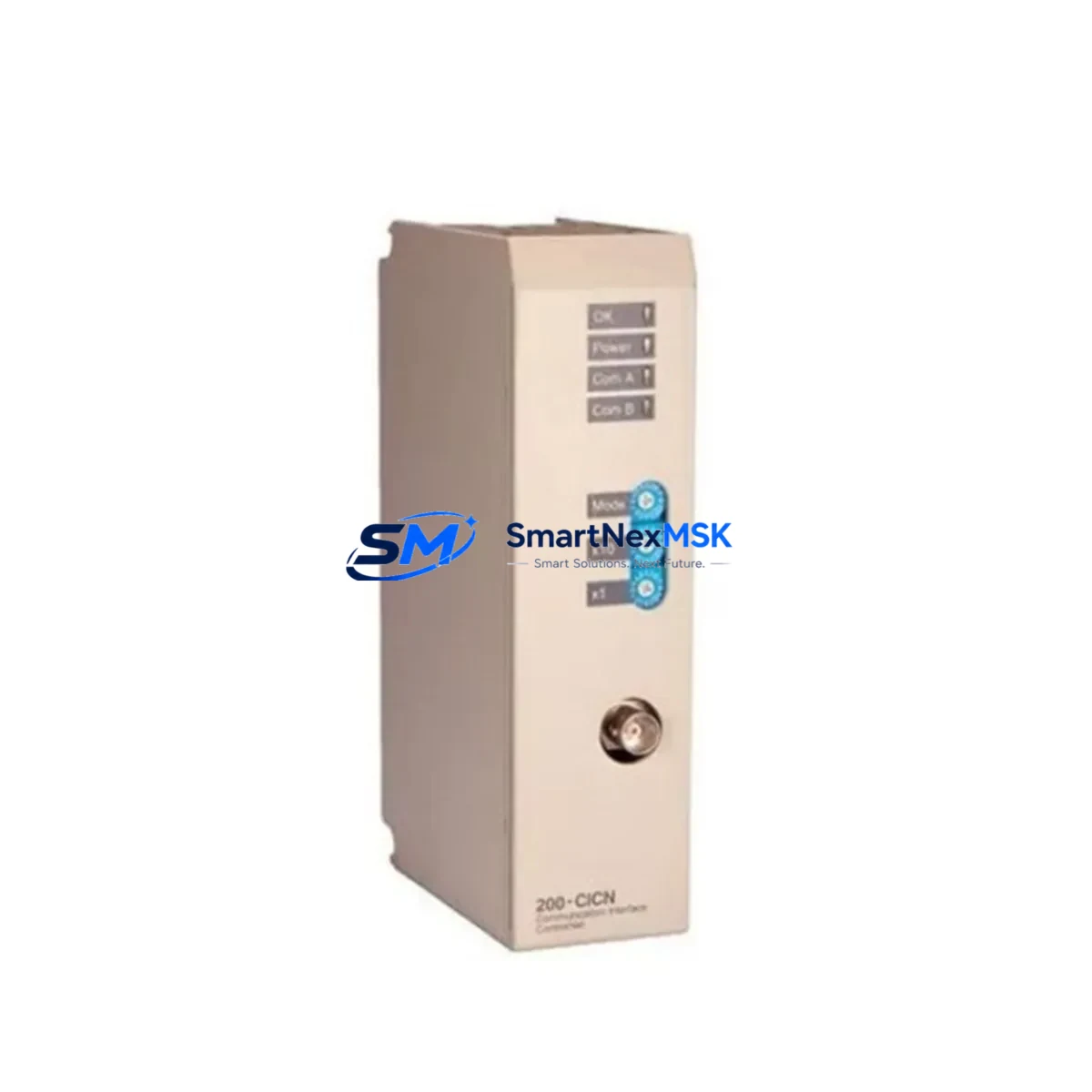
ABB 200-CICN Maintenance-Ready Spare for AC500 Automation
The ABB 200-CICN is a ControlNet communication module designed for the ABB AC500 PLC platform — one of the most widely deployed programmable logic controller families in industrial process control, discrete manufacturing, and infrastructure automation. As a maintenance-ready original spare, the 200-CICN is sourced, inspected, and dispatched to support rapid field replacement, minimise unplanned downtime, and sustain the operational continuity of ControlNet-based control architectures.
For maintenance engineers managing ageing AC500 installations, the 200-CICN represents a critical node in the communication backbone. Its failure — or the failure of adjacent modules — can cascade into full segment loss, isolating I/O racks, remote stations, and HMI nodes from the CPU. Holding a verified spare in your local inventory is the single most effective measure to contain mean time to repair (MTTR) when a ControlNet fault is diagnosed.
This listing is fulfilled by SMARTNEXMSK with pre-shipment functional verification, original manufacturer packaging where available, and a 12-month replacement warranty covering defects in materials and workmanship.
Spare Maintenance Table
| Part Number | 200-CICN |
| Brand | ABB |
| Series | AC500 |
| Module Type | ControlNet Communication Module |
| Protocol | ControlNet (IEC 61158 / ODVA) |
| Compatible CPUs | AC500 PM5xx / PM5xx-ETH series (PM554, PM564, PM573, PM583, PM591, PM592) |
| Backplane Interface | AC500 S500 I/O bus |
| Network Topology | Trunk-and-drop, coaxial or fibre media |
| Node Address Range | 1–99 (configurable via PS501 Control Builder Plus) |
| Supply Voltage | 24 V DC (via backplane) |
| Operating Temperature | -25 °C to +60 °C |
| Protection Rating | IP20 (panel-mount, DIN rail) |
| Country of Origin | Germany |
| Mounting | AC500 terminal unit / S500 bus coupler |
| Warranty | 12 Months — SMARTNEXMSK Replacement Warranty |
| Pre-shipment Test | Functional verification performed before dispatch |
| Lead Time | In-stock items: 1–3 business days; sourced items: quoted on request |
Maintenance Planning for Continuous Operation
When a ControlNet communication fault is traced to the 200-CICN, experienced maintenance engineers know that the module rarely fails in isolation. A systematic inspection of the surrounding electrical environment is essential before and after replacement to prevent repeat failures and confirm root cause.
Power supply integrity should be the first checkpoint. The AC500 backplane draws regulated 24 V DC; a degraded ABB CP-E 24/5.0 or equivalent DIN-rail power supply unit can introduce ripple that stresses communication modules over time. Verify output voltage under load and inspect for capacitor ageing or thermal discolouration on the PSU board.
Backplane and terminal unit condition is the next priority. The 200-CICN seats into an AC500 terminal unit (e.g., TU505, TU516); inspect the connector pins for oxidation, mechanical deformation, or contamination. A damaged terminal unit will cause intermittent communication errors that mimic module failure.
ControlNet media and tap condition must be verified at the physical layer. Inspect coaxial trunk cable, BNC taps, and termination resistors (75 Ω at each segment end). A single faulty tap or missing terminator can degrade the entire segment. If the installation uses fibre media converters, inspect the 200-CICNF fibre variant compatibility and SFP transceiver condition.
Adjacent communication modules sharing the same backplane — such as the 200-CIPB (PROFIBUS-DP master) or 200-CECX01 (EtherNet/IP coupler) — should be checked for firmware version alignment and address conflicts, particularly if the AC500 CPU was recently updated.
I/O module health downstream of the ControlNet segment warrants inspection. Remote I/O racks connected via ControlNet may include S500 digital input modules (DI524, DI572), digital output modules (DO524, DO572), and analogue I/O modules (AI523, AO523). Confirm that all remote nodes re-establish communication after the 200-CICN replacement and that no I/O module is reporting a hardware fault.
Signal isolation and protection components in the same cabinet — including signal isolators, surge protection devices on field wiring, and fuse terminals — should be visually inspected. A surge event that damaged the 200-CICN may have also stressed Phoenix Contact or Weidmüller signal conditioners on analogue loops connected to the same rack.
HMI and SCADA connectivity should be validated post-replacement. If the AC500 CPU communicates to an ABB CP600 HMI panel or a third-party SCADA via OPC-DA/UA over Ethernet, confirm that the CPU’s 200-CECX01 EtherNet/IP module or onboard Ethernet port re-establishes its session without requiring a full project download.
Relay output modules and safety relays in the control cabinet should be functionally tested after any communication restoration. Interlock logic that was held in a safe state during the ControlNet outage must be verified to have returned to normal operating state, particularly for ABB F-series safety relay modules used in SIL-rated applications.
Site Replacement Workflow
Step 1 — Isolate and document. Before removing the 200-CICN, record the current node address (visible on the rotary switches or in PS501 Control Builder Plus), the network segment topology, and the module’s position on the backplane. Photograph the wiring and label all ControlNet tap connections.
Step 2 — Safe state confirmation. Place the AC500 CPU in STOP mode via the programming interface or the physical RUN/STOP switch. Confirm that all outputs controlled by the ControlNet segment are in a safe de-energised or held state. Do not remove the module under power if the terminal unit design requires live removal — consult the AC500 system manual for hot-swap capability on your specific terminal unit variant.
Step 3 — Module extraction. Release the 200-CICN from the terminal unit by pressing the release lever and sliding the module upward. Inspect the terminal unit connector for damage before inserting the replacement unit.
Step 4 — Replacement insertion and address setting. Set the rotary node address switches on the new 200-CICN to match the documented address before insertion. Seat the module firmly into the terminal unit until the locking tab engages.
Step 5 — Power-up and network scan. Restore power and place the CPU in RUN mode. Use PS501 Control Builder Plus or a ControlNet network analyser to confirm that the replacement module has joined the network, that all scheduled connections are established, and that no unconnected message errors are present.
Step 6 — Functional verification. Cycle through all I/O points served by the ControlNet segment, confirm HMI data refresh, and verify that any interlocked processes resume correctly. Log the replacement in the site maintenance record with the new module’s serial number and the date of installation.
This workflow is applicable to direct replacement of legacy 200-CICN units in existing AC500 installations and supports system life extension without requiring CPU replacement or project re-engineering.
Spare Parts Support FAQ
Q1: Is the 200-CICN supplied by SMARTNEXMSK an original ABB module?
Yes. All 200-CICN units are sourced as original ABB manufactured components. Each unit undergoes pre-shipment functional verification. Where original ABB packaging is available, it is included. A certificate of conformity or test report can be provided on request for quality-critical procurement processes.
Q2: What is the compatibility scope of the 200-CICN across AC500 CPU variants?
The 200-CICN is compatible with the full AC500 PM5xx CPU family, including PM554, PM564, PM573, PM583, PM591, and PM592 variants, when used with the corresponding S500 terminal units. Compatibility with AC500-eCo (PM5xx-ETH compact CPUs) should be verified against the specific project configuration in PS501 Control Builder Plus, as backplane bus variants differ.
Q3: How should the 200-CICN be incorporated into a planned spare parts inventory strategy?
For AC500 installations with ControlNet as the primary field bus, a minimum of one 200-CICN spare per ControlNet segment is recommended. Sites with multiple segments or high-criticality processes should maintain two units. Given the module’s role as a single point of failure for an entire ControlNet segment, the cost of holding a spare is negligible relative to the cost of an unplanned production stoppage while sourcing a replacement.
Q4: What does the 12-month warranty cover and how is a claim processed?
The SMARTNEXMSK 12-month warranty covers defects in materials and workmanship from the date of shipment. It does not cover damage resulting from incorrect installation, overvoltage events, or physical mishandling. To initiate a warranty claim, contact [email protected] with the order reference, a description of the fault, and photographic evidence. A replacement unit or credit note will be issued within 5 business days of fault confirmation.
© 2026 SMARTNEXMSK. All rights reserved.
Original Source: https://smartnexmsk.com
Contact: [email protected] | +86 18259474341



