
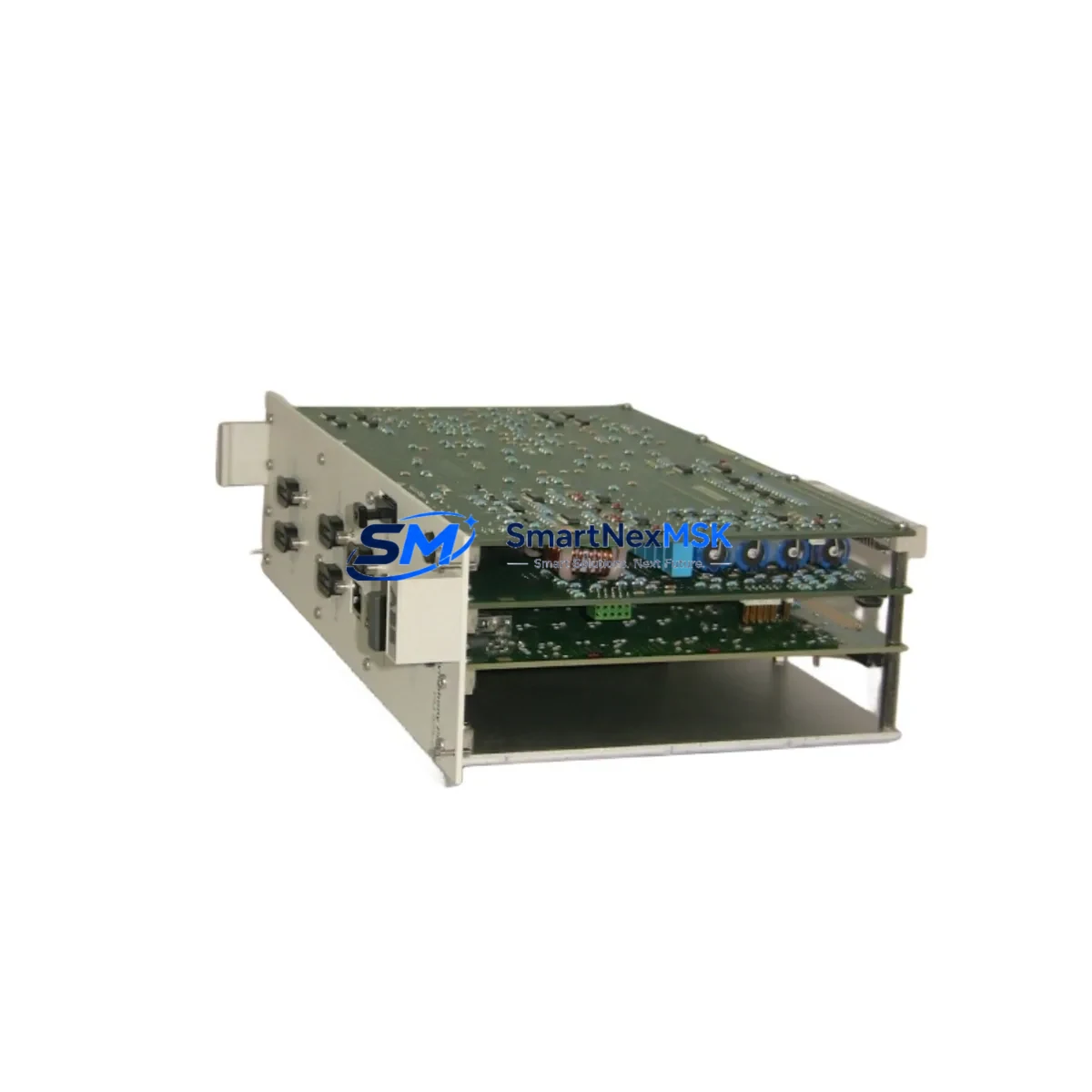
ABB 3BDH000606R1 PM875-2 Maintenance-Ready Spare for AC800M Automation
The ABB 3BDH000606R1 (PM875-2) is a high-performance CPU module designed for the AC800M Distributed Control System platform — one of ABB’s most widely deployed process automation architectures in power generation, oil & gas, chemical processing, and water treatment facilities. When a PM875-2 fails or reaches end-of-service life, the impact is immediate: the entire AC800M controller node goes offline, halting process supervision, I/O scanning, and communication with field devices. Sourcing a verified, original spare is the fastest path to restoring full system operation and minimizing unplanned downtime costs.
This listing provides a genuine, original ABB 3BDH000606R1 PM875-2 CPU module — not a counterfeit or refurbished substitute. Each unit is inspected and functionally tested prior to shipment, backed by a 12-month warranty covering manufacturing defects and operational failures under normal industrial use conditions.
Spare Maintenance Table
| Parameter | Specification / Detail |
|---|---|
| Part Number | 3BDH000606R1 |
| Model | PM875-2 |
| Brand | ABB |
| Series | AC800M |
| Product Type | DCS CPU Module |
| Supply Voltage | 24 VDC (via backplane) |
| Communication Ports | Ethernet (CEX-Bus), ModuleBus |
| Memory | Extended program and data memory for large-scale process applications |
| Operating Temperature | 0°C to +55°C |
| Mounting | AC800M S800 I/O backplane / controller cabinet rail |
| Compatibility | AC800M controller family; compatible with S800 I/O modules, CI854, CI857, CI858 communication interfaces |
| Origin | Germany |
| Condition | Original, new or tested-good surplus |
| Warranty | 12 Months — covers manufacturing defects and operational failure under normal use |
| Pre-shipment Test | Power-on functional verification performed before dispatch |
| Lead Time | In-stock units ship within 1–3 business days |
Maintenance Planning for Continuous Operation
Replacing the PM875-2 CPU module is rarely an isolated task. Experienced maintenance engineers know that a CPU failure often signals stress across adjacent components in the same controller cabinet. Before returning the AC800M node to service, a thorough inspection of the surrounding hardware is strongly recommended.
Start with the TB807 or TB840A power supply module — the PM875-2 draws regulated 24 VDC from the backplane, and a degraded power supply can cause intermittent CPU resets or corrupt firmware states. Verify output voltage stability under load before inserting the replacement CPU. Similarly, inspect the SD802F or SD803F redundant power distribution units if the system runs in a redundant configuration.
Next, audit the CI854 PROFIBUS DP communication interface or CI857 FOUNDATION Fieldbus HSE module seated in adjacent slots. These communication modules share the CEX-Bus with the PM875-2 and can exhibit erratic behavior if the bus termination or cable shielding has degraded. A CPU swap is an ideal opportunity to reseat these modules and verify bus diagnostics in the AC800M engineering tool.
For plants using S800 I/O modules — such as the AI810, AO810, DI810, or DO810 — confirm that the ModuleBus connection between the CPU and the I/O cluster is intact. Loose ModuleBus connectors are a common source of sporadic I/O faults that are misdiagnosed as CPU failures. While the cabinet is open, inspect TB811 or TB825 I/O terminal bases for signs of corrosion or loose field wiring.
If the AC800M node communicates with an 800xA operator station or ABB Freelance HMI, verify that the OPC server or SoftController connection re-establishes cleanly after the CPU replacement. In some configurations, the node address or IP settings stored in the PM875-2 must be re-entered or downloaded from the engineering station. Coordinate with the control system engineer to confirm the application program version matches the replacement hardware revision.
Finally, check the fuse holders and miniature circuit breakers on the 24 VDC distribution rail feeding the controller cabinet. A blown fuse upstream of the backplane is sometimes the root cause of a CPU failure — replacing the CPU without restoring proper power protection will result in repeat failures. Signal isolators on analog input loops should also be verified, as voltage spikes from field instruments can propagate into the I/O modules and stress the CPU’s internal bus.
Site Replacement Workflow
Step 1 — Pre-replacement documentation: Record the current firmware version, node address, IP configuration, and application program checksum from the AC800M engineering tool (Control Builder M). Export a backup of the application project before powering down the controller.
Step 2 — Safe shutdown: Place the process in a safe hold state or transfer control to a redundant controller node if available. Follow your site’s lockout/tagout (LOTO) procedure before opening the controller cabinet.
Step 3 — Module extraction: The PM875-2 is hot-swap capable in redundant AC800M configurations. In simplex installations, a controlled shutdown is required. Slide the module out of the backplane slot using the front-panel ejector levers. Note the slot position — the PM875-2 must be reinstalled in the same CPU slot.
Step 4 — Replacement insertion: Insert the 3BDH000606R1 replacement module firmly until the backplane connector is fully seated. Secure the front-panel locking screw. Apply power and observe the module’s LED status indicators — the RUN LED should illuminate green within 30–60 seconds of a successful boot sequence.
Step 5 — Application download: Connect the engineering station and download the backed-up application program to the new CPU. Verify the program checksum matches the pre-replacement record. Perform a cold start and confirm all I/O modules report healthy status in the diagnostic view.
Step 6 — Return to service: Gradually restore process control, monitoring field device responses and alarm states. Document the replacement in the site maintenance log, including the serial number of the replaced and installed modules, date, and technician name.
This workflow is compatible with both simplex and redundant AC800M architectures and supports a smooth transition from legacy PM864A or PM865 CPU modules to the PM875-2, preserving application compatibility and reducing re-engineering effort.
Spare Parts Support FAQ
Q: Is the 3BDH000606R1 PM875-2 compatible with my existing AC800M backplane and S800 I/O modules?
A: Yes. The PM875-2 is designed for the AC800M platform and is compatible with all standard AC800M backplanes and S800 I/O clusters. Verify your backplane revision and firmware version in Control Builder M to confirm compatibility with your specific application configuration before installation.
Q: What testing is performed before shipment?
A: Each 3BDH000606R1 unit undergoes a power-on functional test to verify boot sequence completion, LED status, and communication port activity. Units that fail any stage of testing are quarantined and not shipped. A test report is available upon request for critical plant applications.
Q: How should I manage PM875-2 spare inventory for a multi-node AC800M system?
A: Industry best practice for AC800M installations with 5 or more controller nodes is to maintain at least one PM875-2 spare on-site. For critical continuous-process plants, a 1:4 or 1:3 spare ratio is recommended. Long-term supply agreements are available to lock in pricing and ensure priority allocation for repeat orders.
Q: What does the 12-month warranty cover, and how is a warranty claim processed?
A: The 12-month warranty covers manufacturing defects and operational failures under normal industrial operating conditions. It does not cover damage caused by incorrect installation, overvoltage events, or physical mishandling. To initiate a warranty claim, contact our support team with the order number, module serial number, and a description of the failure. Replacement or repair is processed within 5–10 business days of receiving the returned unit.
© 2026 SMARTNEXMSK. All rights reserved.
Original Source: https://smartnexmsk.com
Contact: [email protected] | +86 18259474341



