
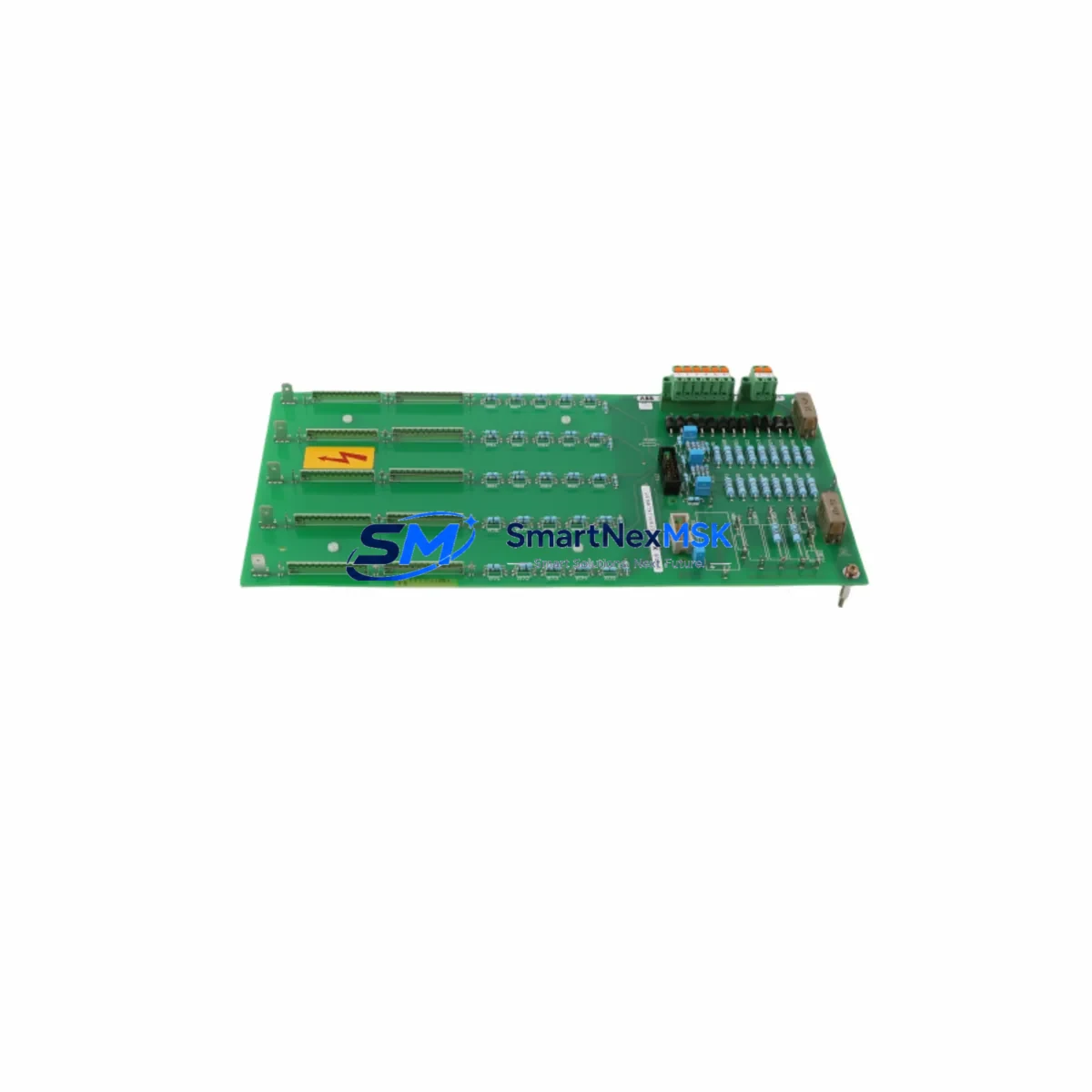
ABB 3BHB006309R0001 UNS0882A-PV1 Retrofit-Ready DCS Board for AC800M Control Systems
The ABB 3BHB006309R0001 UNS0882A-PV1 is a high-reliability DCS control board engineered for seamless integration into ABB AC800M distributed control system architectures. As legacy automation infrastructure ages across power generation, oil & gas, chemical processing, and heavy manufacturing facilities, the demand for verified, drop-in compatible replacement boards has never been greater. This module addresses exactly that need — providing a direct retrofit path for aging AC800M installations without requiring full system redesign or extended production shutdowns.
Whether you are replacing a failed board, upgrading a degraded control node, or executing a planned modernization of an existing DCS cabinet, the 3BHB006309R0001 UNS0882A-PV1 delivers the electrical and functional compatibility required for a confident, low-risk swap. It is fully compatible with the AC800M controller family and integrates directly into existing S800 I/O backplane configurations, preserving your existing wiring infrastructure and terminal block assignments.
Upgrade Compatibility Table
| Parameter | Details |
|---|---|
| SKU / Part Number | 3BHB006309R0001 UNS0882A-PV1 |
| Brand | ABB |
| Compatible Series | AC800M DCS Platform |
| Module Type | DCS Control Board |
| Backplane Interface | Compatible with AC800M rack and S800 I/O backplane |
| Communication Protocol | PROFIBUS DP, Ethernet (MMS/IEC 61850 where applicable) |
| Installation Requirement | Direct slot replacement; verify rack address configuration before insertion |
| Terminal / Wiring | Existing terminal blocks retained; verify signal mapping against original I/O list |
| Replacement Recommendation | Direct replacement for failed or end-of-life UNS0882A-PV1 boards in AC800M nodes |
| Commissioning Note | Reload application program from Engineering Workplace (EWP); verify HMI tag mapping post-swap |
| Warranty | 12-Month Warranty — covers manufacturing defects and functional failures under normal operating conditions |
| Origin | Germany |
| Shipping | In-stock; global dispatch within 2 business days |
Retrofit Planning for Existing Automation Systems
Successful retrofit of the 3BHB006309R0001 UNS0882A-PV1 into an operating AC800M DCS environment requires systematic pre-installation planning. Engineers should begin by auditing the existing control cabinet layout, confirming available rack slots, and verifying that the PM865 or PM866 controller module firmware version is compatible with the replacement board revision. In multi-node architectures, the CI854 PROFIBUS communication interface module should be checked for active connections that may be disrupted during the swap.
Before physical removal of the legacy board, back up the full application program using ABB Control Builder M (Engineering Workplace). Document all I/O channel assignments, module addresses, and any custom function block configurations. If the system uses S800 I/O modules such as the AI810, AO810, DI810, or DO810, confirm that their field wiring and terminal block assignments are recorded — these do not need to be disturbed during a board-level replacement.
For systems utilizing AF100 fieldbus communication or PROFIBUS DP segments, note the active slave addresses and GSD file configurations before shutdown. The CI840 AF100 interface module or CI853 PROFIBUS DP interface may need to be re-initialized after the control board replacement if the node address has changed. In installations where MB300 ModuleBus is used for local I/O expansion, verify that the optical fiber connections between the controller rack and remote I/O clusters remain intact throughout the replacement procedure.
Power supply capacity is a critical pre-check item. Confirm that the SD821 or SD822 power supply module in the rack delivers sufficient current headroom for the replacement board. Undersized power supplies are a common cause of intermittent faults following board replacements in aging DCS cabinets. If the existing power supply is operating near its rated capacity, consider replacing it concurrently as part of the modernization scope.
HMI integration should be validated post-installation. If the plant uses ABB Operate IT or System 800xA as the supervisory layer, confirm that all OPC DA/UA data source connections are re-established and that graphic faceplates reflect correct tag bindings. Any alarm setpoints or interlock logic stored in the controller application must be verified against the pre-retrofit baseline before returning the system to automatic control.
Downtime Control During System Migration
Minimizing unplanned downtime is the primary operational concern during any DCS board replacement. For the 3BHB006309R0001 UNS0882A-PV1, the recommended approach is a planned maintenance window replacement rather than a hot-swap, as the AC800M platform requires a controlled shutdown of the affected controller node to safely remove and insert the board.
Prior to the maintenance window, pre-configure the replacement board offline where possible. Load the backed-up application program onto the new board using Control Builder M and perform a functional bench test to confirm basic communication and I/O response before installation. This pre-staging step can reduce in-cabinet commissioning time from several hours to under 30 minutes in most cases.
During the replacement window, follow a structured sequence: isolate the controller node from the process, place all associated I/O in manual or safe-state hold, remove the legacy board, insert the 3BHB006309R0001 UNS0882A-PV1, restore power, and confirm module recognition in the system diagnostic view. Reload the application if required, verify all I/O channel statuses, and perform a controlled return to automatic mode loop by loop rather than all at once. This staged return minimizes the risk of process upsets caused by stale setpoints or uninitialized PID outputs.
For facilities with redundant AC800M controller configurations, the replacement can often be performed on the standby node while the primary remains in control, further reducing process impact. Confirm redundancy switchover behavior with your DCS vendor documentation before proceeding.
Retrofit Support FAQ
Q1: Is the 3BHB006309R0001 UNS0882A-PV1 a direct drop-in replacement for the original board in my AC800M system?
A: Yes. The UNS0882A-PV1 is designed as a form-fit-function replacement for the corresponding board position in the AC800M rack. Physical dimensions, backplane connector pinout, and communication interfaces are preserved. You should verify the firmware revision compatibility with your controller module before installation.
Q2: What commissioning steps are required after installing the replacement board?
A: After physical installation, reload the application program from your Engineering Workplace backup, verify module address assignments in the hardware configuration, confirm all I/O channel statuses are healthy, and validate HMI tag bindings in your supervisory system. A loop check on critical control loops is recommended before returning to automatic mode.
Q3: How do I verify wiring and terminal compatibility before the swap?
A: The existing field wiring and terminal blocks connected to the S800 I/O modules do not need to be modified for a board-level replacement. Cross-reference your as-built wiring diagrams against the I/O list in Control Builder M to confirm signal assignments. If the original board had custom jumper or DIP switch settings, replicate these on the replacement unit before installation.
Q4: What does the 12-month warranty cover, and how is it supported?
A: The 12-month warranty covers manufacturing defects and functional failures under normal operating conditions from the date of shipment. Each unit undergoes pre-shipment functional testing. In the event of a warranty claim, contact our technical support team with the order reference and fault description. Replacement or repair will be coordinated with minimal lead time to protect your production continuity.
© 2026 SMARTNEXMSK. All rights reserved.
Original Source: https://smartnexmsk.com
Contact: [email protected] | +86 18259474341



