
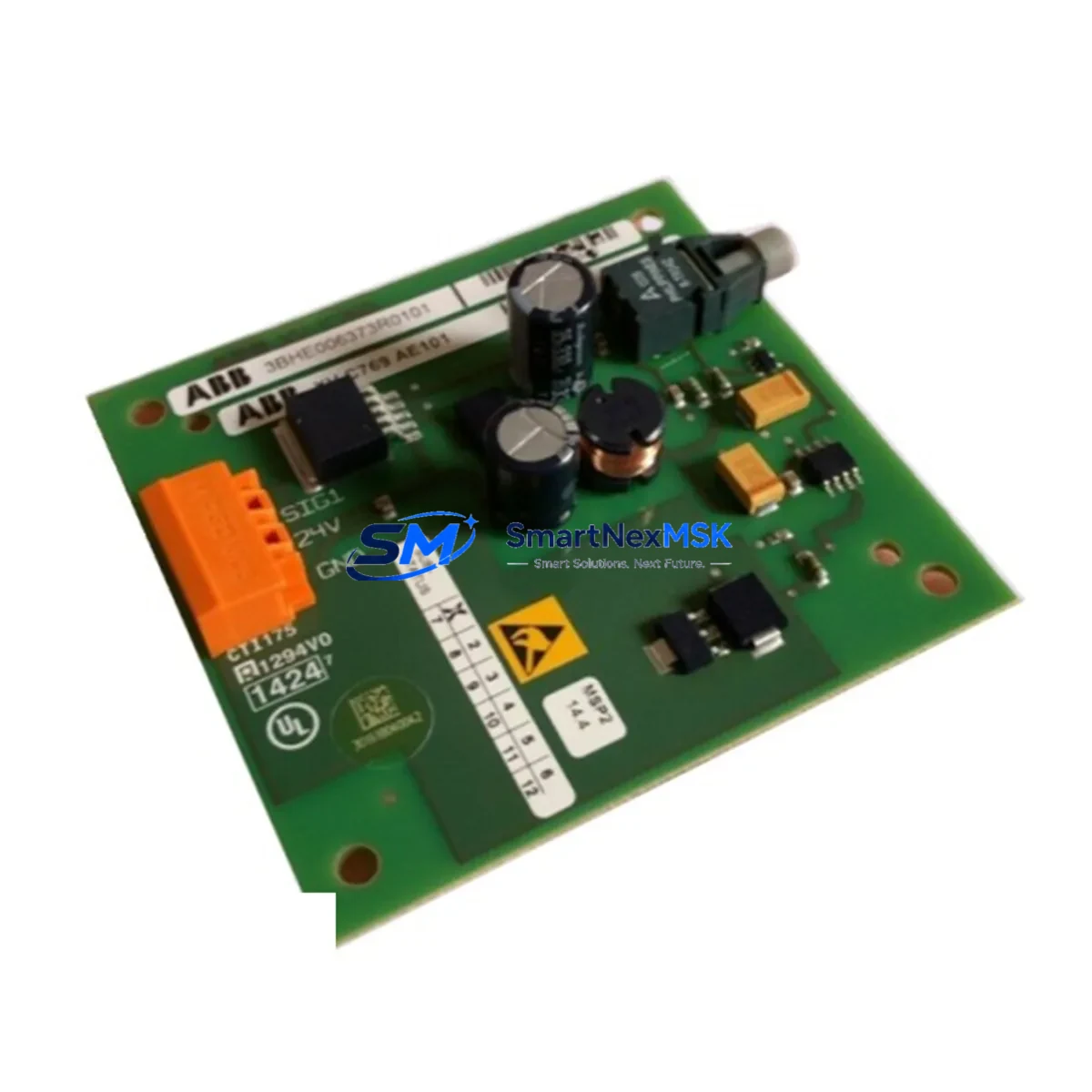
ABB 3BHE006373R0101 Retrofit-Ready Interface Board for AC800M Control Systems
The ABB 3BHE006373R0101 is a high-reliability interface board engineered for the AC800M distributed control system platform — one of ABB’s most widely deployed process automation controllers in power generation, oil & gas, pulp & paper, and chemical processing industries. As legacy AC800M installations approach end-of-service milestones, this board serves as a critical retrofit component enabling facilities to extend operational life, restore failed control nodes, and execute phased modernization without full system replacement.
Whether you are replacing a failed board in an existing rack, upgrading a control cabinet that has been running on obsolete firmware, or migrating from an earlier AC800 variant, the 3BHE006373R0101 provides a verified drop-in solution that preserves your existing program logic, I/O mapping, and communication topology. Our units are sourced from authorized channels, individually tested prior to shipment, and backed by a 12-month warranty.
Upgrade Compatibility Table
| Parameter | Details |
|---|---|
| Part Number | 3BHE006373R0101 |
| Brand / Manufacturer | ABB (Made in Germany) |
| Compatible Platform | AC800M (PM861, PM864, PM866 controllers) |
| Replaces / Upgrades | Earlier AC800M interface board revisions; compatible with AC800M R4.x–R6.x firmware environments |
| Backplane Interface | Standard AC800M module bus; fits TB820, TB840, TB845 termination boards |
| Communication Compatibility | PROFIBUS DP, Modbus RTU/TCP, IEC 61850, MMS — subject to controller firmware version |
| Installation Requirement | DIN-rail or rack-mount per AC800M cabinet standard; verify slot addressing before installation |
| Retrofit Recommendation | Confirm PM8xx controller firmware ≥ R4.1; back up application program via Control Builder M before swap |
| Commissioning Focus | Module address assignment, I/O channel re-scan, HMI tag re-link, communication link verification |
| Warranty | 12 Months — covers manufacturing defects and functional failure under normal operating conditions |
Retrofit Planning for Existing Automation Systems
Successful integration of the 3BHE006373R0101 into an operating plant begins well before the physical swap. Engineers should start by auditing the existing AC800M rack configuration — identifying the PM864 or PM866 controller module firmware version, confirming available backplane slots, and reviewing the termination board layout. In most installations, the interface board connects through a TB820 or TB840 termination board, and any mismatch in terminal wiring or channel assignment will require re-mapping in ABB’s Control Builder M engineering tool.
Power supply capacity is a frequent oversight in retrofit projects. The SD802F or SD803F power supply modules feeding the AC800M rack must be verified to support the additional load introduced by the replacement board, particularly in high-density I/O configurations. If the existing power budget is marginal, a parallel power supply or load redistribution across the rack may be necessary before commissioning.
For plants running PROFIBUS DP fieldbus networks, the interface board’s GSD file and station address must be re-confirmed after installation. Devices such as CI854 PROFIBUS communication interface modules or CI857 HART multiplexer interfaces connected downstream will need their network topology verified in the fieldbus configuration tool. Similarly, if the system uses CI801 or CI830 communication modules for Modbus or IEC 61850 integration, the communication parameters — baud rate, node address, timeout settings — should be documented before the board swap and re-validated afterward.
I/O expansion cards such as the AI810, AO810, DI810, or DO810 analog and digital I/O modules installed in adjacent slots must be checked for address conflicts after the new interface board is seated. The module address is typically set via hardware DIP switches or software configuration in Control Builder M, and any duplication will cause the controller to fault on startup. A pre-swap export of the hardware configuration file is strongly recommended.
HMI integration is another critical checkpoint. Operator stations running ABB System 800xA or third-party SCADA systems connected via OPC DA/UA will need their tag databases refreshed if the board replacement results in any change to the I/O channel numbering or controller node identity. Coordinate with the HMI engineering team to schedule a controlled tag re-scan during the commissioning window to avoid alarm floods or display errors on the operator interface.
Downtime Control During System Migration
Minimizing unplanned downtime is the primary concern for any retrofit involving a live production system. For the 3BHE006373R0101 replacement, the recommended approach is a hot-standby preparation strategy: configure and bench-test the replacement board offline before the scheduled maintenance window, using a spare AC800M rack or a test bench that mirrors the production slot configuration.
Before powering down the affected controller node, use Control Builder M to perform a full application backup — including the hardware configuration, function block diagram, and all variable declarations. Store this backup on a secure engineering workstation and verify the file integrity. If the plant operates a redundant controller pair (PM864 in redundant mode), initiate a controlled switchover to the standby controller before removing the primary board, ensuring continuous process control throughout the swap.
During the physical replacement, observe ESD precautions, confirm the backplane connector is fully seated, and verify the module status LED sequence on power-up before reconnecting field wiring. After the board is installed and the controller has restarted, perform a structured commissioning sequence: confirm module recognition in Control Builder M, re-scan all I/O channels, verify communication link status on all connected CI8xx communication modules, and conduct a point-to-point signal check on critical analog and digital loops before releasing the system to operations. Document the entire process for the plant’s maintenance records and update the as-built drawings to reflect the new board revision.
Retrofit Support FAQ
Q1: Is the 3BHE006373R0101 a direct replacement for earlier AC800M interface board revisions?
Yes. The 3BHE006373R0101 is designed as a form-fit-function replacement for earlier interface board variants used in the AC800M platform. However, we recommend confirming your controller firmware version (R4.1 or later) and backplane slot compatibility before installation. Our technical team can assist with pre-installation compatibility verification.
Q2: What commissioning steps are required after installing the replacement board?
After physical installation, you should: (1) confirm module recognition in Control Builder M, (2) re-assign the module address if required, (3) perform an I/O channel re-scan, (4) verify all communication links on connected CI8xx modules, and (5) conduct a signal integrity check on critical control loops before returning the system to automatic mode. A full application restore from backup may be required if the controller memory was cleared during the swap.
Q3: How do I verify terminal wiring compatibility before the swap?
Refer to the existing TB820 or TB840 termination board wiring diagram in your plant documentation. The 3BHE006373R0101 uses the standard AC800M module bus connector, so terminal wiring on the termination board does not need to be changed. Verify that channel assignments in the Control Builder M hardware configuration match the physical wiring before powering up the new board.
Q4: What does the 12-month warranty cover, and what is the shipping lead time?
The 12-month warranty covers manufacturing defects and functional failure under normal operating conditions from the date of shipment. It does not cover damage resulting from incorrect installation, overvoltage, or environmental conditions outside ABB’s published specifications. Most orders ship within 2–5 business days. Expedited shipping is available for urgent plant recovery situations — contact our sales team for priority fulfillment options.
© 2026 SMARTNEXMSK. All rights reserved.
Original Source: https://smartnexmsk.com
Contact: [email protected] | +86 18259474341



