
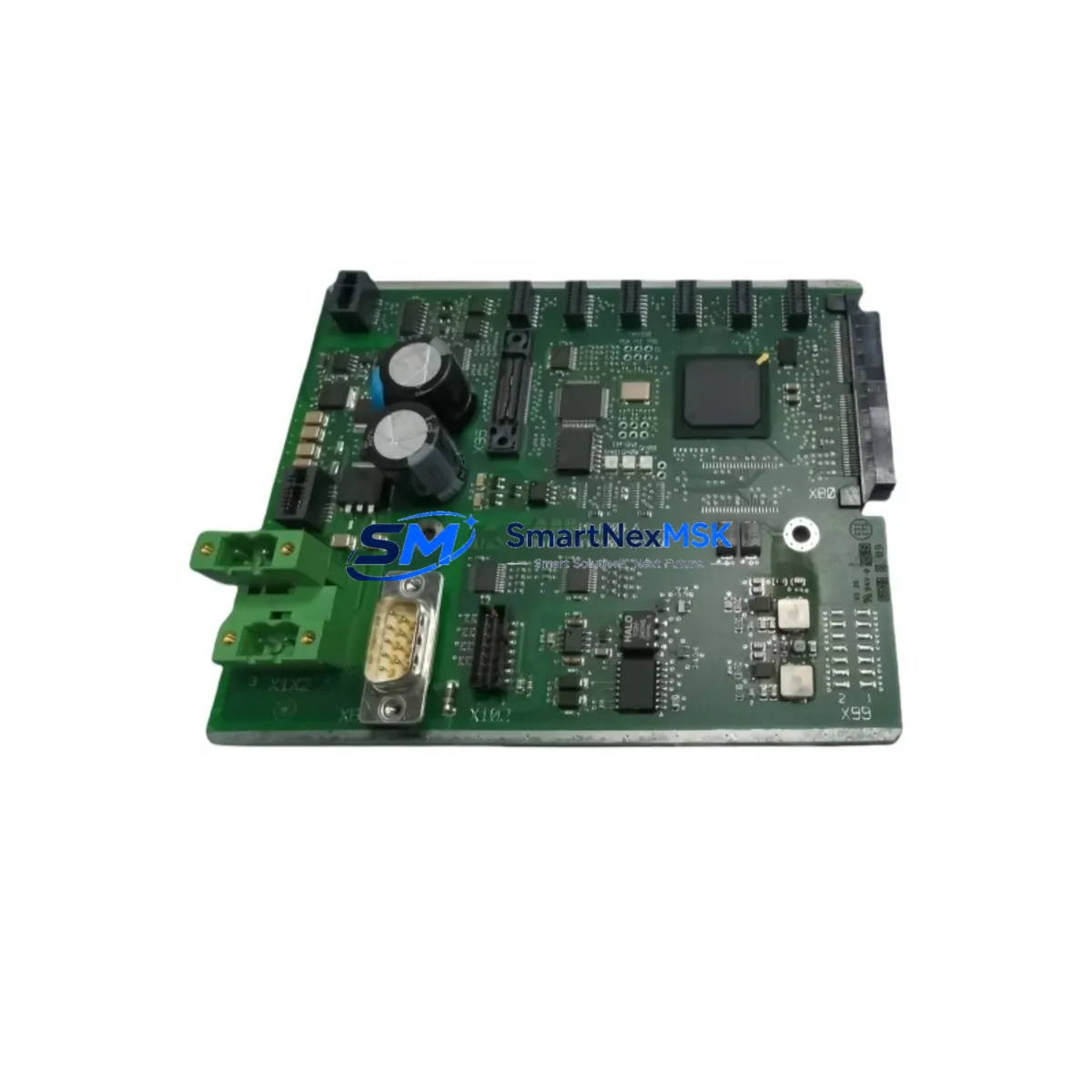
ABB 3BHE025335R1121 PDD205 A1121 Spare for AC800 Automation: Spare Replacement & Industrial Downtime Risk Control
The ABB 3BHE025335R1121 (PDD205 A1121) is a central processor module designed for ABB’s AC800 and Symphony Plus DCS platforms — widely deployed in power generation, pulp & paper, oil & gas, and chemical process industries. When this module fails or degrades, the entire control loop it governs is at risk of unplanned shutdown. Maintaining a verified, tested spare on the shelf is the most effective strategy for minimizing mean time to repair (MTTR) and protecting continuous production.
At SMARTNEXMSK, every 3BHE025335R1121 unit is sourced from authorized supply chains, inspected against ABB factory specifications, and dispatched with a 12-month warranty. Our stock is maintained specifically for maintenance engineers and procurement teams who cannot afford lead-time uncertainty when a critical DCS node goes offline.
Spare Maintenance Table
| Parameter | Specification |
|---|---|
| Part Number | 3BHE025335R1121 |
| Module Designation | PDD205 A1121 |
| Brand | ABB |
| Series / Platform | AC800 / Symphony Plus DCS |
| Module Type | DCS Processor Module |
| Origin | Germany (DE) |
| Supply Voltage | 24 VDC (via backplane / PM module) |
| Communication Interface | Modulebus / Ethernet (platform-dependent) |
| Mounting | DIN-rail / AC800 backplane rack |
| Operating Temperature | 0 °C to +55 °C |
| Compatibility | AC800M, AC800F, Symphony Plus S+ series controllers |
| Firmware | Compatible with standard ABB AC800 firmware revisions |
| Condition | Original, new or fully tested refurbished |
| Warranty | 12 Months — covers functional failure under normal operating conditions |
| Lead Time | In-stock: ships within 2 business days |
| Testing | Pre-shipment functional verification performed on every unit |
Maintenance Planning for Continuous Operation
Replacing the 3BHE025335R1121 processor module is rarely an isolated task. In a well-structured AC800 or Symphony Plus cabinet, the processor module interfaces with multiple subsystems that should be inspected simultaneously to prevent secondary failures and ensure a clean restart.
Begin with the PM891 or PM865 power supply module — the processor’s primary power source. A degraded power module can cause intermittent processor resets that mimic processor faults; always verify output voltage stability before condemning the CPU. Alongside this, inspect the TB840 or TB820 Modulebus modem, which handles communication between the processor and I/O clusters. A faulty modem will prevent the replacement processor from establishing a healthy bus connection even if the module itself is fully functional.
Check all AI810 and AO810 analog I/O modules in the same rack for signs of drift or calibration error — a processor swap is an ideal opportunity to run a full I/O verification cycle. Similarly, inspect DI810 and DO810 digital I/O modules for contact wear or blown output channels, particularly in high-cycle applications such as valve control or motor starter interlocks.
For systems using fieldbus communication, verify the CI854 PROFIBUS DP communication interface or equivalent fieldbus coupler. Processor replacements can trigger re-initialization of fieldbus segments, and a marginal CI854 may fail to re-establish slave connections after a cold restart. In parallel, inspect SD821 or SD822 power distribution modules and confirm that all 24 VDC rail fuses and miniature circuit breakers (MCBs) within the control cabinet are within rated capacity.
If the system includes an OP516 or PP836 operator panel / HMI, verify that the panel firmware is compatible with the replacement processor revision to avoid display communication errors post-restart. Finally, review the condition of terminal blocks and field wiring connectors on the I/O modules — loose or corroded terminations are a common source of nuisance faults that surface only after a processor replacement triggers a full system re-scan.
Maintaining a coordinated spare kit — processor module, power supply, Modulebus modem, and at least one I/O module per type — is the recommended strategy for sites operating AC800 systems beyond their original design life.
Site Replacement Workflow
Step 1 — Pre-replacement verification: Confirm the exact firmware revision running on the failed 3BHE025335R1121 using ABB’s Control Builder M software. Document all configured function blocks, I/O assignments, and communication parameters before powering down.
Step 2 — Safe isolation: Follow your site’s lockout/tagout (LOTO) procedure. Isolate the affected controller from the process loop and switch to manual control or backup redundancy if available. For redundant AC800 configurations, initiate a controlled switchover to the standby processor before removing the faulty unit.
Step 3 — Module swap: Remove the failed PDD205 A1121 module from the backplane. Seat the replacement 3BHE025335R1121 firmly, ensuring all backplane connectors are fully engaged. Do not force the module — misalignment can damage backplane pins.
Step 4 — Firmware and configuration restore: Download the verified application program to the replacement processor via Control Builder M. Confirm that all I/O module addresses, fieldbus node IDs, and communication parameters are correctly restored before returning to automatic control.
Step 5 — Functional test: Perform a loop check on all I/O channels associated with the replaced processor. Verify analog signal ranges, digital output states, and fieldbus slave status before releasing the system to operations.
This workflow is designed to minimize downtime to under four hours for a prepared maintenance team with a pre-tested spare on hand — compared to days or weeks when waiting for emergency procurement.
Spare Parts Support FAQ
Q1: Is the 3BHE025335R1121 compatible with both AC800M and Symphony Plus controllers?
The PDD205 A1121 processor module is designed for the ABB AC800 platform family. Compatibility with specific Symphony Plus sub-series depends on the firmware revision and backplane configuration. We recommend confirming your exact controller model and firmware version before ordering. Our technical team can assist with compatibility verification at no charge.
Q2: What does the 12-month warranty cover?
The warranty covers functional failure of the module under normal operating conditions — correct supply voltage, rated temperature range, and proper installation. It does not cover damage caused by incorrect wiring, overvoltage events, or physical mishandling. Warranty claims are processed within 5 business days, with replacement or repair options available.
Q3: How is each unit tested before shipment?
Every 3BHE025335R1121 unit undergoes pre-shipment functional verification, including power-on self-test, communication interface check, and visual inspection for component integrity. A test report is available upon request for quality-critical procurement processes.
Q4: Can you support long-term or blanket purchase orders for ongoing maintenance programs?
Yes. SMARTNEXMSK supports scheduled delivery agreements and blanket POs for maintenance teams managing large AC800 or Symphony Plus installations. Long-term supply arrangements help stabilize your spare parts inventory and protect against market availability fluctuations for legacy ABB modules.
© 2026 SMARTNEXMSK. All rights reserved.
Original Source: https://smartnexmsk.com
Contact: [email protected] | +86 18259474341



