
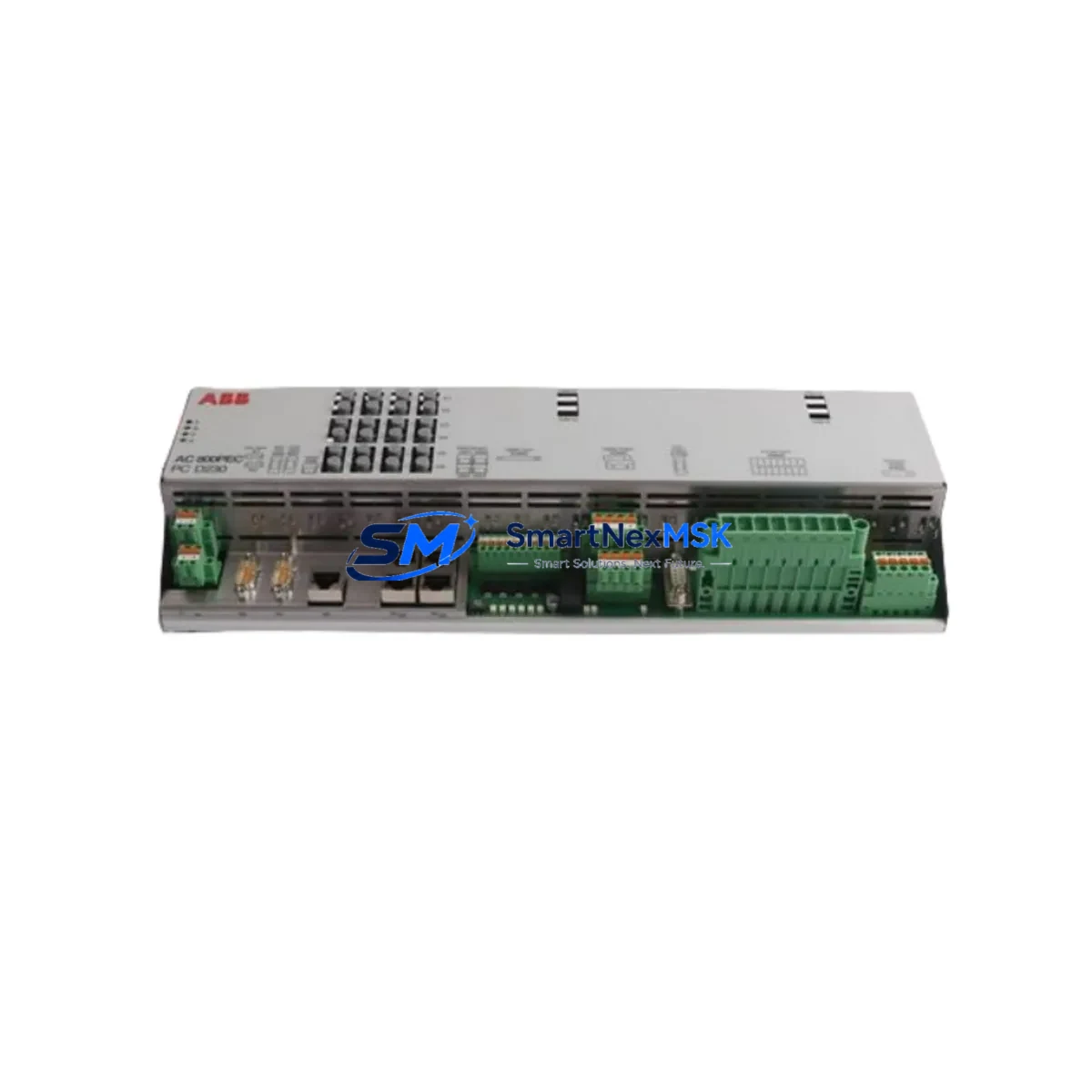
ABB 3BHE030312R0101 Maintenance-Ready Spare for Symphony Plus Automation
The ABB 3BHE030312R0101 (UAD169 A101) is a critical DCS control module deployed across Symphony Plus automation architectures in power generation, oil & gas, chemical processing, and heavy industrial facilities. When this module fails or degrades, the consequences extend beyond a single I/O channel — the entire control loop dependent on it is at risk of unplanned shutdown. Sourcing a verified, tested replacement quickly is the difference between a controlled maintenance window and a costly production halt.
This listing provides an original ABB 3BHE030312R0101 spare, sourced from authorized supply chains, fully inspected, and dispatched with a 12-month warranty. Every unit undergoes functional verification prior to shipment to ensure it meets ABB’s original performance specifications for Symphony Plus system integration.
Spare Maintenance Table
| Part Number | 3BHE030312R0101 |
| Module Designation | UAD169 A101 |
| Brand | ABB |
| Series | Symphony Plus |
| Product Type | DCS Control Module |
| Country of Origin | Germany (DE) |
| Compatibility | ABB Symphony Plus DCS platforms; replaces legacy Harmony/Infi 90 equivalents in upgraded systems |
| Installation Environment | Control cabinet / DCS rack; standard 19″ or Symphony Plus backplane mounting |
| Operating Temperature | 0°C to +60°C (typical DCS cabinet range) |
| Power Supply Requirement | 24 VDC via backplane; verify with PM891 or PM856 power module output |
| Communication Interface | Symphony Plus internal bus; compatible with CI854 / CI857 communication interfaces |
| Maintenance Recommendation | Inspect every 12–24 months; replace proactively if diagnostic LEDs indicate fault or if system logs show intermittent I/O errors |
| Warranty | 12 Months — covers manufacturing defects and functional failure under normal operating conditions |
| Condition | Original / New-surplus; fully tested before dispatch |
| Dispatch | Typically within 1–3 business days; express options available for emergency downtime recovery |
Maintenance Planning for Continuous Operation
Replacing the ABB 3BHE030312R0101 in a live Symphony Plus system is rarely an isolated task. Experienced maintenance engineers know that a failing DCS control module is often a symptom of broader stress across the control cabinet. Before or during replacement, a structured inspection of adjacent components is essential to prevent repeat failures and ensure the restored system operates reliably.
Start with the power supply chain: verify that the ABB PM891 or PM856 power module is delivering stable 24 VDC to the backplane. Voltage sags or ripple can accelerate module degradation and cause intermittent faults that are difficult to diagnose. If the power module is more than five years old or shows any thermal discoloration, schedule it for replacement alongside the 3BHE030312R0101.
Next, inspect the backplane and rack assembly. The Symphony Plus backplane distributes both power and communication signals; corroded or loose connectors on the backplane can cause the replacement module to exhibit the same fault symptoms as the failed unit. Clean connector pins and verify seating torque before powering up.
Check the CI854 or CI857 communication interface module responsible for the PROFIBUS or IEC 61850 segment connected to this control module. A degraded communication interface can cause the new 3BHE030312R0101 to report bus errors immediately after installation, leading to unnecessary re-work. Similarly, review the AI810 or AO810 analog I/O modules on the same rack — if field signals were lost during the fault event, verify that I/O modules did not sustain surge damage.
For installations where the 3BHE030312R0101 interfaces with field instrumentation, inspect the signal isolators and barriers in the marshalling cabinet. Zener barriers or galvanic isolators that have absorbed a transient event may pass functional tests but introduce signal drift over time. Replace any isolator showing resistance drift beyond ±2% of nominal.
Review the terminal blocks and wiring harnesses connected to the module’s I/O field cables. Loose terminations are a leading cause of intermittent faults in DCS systems and are frequently overlooked during module-level troubleshooting. Torque-check all terminals and inspect for insulation cracking, particularly in high-temperature cabinet environments.
If the Symphony Plus system includes redundant controller pairs (e.g., AC800M controllers with TP830 or TP854 termination panels), verify that the redundancy switchover function is operating correctly after the module replacement. A failed switchover test indicates a deeper system issue that must be resolved before returning the loop to automatic control.
Finally, check the HMI communication path: if the plant uses an ABB 800xA Operations workstation or a legacy Conductor NT HMI, confirm that the replaced module’s tag assignments are correctly mapped and that alarm limits are restored to pre-fault values. Incorrect tag mapping after a module swap is a common source of nuisance alarms in the weeks following a repair.
Site Replacement Workflow
Step 1 — Pre-replacement verification: Confirm the exact revision of the installed 3BHE030312R0101 using the module’s label or the Symphony Plus Asset Monitor. Cross-reference with the replacement unit’s label to ensure hardware revision compatibility. ABB Symphony Plus modules are generally backward-compatible within the same UAD series, but firmware-level differences may require a configuration download after installation.
Step 2 — Safe isolation: Place the affected control loop in manual mode at the DCS operator station before removing the module. For redundant configurations, initiate a controlled switchover to the standby controller. Do not remove the module under live bus conditions unless the system design explicitly supports hot-swap for this module type.
Step 3 — Physical replacement: Remove the failed 3BHE030312R0101 by releasing the front-panel locking levers and sliding the module out of the backplane slot. Insert the replacement unit, ensuring full backplane connector engagement. Secure the locking levers and verify the module’s status LED sequence on power-up — a steady green indicates normal initialization.
Step 4 — Configuration restore: Using ABB Control Builder Plus or the Symphony Plus Engineering Workplace, download the module configuration from the project database. Verify I/O channel assignments, scaling parameters, and alarm limits match the pre-fault configuration. For legacy systems migrated from Harmony or Infi 90, confirm that any translated function blocks are correctly loaded.
Step 5 — Loop test and return to service: Perform a full loop test from field instrument to HMI display before returning the loop to automatic. Document the replacement in the plant’s maintenance management system (CMMS) and update the spare parts inventory to trigger reorder of a replacement 3BHE030312R0101 for the next maintenance cycle.
Spare Parts Support FAQ
Q1: Is the 3BHE030312R0101 compatible with both current Symphony Plus and older Symphony Harmony systems?
The UAD169 A101 module is designed for the Symphony Plus platform. While ABB’s Symphony Plus architecture is the successor to Symphony Harmony, direct physical interchangeability depends on the backplane generation and firmware version in your specific installation. We recommend confirming your system’s backplane type (e.g., TB820 or TB840) before ordering. Our technical team can assist with compatibility verification based on your system documentation.
Q2: What testing is performed before dispatch?
Every 3BHE030312R0101 unit is functionally tested prior to shipment. Testing includes power-on initialization verification, communication bus response check, and I/O channel continuity. Units that do not pass all test criteria are not dispatched. A test report is available upon request for critical applications.
Q3: How should I manage spare parts inventory for Symphony Plus DCS systems to minimize downtime risk?
Best practice for Symphony Plus installations is to maintain at least one spare for every critical module type installed in quantities of three or more. For the 3BHE030312R0101, if your plant has four or more of these modules in service, holding two spares on-site is recommended. Modules in high-cycle or high-temperature environments should be inspected annually and replaced proactively at the first sign of diagnostic warnings rather than waiting for failure.
Q4: What does the 12-month warranty cover, and what is the claims process?
The 12-month warranty covers functional failure and manufacturing defects under normal operating conditions as defined by ABB’s installation guidelines for Symphony Plus. It does not cover damage resulting from incorrect installation, overvoltage events, or physical impact. To initiate a warranty claim, contact our support team with the order reference, a description of the fault symptom, and any available DCS diagnostic logs. Replacement or repair is typically processed within 5–10 business days.
© 2026 SMARTNEXMSK. All rights reserved.
Original Source: https://smartnexmsk.com
Contact: [email protected] | +86 18259474341



