
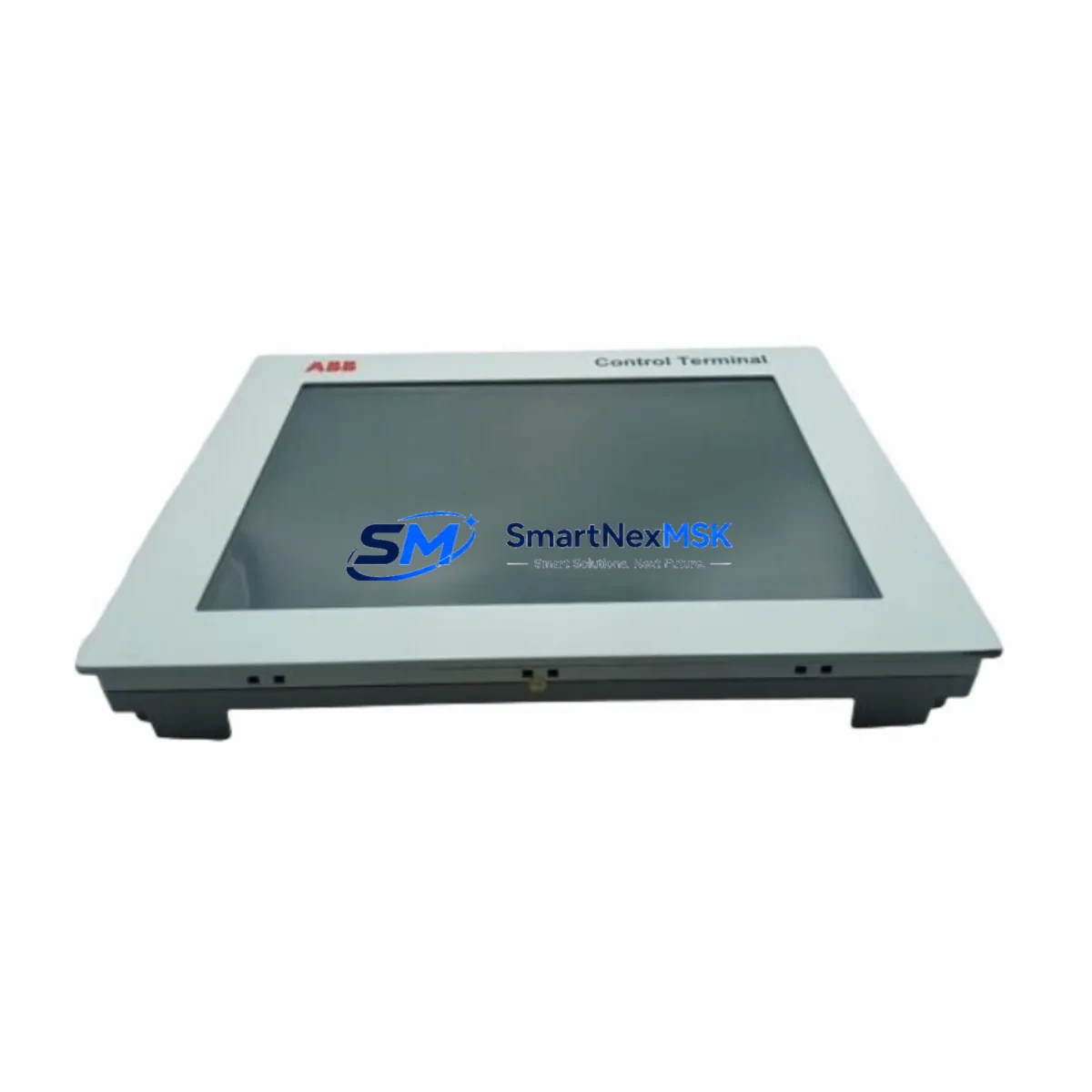
ABB 3BHE031734R1011 Maintenance-Ready Spare for Symphony Plus Automation
The ABB 3BHE031734R1011 (TPC-1570H) is a 15-inch industrial HMI Panel PC engineered for continuous-duty operation within ABB’s Symphony Plus DCS architecture. In process industries — power generation, pulp and paper, oil and gas, and chemical plants — this panel PC serves as the primary operator interface for real-time process visualization, alarm management, and control loop supervision. When this unit fails or degrades, the entire operator station goes dark, leaving field personnel without visibility into critical process variables. Maintaining a verified spare on the shelf is not optional — it is a core element of any responsible maintenance strategy for Symphony Plus installations.
This listing supplies an original ABB 3BHE031734R1011 unit, sourced through established industrial channels, fully inspected, function-tested prior to dispatch, and backed by a 12-month warranty. Each unit is packaged in anti-static, shock-resistant materials to preserve hardware integrity during transit. Lead time is typically 3–7 business days for in-stock units, with expedited options available for emergency shutdowns.
Spare Maintenance Table
| Parameter | Specification / Detail |
|---|---|
| Part Number | 3BHE031734R1011 |
| Model | TPC-1570H |
| Brand | ABB |
| Series | Symphony Plus (S+) |
| Product Type | Industrial HMI Panel PC |
| Display Size | 15-inch TFT LCD |
| Operating System | Windows Embedded (factory-configured) |
| Communication Interfaces | Ethernet (RJ45), Serial (RS-232/RS-485), USB |
| Supply Voltage | 24 VDC (nominal), 18–30 VDC operating range |
| Protection Rating | IP65 front panel |
| Mounting | Panel cut-out, flush mount |
| Operating Temperature | 0 °C to +50 °C |
| Humidity | 5–95% RH, non-condensing |
| Compatibility | ABB Symphony Plus DCS, AC 800M controller network, S+ Operations HMI software |
| Origin | Sweden (ABB factory) |
| Condition | Original, tested before shipment |
| Warranty | 12 months from date of shipment |
| Typical Application | Operator workstation, process visualization, alarm management |
| Maintenance Interval | Inspect fan, backlight, and touchscreen calibration every 12 months |
Maintenance Planning for Continuous Operation
A TPC-1570H failure rarely occurs in isolation. Maintenance engineers responding to an HMI panel fault should treat the event as a trigger for a broader control cabinet inspection. Before reinstating the replacement 3BHE031734R1011, verify the integrity of the 24 VDC panel power supply — a degraded or undersized supply is a common root cause of premature HMI failures. Check the ABB PSMV or equivalent 24 VDC power supply module for output ripple and voltage stability under load.
Inspect all Ethernet patch cables and RJ45 connectors linking the TPC-1570H to the Symphony Plus network switch. Corroded or intermittently connected cables can cause communication dropouts that are misdiagnosed as HMI hardware faults. If the installation uses fiber-optic media converters between the operator station and the DCS backbone, verify the SFP transceivers and fiber patch cords as part of the same maintenance event.
Review the AC 800M controller modules — particularly the PM866 or PM891 processor modules — to confirm that firmware versions are compatible with the replacement HMI’s S+ Operations software build. A version mismatch between the controller and the operator station software can prevent tag browsing and alarm subscription from functioning correctly after the swap.
For installations that include ABB S800 I/O modules (such as AI810, AO810, DI810, or DO810) connected via the S+ system, confirm that the I/O fieldbus communication — typically PROFIBUS DP or ModuleBus — is stable and that no I/O modules are reporting diagnostic faults. A failing I/O module can generate alarm floods that stress the HMI and accelerate its wear cycle.
If the control cabinet houses ABB REF615 or REM615 protection relays communicating via IEC 61850 or MODBUS to the operator station, verify that relay event logs are being received correctly after the HMI replacement. Signal isolation barriers and surge protection devices on serial communication lines should also be inspected — particularly in environments with high electromagnetic interference from variable frequency drives or large motor starters.
Terminal blocks and wiring harnesses inside the panel should be checked for loose connections, especially on the 24 VDC input terminals of the TPC-1570H. Vibration-induced terminal loosening is a known failure mode in heavy industrial environments. Torque-check all power and signal terminals to manufacturer specifications before energizing the replacement unit.
Site Replacement Workflow
Replacing the 3BHE031734R1011 in a live Symphony Plus installation requires a structured approach to minimize downtime and avoid configuration loss. Begin by exporting the current S+ Operations project from the existing HMI if the unit is still partially functional — this preserves display configurations, alarm setpoints, and trend group definitions. If the existing unit is completely unresponsive, retrieve the project backup from the DCS engineering station or the site’s backup server.
Power down the panel station at the 24 VDC supply breaker. Photograph all cable connections before disconnection — Ethernet, USB peripherals, serial lines, and power terminals. Remove the failed unit from the panel cut-out by releasing the mounting clamps. Install the replacement 3BHE031734R1011, reconnect all cables in the documented order, and restore power. The unit will boot to the factory Windows Embedded environment; restore the S+ Operations project from backup media or network share, configure the IP address to match the original station settings, and verify communication with the AC 800M controller.
Perform a full alarm acknowledgment test, trend display verification, and faceplate operation check before returning the station to operator control. Document the replacement in the site maintenance log, including the serial number of the removed unit and the replacement unit, the date, and the technician’s name. Update the spare parts inventory record to trigger a replenishment order — maintaining at least one verified spare TPC-1570H on site is strongly recommended for installations where this panel PC is the sole operator interface.
This replacement procedure is compatible with Symphony Plus R5 and later releases. For older Symphony Plus R4 installations, confirm software compatibility with ABB technical support before deploying the replacement unit.
Spare Parts Support FAQ
Q1: Is the 3BHE031734R1011 compatible with both Symphony Plus R5 and earlier DCS releases?
The TPC-1570H hardware platform is compatible with Symphony Plus R4 and R5. However, the pre-installed operating system image and S+ Operations software version may differ between production batches. Confirm the required software version with your site’s DCS engineer before ordering, and specify the required build when placing your order so we can match the correct image.
Q2: What testing is performed before shipment?
Every 3BHE031734R1011 unit undergoes a power-on functional test, display verification, touchscreen calibration check, and communication port test prior to dispatch. Units that do not pass all test criteria are not shipped. A test report is available upon request for critical installations.
Q3: How should the 3BHE031734R1011 be stored as a long-term spare?
Store the unit in its original anti-static packaging in a climate-controlled environment at 10–30 °C with relative humidity below 70%, away from direct sunlight and electromagnetic sources. Energize the unit for a 30-minute functional check every 12 months to verify display backlight health and battery-backed RTC operation. Replace the CMOS battery if the unit has been in storage for more than 3 years.
Q4: What is covered under the 12-month warranty?
The 12-month warranty covers manufacturing defects, component failures under normal operating conditions, and DOA (dead on arrival) units. It does not cover damage resulting from incorrect installation voltage, physical impact, liquid ingress, or unauthorized modification. Warranty claims are processed within 5 business days of receiving the returned unit, with replacement or repair at our discretion.
© 2026 SMARTNEXMSK. All rights reserved.
Original Source: https://smartnexmsk.com
Contact: [email protected] | +86 18259474341



