
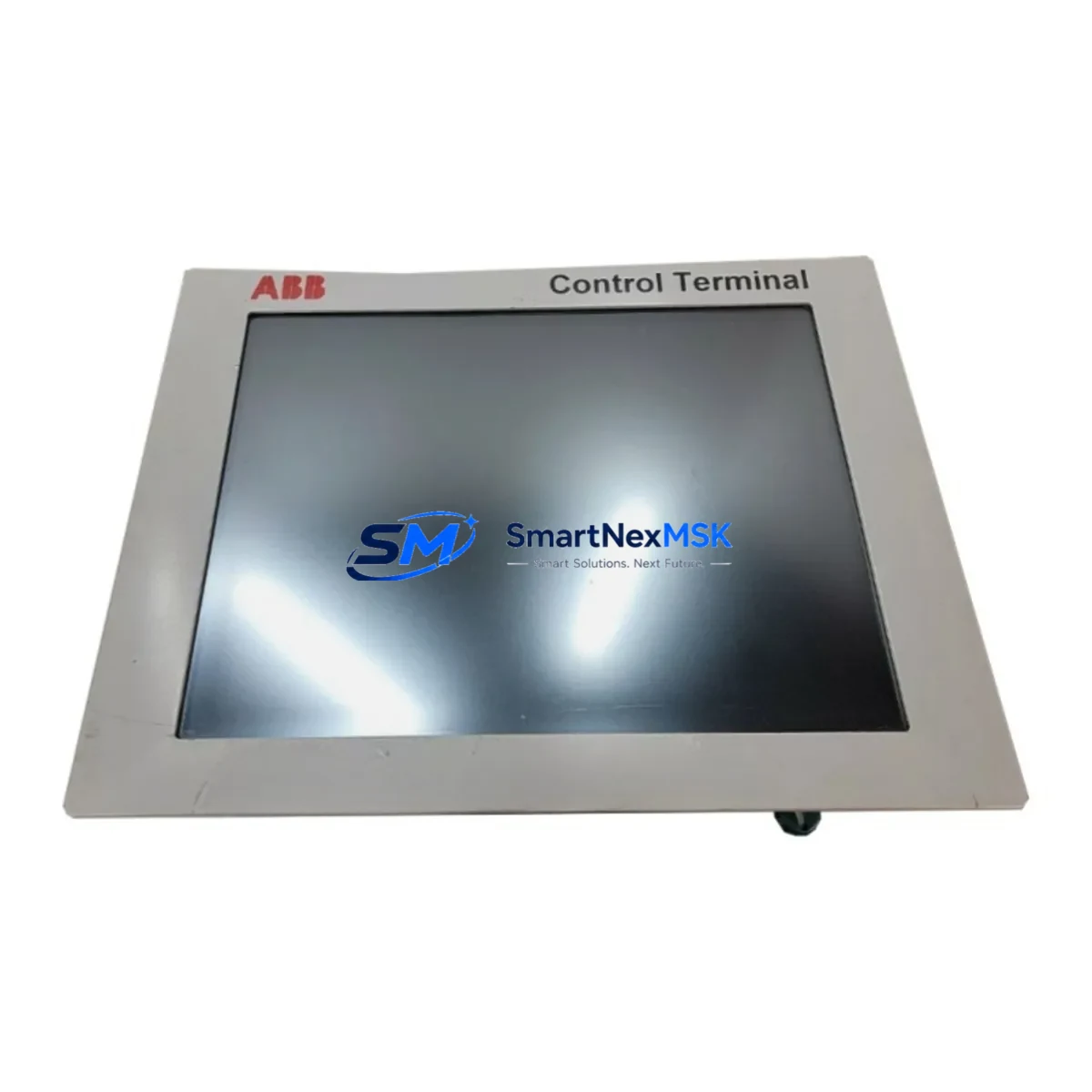
ABB 3BHE031734R3203 Retrofit-Ready HMI for TPC1571 Control Systems
The ABB 3BHE031734R3203 (TPC1571HD3A1201E-T) is a 15-inch industrial HMI touch panel engineered for seamless integration into ABB AC800M, AC500, and Symphony Plus distributed control environments. As legacy TPC1571 units reach end-of-life and original spare parts become increasingly scarce, this module serves as the definitive retrofit-ready replacement — enabling control engineers to restore full HMI functionality without redesigning the control cabinet or rewriting existing PLC logic.
Whether you are managing a planned upgrade cycle or responding to an unplanned panel failure on a critical production line, the 3BHE031734R3203 is stocked and available for immediate dispatch. Each unit undergoes pre-shipment functional testing covering display calibration, touchscreen response, communication link verification, and power-on diagnostics. A 12-month warranty is included as standard, covering hardware defects and interface failures under normal industrial operating conditions.
Upgrade Compatibility Table
| Parameter | Detail |
|---|---|
| Replacement Target | ABB TPC1571HD3A1201E-T (3BHE031734R3203) |
| Compatible Series | ABB TPC1571, AC800M, AC500, Symphony Plus |
| Display Size | 15″ TFT LCD with resistive touchscreen |
| Communication Interfaces | Ethernet (RJ45), RS-232, RS-485, USB |
| Backplane / Rack Compatibility | Standard DIN rail and panel-mount; compatible with existing TPC1571 cutout dimensions |
| Power Supply Requirement | 24 VDC nominal; verify existing PSU capacity before installation |
| Installation Requirement | Retain existing terminal wiring; confirm I/O address mapping before power-on |
| Communication Compatibility | PROFIBUS DP, Modbus TCP/IP, OPC-UA (firmware-dependent) |
| Replacement Recommendation | Direct drop-in for TPC1571 series; no panel cutout modification required |
| Commissioning Focus | HMI screen import, tag re-mapping, communication node address verification |
| Warranty | 12 months from date of shipment, covering hardware defects |
Retrofit Planning for Existing Automation Systems
A successful retrofit of the ABB 3BHE031734R3203 into an existing control system requires systematic pre-installation planning. Before removing the legacy panel, engineers should document all terminal wiring assignments, confirm the 24 VDC power supply module — typically an ABB CP-E 24/10.0 or equivalent — can sustain the load of the replacement HMI, and photograph the existing backplane connector layout for reference during reinstallation.
In systems where the TPC1571 communicates with an ABB PM864A or PM891 processor module via the internal S100 I/O bus, it is essential to verify that the replacement panel’s firmware version supports the same communication protocol revision. Where the control network uses PROFIBUS DP, the GSD file for the new HMI node must be loaded into the engineering workstation before the network is restarted. For Modbus TCP/IP environments, the node IP address and register map should be pre-configured offline using ABB’s Panel Builder 600 or Control Builder Plus software.
The retrofit scope frequently extends beyond the HMI panel itself. Engineers commonly find that adjacent components — including the ABB TB820V2 PROFIBUS DP communication interface module, CI854A Ethernet communication interface, and AI810 analog input modules — require firmware updates or address reconfiguration when a new HMI is introduced. In older Symphony Plus installations, the HC800 controller module may require a project download after the HMI replacement to re-establish the OPC-UA data subscription links.
For control cabinets that also house ABB DSQC series robot controller I/O or third-party Siemens ET 200SP distributed I/O racks connected via PROFINET, the network topology diagram must be updated to reflect the new HMI node before commissioning. Terminal blocks, cable shields, and earthing connections should be inspected and re-torqued during the panel swap to prevent intermittent communication faults after restart.
Where the existing installation includes an ABB MP200 or MP300 operator panel as a secondary display, the tag database shared between the primary TPC1571 and the secondary panel must be re-exported and re-imported after the replacement HMI is configured. This step is frequently overlooked and is a common cause of post-retrofit alarm display discrepancies.
Downtime Control During System Migration
Minimizing production downtime during an HMI panel replacement is a primary concern for plant engineers. The recommended approach is to perform all offline preparation — firmware loading, IP configuration, tag import, and screen layout verification — on the replacement 3BHE031734R3203 unit before the scheduled maintenance window begins. This reduces the live switchover time to the physical panel swap, terminal reconnection, and a final communication link test.
Where the control system permits, a parallel run strategy is advisable: the replacement HMI is connected to the network and brought online in monitor-only mode while the legacy TPC1571 remains active. This allows engineers to verify that all process tags are reading correctly and that alarm setpoints are accurately reflected before the old panel is decommissioned. The ABB Control Builder Plus project file should be backed up to a secure engineering workstation immediately before the switchover to protect the existing program logic.
For processes where continuous control is mandatory — such as boiler management, compressor control, or chemical dosing systems — a hot-standby controller configuration using the ABB AC800M redundancy module should be confirmed as active before the HMI swap begins. This ensures that the underlying PLC logic continues to execute and field outputs remain stable throughout the panel replacement, even if the HMI communication link is temporarily interrupted during the physical installation.
Post-installation, a structured commissioning checklist should cover: power-on self-test confirmation, touchscreen calibration, all communication link status indicators, alarm acknowledgement function test, trend display data continuity, and a full I/O force test on critical outputs. Each unit shipped by SMARTNEXMSK has completed a pre-dispatch functional test against this checklist, reducing on-site commissioning time and the risk of post-installation failures.
Retrofit Support FAQ
Q1: Is the ABB 3BHE031734R3203 a direct replacement for the original TPC1571HD3A1201E-T?
Yes. The 3BHE031734R3203 is the ABB part number for the TPC1571HD3A1201E-T panel. It is a direct form-fit-function replacement for the original unit, requiring no panel cutout modification. Existing terminal wiring and backplane connectors are retained. Firmware and HMI project files may require re-loading depending on the revision level of the unit being replaced.
Q2: What commissioning steps are required after installation?
After physical installation, the standard commissioning sequence includes: power-on self-test, communication node address verification (PROFIBUS DP station address or Ethernet IP), HMI project file import via USB or network, tag database validation against the PLC program, touchscreen calibration, and a full alarm and trend display functional test. SMARTNEXMSK provides a commissioning checklist with each unit upon request.
Q3: Can the replacement panel be used with existing wiring and terminal blocks?
In the majority of TPC1571 retrofit applications, existing terminal wiring is fully compatible with the 3BHE031734R3203. Engineers should verify the 24 VDC supply polarity, confirm that cable shield earthing is intact, and re-torque all terminal connections before power-on. Where the original installation used non-standard wiring adaptors, these should be inspected and replaced if worn.
Q4: What does the 12-month warranty cover?
The 12-month warranty covers hardware defects in the display assembly, touchscreen interface, communication ports, and power input circuitry under normal industrial operating conditions. It does not cover damage resulting from incorrect installation, overvoltage, or physical impact. Warranty claims are processed directly through SMARTNEXMSK. Replacement or repair is completed within an agreed lead time, and a loan unit can be arranged for critical applications subject to availability.
© 2026 SMARTNEXMSK. All rights reserved.
Original Source: https://smartnexmsk.com
Contact: [email protected] | +86 18259474341



