
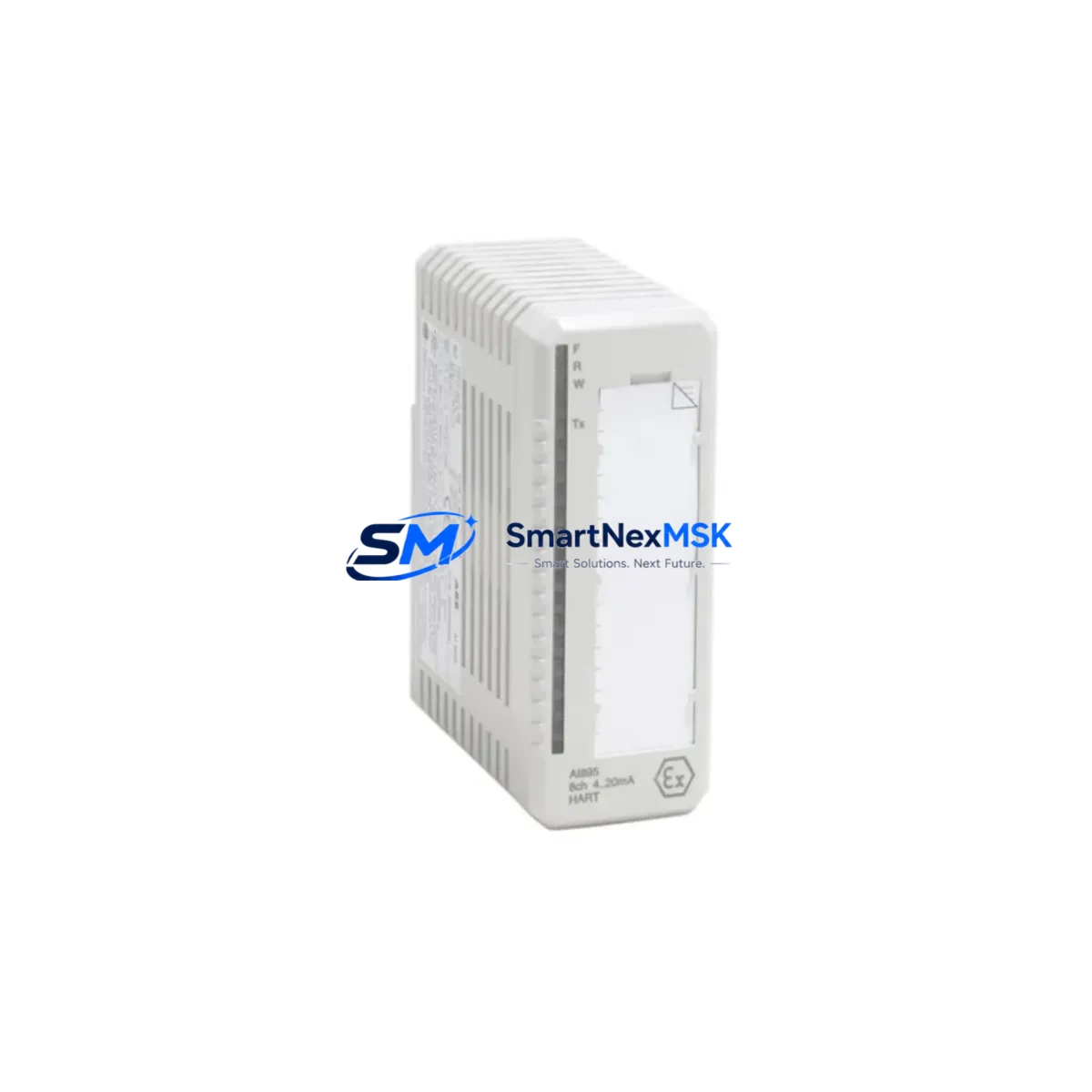
ABB 3BSC690086R1 Retrofit-Ready Module Termination Unit for S800 Control Systems
The ABB 3BSC690086R1 is a Module Termination Unit (MTU) engineered for the Symphony Plus S800 I/O platform — one of ABB’s most widely deployed distributed control system architectures in process industries including oil & gas, pulp & paper, power generation, and chemical manufacturing. As legacy S800 field termination assemblies reach end-of-life or become increasingly difficult to source, the 3BSC690086R1 serves as a direct, retrofit-ready replacement that preserves existing field wiring, cabinet layouts, and I/O addressing without requiring a full system redesign.
When planning a retrofit around the 3BSC690086R1, engineers must verify several critical compatibility parameters before committing to a swap. Power supply capacity is the first checkpoint: the S800 I/O rail draws power through the CI854 or CI858 communication interface modules, and adding or replacing MTUs may shift the total rail load. Confirm that the existing SD821 or SD822 power supply unit can sustain the updated configuration without triggering undervoltage faults. If the power budget is marginal, a parallel SD823 redundant supply should be considered before the cutover window opens.
Terminal wiring compatibility is the second priority. The 3BSC690086R1 uses the standard S800 MTU screw-terminal footprint, which accepts the same field cable cross-sections as earlier TB820 and TB840 termination boards. However, technicians should photograph and document all existing field wiring before removal, paying particular attention to shield grounding connections and any site-specific cable labeling that may not match the original engineering drawings. Misidentified shield grounds are among the most common causes of signal noise after an MTU replacement.
Backplane interface and module addressing must also be confirmed. The 3BSC690086R1 mounts on the standard S800 baseplate — compatible with the DP820 and DP840 dual-port baseplates — and inherits the module address set by the physical slot position on the rack. No address re-configuration is required in most cases, but the CI854A or CI858 communication interface should be forced into a re-scan cycle after the new MTU is seated to ensure the address table is refreshed in the AC800M controller. Failure to trigger this re-scan can result in the controller retaining stale I/O mapping from the previous module, causing incorrect process values to appear in the HMI.
Program compatibility is generally preserved when replacing like-for-like MTU types within the same S800 generation. The AC800M controller running Control Builder Plus does not require a program download for a direct MTU swap, provided the I/O module type seated on the MTU — such as an AI810, AO810, DI810, or DO810 — remains unchanged. If the retrofit involves upgrading from an older AI801 or DI801 module to a current-generation equivalent, a partial program update may be required to accommodate any changes in channel count or signal range configuration.
HMI screen validation is a step that is frequently underestimated during S800 retrofits. After the MTU replacement and controller re-scan, operators should walk through all affected faceplates in the 800xA Operations environment to confirm that analog input tags are displaying live values within expected engineering unit ranges, and that digital output commands are executing correctly at the field device level. Any tag that shows a bad-quality indicator (grey background in 800xA) should be investigated at the CI854 communication link level before the system is returned to automatic control.
Communication link integrity is the final pre-commissioning check. The S800 I/O communicates with the AC800M over a redundant Modulebus or PROFIBUS DP link depending on the site configuration. After installing the 3BSC690086R1, verify that the CI854 or CI858 interface reports a healthy link status in the 800xA Plant Explorer hardware tree. A flashing red LED on the communication interface after module insertion typically indicates a Modulebus address conflict or a loose backplane connector — both of which must be resolved before the loop is closed.
Upgrade Compatibility Table
| Parameter | Detail |
|---|---|
| Replaces / Compatible With | ABB S800 I/O MTU series; TB820, TB840 termination boards |
| Compatible I/O Modules | AI810, AO810, DI810, DO810, AI801, DI801 (same slot type) |
| Compatible Baseplates | DP820, DP840 dual-port baseplates |
| Compatible Communication Interfaces | CI854, CI854A, CI858 (Modulebus / PROFIBUS DP) |
| Compatible Controllers | AC800M (PM861, PM864, PM866 processor modules) |
| Power Supply Compatibility | SD821, SD822, SD823 (verify rail load before swap) |
| Terminal Wiring | Standard S800 MTU screw-terminal footprint; field cables reusable |
| Module Address Configuration | Slot-position based; no manual re-addressing required |
| Installation Requirement | CI854/CI858 re-scan cycle recommended post-installation |
| Software / Programming | No program download required for like-for-like MTU swap in Control Builder Plus |
| HMI Validation | 800xA Operations faceplate walkthrough recommended post-swap |
| Origin | China (CN) |
| Warranty | 12 Months from date of shipment |
Retrofit Planning for Existing Automation Systems
A successful 3BSC690086R1 retrofit begins with a complete bill-of-materials audit of the affected control cabinet. In a typical S800 I/O cabinet, the MTU sits between the field terminal strip and the I/O module, so the replacement scope often extends to inspecting the adjacent AI810 analog input modules, DO810 digital output modules, and the DP820 baseplate for signs of corrosion or connector wear. If the baseplate shows physical damage, it should be replaced concurrently with the MTU to avoid a second outage window.
The CI854A communication interface module should be checked for firmware version compatibility with the current AC800M processor firmware. ABB periodically releases firmware bundles that address Modulebus timing issues, and running mismatched firmware versions between the CI854A and the PM864 processor module can cause intermittent I/O dropouts that are difficult to diagnose after the fact. Download the latest firmware matrix from the ABB Library before the maintenance window and plan the update sequence accordingly.
For sites migrating from an older S800 generation to Symphony Plus, the retrofit may also involve replacing the legacy TB820 termination boards with current-generation MTUs such as the 3BSC690086R1, while simultaneously upgrading the communication interface from an older CI853 PROFIBUS interface to a CI854A Modulebus interface. This protocol migration requires a parallel wiring phase where both the old and new communication paths are active simultaneously, allowing the control room to validate tag quality on the new interface before cutting over. The SD822 power supply feeding the new I/O rail should be energized and load-tested at least 24 hours before the cutover to confirm stable output voltage under full module load.
I/O expansion projects that add new measurement points to an existing S800 system will typically require additional DP840 baseplates and a corresponding set of MTUs. The 3BSC690086R1 is well-suited for these expansion racks because it maintains the same physical and electrical interface as the existing installed base, minimizing the number of unique spare part numbers that the maintenance team must stock. A single programming cable — the TK212A USB-to-serial programming cable — is sufficient to connect a laptop running Control Builder Plus to the AC800M for any address verification or partial program updates required during the expansion commissioning.
Downtime Control During System Migration
Minimizing unplanned downtime during an S800 MTU replacement requires a structured pre-outage preparation protocol. At least one week before the scheduled maintenance window, the engineering team should export a full hardware configuration backup from the 800xA System from the Plant Explorer, and archive the current AC800M application program using Control Builder Plus. These backups are the recovery baseline if the replacement introduces an unexpected fault.
During the outage, the recommended sequence is: (1) place all affected control loops in manual at the DCS operator station, (2) de-energize the I/O rail power supply feeding the target MTU slot, (3) remove the I/O module seated on the MTU before removing the MTU itself to avoid backplane connector stress, (4) install the 3BSC690086R1 and re-seat the I/O module, (5) re-energize the rail and trigger a CI854 re-scan from the 800xA hardware configuration tool, and (6) verify tag quality in the operator faceplate before returning loops to automatic. This sequence typically completes in under 30 minutes per MTU position for an experienced technician, keeping total outage exposure well within a standard 4-hour maintenance window even for multi-rack replacement projects.
For critical process loops where even a brief interruption is unacceptable, ABB’s S800 I/O platform supports hot-swap of I/O modules on powered baseplates — but the MTU itself requires the rail to be de-energized for safe removal. Planning the replacement sequence to group MTUs by power rail segment allows the team to minimize the number of loops affected by each de-energization event, preserving control continuity on unaffected segments throughout the maintenance window.
Retrofit Support FAQ
Q: Is the ABB 3BSC690086R1 a direct drop-in replacement for older S800 MTU termination boards?
A: Yes. The 3BSC690086R1 uses the same physical footprint, screw-terminal layout, and backplane connector as the TB820 and TB840 series termination boards used in earlier S800 I/O generations. Field cables can be reconnected to the same terminal positions without re-labeling, provided the original wiring documentation is available for reference during the swap.
Q: Does replacing the MTU require a program download to the AC800M controller?
A: Not for a like-for-like replacement where the I/O module type and channel configuration remain unchanged. The AC800M retains the application program in non-volatile memory during the MTU swap. A CI854 re-scan is recommended to refresh the hardware address table, but this does not alter the application logic. A partial program download is only required if the I/O module type is being upgraded simultaneously.
Q: What pre-shipment testing is performed on the 3BSC690086R1?
A: Each unit undergoes functional verification including backplane connector integrity check, terminal block continuity test, and visual inspection for physical damage before shipment. Units are shipped with a 12-month warranty covering manufacturing defects. If a unit fails within the warranty period, a replacement is dispatched from stock upon receipt of the defective unit.
Q: How quickly can the 3BSC690086R1 be sourced for an emergency breakdown situation?
A: Units are maintained in stock and can be dispatched within 24–48 hours of order confirmation for standard shipping destinations. For urgent breakdown situations, expedited shipping options are available. Contact [email protected] or call +86 18259474341 to confirm current stock availability and lead time before committing to a maintenance window.
© 2026 SMARTNEXMSK. All rights reserved.
Original Source: https://smartnexmsk.com
Contact: [email protected] | +86 18259474341



