
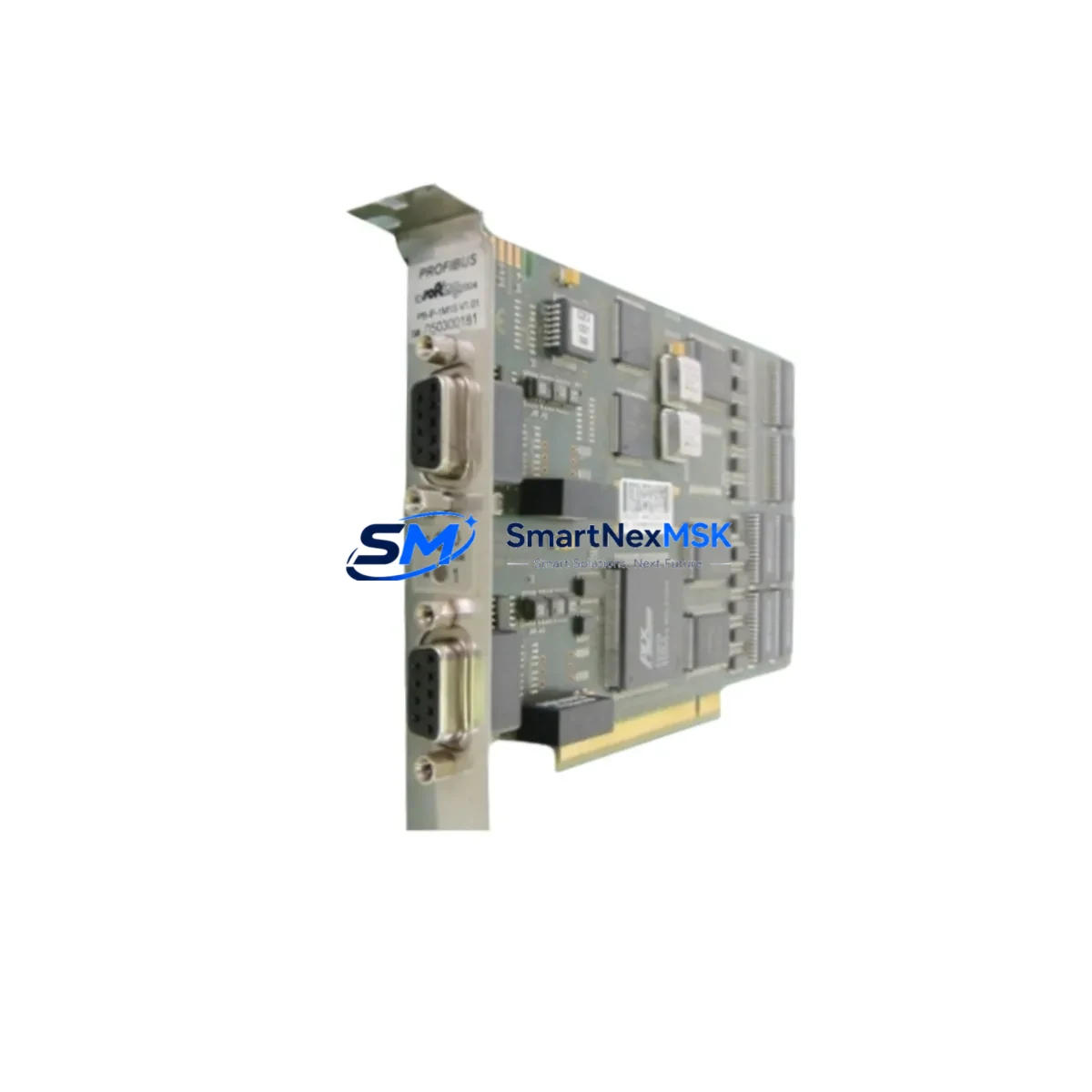
ABB 3HAC023047-001 DSQC637 Maintenance-Ready Spare IRC5: Spare Replacement & Industrial Downtime Risk Control
The ABB 3HAC023047-001 DSQC637 is a Profibus-DP slave communication adapter designed for ABB IRC5 robot controllers. As a critical fieldbus interface module, the DSQC637 bridges the IRC5 controller’s internal backplane with external Profibus-DP master networks — enabling real-time I/O exchange between the robot system and upstream PLCs, DCS controllers, or SCADA systems. When this module fails or degrades, the entire robot cell loses network visibility, triggering unplanned downtime that can cascade across production lines.
SMARTNEXMSK maintains verified original stock of the 3HAC023047-001 DSQC637 to support maintenance engineers and procurement teams who require fast, reliable spare parts fulfillment. Every unit is function-tested prior to dispatch and covered by a 12-month warranty.
Spare Maintenance Table
| Parameter | Specification |
|---|---|
| Part Number | 3HAC023047-001 |
| Module Designation | DSQC637 |
| Brand | ABB Robotics |
| Series | IRC5 / DSQC |
| Function | Profibus-DP Slave Adapter (Fieldbus Communication) |
| Compatible Controllers | ABB IRC5 Single Cabinet, IRC5 Compact, IRC5 Panel Mounted |
| Communication Protocol | Profibus-DP (EN 50170) |
| Baud Rate Support | Up to 12 Mbit/s |
| Connector Interface | 9-pin D-Sub (DB9) Profibus connector |
| Installation | Backplane slot mount, IRC5 main computer unit |
| Operating Temperature | 0°C to +55°C |
| Origin | Germany (ABB Robotics) |
| Condition | Original, New or Refurbished-Tested |
| Pre-shipment Test | Function verified before dispatch |
| Warranty | 12 Months |
| Typical Replacement Scenario | Profibus communication loss, IRC5 fieldbus fault, robot cell network failure |
Maintenance Planning for Continuous Operation
When a DSQC637 Profibus-DP adapter fails in an IRC5 controller, the fault rarely exists in isolation. Experienced maintenance engineers know that fieldbus communication failures often involve a chain of components that must be systematically inspected before and after module replacement.
Begin with the DSQC639 main computer board — the DSQC637 plugs directly into the IRC5 main computer unit, and a degraded DSQC639 can cause intermittent communication faults that mimic a failed Profibus adapter. Verify the main computer’s firmware version and check for any active system fault logs via the FlexPendant before condemning the DSQC637.
Inspect the DSQC662 or DSQC663 I/O module in the same control cabinet. In many IRC5 installations, digital I/O signals are routed through Profibus, meaning a DSQC637 fault will suppress I/O feedback from the robot cell. After replacing the adapter, confirm that all I/O channels on the DSQC662/663 are responding correctly and that no address conflicts exist on the Profibus segment.
Check the DSQC609 power supply unit supplying the IRC5 main computer section. Undervoltage or ripple on the 24 VDC rail can cause the DSQC637 to drop off the Profibus network intermittently. Measure rail voltage under load before installing the replacement module.
Examine the Profibus cable termination resistors at both ends of the fieldbus segment. A missing or damaged termination resistor is one of the most common causes of Profibus instability and is frequently misdiagnosed as a module failure. Verify 220 Ω termination is active at both physical ends of the bus.
Review the DSQC643 DeviceNet or DSQC658 Ethernet adapter if the IRC5 system uses multiple fieldbus protocols in parallel. Slot conflicts or firmware mismatches between communication adapters can prevent the DSQC637 from initializing correctly after a replacement.
For systems using a DSQC668 or DSQC679 safety module, confirm that the safety controller’s Profibus node address does not conflict with the newly installed DSQC637. Safety-rated Profibus nodes require explicit address assignment and GSD file configuration in the upstream PLC or DCS.
Finally, inspect the IRC5 backplane connector and slot contacts. Oxidized or bent backplane pins are a common cause of communication module failures in high-humidity or high-vibration environments. Clean contacts with isopropyl alcohol and verify seating torque before closing the cabinet.
Maintaining a cabinet-level spare kit that includes the DSQC637, a spare DSQC609 power supply, and at least one DSQC662 I/O module significantly reduces mean time to repair (MTTR) for IRC5-based robot cells and supports a proactive maintenance posture aligned with ISO 55000 asset management principles.
Site Replacement Workflow
Step 1 — Fault Isolation: Use the ABB FlexPendant or RobotStudio to read active event logs. A DSQC637 failure typically generates Event 50024 (Profibus adapter not found) or Event 50031 (fieldbus communication timeout). Document the fault code before powering down.
Step 2 — Safe Shutdown: Place the IRC5 controller in manual mode, execute a controlled program stop, and follow LOTO (Lockout/Tagout) procedures before opening the cabinet. Discharge any residual capacitor voltage on the main computer section per ABB service manual guidelines.
Step 3 — Module Removal: Identify the DSQC637 slot on the IRC5 main computer unit. Release the module retention latch, disconnect the DB9 Profibus cable, and extract the module from the backplane. Note the slot position — the replacement must be installed in the identical slot.
Step 4 — Replacement Installation: Insert the new 3HAC023047-001 DSQC637 into the correct backplane slot. Reconnect the Profibus DB9 cable, ensuring the cable shield is properly grounded at the cabinet entry point. Verify termination resistor status on the Profibus connector.
Step 5 — System Restart and Verification: Power up the IRC5 controller and monitor the startup sequence via the FlexPendant. Confirm the DSQC637 is recognized (no Event 50024). Verify Profibus communication with the upstream PLC or DCS by checking I/O exchange status. Run a test cycle before returning the robot cell to production.
Step 6 — Documentation: Record the replacement date, new module serial number, and post-replacement test results in the equipment maintenance log. Update the spare parts inventory to trigger reorder of a replacement DSQC637 for the cabinet-level spare kit.
Spare Parts Support FAQ
Q1: Is the 3HAC023047-001 DSQC637 compatible with all IRC5 controller variants?
The DSQC637 is compatible with the IRC5 Single Cabinet Controller, IRC5 Compact Controller, and IRC5 Panel Mounted Controller. It is not designed for the older S4C+ or IRC5P (paint) variants that use different backplane architectures. Always verify your controller’s main computer generation (DSQC639 vs. earlier DSQC602) before ordering.
Q2: What pre-shipment testing does SMARTNEXMSK perform on the DSQC637?
Every 3HAC023047-001 unit undergoes functional verification including backplane interface continuity, Profibus-DP communication initialization test, and visual inspection for connector damage or component anomalies. A test report is available upon request. All units ship with a 12-month warranty covering manufacturing defects and functional failures under normal operating conditions.
Q3: How should we manage DSQC637 inventory for a multi-robot IRC5 facility?
For facilities operating 5 or more IRC5 controllers on a shared Profibus network, we recommend maintaining a minimum of one DSQC637 spare per 5 robots, stored in an ESD-safe environment at 15–25°C. For critical production lines with zero-tolerance downtime requirements, a 1:3 spare ratio is advisable. SMARTNEXMSK supports long-term supply agreements to ensure consistent availability of 3HAC023047-001 stock.
Q4: Can the DSQC637 be used as a direct replacement for older Profibus adapters in the IRC5 series?
The DSQC637 (3HAC023047-001) supersedes earlier Profibus adapter revisions used in first-generation IRC5 systems. In most cases it is a direct drop-in replacement, but firmware compatibility with the DSQC639 main computer should be confirmed — ABB recommends running RobotWare 5.14 or later for full DSQC637 feature support. Contact our technical team at [email protected] for compatibility verification before ordering if your system runs legacy RobotWare versions.
© 2026 SMARTNEXMSK. All rights reserved.
Original Source: https://smartnexmsk.com
Contact: [email protected] | +86 18259474341



