
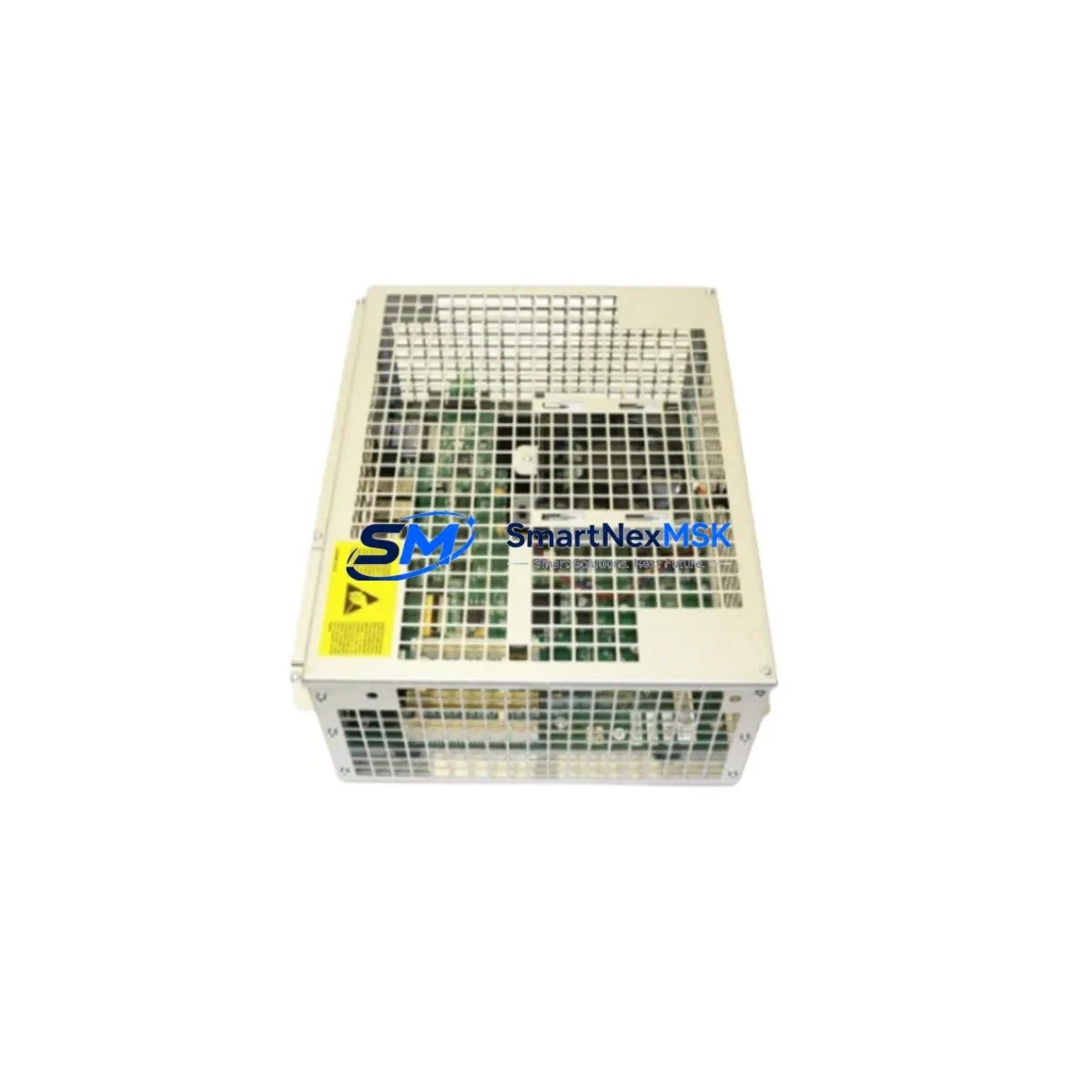
ABB 3HAC025097-001 DSQC639 Maintenance-Ready Spare for IRC5 Automation
The ABB 3HAC025097-001, commercially designated as the DSQC639, is the main computer board at the heart of the IRC5 robot controller cabinet. For maintenance engineers managing ABB robotic cells — whether in automotive body shops, arc welding lines, palletizing stations, or general-purpose assembly — this board is the single most critical spare to have on hand. A failure of the DSQC639 results in a complete controller shutdown, halting all robot motion and I/O communication. Sourcing a verified, tested replacement unit with minimal lead time is the fastest path to restoring production continuity.
The DSQC639 integrates the real-time processor, memory management, and system bus arbitration for the IRC5 controller platform. It communicates directly with the axis computer board (DSQC668 or DSQC1000 depending on cabinet generation), the I/O boards such as the DSQC652 digital I/O module, and the panel unit. When replacing this board, maintenance teams must verify that the firmware version stored on the replacement unit is compatible with the robot’s existing RobotWare installation. A mismatch between the DSQC639 firmware and the RobotWare version on the FlexPendant (DSQC679) can prevent the controller from completing its boot sequence.
Before removing the faulty DSQC639, engineers should back up the robot system using the IRC5 backup function via RobotStudio or the FlexPendant. This preserves the RAPID program, system parameters, I/O configuration, and safety settings. The backup should be stored on an external USB drive or network share, not on the controller’s internal memory, since the main computer board is the component being replaced.
Spare Maintenance Table
| Parameter | Specification / Detail |
|---|---|
| Part Number | 3HAC025097-001 |
| Commercial Name | DSQC639 |
| Function | IRC5 Main Computer Board (CPU, memory, system bus) |
| Compatible Platform | ABB IRC5 Single Cabinet, Dual Cabinet, Panel Mounted Controller |
| Compatible Robot Series | IRB 120, IRB 140, IRB 1600, IRB 2600, IRB 4600, IRB 6640, IRB 6650S, IRB 7600 |
| RobotWare Compatibility | RobotWare 5.x (verify minor version with system backup) |
| Installation Interface | IRC5 controller backplane, standard DIN rail mounting |
| Power Supply Requirement | 24 VDC from DSQC609 or DSQC661 power supply unit |
| Communication Links | Ethernet (service port), internal system bus to axis computer and I/O |
| Origin | Sweden (ABB Robotics) |
| Warranty | 12-Month Warranty — tested before shipment |
| Lead Time | Ships within 1–3 business days |
Maintenance Planning for Continuous Operation
A structured spare parts strategy for IRC5-based robotic cells should treat the DSQC639 as a Tier-1 critical spare — meaning at least one unit should be held in the maintenance storeroom for every two to four IRC5 cabinets in operation. When planning a scheduled inspection or annual overhaul, the DSQC639 replacement should be coordinated alongside checks of the DSQC609 power supply unit, which provides the regulated 24 VDC rail that powers the main computer. A degraded power supply delivering voltage outside the ±5% tolerance band is a common root cause of intermittent DSQC639 faults that are misdiagnosed as board failures.
The axis computer board — typically the DSQC668 in mid-generation IRC5 cabinets — communicates with the DSQC639 over the internal system bus. If the main computer board is replaced but the axis computer has accumulated firmware drift or has marginal connectors, the system may still fail to initialize correctly. Inspecting and reseating the axis computer during the same maintenance window reduces the risk of a second unplanned outage.
Digital I/O modules such as the DSQC652 (24-channel digital I/O board) and the DSQC651 relay output board should be checked for terminal corrosion, loose field wiring, and blown fuses during any cabinet-level maintenance event. These boards share the I/O bus managed by the DSQC639, and a shorted output channel can generate fault codes that appear to originate from the main computer. Isolating I/O faults before condemning the DSQC639 saves both time and cost.
The FlexPendant (DSQC679) connects to the DSQC639 via a dedicated pendant cable. Pendant cable wear — particularly at the strain relief near the teach pendant — is a frequent source of communication errors logged against the main computer. Inspecting the pendant cable and its connector at the cabinet entry point should be part of every planned maintenance visit. Similarly, the Ethernet service port on the DSQC639 should be tested with a laptop running RobotStudio to confirm that the service interface is responsive before and after any board swap.
For cabinets operating in high-vibration or high-humidity environments, the DSQC609 power supply’s capacitor bank and the DSQC639’s board-level connectors are the most common wear points. Thermal imaging of the cabinet interior during operation can identify hot spots on the power supply or the main computer board before they develop into failures. Maintaining a log of controller event codes — particularly error categories 20xxx and 38xxx — provides early warning of main computer degradation.
Site Replacement Workflow
When a DSQC639 failure is confirmed, the replacement workflow should follow these steps to minimize downtime and protect system integrity. First, perform a full system backup via the FlexPendant or RobotStudio if the controller is still partially functional. If the controller cannot boot, retrieve the most recent backup from the site’s backup archive. Second, power down the IRC5 cabinet using the main disconnect switch and wait for the capacitors in the DSQC609 power supply to discharge — typically 30 seconds. Third, document the cable routing and connector positions on the existing DSQC639 before disconnecting anything. Photograph the board in situ. Fourth, remove the faulty board by releasing the DIN rail clips and disconnecting the system bus ribbon cable, the Ethernet service cable, and the 24 VDC power connector. Fifth, install the replacement DSQC639, reconnect all cables in reverse order, and verify that the board is firmly seated on the backplane. Sixth, power up the cabinet and monitor the boot sequence on the FlexPendant. If the firmware version on the replacement board differs from the system’s RobotWare installation, the controller will prompt for a firmware update — follow the on-screen procedure. Seventh, restore the system backup and verify that all RAPID programs, I/O configurations, and safety parameters are intact. Eighth, run a dry-cycle test with the robot in manual mode before returning to automatic production.
This workflow typically allows a trained maintenance engineer to complete a DSQC639 swap in under two hours, including backup restoration and functional verification — significantly less than the multi-day lead time for emergency OEM procurement.
Spare Parts Support FAQ
Q1: Is the 3HAC025097-001 compatible with all IRC5 cabinet variants?
The DSQC639 is compatible with the IRC5 Single Cabinet, Dual Cabinet, and Panel Mounted Controller variants running RobotWare 5.x. Compatibility with IRC5 Compact and IRC5 cabinets running RobotWare 6.x should be verified against the specific RobotWare version and hardware revision of your installation. Contact our technical team with your cabinet serial number for confirmation.
Q2: Does the replacement board require firmware programming before installation?
Replacement DSQC639 units are shipped with factory firmware. If the firmware version does not match your RobotWare installation, the IRC5 controller will automatically prompt for a firmware update during the first boot sequence. This process is guided by the FlexPendant and typically completes within 10–15 minutes. No external programming tools are required.
Q3: How is the unit tested before shipment?
Every DSQC639 unit is powered-on tested and functionally verified on an IRC5 test bench before dispatch. The test confirms system bus communication, Ethernet service port responsiveness, and power rail integrity. A test report is available upon request. All units are shipped with ESD-protective packaging and are covered by a 12-month warranty from the date of delivery.
Q4: What is the recommended spare holding strategy for IRC5 main computer boards?
For facilities operating two to four IRC5 cabinets, we recommend holding one DSQC639 as a critical spare. For larger fleets of five or more cabinets, a ratio of one spare per four cabinets is a practical minimum. Given that the DSQC639 is a long-lifecycle part with stable demand, holding stock eliminates the risk of extended downtime caused by OEM lead times, which can range from several weeks to months for discontinued or allocated components.
© 2026 SMARTNEXMSK. All rights reserved.
Original Source: https://smartnexmsk.com
Contact: [email protected] | +86 18259474341



