
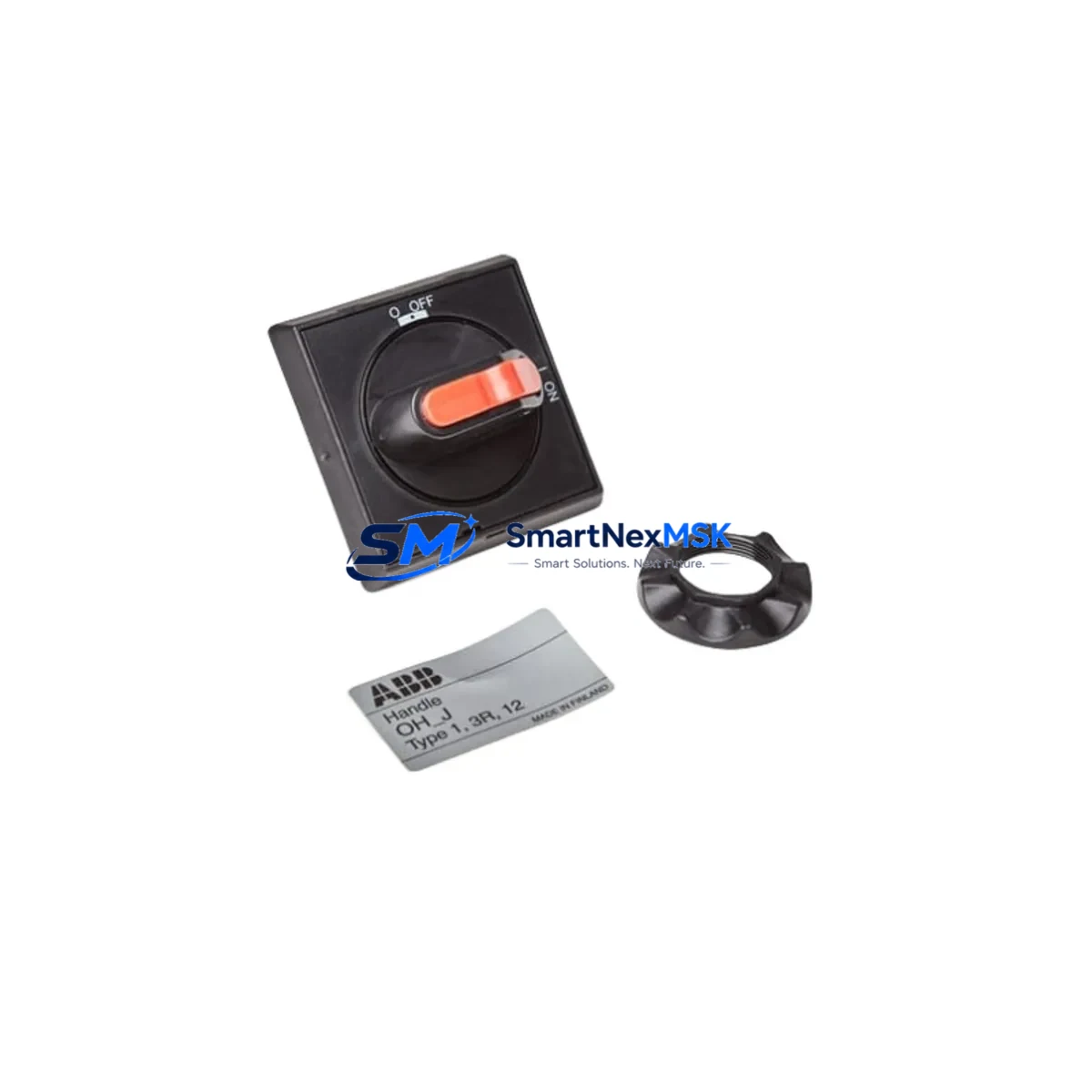
ABB 3HAC033624-001 Retrofit-Ready Switch Handle for IRB760 Control Systems
The ABB 3HAC033624-001 is a precision-engineered switch handle assembly designed for the IRB760 palletizer robot series. As production lines age and OEM support windows close, this component has become a critical retrofit part for facilities running legacy IRB760 systems that cannot afford extended downtime or full robot replacement. Whether you are restoring a failed unit, upgrading a worn mechanical interface, or pre-stocking spares for a multi-robot palletizing cell, the 3HAC033624-001 provides a verified drop-in replacement path with no firmware modification required.
This switch handle interfaces directly with the IRB760 control cabinet wiring harness and is compatible with the IRC5 controller platform, which governs motion, I/O sequencing, and safety interlocks across the IRB760 family. Facilities that have already migrated their teach pendant from the older FlexPendant TP to the current IRC5 FlexPendant will find that the 3HAC033624-001 integrates without additional adapter hardware. The mechanical mounting pattern and connector pinout are unchanged from the original factory specification.
Upgrade Compatibility Table
| Parameter | Detail |
|---|---|
| Part Number | 3HAC033624-001 |
| Compatible Robot Series | ABB IRB760 (all variants) |
| Controller Compatibility | IRC5 Single / IRC5 Panel Mounted Controller |
| Mounting Interface | Direct bolt-on; matches OEM bracket pattern |
| Connector Type | OEM-matched; no adapter required |
| Communication Compatibility | DeviceNet, PROFIBUS-DP (via IRC5 option boards) |
| Replaces / Supersedes | 3HAC026269-003, 3HAC024776-001 (cross-reference SKUs) |
| Installation Requirement | Power-off, lockout/tagout; no special tooling |
| Commissioning Note | Verify axis calibration after replacement; re-run fine calibration routine in RobotStudio if required |
| Warranty | 12 Months from date of shipment |
| Origin | China (CN) |
| Stock Status | Available — ships from verified inventory |
Retrofit Planning for Existing Automation Systems
When planning a retrofit around the 3HAC033624-001, engineers must account for the full scope of the IRB760 control architecture. The switch handle sits at the operator interface layer, but its replacement often surfaces adjacent issues that should be addressed in the same maintenance window to avoid repeat downtime.
Start by auditing the IRC5 main computer (DSQC639) and its associated axis computer boards (DSQC668). These boards govern the servo drives and communicate with the I/O system via the internal PROFIBUS backplane. If the robot has been running for more than 8–10 years, it is common to find degraded capacitors on the DSQC639 that cause intermittent faults — a condition that can be misdiagnosed as a mechanical switch failure. Replacing the 3HAC033624-001 without inspecting the DSQC639 may result in recurring E-stop faults.
Next, inspect the I/O module stack. The IRB760 typically uses DSQC651 (digital I/O, 24 VDC) and DSQC652 (digital I/O, relay output) modules mounted in the IRC5 cabinet. These modules connect to the field wiring via DSQC355A terminal units. During a switch handle retrofit, it is good practice to verify that all terminal screws on the DSQC355A are torqued to spec and that no wires have migrated due to vibration — a common issue in high-cycle palletizing environments.
For facilities running DeviceNet communication between the IRC5 and upstream PLC (such as an Allen-Bradley ControlLogix or a Siemens S7-300), confirm that the DSQC658 DeviceNet master board firmware version is compatible with your network scanner configuration. A switch handle replacement that requires a controller power cycle will reset the DeviceNet node address if the address is stored in volatile memory — always document node assignments before beginning work.
If the palletizing cell includes an ABB CP600 HMI panel or a third-party SCADA screen displaying robot status, verify that the HMI tag mapping for the E-stop and mode selector signals still resolves correctly after the replacement. Some older HMI configurations reference the physical I/O address of the switch handle directly rather than through a symbolic tag, which can cause display errors after a hardware swap.
Finally, if the robot is part of a multi-robot cell coordinated by a MultiMove configuration or an external PLC safety relay module (such as the ABB JSHD4 or equivalent), ensure that the safety circuit continuity test is performed after installation. The 3HAC033624-001 is part of the safety-rated operator panel circuit, and any open or high-resistance connection will prevent the system from exiting E-stop mode.
Downtime Control During System Migration
Minimizing downtime during a switch handle replacement on the IRB760 requires preparation before the maintenance window opens. The following approach has been validated across multiple palletizing cell retrofits:
Pre-work (before power-off): Export the current RAPID program from RobotStudio or directly from the FlexPendant to a USB backup. Record all current system parameters using the IRC5 backup function (System → Backup and Restore). Photograph the existing wiring at the operator panel and document the current mode selector position and any custom E-stop bypass configurations.
During replacement: Apply lockout/tagout to the IRC5 cabinet and the upstream power distribution panel. The 3HAC033624-001 is secured by standard M4 fasteners and disconnects via a keyed connector — typical swap time is under 20 minutes for a technician familiar with the IRB760 cabinet layout. Do not power the system with the connector partially seated.
Post-replacement commissioning: Restore the system backup, verify that all I/O signals are reading correctly on the FlexPendant I/O panel, and run the robot through a slow-speed (25%) dry cycle before returning to production speed. If the system uses a DSQC643 safety board, confirm that the safety configuration checksum matches the pre-maintenance record. Any mismatch will require a safety configuration re-download from RobotStudio with the SafeMove option.
With proper preparation, total downtime for a 3HAC033624-001 replacement — including commissioning and test cycles — should not exceed 2–4 hours in a standard single-robot cell.
Retrofit Support FAQ
Q1: Is the 3HAC033624-001 a direct replacement for 3HAC026269-003 and 3HAC024776-001?
Yes. The 3HAC033624-001 supersedes both 3HAC026269-003 and 3HAC024776-001 in the IRB760 application. The mounting dimensions, connector pinout, and electrical ratings are identical. No mechanical modification or wiring adapter is required. Confirm the part number on the existing unit’s label before ordering if the robot has been previously serviced with a non-OEM component.
Q2: Will replacing the switch handle affect the stored RAPID program or axis calibration data?
The RAPID program and calibration data are stored on the IRC5 main computer (DSQC639) and are not affected by a switch handle replacement. However, a full system power cycle is required during installation, and it is best practice to perform a backup before beginning work. After restoration, verify fine calibration using the calibration routine in RobotStudio or the FlexPendant calibration menu.
Q3: What wiring checks should be performed before powering up after installation?
Verify connector seating and locking tab engagement on the 3HAC033624-001 harness. Check continuity of the E-stop loop through the new switch handle using a multimeter before closing the cabinet. Confirm that the mode selector (Auto/Manual/Manual Full Speed) positions produce the correct signal states on the IRC5 I/O panel. If a safety relay module is present in the circuit, perform the safety circuit validation test per the IRC5 safety manual before enabling motor power.
Q4: What does the 12-month warranty cover, and how is it claimed?
The 12-month warranty covers manufacturing defects and component failure under normal operating conditions from the date of shipment. It does not cover damage resulting from incorrect installation, overvoltage, or physical impact. To initiate a warranty claim, contact [email protected] with the order reference number, a description of the fault, and photographs of the installed unit. Replacement or repair will be arranged within 5 business days of claim verification.
© 2026 SMARTNEXMSK. All rights reserved.
Original Source: https://smartnexmsk.com
Contact: [email protected] | +86 18259474341



