
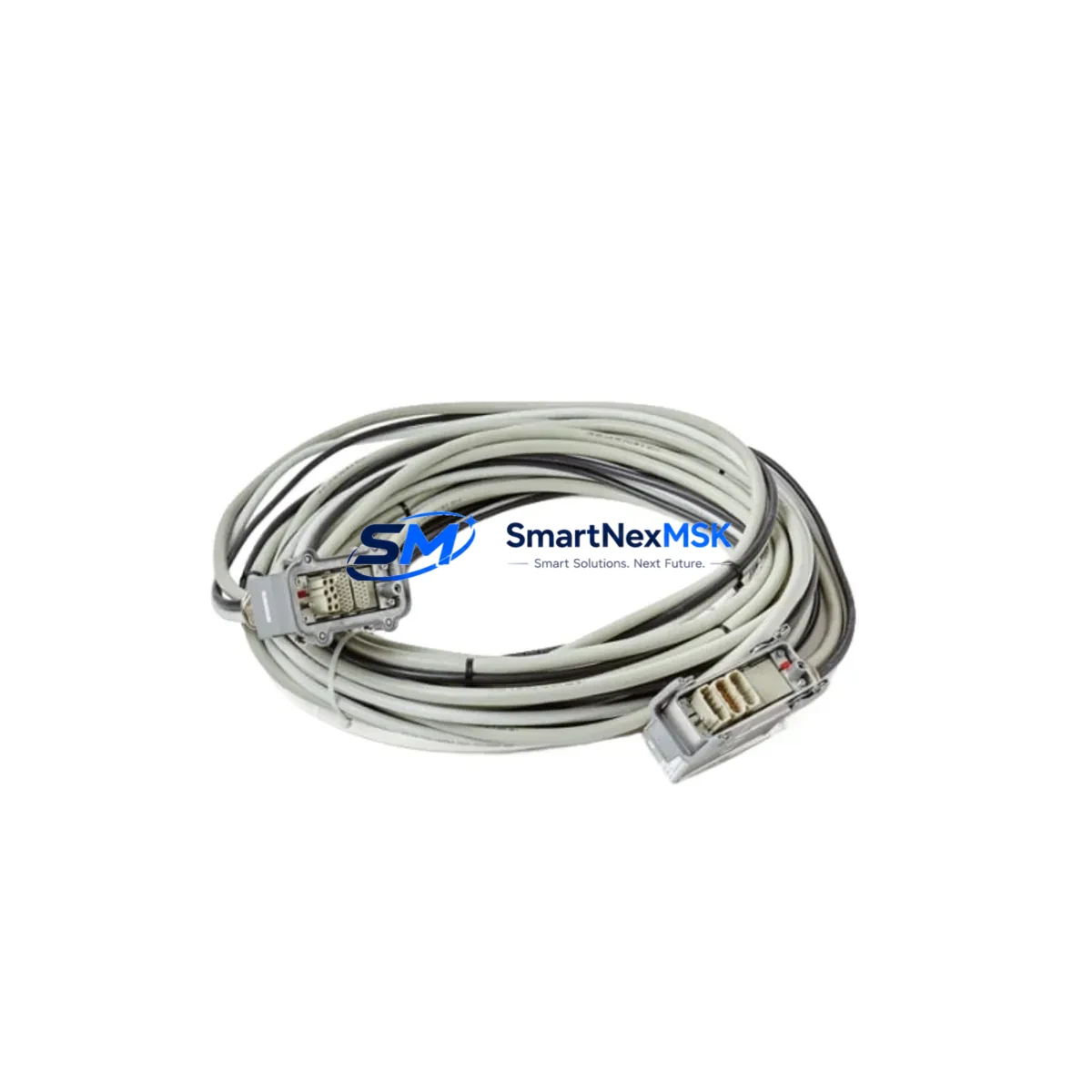
ABB 3HAC038800-001 Retrofit-Ready CP/CS Cable for IRC5 Control Systems
The ABB 3HAC038800-001 is a 15-meter CP/CS communication and power cable engineered for seamless integration with ABB IRC5 robot controller cabinets. As legacy IRC5 installations age and original cabling reaches end-of-service life, sourcing a verified drop-in replacement becomes critical to maintaining production continuity. This cable serves as a direct retrofit solution for single-cabinet and multi-cabinet IRC5 configurations, supporting both M2004 and later IRC5 panel variants without requiring hardware modification to the controller chassis or teach pendant interface.
When planning a cable replacement or control system upgrade, engineers must verify several key parameters before committing to a swap. First, confirm the cable routing length against the physical distance between the IRC5 controller cabinet and the manipulator base — the 15m specification of the 3HAC038800-001 suits most standard cell layouts, but extended-reach installations may require a review of the ABB 3HAC038800-002 or 3HAC038800-003 variants. Second, inspect the M12 and Harting connector terminations at both ends to ensure the mating receptacles on the IRC5 drive module and the robot base plate are free of corrosion or mechanical damage before installing the new cable. Third, cross-reference the cable’s pin-out against the IRC5 wiring diagram (document 3HAC021313-001) to confirm signal integrity for the CP (computer power) and CS (computer signal) channels.
For sites running ABB RobotWare 5.x or 6.x, no software reconfiguration is required after cable replacement — the IRC5 controller’s DSQC 679 teach pendant and DSQC 1000 main computer board will resume normal communication automatically once the cable is seated and the cabinet is powered on. However, if the retrofit is part of a broader IRC5 modernization project — for example, migrating from an older DSQC 500 drive unit to a newer DSQC 668 axis computer — the cable replacement should be coordinated with the drive module swap to avoid mismatched connector generations.
Upgrade Compatibility Table
| Parameter | Details |
|---|---|
| Part Number | 3HAC038800-001 |
| Cable Type | CP/CS (Computer Power / Computer Signal) |
| Length | 15 metres |
| Compatible Controller | ABB IRC5 (Single Cabinet, Multi-Cabinet, Panel-Mounted) |
| Compatible RobotWare | RobotWare 5.x, 6.x |
| Connector Interface | M12 + Harting HAN (both ends) |
| Installation Requirement | No hardware modification required; direct plug-in replacement |
| Communication Compatibility | DeviceNet, EtherNet/IP via IRC5 backplane — no protocol reconfiguration needed |
| Replacement Recommendation | Replaces worn, damaged, or end-of-life OEM 3HAC038800-001 cables |
| Commissioning Note | Power cycle IRC5 after installation; verify teach pendant (DSQC 679) communication |
| Warranty | 12 Months — covers manufacturing defects and connector integrity |
Retrofit Planning for Existing Automation Systems
A successful IRC5 cable retrofit requires a structured approach that accounts for the full scope of interdependent components within the control cabinet. The 3HAC038800-001 CP/CS cable interfaces directly with the IRC5 controller’s DSQC 1000 main computer, which in turn communicates with the DSQC 668 axis computer and the DSQC 652 digital I/O module. Before pulling the old cable, document the existing cable routing path through the cabinet’s cable management channels and note any tie-wrap or conduit positions that will need to be replicated.
In multi-cabinet IRC5 installations — common in arc welding and material handling cells — the CP/CS cable runs between the main controller cabinet and one or more additional drive cabinets. In these configurations, also inspect the DSQC 663 fieldbus adapter and the DSQC 378B conveyor tracking board for connector condition, as these modules share the same cabinet backplane and are often disturbed during cable replacement work. If the site uses a PROFIBUS or DeviceNet network, verify that the fieldbus termination resistors remain correctly set after the cable swap.
For older IRC5 systems originally commissioned before 2010, the retrofit may also be an opportunity to upgrade the FlexPendant cable (3HAC031683-001) and the SMB (Serial Measurement Board) cable (3HAC031670-001) simultaneously, reducing future downtime risk. The IRC5 power supply unit (DSQC 661) and the panel board (DSQC 643) should also be visually inspected for capacitor bulge or relay wear while the cabinet is open. Coordinating these checks with the CP/CS cable replacement maximizes the value of each planned maintenance window and minimizes the number of future unplanned stops.
Sites operating ABB IRB 6700, IRB 4600, or IRB 2600 manipulators with IRC5 controllers will find the 3HAC038800-001 directly applicable to their installed base. For IRB 6700 cells with extended cable tracks, confirm that the cable’s bend radius specification is compatible with the track’s minimum radius before routing.
Downtime Control During System Migration
Minimizing production downtime during an IRC5 cable replacement begins with preparation before the maintenance window opens. Back up the current RobotWare system image using the IRC5 FlexPendant’s backup function (Main Menu → Backup and Restore → Backup Current System) and store the backup on a USB drive external to the cabinet. This preserves all RAPID program modules, system parameters, I/O configuration, and safety controller settings, ensuring that if any unexpected issue arises during the cable swap, the system can be restored to its pre-maintenance state within minutes.
During the physical replacement, label both ends of the old 3HAC038800-001 cable with the connector designation before disconnecting — this prevents confusion when routing the new cable through the same path. Use the IRC5 cabinet’s internal cable management clips and grommets to secure the new cable, maintaining the original separation between power and signal cables to avoid EMI interference on the CS signal channel. After reconnection, perform a controlled power-on sequence: energize the IRC5 main power switch, wait for the DSQC 1000 to complete its boot cycle (typically 60–90 seconds), and confirm that the FlexPendant displays the correct system name and robot model before releasing the cabinet for production.
For sites that cannot tolerate even a brief production stop, consider pre-staging a spare IRC5 controller with the 3HAC038800-001 already installed and the RobotWare backup pre-loaded. This hot-swap approach reduces the physical changeover time to under 30 minutes for most IRC5 single-cabinet installations, preserving original program logic, safety zone definitions, and HMI screen configurations without requiring a full recommissioning cycle.
Retrofit Support FAQ
Q1: Is the 3HAC038800-001 a direct replacement for the original ABB OEM cable?
Yes. The 3HAC038800-001 supplied by SMARTNEXMSK is manufactured to the same mechanical and electrical specification as the original ABB OEM part. Connector types, pin assignments, cable cross-section, and shielding are identical, ensuring plug-in compatibility with all IRC5 controller variants without any wiring adaptation.
Q2: What commissioning steps are required after installing the new cable?
After seating both connectors, perform a full IRC5 power cycle. Confirm that the FlexPendant (DSQC 679) establishes communication within 90 seconds of power-on. Run a low-speed test cycle of the robot program to verify axis feedback and I/O response before returning the cell to full production speed. No RobotWare software changes are required.
Q3: Can this cable be used if I am also upgrading the IRC5 drive module?
Yes, provided the replacement drive module uses the same Harting HAN connector generation as the original IRC5 cabinet. If you are migrating from a first-generation IRC5 drive unit to a current DSQC 668 axis computer, confirm the connector variant before ordering. Contact [email protected] with your cabinet serial number for a pre-order compatibility check.
Q4: What does the 12-month warranty cover?
The 12-month warranty covers all manufacturing defects, including connector pin integrity, cable sheath continuity, and shielding effectiveness. Each unit undergoes pre-shipment electrical testing before dispatch. Warranty claims are processed within 5 business days of receipt of the returned item. Damage caused by incorrect installation, over-bending beyond the specified minimum bend radius, or exposure to incompatible chemicals is excluded from warranty coverage.
© 2026 SMARTNEXMSK. All rights reserved.
Original Source: https://smartnexmsk.com
Contact: [email protected] | +86 18259474341



