
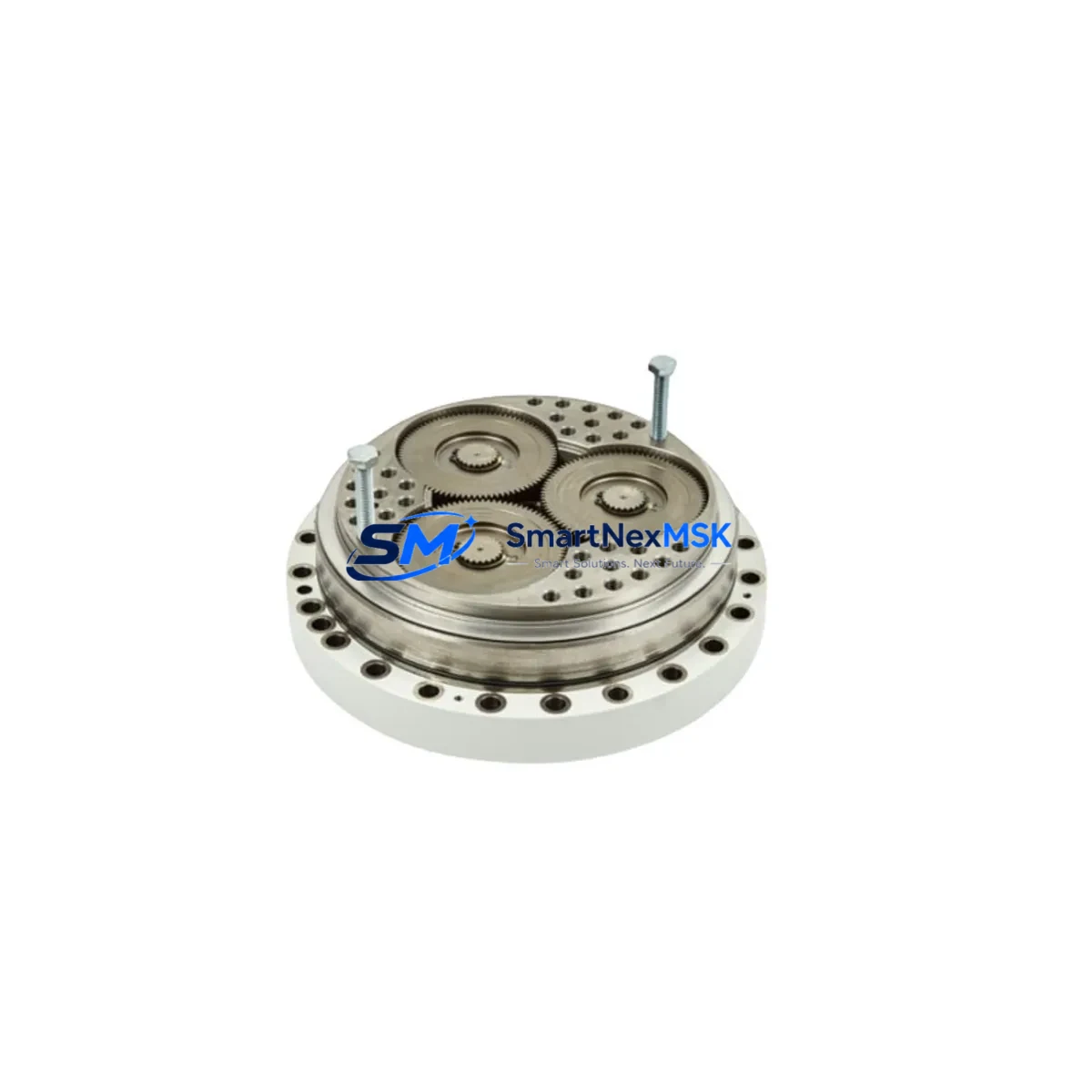
ABB 3HAC038800-001 Retrofit-Ready Servo Motor for IRB 6650S Control Systems
The ABB 3HAC038800-001 is a precision AC servo motor engineered for seamless integration into ABB IRB 6650S robotic systems. Whether you are replacing a failed unit on an aging production line, upgrading a discontinued axis drive, or executing a full control cabinet modernization, this module delivers the mechanical and electrical compatibility required for a smooth, low-risk retrofit. Sourced from verified supply channels and backed by a 12-month warranty, the 3HAC038800-001 is a trusted solution for maintenance engineers and system integrators managing legacy ABB robot installations worldwide.
As industrial facilities extend the operational life of their IRB 6650S robots beyond original design cycles, the demand for reliable replacement servo motors has grown significantly. The 3HAC038800-001 addresses this need directly — offering a drop-in mechanical footprint, compatible encoder interface, and matching connector pinout that eliminates the need for custom wiring harness fabrication or axis parameter reconfiguration in most standard retrofit scenarios.
Upgrade Compatibility Table
| Parameter | Details |
|---|---|
| Compatible Robot Model | ABB IRB 6650S (all variants) |
| Replacement For | ABB 3HAC038800-001 (OEM equivalent) |
| Motor Type | AC Servo Motor |
| Mounting Interface | Direct flange mount — matches IRB 6650S axis housing |
| Encoder Compatibility | Compatible with ABB IRC5 controller encoder feedback loop |
| Connector / Terminal | OEM-matched connector pinout; no rewiring required in standard installations |
| Communication Protocol | Compatible with ABB IRC5 drive unit serial measurement board (SMB) |
| Controller Compatibility | ABB IRC5 (single cabinet and dual cabinet configurations) |
| Retrofit Recommendation | Direct replacement; verify axis calibration after installation |
| Commissioning Notes | Update revolution counter; perform fine calibration via RobotStudio or FlexPendant |
| Warranty | 12 Months from date of shipment |
| Origin | Sweden (ABB Robotics) |
Retrofit Planning for Existing Automation Systems
Successful integration of the ABB 3HAC038800-001 into an existing IRB 6650S installation requires careful pre-retrofit planning across several system layers. Before removing the failed motor, engineers should document the current axis position data and back up the robot system configuration from the ABB IRC5 controller using a USB memory stick or RobotStudio backup utility. This ensures that RAPID program logic, tool data, work object definitions, and I/O signal mappings are preserved throughout the swap.
On the mechanical side, confirm that the replacement motor’s flange dimensions and shaft coupling match the axis gearbox interface. The IRB 6650S axis 1 through axis 6 motors each have distinct torque ratings and encoder resolutions — verify that the 3HAC038800-001 corresponds to the correct axis position in your specific robot configuration. Mismatch at this stage can result in axis overload faults or SMB communication errors during startup.
From an electrical standpoint, inspect the ABB DSQC 661 axis computer board and the ABB DSQC 668 drive unit for any secondary faults that may have contributed to the original motor failure. It is common in aging IRC5 cabinets for capacitor degradation in the drive unit to cause repeated motor failures — replacing the servo motor without addressing the drive unit condition may result in premature re-failure. Similarly, check the ABB 3HAC026254-001 serial measurement board (SMB) for encoder signal integrity before commissioning the new motor.
For facilities running multiple IRB 6650S robots on a shared ABB IRC5 Panel Mounted Controller (PMC), coordinate the retrofit window carefully to avoid disrupting adjacent robot cells. If the robot is integrated into a production line with a PROFIBUS DP or DeviceNet fieldbus network, confirm that the axis computer’s network node address is correctly restored after the controller reboot following motor replacement. In Ethernet/IP environments, verify that the robot’s IP address and subnet configuration remain intact in the IRC5 system parameters.
When the replacement motor is physically installed and the encoder cable reconnected to the SMB board, update the revolution counter for the affected axis using the ABB FlexPendant (teach pendant). Navigate to Calibration → Revolution Counters → Update Revolution Counters, and follow the axis-specific calibration mark alignment procedure documented in the IRB 6650S product manual. After updating the revolution counter, perform a fine calibration routine and validate axis movement across the full working envelope before returning the robot to production. If the robot is equipped with an ABB SafeMove2 safety module, re-verify all configured safety zones and speed limits post-calibration, as axis parameter changes can trigger safety configuration validation requirements.
For facilities managing spare parts inventory across multiple robot generations, it is advisable to maintain cross-reference records linking the 3HAC038800-001 to its axis-specific application within the IRB 6650S family. This simplifies future procurement and reduces the risk of incorrect part substitution during emergency maintenance events. Stocking a compatible ABB 3HAC17484-1 FlexPendant cable and a spare ABB DSQC 679 teach pendant alongside servo motor spares ensures that commissioning tools are available on-site without delay.
Downtime Control During System Migration
Minimizing unplanned downtime during an IRB 6650S servo motor replacement requires a structured approach that begins well before the maintenance window opens. The most effective strategy is to pre-stage the replacement ABB 3HAC038800-001 motor on-site, with all required tools, torque specifications, and calibration documentation prepared in advance. Aim to complete the physical motor swap, encoder reconnection, and revolution counter update within a single planned shift to avoid leaving the robot in a partially commissioned state overnight.
Before powering down the IRC5 controller, capture a full system backup and record the current joint positions of all six axes. This data serves as a reference baseline if the revolution counter update produces unexpected axis position offsets. In multi-robot cells where the IRB 6650S operates in coordinated motion with other robots or external axes, notify the PLC operator to place the cell in a safe hold state and confirm that all coordinated motion programs are paused before initiating the shutdown sequence.
After motor installation and calibration, run the robot through a slow-speed dry cycle of the production program before re-engaging full-speed production. Monitor the IRC5 event log for any axis overload, encoder fault, or SMB communication warnings during the initial test cycles. If the robot is connected to an ABB OmniCore or higher-level MES system via OPC-UA, confirm that the data connection is re-established and that production counters and cycle time monitoring resume correctly after the robot returns to service. A well-executed retrofit of the 3HAC038800-001 typically restores full robot availability within four to eight hours, including pre-staging, swap, calibration, and test cycle validation.
Retrofit Support FAQ
Q1: Is the ABB 3HAC038800-001 a direct drop-in replacement for the original OEM motor on the IRB 6650S?
A: Yes, in standard IRB 6650S configurations the 3HAC038800-001 is a direct mechanical and electrical replacement. The flange mount, shaft coupling, encoder connector, and motor power connector are matched to the OEM specification. A revolution counter update and fine calibration are required after installation, but no wiring modifications or axis parameter changes are typically needed.
Q2: What commissioning steps are required after installing the replacement motor?
A: After physical installation, reconnect the encoder cable to the SMB board and the motor power cable to the drive unit. Power on the IRC5 controller and navigate to the calibration menu on the FlexPendant to update the revolution counter for the replaced axis. Perform a fine calibration using the axis calibration marks, then run a slow-speed test cycle to verify smooth axis movement and confirm no fault codes are generated in the IRC5 event log.
Q3: How do I verify wiring and terminal compatibility before installation?
A: Cross-reference the motor connector pinout against the IRB 6650S electrical diagram (available in the ABB product manual for your robot serial number range). Confirm that the encoder cable shield is properly grounded at the SMB board end, and inspect the motor power cable for any insulation damage that may have contributed to the original motor failure. If the drive unit DSQC 668 shows secondary fault codes, address those before powering up with the new motor.
Q4: What does the 12-month warranty cover, and what is the shipping and testing process?
A: Every ABB 3HAC038800-001 unit shipped by SMARTNEXMSK undergoes pre-shipment functional testing to verify encoder signal output, winding resistance, and insulation integrity. The 12-month warranty covers manufacturing defects and premature failure under normal operating conditions. Units are shipped with protective packaging suitable for international freight. For warranty claims, contact our technical support team with the unit serial number and fault description — replacement or repair is coordinated within the warranty period at no additional cost.
—
© 2026 SMARTNEXMSK. All rights reserved.
Original Source: https://smartnexmsk.com
Contact: [email protected] | +86 18259474341



