
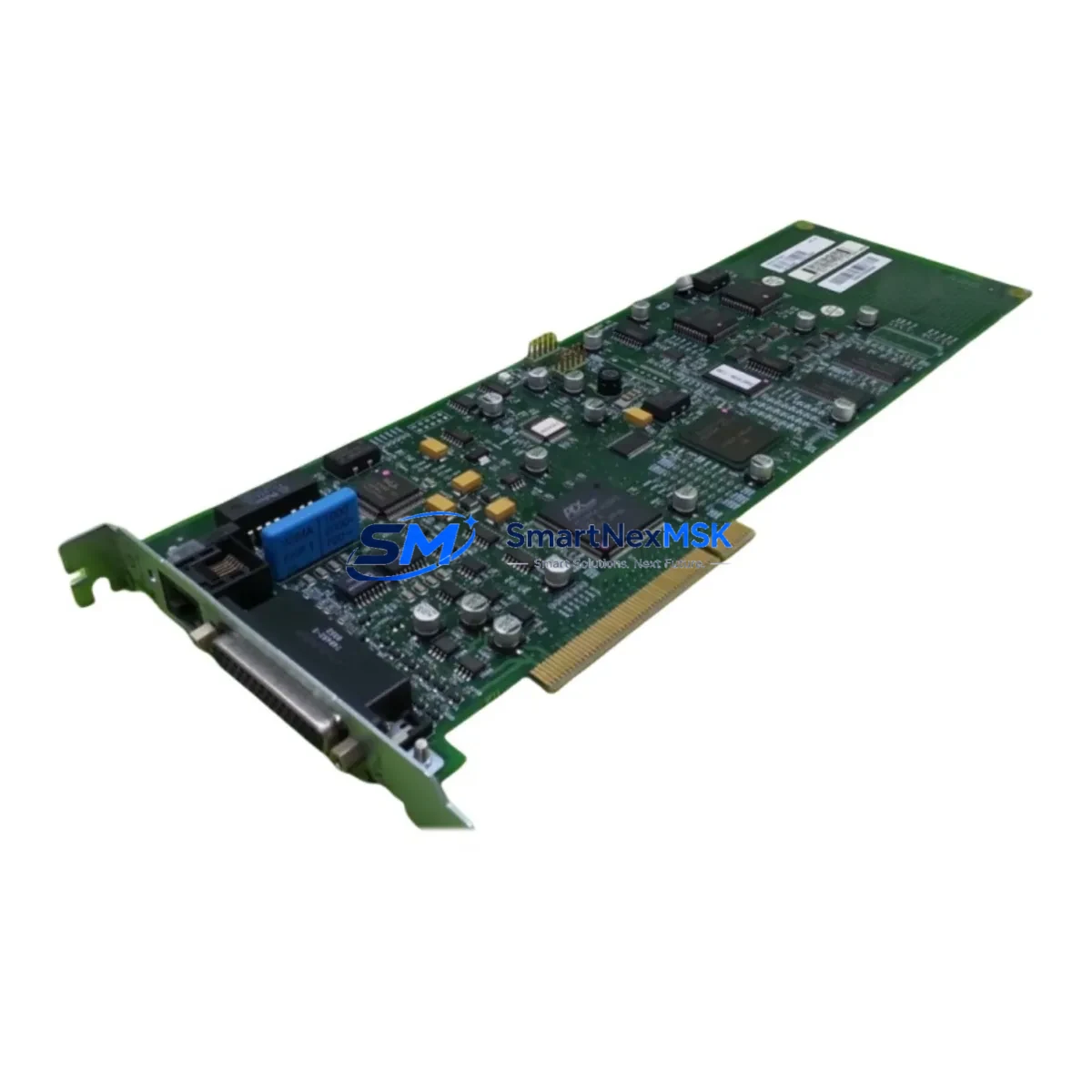
ABB 3HAC18158-1 Maintenance-Ready Spare for IRC5 Automation
The ABB 3HAC18158-1 is an original axis computer board designed for ABB IRC5 robot controllers, serving as a critical spare part in industrial automation maintenance programs. Whether you are managing a planned shutdown, responding to an unscheduled fault, or building a strategic spare parts inventory for a multi-robot production cell, the 3HAC18158-1 is a direct replacement that restores full axis control functionality without system reconfiguration or firmware compatibility issues.
For maintenance engineers operating ABB IRC5-based systems, axis computer board failures are among the most disruptive fault events — they can halt an entire production line within minutes. Stocking a verified original 3HAC18158-1 as a cold spare significantly reduces mean time to repair (MTTR) and supports continuous operation targets. This board is compatible with standard IRC5 single-cabinet and IRC5 panel-mounted controller configurations, making it suitable for a wide range of robot models including IRB 1600, IRB 2600, IRB 4600, and IRB 6640 series.
Each unit is tested prior to shipment and backed by a 12-month warranty, giving procurement engineers confidence in long-term supply reliability and post-sale support.
Spare Maintenance Table
| Parameter | Specification |
|---|---|
| Part Number | 3HAC18158-1 |
| Brand | ABB |
| Compatible Controller | IRC5 (Single Cabinet, Panel Mounted) |
| Function | Axis Computer Board — robot motion control processing |
| Compatible Robot Series | IRB 1600, IRB 2600, IRB 4600, IRB 6640 (and variants) |
| Origin | Sweden |
| Product Type | Axis Computer Board |
| Installation Environment | Industrial control cabinet, IP54 enclosure recommended |
| Operating Temperature | 0°C to +55°C (standard IRC5 cabinet spec) |
| Warranty | 12 Months from date of shipment |
| Pre-Shipment Testing | Yes — functional verification performed before dispatch |
| Maintenance Recommendation | Inspect connector pins, check for thermal damage, verify firmware version on replacement |
| Compatibility Verification | Match controller serial number and software version before installation |
Maintenance Planning for Continuous Operation
When replacing the 3HAC18158-1 axis computer board in an IRC5 controller, a thorough site inspection of the surrounding electrical environment is essential to prevent repeat failures and ensure stable recommissioning. Maintenance engineers should begin by inspecting the DSQC 661 power supply unit — a failing PSU is a common root cause of axis computer board damage due to voltage irregularities. Simultaneously, check the DSQC 662 I/O board for any fault codes or communication errors that may have been masked by the axis board failure.
The DSQC 679 teach pendant (FlexPendant) should be tested after board replacement to confirm that the operator interface is correctly communicating with the new axis computer. If the system uses DSQC 663 DeviceNet or DSQC 688 Profibus communication modules, verify that fieldbus communication is re-established and that no address conflicts exist post-replacement.
For systems with safety-critical applications, inspect the DSQC 400 or DSQC 404 safety boards to confirm that emergency stop circuits and safety relay logic remain intact. Terminal blocks and Phoenix Contact or Weidmüller-type screw terminals within the cabinet should be checked for loose connections, especially on the axis computer’s signal and power connectors. Fuse holders on the 24VDC distribution rail should also be inspected — a blown fuse on the axis computer supply line is a quick diagnostic step that is often overlooked.
If the IRC5 controller is part of a multi-robot cell using ABB MultiMove configuration, confirm that the axis computer replacement does not disrupt the coordinated motion parameters stored in the system software. For older IRC5 installations approaching end-of-life, this replacement is also an opportunity to audit the DSQC 508 or DSQC 532 memory boards and backup all robot programs to an external storage device before proceeding.
Site Replacement Workflow
Step 1 — Pre-Replacement Backup: Before powering down the IRC5 controller, perform a full system backup via RobotStudio or the FlexPendant. Save all RAPID programs, system parameters, and I/O configurations to a USB drive or network share.
Step 2 — Safe Isolation: Isolate the controller from mains power using the main disconnect switch. Follow LOTO (Lockout/Tagout) procedures. Allow capacitors to discharge for a minimum of 5 minutes before opening the cabinet.
Step 3 — Board Removal: Locate the axis computer board in the upper section of the IRC5 drive module. Disconnect all ribbon cables and connectors in sequence, noting their positions. Remove the board using appropriate ESD precautions.
Step 4 — Compatibility Verification: Confirm that the replacement 3HAC18158-1 matches the hardware revision required by your controller’s software version. Cross-reference the controller’s system information screen or the ABB service documentation for your specific robot model.
Step 5 — Installation and Recommissioning: Install the new board, reconnect all cables, and restore power. Load the system backup and perform a controlled warm-start. Run a full axis calibration sequence and verify that all six axes respond correctly before returning the robot to production.
This workflow minimizes downtime and ensures that the replacement does not introduce new faults. For legacy IRC5 systems that have been in service for 8–12 years, this replacement is also an opportunity to assess whether a broader controller refurbishment is warranted to extend system life by an additional 5–7 years.
Spare Parts Support FAQ
Q1: Is the 3HAC18158-1 compatible with all IRC5 controller variants?
The 3HAC18158-1 is designed for standard IRC5 single-cabinet and panel-mounted controllers. Compatibility depends on the controller’s hardware generation and installed software version. We recommend providing your controller serial number and RobotWare version when placing an order so our technical team can confirm compatibility before shipment.
Q2: What does the 12-month warranty cover?
The 12-month warranty covers manufacturing defects and functional failures under normal operating conditions. Each unit undergoes pre-shipment functional testing. Warranty claims are supported with a replacement or repair process — contact [email protected] with your order reference and fault description to initiate a claim.
Q3: How quickly can this spare part be shipped, and what is the lead time for stock items?
In-stock units are dispatched within 1–3 business days. Express international shipping options are available for urgent downtime recovery situations. Contact us at +86 18259474341 to confirm current stock availability and expedited shipping options for your region.
Q4: Can this board be used to replace a different but functionally similar ABB axis computer part number?
Cross-compatibility between ABB axis computer board variants depends on hardware revision and firmware. Do not substitute part numbers without verifying against ABB’s service documentation or consulting our technical support team. Using an incompatible board revision can result in axis calibration errors or controller faults that extend downtime rather than reduce it.
© 2026 SMARTNEXMSK. All rights reserved.
Original Source: https://smartnexmsk.com
Contact: [email protected] | +86 18259474341



