
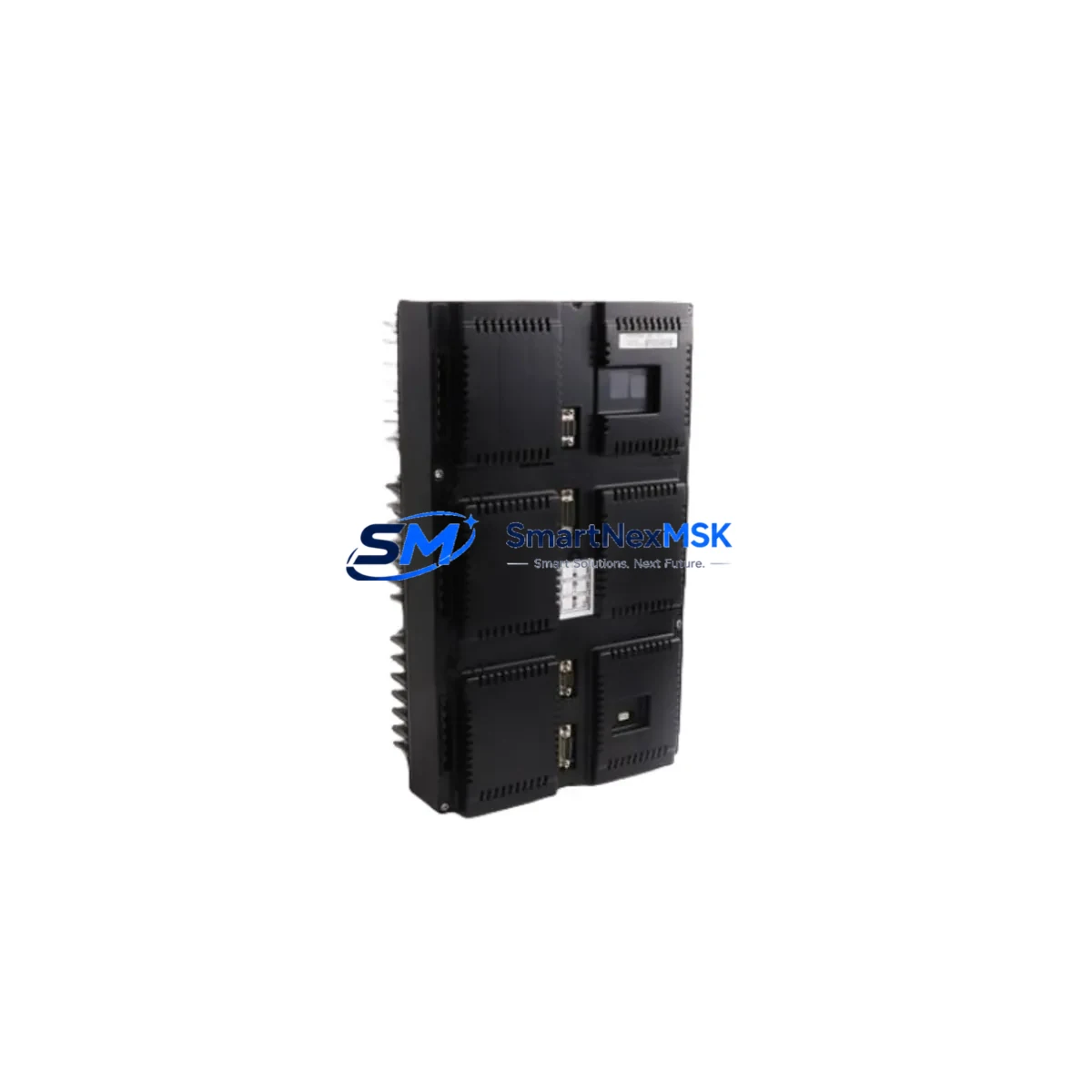
ABB 3HNA011195-001 Retrofit-Ready Power Supply for IRC5 Control Systems
The ABB 3HNA011195-001 is a proven power supply module engineered for seamless integration into ABB IRC5 robot controller cabinets and LRB1520 drive systems. As legacy IRC5 installations age and OEM spare parts become increasingly scarce, this module serves as the definitive retrofit solution — enabling plant engineers to restore full system functionality without redesigning the control cabinet or rewriting robot programs. Whether you are replacing a failed unit on a production line or proactively upgrading aging infrastructure, the 3HNA011195-001 delivers the electrical stability and compatibility that industrial environments demand.
Sourced directly from verified supply channels and subjected to pre-shipment functional testing, each unit is confirmed operational before dispatch. With a 12-month warranty covering manufacturing defects and functional failures, procurement teams can plan maintenance windows with confidence. Stock is maintained to support urgent replacement requirements, with expedited shipping available to minimize unplanned downtime.
Upgrade Compatibility Table
| Parameter | Details |
|---|---|
| Compatible Controller | ABB IRC5 Single Cabinet, IRC5 Compact, IRC5 Panel Mounted Controller |
| Compatible Drive Unit | ABB LRB1520 Drive Module |
| Replaces / Supersedes | 3HNA011195-001 (original), cross-compatible with adjacent IRC5 PSU variants |
| Mounting Interface | Standard IRC5 backplane rail; no mechanical modification required |
| Communication Compatibility | Compatible with PROFIBUS, DeviceNet, and EtherNet/IP fieldbus configurations on IRC5 |
| Installation Requirement | Verify input voltage range (200–600 VAC) matches site supply before installation |
| Commissioning Notes | No firmware update required; module address auto-detected by IRC5 main computer (DSQC639) |
| Retrofit Recommendation | Recommended for IRC5 systems manufactured 2005–2015 with aging PSU units |
| Pre-Shipment Testing | Full functional load test performed on each unit prior to dispatch |
| Warranty | 12 months from date of delivery; covers manufacturing defects and functional failure |
Retrofit Planning for Existing Automation Systems
Successful integration of the 3HNA011195-001 into an existing IRC5 installation requires a structured pre-retrofit assessment. Begin by auditing the control cabinet’s power distribution: confirm that the incoming supply rail feeding the PSU slot meets the module’s rated input range and that the cabinet’s circuit breaker capacity is correctly sized. In multi-axis IRC5 configurations, the power supply interacts directly with the DSQC639 main computer board and the axis computer modules (DSQC668 or DSQC643), so verifying backplane connector integrity before swapping the PSU prevents secondary faults during restart.
Terminal wiring is a critical checkpoint. The 3HNA011195-001 uses the same terminal block layout as its predecessor, but engineers should photograph and document all existing wiring before disconnection — particularly the 24 VDC logic supply outputs that feed the I/O modules (DSQC651 digital I/O or DSQC652 analog I/O) and the safety chain. Any deviation in wire gauge or ferrule specification from the original installation should be corrected during the retrofit to prevent intermittent contact faults post-commissioning.
For systems running FlexPendant-based HMI interfaces, the robot program and tool data stored in the IRC5 main computer are unaffected by a PSU replacement — no re-teaching of positions or reloading of RAPID programs is required. However, it is good practice to perform a full system backup via RobotStudio or the FlexPendant before beginning any hardware intervention. If the cabinet also houses a DSQC378B fieldbus adapter for PROFIBUS communication with upstream PLCs (such as a Siemens S7-300 or S7-400 series controller), confirm that the fieldbus address and baud rate settings are documented so they can be verified after power restoration.
In installations where the IRC5 cabinet is paired with external safety modules or a SafeMove configuration board (DSQC647), the safety supervision logic must be re-validated after PSU replacement. This typically involves running the SafeMove validation routine from the FlexPendant and confirming that all safety zones and speed limits are correctly enforced before returning the robot to automatic mode. For lines where the IRC5 drives a conveyor-tracking application via an external encoder interface (DSQC377B), encoder signal continuity should be verified as part of the post-installation check.
Downtime Control During System Migration
Minimizing production interruption during a PSU retrofit on an IRC5 system requires advance preparation rather than reactive replacement. The recommended approach is to pre-stage the 3HNA011195-001 module at the facility before the planned maintenance window, confirm its physical and electrical compatibility against the installed cabinet configuration, and prepare all tools, torque specifications, and wiring documentation in advance.
Where production schedules permit, the swap should be executed during a planned shutdown rather than an emergency response. The physical replacement of the power supply module — disconnecting the backplane connector, releasing the DIN rail latch, and seating the new unit — typically takes under 30 minutes for a technician familiar with IRC5 cabinet layout. The subsequent power-on sequence, system self-test, and axis calibration verification add approximately 15–45 minutes depending on the number of axes and the complexity of the safety configuration.
To protect original program logic, ensure that the IRC5 system backup (including module configuration, RAPID programs, tool data, and I/O signal assignments) is stored on an external USB drive or network share before the retrofit begins. This backup can be restored in minutes if any configuration discrepancy is detected after the new PSU is installed. For critical production cells where even a brief unplanned stop carries significant cost, maintaining a spare 3HNA011195-001 unit in the local storeroom is the most effective downtime mitigation strategy available.
Retrofit Support FAQ
Q: Is the ABB 3HNA011195-001 a direct drop-in replacement for the original PSU in my IRC5 cabinet?
A: Yes. The 3HNA011195-001 uses the same backplane connector, DIN rail mounting footprint, and terminal block layout as the original IRC5 power supply. No mechanical modification to the cabinet is required. Verify input voltage compatibility with your site supply before installation.
Q: Will replacing the PSU affect my existing RAPID programs or robot calibration data?
A: No. Robot programs, tool data, work object definitions, and axis calibration data are stored in the IRC5 main computer (DSQC639), not in the power supply module. A PSU replacement does not erase or alter any stored program data. A pre-replacement system backup is still recommended as a precaution.
Q: What commissioning steps are required after installing the 3HNA011195-001?
A: After physical installation, restore mains power and allow the IRC5 system to complete its self-test sequence. Verify that all axis computers and I/O modules are recognized on the backplane. If a SafeMove safety configuration is present, run the SafeMove validation routine. Confirm fieldbus communication with any connected upstream controllers before returning the robot to automatic production mode.
Q: What does the 12-month warranty cover, and how is it claimed?
A: The 12-month warranty covers manufacturing defects and functional failures under normal operating conditions. It does not cover damage resulting from incorrect installation, overvoltage events, or physical mishandling. To initiate a warranty claim, contact our technical support team with the order reference and a description of the fault. Replacement or repair will be arranged promptly to minimize your downtime.
© 2026 SMARTNEXMSK. All rights reserved.
Original Source: https://smartnexmsk.com
Contact: [email protected] | +86 18259474341



