
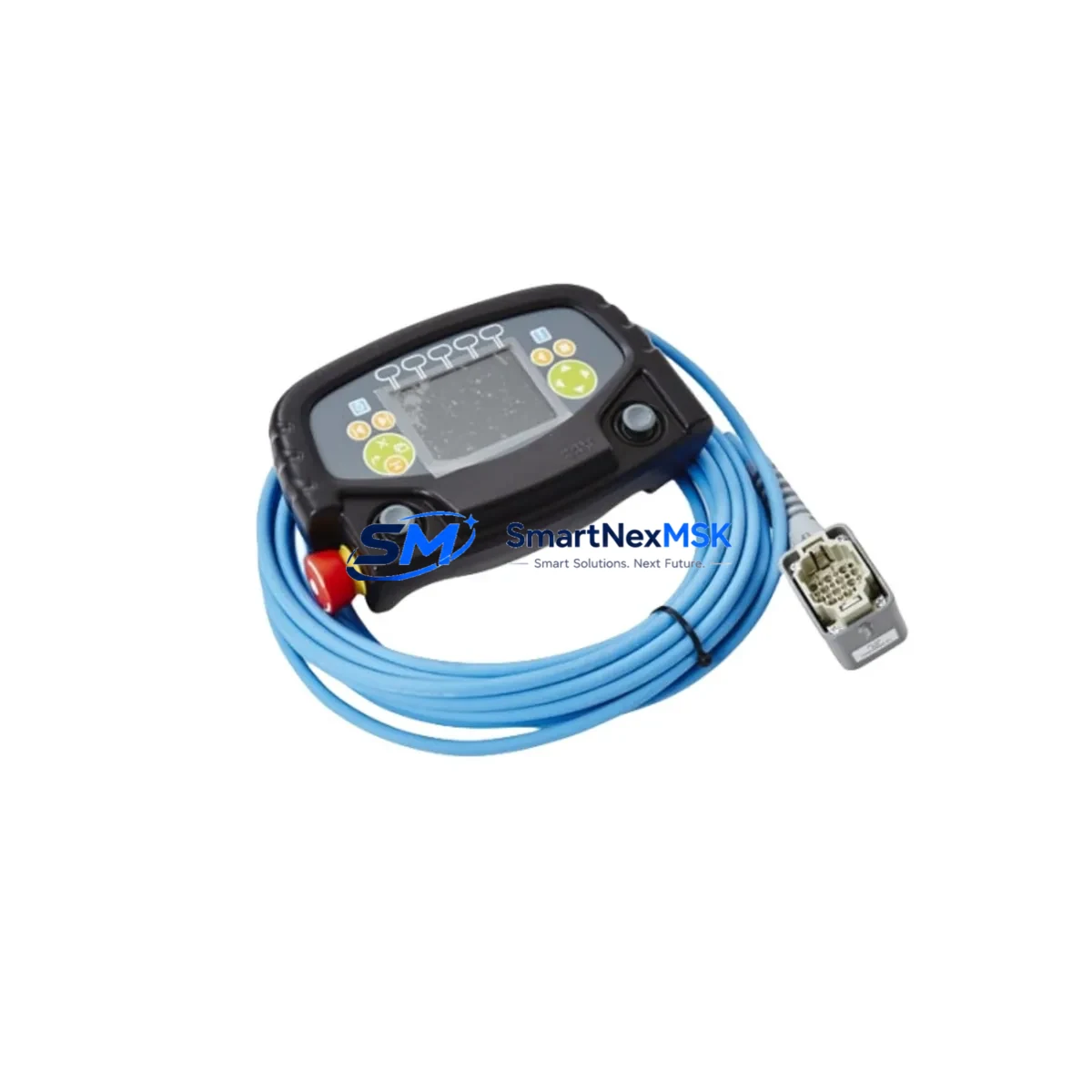
ABB 3HNA024941-001 Retrofit-Ready Teach Pendant for IRC5 FlexPainter Systems: Compatible Modernization & Smooth Legacy Upgrade
The ABB 3HNA024941-001 is a professional-grade teach pendant engineered for the IRC5 FlexPainter robot controller platform, widely deployed in automotive paint booths, surface treatment lines, and high-throughput coating systems. As original equipment reaches end-of-life and spare parts become increasingly scarce, the 3HNA024941-001 serves as the definitive retrofit-ready replacement for the discontinued 3HNA012283-001 pendant, enabling plant engineers to restore full operator control without replacing the entire controller cabinet or reprogramming the base motion system.
This pendant is fully compatible with IRB 6700 and IRB 4600 robot arms operating under IRC5 single-cabinet and dual-cabinet configurations. Its hot-swap-capable connector interface and pre-mapped joystick axes allow technicians to complete a pendant swap during a scheduled maintenance window, dramatically reducing unplanned downtime on active production lines. The unit ships pre-tested against ABB’s IRC5 communication protocol stack, ensuring immediate recognition by the IRC5 main computer DSQC1000 upon connection.
Upgrade Compatibility Table
| Parameter | Details |
|---|---|
| Direct Replacement For | ABB 3HNA012283-001 (discontinued) |
| Compatible Controllers | IRC5 Single Cabinet, IRC5 Dual Cabinet, IRC5 FlexPainter |
| Compatible Robot Models | IRB 6700 (3HAC043455-003), IRB 4600 (3HAC029236-003/06) |
| Interface / Connector | IRC5-standard pendant port; no adapter required |
| Communication Protocol | ABB IRC5 proprietary serial pendant bus |
| Installation Requirement | Controller power-off swap; no hardware modification needed |
| Software / Firmware | Compatible with RobotWare 5.x and 6.x; no firmware flash required |
| HMI Screen Compatibility | Retains existing FlexPendant screen layouts and RAPID program views |
| Retrofit Commissioning | Axis jogging, I/O monitoring, program pointer verification |
| Warranty | 12-Month Warranty — covered against manufacturing defects |
Retrofit Planning for Existing Automation Systems
Successful integration of the 3HNA024941-001 into a legacy paint line begins well before the physical swap. Engineers should first audit the existing IRC5 cabinet for the condition of the DSQC1000 main computer board and the DSQC663 I/O module, as degraded backplane connectors on these units can cause intermittent pendant communication faults that are often misdiagnosed as pendant failures. Verifying the 24 VDC pendant supply rail — typically sourced from the DSQC609 power distribution unit — is equally critical; a sagging supply voltage will prevent the pendant from completing its boot sequence even with a brand-new unit installed.
For systems running dual-robot paint cells, the IRC5 MultiMove configuration requires that each robot’s pendant port be individually addressed. Confirm the mechanical unit mapping in RobotStudio before disconnecting the old pendant, and document the active task frame assignments for each IRB 6700 arm. If the cell also includes a IRBP positioner or external axis drive, verify that the external axis parameters stored in the DSQC668 drive module are backed up to a USB service key prior to any hardware change.
Terminal wiring on the pendant cable harness should be inspected at the cabinet entry gland. The standard IRC5 pendant cable — part reference 3HAC031683-001 — uses a shielded multi-core construction; any visible jacket damage or bent pins at the D-sub connector must be addressed before commissioning the replacement pendant. Where cable length is insufficient for the new robot reach envelope after a mechanical upgrade, a 3HAC044168-001 extended pendant cable can be substituted without signal degradation.
I/O expansion cards such as the DSQC652 digital I/O module and DSQC355A analog I/O board retain their configurations in the IRC5 system parameters file and are unaffected by a pendant replacement. However, if the retrofit is part of a broader controller upgrade — for example, migrating from an older S4C+ cabinet to an IRC5 platform — a full I/O remapping exercise will be required, and the new pendant’s I/O view screens must be reconfigured to reflect the updated signal list.
Downtime Control During System Migration
Minimizing production interruption during a teach pendant replacement on an active FlexPainter cell requires a structured pre-outage preparation protocol. Before the maintenance window opens, perform a full system backup from the IRC5 FlexPendant menu — this captures all RAPID modules, system parameters, I/O configurations, and calibration data to a USB key. This backup is your single most important insurance policy: it allows a complete system restore in under 20 minutes if any unexpected fault arises during the swap.
During the outage, follow the IRC5 controlled shutdown sequence: set the controller to Motors Off, confirm the safety chain is open on the DSQC643 safety board, then disconnect the pendant cable. The 3HNA024941-001 connects identically to the 3HNA012283-001 — no wiring changes, no jumper settings, no DIP switch configuration. Power the cabinet back on, allow the DSQC1000 to complete its boot cycle, and confirm the new pendant displays the FlexPendant home screen with the correct robot model name and RobotWare version string.
Post-swap commissioning should include: jogging each axis through its full range in manual reduced speed mode, verifying the program pointer position on the active RAPID task, confirming all I/O signals read correctly on the pendant I/O view, and running one dry-cycle of the paint program in manual full speed before returning to automatic mode. Total swap and verification time for a prepared technician is typically 45–90 minutes, keeping the production impact within a single shift break window.
Retrofit Support FAQ
Q1: Is the 3HNA024941-001 a direct drop-in replacement for the 3HNA012283-001?
Yes. The 3HNA024941-001 uses the same IRC5 pendant connector and communication protocol as the 3HNA012283-001. No adapter, firmware update, or parameter change is required. The IRC5 controller recognizes the new pendant automatically on power-up.
Q2: Will my existing RAPID programs and HMI screen layouts be preserved after the swap?
Yes. RAPID programs, system parameters, and FlexPendant screen configurations are stored on the IRC5 main computer (DSQC1000), not on the pendant itself. Replacing the pendant does not affect any stored program logic, tool data, work object frames, or I/O signal assignments.
Q3: What pre-shipment testing is performed on this unit?
Each 3HNA024941-001 unit undergoes functional verification including display integrity, joystick axis response, emergency stop circuit continuity, and IRC5 communication handshake testing before dispatch. A test report is available upon request. All units are covered by a 12-month warranty against manufacturing defects from the date of shipment.
Q4: Can this pendant be used on IRC5 controllers running RobotWare 6 with the new FlexPendant UI?
Yes. The 3HNA024941-001 is hardware-compatible with both RobotWare 5.x and RobotWare 6.x environments. The FlexPendant UI version is determined by the RobotWare software installed on the DSQC1000, not by the pendant hardware. No pendant-side configuration is needed when upgrading from RW5 to RW6.
© 2026 SMARTNEXMSK. All rights reserved.
Original Source: https://smartnexmsk.com
Contact: [email protected] | +86 18259474341



