
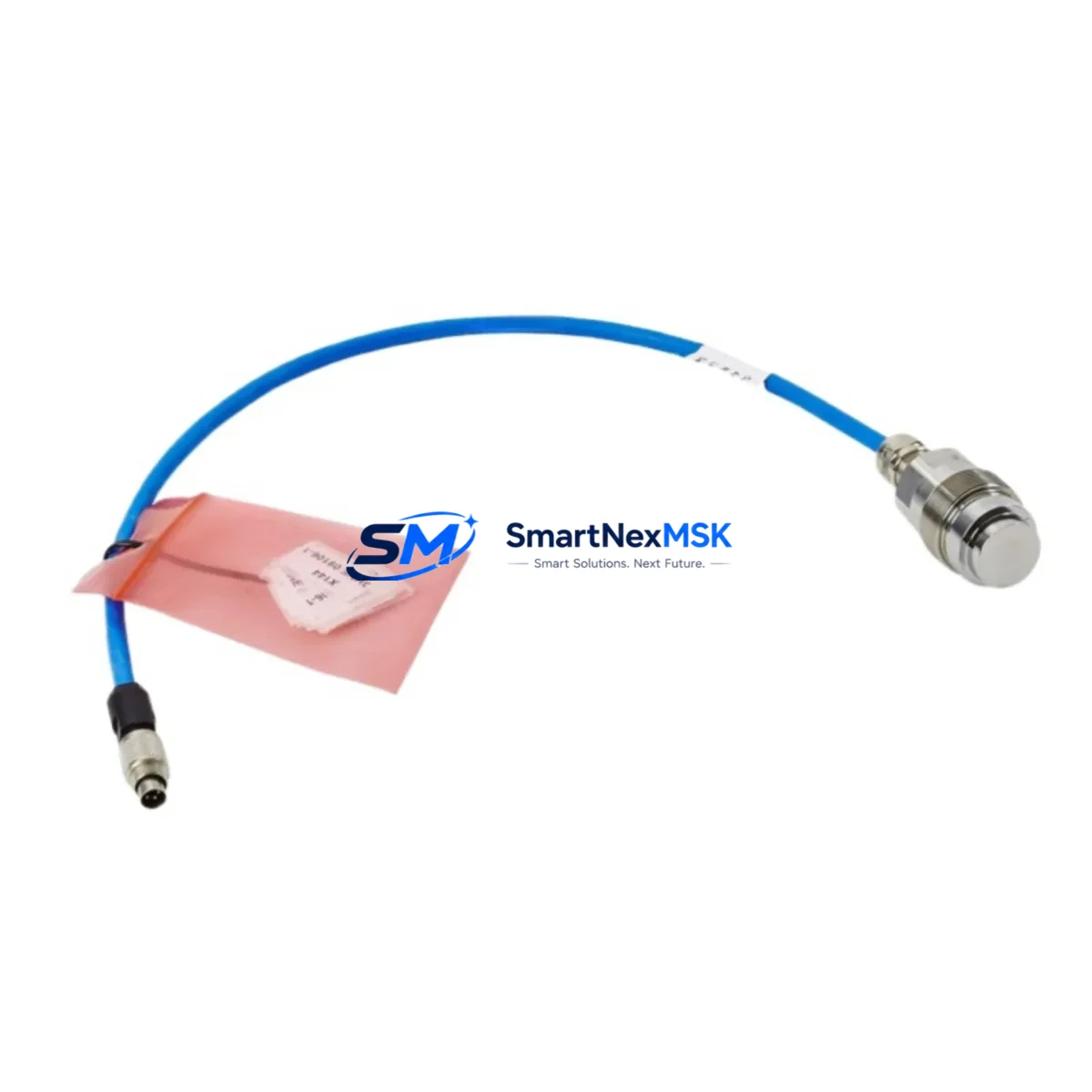
ABB 3HNE09106-1 Retrofit-Ready Control Module for IRC5 Control Systems
The ABB 3HNE09106-1 is a proven retrofit-ready control module engineered for seamless integration into IRC5 robot controller cabinets. As legacy IRC5 installations age and original spare parts become increasingly scarce, the 3HNE09106-1 provides a reliable, drop-in compatible upgrade path that preserves existing wiring infrastructure, backplane slot assignments, and RAPID program logic — minimizing engineering rework and unplanned downtime during system modernization.
Whether you are replacing a failed unit on an active production line, upgrading a decommissioned IRC5 cabinet for redeployment, or migrating a multi-robot cell from an end-of-life control architecture, the 3HNE09106-1 delivers the electrical and functional compatibility required to restore full system operation without redesigning the control cabinet layout.
Upgrade Compatibility Table
| Parameter | Details |
|---|---|
| Compatible Controller | ABB IRC5 Single Cabinet, Dual Cabinet, Panel Mounted Controller |
| Replaces / Supersedes | 3HNE09106-1 (original), compatible with prior IRC5 board revisions |
| Communication Protocols | DeviceNet, PROFIBUS-DP, EtherNet/IP (option-dependent) |
| Backplane Interface | IRC5 standard backplane slot — no mechanical modification required |
| Power Supply Requirement | 24 VDC from IRC5 internal DSQC 661 or DSQC 662 power supply unit |
| Installation Type | Direct slot replacement; verify axis computer firmware revision before swap |
| Commissioning Requirement | SMB (Serial Measurement Board) calibration data backup recommended prior to swap |
| Firmware Compatibility | Compatible with RobotWare 5.x and 6.x; verify with IRC5 system software version |
| Replacement Recommendation | Replace as complete unit; do not attempt component-level repair on active production systems |
| Warranty | 12-Month Warranty — covers manufacturing defects and functional failure under normal operating conditions |
Retrofit Planning for Existing Automation Systems
Successful integration of the 3HNE09106-1 into an existing IRC5 installation requires a structured pre-swap assessment. Begin by documenting the current cabinet configuration: identify the installed DSQC 661 or DSQC 662 power supply module and confirm that available 24 VDC rail capacity is sufficient to support the replacement board without overloading the distribution bus. Inspect the terminal block wiring on the customer I/O panel — particularly the DSQC 652 digital I/O board connections — to ensure that signal assignments remain consistent with the replacement module’s pinout.
Before removing the original board, back up the SMB calibration data using the IRC5 FlexPendant or RobotStudio. This data governs axis resolver offsets and must be restored after the swap to maintain positional accuracy. If the system uses a DSQC 1000 axis computer, confirm that the installed RobotWare version is compatible with the 3HNE09106-1 revision being installed. Mismatched firmware can prevent the controller from completing its boot sequence.
For cells operating on a DeviceNet network, verify that the module address (MAC ID) is correctly set prior to powering the cabinet. IRC5 systems using PROFIBUS-DP should confirm that the GSD file loaded in the PLC — whether a Siemens S7-300, S7-400, or equivalent — correctly maps the robot’s I/O image. In EtherNet/IP environments, update the EDS file in the network scanner if the replacement module carries a different firmware revision than the original.
If the IRC5 cabinet is connected to an ABB CP600 or CP400 HMI panel, verify that the HMI screen logic referencing robot status signals remains valid after the swap. Signal tag names and address mappings should be cross-checked against the original cabinet wiring diagram before the system is returned to automatic mode. For cells using a DSQC 378 fieldbus adapter or DSQC 688 communication board, confirm that the fieldbus master scan list is updated to reflect any address changes introduced during the retrofit.
Rack and backplane integrity should also be inspected during the retrofit window. If the IRC5 backplane shows signs of connector wear or oxidation, this is an appropriate time to evaluate the condition of adjacent modules — including the DSQC 609 power supply board and any installed DSQC 679 teach pendant interface units — to avoid repeat interventions on the same cabinet within a short maintenance cycle.
Downtime Control During System Migration
Minimizing production interruption during an IRC5 control module replacement requires advance preparation and a disciplined swap procedure. Before scheduling the maintenance window, complete a full system backup using RobotStudio or the IRC5 FlexPendant backup function. This preserves the RAPID program, system parameters, I/O configuration, and safety settings — ensuring that the controller can be restored to its pre-swap state within minutes if an unexpected issue arises during commissioning.
Where production scheduling permits, perform the physical swap during a planned shift changeover or scheduled preventive maintenance interval rather than during an emergency breakdown. This allows time for a controlled power-down sequence, proper ESD precautions during board handling, and a methodical power-up with system diagnostics before returning the robot to automatic cycle. Label all connectors and document terminal positions before disconnecting any wiring to eliminate reconnection errors.
After installing the 3HNE09106-1, perform a cold start and monitor the IRC5 event log for fault codes before enabling drives. Confirm that all axis calibration positions are within tolerance using the calibration pendulum or fine calibration routine. If the system is part of a multi-robot cell coordinated through a PLC or robot controller network, verify inter-robot communication handshakes before releasing the cell to production. A structured pre-production test cycle — including dry-run at reduced speed — is recommended before resuming full-rate automatic operation.
Retrofit Support FAQ
Q1: Is the 3HNE09106-1 a direct drop-in replacement for the original ABB IRC5 module?
Yes. The 3HNE09106-1 is designed as a direct slot-compatible replacement for the original IRC5 control module. No mechanical modification to the cabinet backplane or mounting hardware is required. Verify firmware revision compatibility with your installed RobotWare version before installation.
Q2: What wiring checks are required before swapping the module?
Document and photograph all terminal connections on the existing module before removal. Confirm that the 24 VDC supply from the DSQC 661 or DSQC 662 power supply is within specification. Check that customer I/O wiring connected through the DSQC 652 board is correctly mapped and that no terminal screws are loose or corroded. Restore all connections in sequence after installing the replacement unit.
Q3: Does the replacement module ship pre-tested?
Yes. Each 3HNE09106-1 unit undergoes functional verification prior to shipment, including power-on self-test and communication interface checks. A 12-month warranty covers manufacturing defects and functional failure under normal operating conditions from the date of delivery.
Q4: What should I do if the IRC5 controller shows a fault after installing the replacement module?
First, check the IRC5 event log via the FlexPendant for specific fault codes. Common post-swap issues include SMB calibration data mismatch (restore from backup), fieldbus address conflict (verify DeviceNet MAC ID or PROFIBUS node address), and firmware version incompatibility (update RobotWare if required). Contact our technical support team at [email protected] with the fault code and cabinet serial number for guided commissioning assistance.
© 2026 SMARTNEXMSK. All rights reserved.
Original Source: https://smartnexmsk.com
Contact: [email protected] | +86 18259474341



