
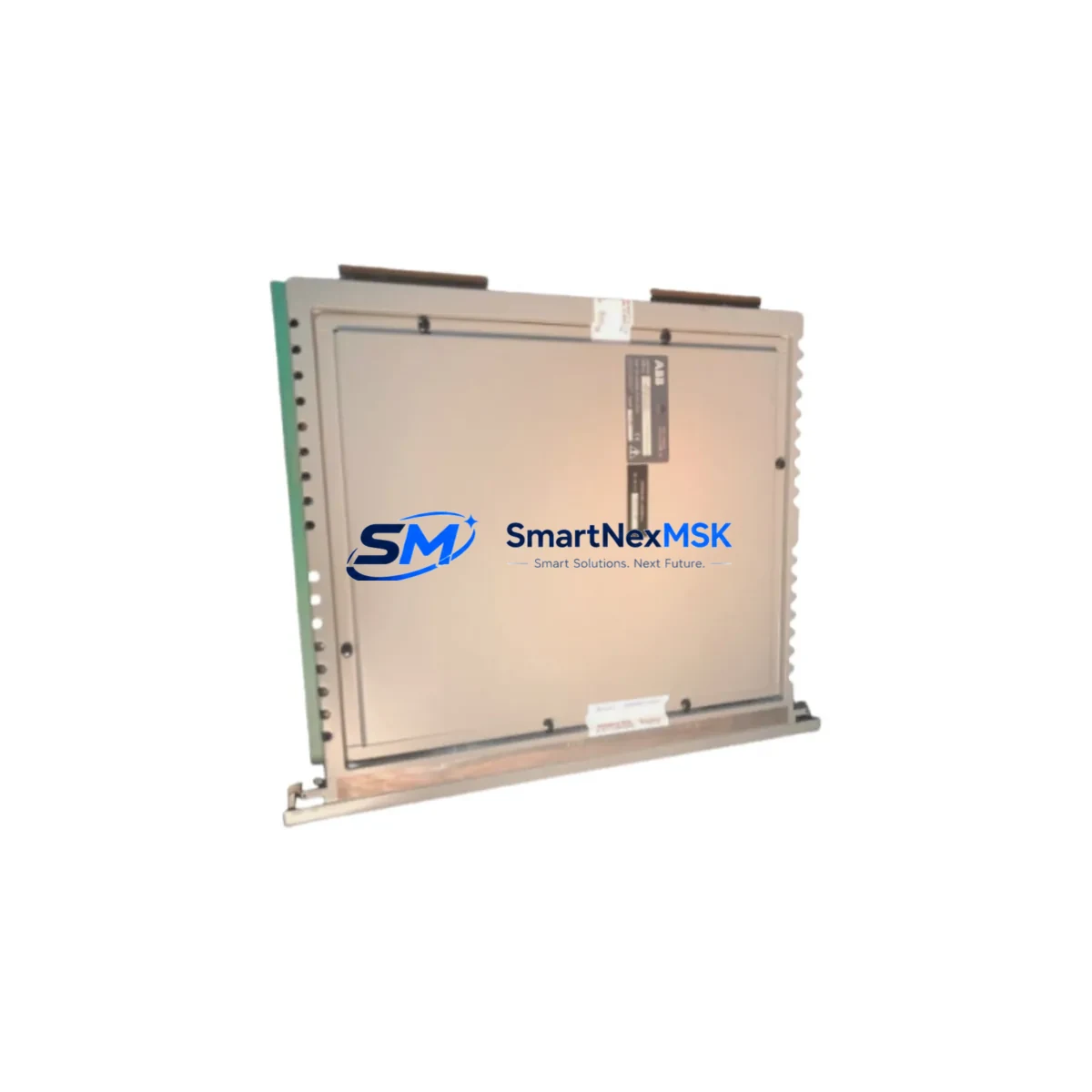
ABB 40CN3211B Maintenance-Ready Spare for AC500 Automation
The ABB 40CN3211B is an original PLC control board designed for the ABB AC500 series programmable logic controller platform — one of the most widely deployed automation architectures in process control, discrete manufacturing, and utility infrastructure. When this board fails or degrades, the downstream impact is immediate: production lines halt, safety interlocks may trip, and maintenance teams face unplanned downtime that can cost thousands per hour. Sourcing a verified, tested replacement quickly is not optional — it is the core of any credible spare parts strategy.
At SMARTNEXMSK, every ABB 40CN3211B unit is inspected, functionally tested, and shipped with a 12-month warranty. We maintain buffer stock specifically for AC500-series components to support both emergency callouts and planned maintenance windows. Whether you are a maintenance engineer executing a scheduled board swap or a procurement engineer building a critical-spares inventory, this listing is structured to give you the technical confidence to proceed.
Spare Maintenance Table
| Parameter | Specification / Value |
|---|---|
| Part Number | 40CN3211B |
| Brand | ABB |
| Series | AC500 |
| Product Type | PLC Control Board |
| Country of Origin | Germany (DE) |
| Compatibility | ABB AC500 PLC platform; verify CPU module and firmware revision before installation |
| Application Environment | Industrial automation, process control, discrete manufacturing, utility infrastructure |
| Installation | Rack-mount into AC500 backplane; follow ABB AC500 hardware installation manual |
| Weight | 1,354 g |
| Pre-shipment Testing | Functional test performed on every unit |
| Warranty | 12 Months |
| Condition | Original / Genuine ABB |
| Lead Time | In-stock; ships within 1–3 business days |
| Maintenance Recommendation | Replace at first sign of communication fault, watchdog trip, or diagnostic LED error; do not run degraded in safety-critical loops |
Maintenance Planning for Continuous Operation
Replacing the ABB 40CN3211B in an AC500 system is rarely an isolated task. A thorough maintenance engineer will treat a control board replacement as a trigger for a broader cabinet inspection. Before closing the panel, verify the condition of the AC500 CPU module (e.g., PM573 or PM591 series) — a failing CPU can stress the control board and cause premature failure of the replacement unit. Check the AC500 power supply module (PS501 or PS502 series) for output voltage stability; an under-voltage condition is a common root cause of board resets and data corruption.
Inspect all AC500 digital I/O modules (DC532 or DA501 series) for blown channels or loose terminal connections — field wiring faults frequently manifest as board-level alarms. If the system uses AC500 communication modules (CM572-DP for PROFIBUS or CM589-PNIO for PROFINET), confirm that bus termination resistors are intact and that the module firmware is compatible with the replacement board revision. Loose or corroded terminal blocks on the I/O rail are a silent reliability risk; re-torque all connections during the maintenance window.
For systems with signal isolators between field instruments and the PLC I/O, verify isolation resistance and check for ground loops that could inject noise into analog channels. If the cabinet includes 24 VDC relay output modules or interposing relays, inspect coil resistance and contact wear — relay failures are often misdiagnosed as PLC board faults. Check miniature circuit breakers (MCBs) and fuse holders on the 24 VDC distribution rail; a nuisance trip here can mimic a board failure. Finally, if an HMI panel (e.g., ABB CP600 series) is connected via Ethernet or serial, confirm communication parameters are unchanged after the board swap to avoid operator interface alarms on restart.
Site Replacement Workflow
Step 1 — Pre-replacement documentation: Export the current PLC program and configuration backup using ABB Automation Builder or Control Builder Plus. Record all I/O addresses, communication node IDs, and firmware versions. This protects against configuration loss if the replacement board initializes with factory defaults.
Step 2 — Safe isolation: Follow your site LOTO (Lockout/Tagout) procedure. De-energize the AC500 rack, confirm zero-energy state, and discharge any capacitive hold-up in the power supply module before handling the board.
Step 3 — Physical swap: Remove the 40CN3211B by releasing the front-panel locking tabs. Seat the replacement board firmly into the backplane connector. Verify that all bus connectors are fully engaged — partial seating is a common cause of intermittent faults after replacement.
Step 4 — Configuration restore: Re-download the program and configuration. Confirm firmware compatibility; if the replacement board ships with a different firmware version, update via the ABB firmware update tool before going live.
Step 5 — Functional verification: Energize the rack and monitor diagnostic LEDs. Confirm all I/O channels report correctly, communication buses are active, and no fault codes are present in the CPU diagnostic buffer. Run a controlled test cycle before returning the system to production.
This workflow minimizes downtime, preserves system compatibility, and ensures the replacement board is validated before it enters service — reducing the risk of a repeat callout.
Spare Parts Support FAQ
Q1: Is the ABB 40CN3211B in stock and ready to ship?
Yes. We maintain dedicated buffer stock of AC500-series control boards. Standard lead time is 1–3 business days. For urgent breakdown situations, contact us directly at [email protected] or +86 18259474341 to confirm same-day dispatch availability.
Q2: How do I verify compatibility with my existing AC500 system?
Provide your CPU module part number, current firmware version, and rack configuration. Our technical team will cross-reference the 40CN3211B revision against your system to confirm compatibility before shipment. We do not ship units where compatibility cannot be confirmed.
Q3: What does the 12-month warranty cover?
The warranty covers functional failure under normal operating conditions. Every unit is tested before shipment. If a board fails within 12 months of delivery under normal use, we will replace it or issue a full refund — no dispute, no delay. Warranty claims are processed within 5 business days of receiving the returned unit.
Q4: Can this board replace older or discontinued AC500 variants?
The 40CN3211B is compatible with the standard AC500 backplane architecture. It can serve as a direct replacement for boards in aging AC500 installations where the original part is no longer available from ABB distribution. For legacy system life-extension projects, we recommend ordering a minimum of two units — one for immediate installation and one as a dedicated on-site cold spare — to protect against future supply disruptions.
© 2026 SMARTNEXMSK. All rights reserved.
Original Source: https://smartnexmsk.com
Contact: [email protected] | +86 18259474341



