
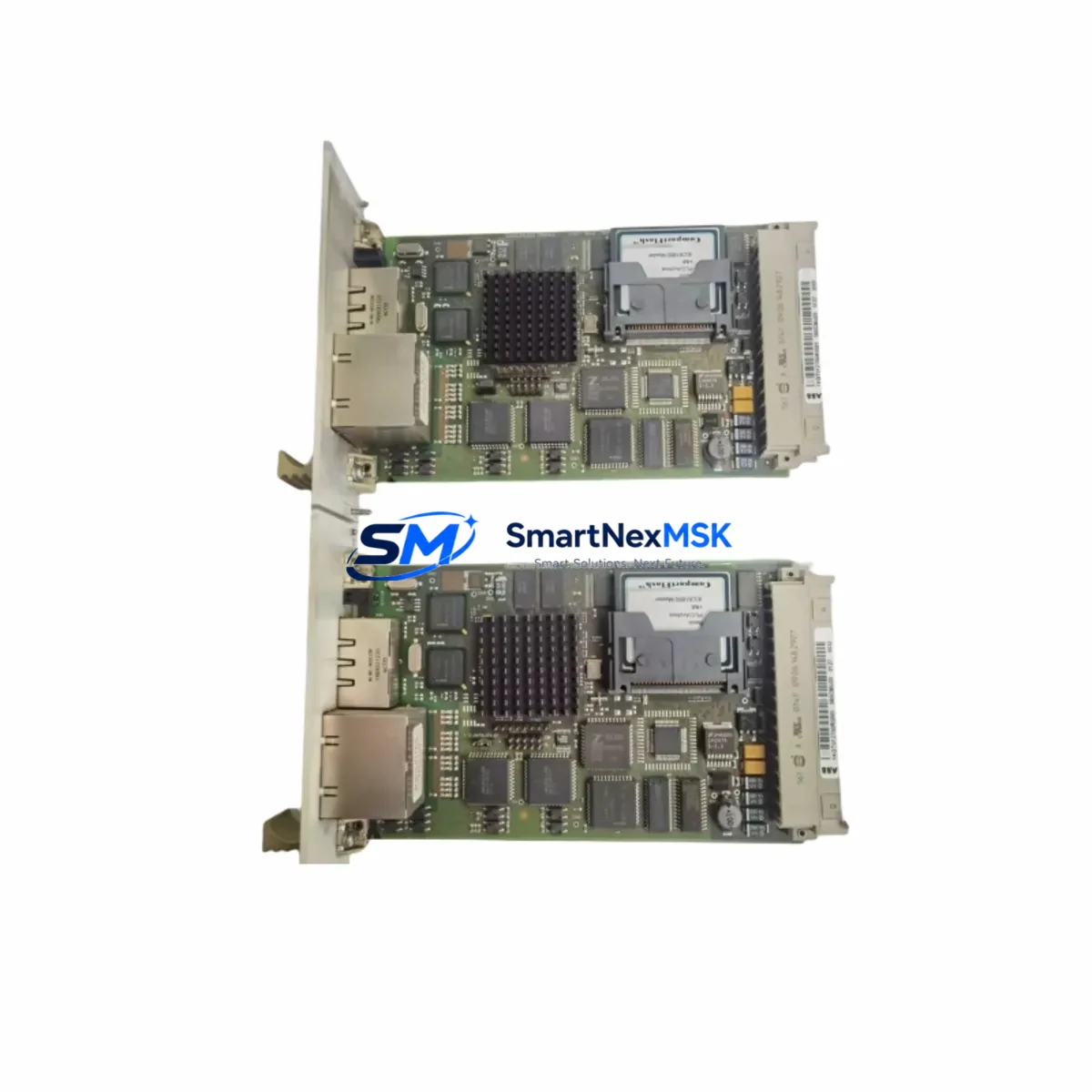
ABB 560CMU05 1KGT012700R0001 Spare for Advant AC450 DCS: Precision Spare Replacement for Industrial Downtime Control
The ABB 560CMU05 (part number 1KGT012700R0001) is a factory-original DCS communication module engineered for the ABB Advant AC450 distributed control system platform. In industrial automation environments where unplanned downtime translates directly into production loss, having a verified, tested spare of this module on hand is a fundamental element of any responsible maintenance strategy. This listing provides a genuine ABB 560CMU05 1KGT012700R0001 unit — SKU-matched, pre-shipment tested, and backed by a 12-month warranty — ready for immediate deployment in your control cabinet.
The 560CMU05 serves as the communication backbone within the Advant AC450 architecture, managing data exchange between the process controller and field devices, supervisory systems, and engineering workstations. Its failure or degradation can silently disrupt I/O polling cycles, interrupt PROFIBUS or MasterBus/300 communication loops, and cause cascading faults across dependent control loops. Maintenance engineers familiar with the AC450 platform understand that this module is not a peripheral — it is a critical node in the system’s real-time communication fabric.
Spare Maintenance Table
| Parameter | Specification |
|---|---|
| Part Number / SKU | 560CMU05 / 1KGT012700R0001 |
| Brand | ABB |
| Series / Platform | Advant AC450 DCS |
| Module Type | DCS Communication Module |
| Communication Protocol | MasterBus/300, PROFIBUS (platform-dependent) |
| Mounting | Advant AC450 backplane / subrack |
| Power Supply Compatibility | AC450 subrack internal bus (24 VDC logic rail) |
| Operating Temperature | 0°C to +55°C (standard industrial cabinet) |
| Origin | Germany (ABB Automation Products) |
| Condition | Original, tested before dispatch |
| Compatibility | ABB Advant AC450, AC460 (verify subrack slot assignment) |
| Maintenance Recommendation | Replace on first sign of communication fault; inspect backplane connectors and bus termination resistors simultaneously |
| Warranty | 12 Months from date of shipment |
Maintenance Planning for Continuous Operation
When a 560CMU05 communication fault is identified during routine control cabinet inspection or triggered by a system alarm, experienced maintenance engineers know that the module itself is rarely the only component requiring attention. A structured replacement workflow should encompass the entire communication chain and power distribution path within the AC450 subrack.
Begin by verifying the integrity of the AC450 subrack backplane — worn or oxidized edge connectors are a common root cause of intermittent communication errors that are incorrectly attributed to the module itself. Simultaneously, inspect the 24 VDC power supply module feeding the subrack; voltage ripple or marginal output under load can cause the 560CMU05 to reset or fail to initialize correctly after a hot-swap replacement.
The MasterBus/300 communication cable assemblies and their termination plugs should be tested for continuity and shielding integrity. Degraded cable shielding introduces noise that manifests as sporadic communication timeouts — symptoms that mirror a faulty 560CMU05 but persist after module replacement if the cabling is not addressed. If the system includes a CI522A or CI532V communication interface module, verify its firmware revision is compatible with the replacement 560CMU05 to avoid initialization handshake failures.
On the field side, inspect the AI810 or AO810 analog I/O modules connected through the communication bus. A failing communication module can corrupt I/O scan tables, and after restoring the 560CMU05, it is good practice to force a full I/O re-scan and verify signal integrity at the terminal blocks. For installations using TB820 or TB825 PROFIBUS DP communication modules, confirm that the PROFIBUS segment remains properly terminated and that no slave devices have dropped off the network during the fault period.
Procurement engineers building a comprehensive AC450 spare parts inventory should also consider stocking the PM864A or PM865A processor module alongside the 560CMU05, as communication faults and processor faults often co-occur in aging systems. Additionally, SA811 or SA801 signal conditioning modules and associated fuse terminal blocks within the marshalling cabinet should be part of the periodic inspection checklist whenever a communication module replacement is performed.
For sites running legacy Advant systems beyond their original design life, a proactive spare parts strategy — including the 560CMU05 1KGT012700R0001, key I/O modules, and power supply units — is the most cost-effective approach to extending system life without a full DCS migration.
Site Replacement Workflow
Step 1 — Pre-replacement verification: Confirm the fault is isolated to the 560CMU05 by reviewing the AC450 system event log and checking the module’s status LEDs. Document the current slot position, node address, and any DIP switch or jumper settings on the existing module before removal.
Step 2 — Configuration backup: If the engineering workstation is accessible, perform a full AC450 configuration backup using ABB’s Advant Builder or equivalent tool. This ensures that node parameters and communication settings can be restored if the replacement module requires re-initialization.
Step 3 — Physical replacement: Power down the affected subrack segment if a hot-swap is not supported by your site safety procedures. Remove the faulty 560CMU05, inspect the backplane connector for damage, and seat the replacement module firmly. Verify DIP switch settings match the original unit’s documented configuration.
Step 4 — System restoration and testing: Power up the subrack and monitor the 560CMU05 initialization sequence via the status LEDs. Confirm communication re-establishment with all dependent nodes in the AC450 network. Perform a functional test of all I/O channels served by this communication path before returning the system to automatic control.
Step 5 — Documentation and spare replenishment: Update the maintenance log with the replacement date, module serial number, and test results. Immediately initiate a procurement order to replenish the consumed spare, maintaining your minimum stock level for this critical component.
Spare Parts Support FAQ
Q: Is the 560CMU05 1KGT012700R0001 tested before shipment?
A: Yes. Every unit undergoes functional testing prior to dispatch. A test report is available upon request. The module is shipped with protective packaging to prevent ESD damage and physical shock during transit.
Q: What is the warranty coverage and how is it handled?
A: All units carry a 12-month warranty from the date of shipment. If a module fails within the warranty period under normal operating conditions, we provide a replacement or full refund. Contact [email protected] with your order reference and a description of the fault.
Q: How do I verify compatibility with my specific AC450 system revision?
A: Provide your existing module’s part number (1KGT012700R0001), subrack type, and AC450 system software version to our technical team. We will confirm compatibility before shipment. For AC460 installations, slot assignment and firmware compatibility should be verified against ABB’s compatibility matrix.
Q: Can you support long-term or recurring supply of this module?
A: Yes. We maintain stock of the 560CMU05 1KGT012700R0001 and can support blanket purchase orders, annual supply agreements, and emergency same-day dispatch for critical downtime situations. Contact us to discuss a tailored spare parts supply arrangement for your site.
© 2026 SMARTNEXMSK. All rights reserved.
Original Source: https://smartnexmsk.com
Contact: [email protected] | +86 18259474341



