
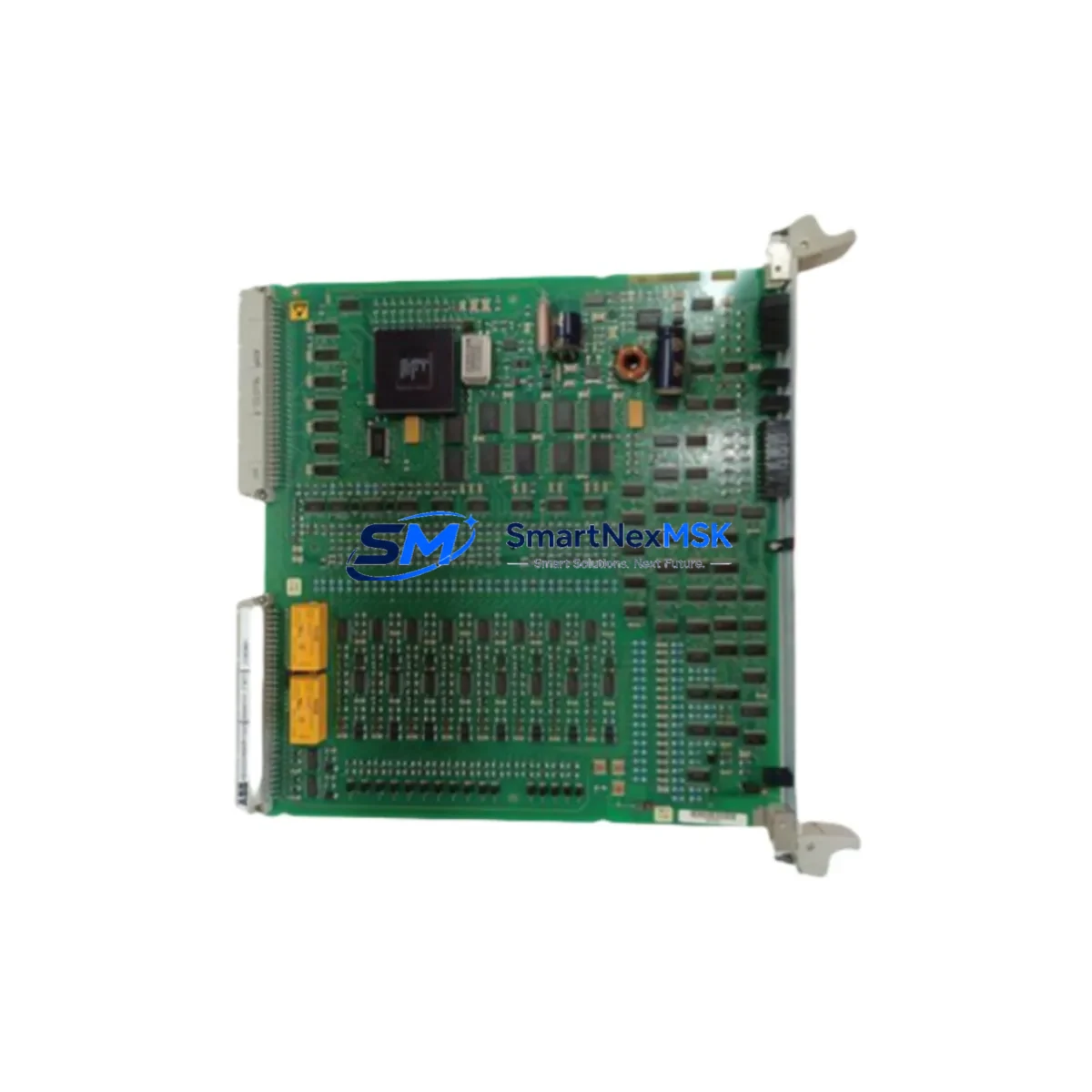
ABB 88VUO1E Maintenance-Ready Spare for AC500 Automation
The ABB 88VUO1E is an original digital output (DO) module designed for the ABB AC500 PLC series — one of the most widely deployed programmable logic controller platforms in industrial process control, manufacturing automation, and critical infrastructure applications. As a maintenance-ready spare part, the 88VUO1E is stocked and tested to support rapid field replacement, minimizing unplanned downtime and protecting continuous production schedules.
For maintenance engineers managing aging AC500 control systems, securing a verified 88VUO1E spare is a proactive step in any preventive maintenance program. Whether you are conducting scheduled annual shutdowns, responding to an unexpected I/O fault, or building a strategic spare parts inventory for a multi-line facility, the 88VUO1E delivers the original ABB quality and compatibility your system demands. Each unit is inspected and function-tested prior to shipment, backed by a 12-month warranty covering manufacturing defects and operational failures under normal service conditions.
Spare Maintenance Table
| SKU / Part Number | 88VUO1E |
| Brand | ABB |
| Series | AC500 |
| Module Type | Digital Output (DO) Module |
| Product Category | PLC I/O Module / Industrial Automation Spare Part |
| Origin | Germany (DE) |
| Output Type | Digital (Discrete) Output |
| Compatibility | ABB AC500 PLC Series (PM5xx, PM5xx-ETH CPU families and compatible backplanes) |
| Installation | DIN rail / AC500 backplane slot mounting; plug-and-play replacement for same-series DO modules |
| Application Environment | Industrial control cabinets, process automation panels, manufacturing lines, utilities |
| Maintenance Recommendation | Inspect output channel status via AC500 diagnostics; verify field wiring continuity before replacement; test under no-load before reconnecting actuators |
| Weight | 600 g (approx.) |
| Warranty | 12 Months — covers manufacturing defects and operational failure under normal use |
| Pre-Shipment Testing | Function-tested and inspected before dispatch |
| Condition | Original / Genuine ABB |
Maintenance Planning for Continuous Operation
When a digital output fault is traced to the 88VUO1E, experienced maintenance engineers know that the DO module rarely fails in isolation. A thorough site inspection should extend to the surrounding electrical and control architecture to prevent repeat failures and ensure a clean return to service.
Start with the AC500 CPU module (such as the PM564-ETH or PM583-ETH) — confirm that the processor is logging no additional fault codes beyond the DO channel error, and that firmware is current. Next, inspect the AC500 backplane or terminal unit (e.g., TA526 or TA5-ETH) for signs of corrosion, loose connector pins, or mechanical damage that may have contributed to the module failure. The 24 VDC power supply module feeding the I/O rack should be load-tested; an under-voltage or ripple condition is a common root cause of intermittent DO faults.
Field wiring connected to the 88VUO1E output channels should be checked for insulation breakdown, loose terminal connections, and correct fusing. Inline output fuses or protection relays protecting actuator circuits must be verified — a shorted load can damage a replacement module within minutes if protective devices are not confirmed serviceable. If the system uses intermediate relay modules (such as ABB CR-M or equivalent DIN rail relays) between the DO module and field devices, inspect coil resistance and contact condition.
For systems with communication modules such as the AC500 CM572-DP (PROFIBUS) or CM589-PNIO (PROFINET) installed in the same rack, verify that the fieldbus network remains stable after the DO module swap — a brief bus interruption during hot-swap can trigger upstream SCADA alarms. If the control cabinet includes a CP600 or CP620 HMI panel, confirm that output status tags are updating correctly post-replacement.
Where signal isolators or surge protection modules are installed on DO output lines — particularly in environments with long cable runs or high-voltage proximity — these should be tested for correct isolation resistance. Finally, review the terminal block assemblies (e.g., ABB ENTRELEC or Phoenix Contact series) for tightening torque compliance, as loose terminals are a leading cause of intermittent output faults that are often misdiagnosed as module failures.
Building a structured spare parts kit around the 88VUO1E — including at minimum one backup CPU module, a power supply, a communication module, and a selection of I/O modules covering the DO, DI, and AO types used in your system — is the most effective strategy for reducing mean time to repair (MTTR) across your AC500-based control infrastructure.
Site Replacement Workflow
Step 1 — Fault Isolation: Use the AC500 diagnostic interface (via Automation Builder or the CP-series HMI) to confirm the fault is isolated to the 88VUO1E module and not a wiring or load fault. Document the channel map and current output states before powering down.
Step 2 — Safe Isolation: Follow your site LOTO (Lockout/Tagout) procedure. De-energize the I/O rack section. Disconnect field wiring from the terminal unit associated with the 88VUO1E, labeling each wire for accurate reconnection.
Step 3 — Module Removal: Release the module locking mechanism on the AC500 backplane and slide the 88VUO1E out. Inspect the backplane connector for damage before inserting the replacement unit.
Step 4 — Replacement Installation: Insert the new 88VUO1E into the correct backplane slot. The AC500 architecture supports plug-and-play replacement — no re-parameterization is required if the replacement module is the same type and the CPU project configuration is unchanged.
Step 5 — Reconnection and Test: Reconnect field wiring per your documented channel map. Re-energize the rack and confirm the CPU recognizes the new module without fault. Force-test each output channel under no-load conditions before reconnecting actuators.
Step 6 — Return to Service: Clear diagnostic faults in the CPU, confirm SCADA/HMI tag updates, and log the replacement in your maintenance management system (CMMS) with the new module serial number and warranty start date.
This workflow is compatible with both hot-standby and standard single-CPU AC500 configurations and is designed to minimize total downtime to under 30 minutes for a prepared maintenance team.
Spare Parts Support FAQ
Q1: Is the 88VUO1E a direct drop-in replacement for my existing AC500 DO module?
Yes. The 88VUO1E is an original ABB AC500 series digital output module. It is designed for plug-and-play installation in compatible AC500 backplane slots. No firmware changes or CPU re-configuration are required when replacing a like-for-like module. Always verify your specific system’s hardware configuration list (HCL) and Automation Builder project to confirm slot assignment before installation.
Q2: What does the 12-month warranty cover?
The 12-month warranty covers manufacturing defects and operational failures under normal industrial service conditions from the date of shipment. It does not cover damage resulting from incorrect installation, overvoltage events, physical impact, or use outside the module’s rated specifications. Warranty claims are processed with proof of purchase and a fault description.
Q3: How is the 88VUO1E tested before shipment?
Each unit undergoes a pre-shipment functional inspection covering power-on self-test, output channel activation verification, and visual inspection of connectors and housing. Units that do not pass all checks are not dispatched. A test report is available upon request for critical infrastructure procurement.
Q4: Can you support long-term or blanket purchase orders for ongoing AC500 spare parts supply?
Yes. We support scheduled delivery agreements, blanket POs, and consignment stock arrangements for maintenance teams managing large AC500 fleets. Contact our sales team to discuss volume pricing, lead time commitments, and multi-SKU spare parts kitting for your specific AC500 system configuration.
© 2026 SMARTNEXMSK. All rights reserved.
Original Source: https://smartnexmsk.com
Contact: [email protected] | +86 18259474341



