
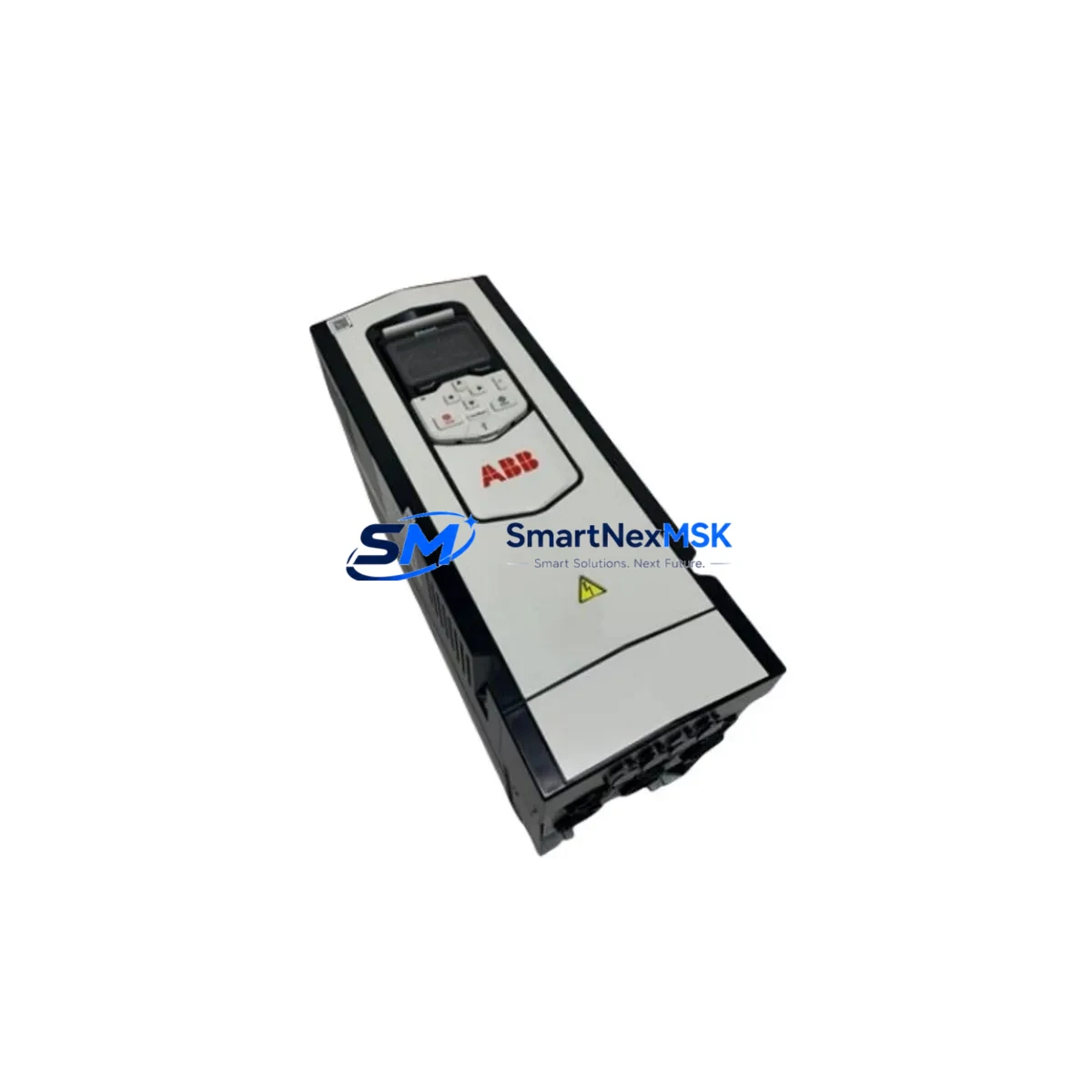
ABB ACS880-01-04A8-5 Spare for ACS880 Automation: Spare Replacement & Industrial Downtime Control
The ABB ACS880-01-04A8-5 is a 2.2kW, 500V wall-mount AC variable frequency drive from ABB’s flagship ACS880 industrial drive series. Designed for demanding process industries including pulp and paper, metals, mining, oil and gas, and chemical processing, this drive delivers direct torque control (DTC) with built-in functional safety (STO, SS1) and a wide range of fieldbus options. When this unit fails or reaches end-of-service life, rapid like-for-like replacement is critical to restoring production continuity and preventing cascading downtime across the control system.
At SMARTNEXMSK, every ACS880-01-04A8-5 unit is sourced from authorized supply channels, inspected against ABB’s original factory specifications, and dispatch-tested prior to shipment. Our stock is maintained specifically for maintenance engineers and procurement teams who cannot afford extended lead times on critical automation spares.
Spare Maintenance Table
| Parameter | Specification |
|---|---|
| SKU / Part Number | ACS880-01-04A8-5 |
| Brand | ABB |
| Series | ACS880 Single Drive |
| Power Rating | 2.2 kW (3 HP) |
| Input Voltage | 380–500V AC, 3-phase |
| Output Current (Nominal) | 4.8 A |
| Control Method | Direct Torque Control (DTC) |
| Functional Safety | STO (Safe Torque Off), SS1 — SIL 2 / PLd |
| Protection Class | IP21 (wall-mount, standard enclosure) |
| Ambient Temperature | -15°C to +40°C (operating); up to +50°C with derating |
| Fieldbus Compatibility | PROFIBUS-DP, PROFINET, EtherNet/IP, Modbus RTU (via option modules) |
| Mounting | Wall-mount, standalone |
| Country of Origin | Finland |
| Compatibility | Direct replacement for ACS880-01-04A8-5; compatible with ACS880 series control architecture |
| Condition | Original, new or refurbished-to-spec (stated at order confirmation) |
| Pre-shipment Testing | Power-on functional test, parameter restore verification |
| Warranty | 12 Months — covers manufacturing defects and functional failure under normal operating conditions |
| Lead Time | In-stock: ships within 2 business days; ex-stock global delivery available |
Maintenance Planning for Continuous Operation
When a maintenance or procurement engineer schedules replacement of the ACS880-01-04A8-5, the drive itself is rarely the only component requiring attention. A thorough control cabinet inspection during the same maintenance window significantly reduces the risk of repeat failures and unplanned shutdowns.
Begin with the input power supply circuit: verify the upstream line reactor or EMC filter (such as the ABB NOCH0100-41 or equivalent ACS880-series input choke) for signs of overheating or insulation degradation. Check the main circuit breaker or fuse assembly — gG-type fuses rated to ABB’s recommended values for 4.8A output current should be inspected and replaced if discoloration or thermal stress is evident.
Inspect the DC bus capacitors and any braking resistor or braking chopper module connected to the drive’s DC link. On ACS880 installations with regenerative braking, the braking resistor assembly (e.g., SACE or equivalent panel-mount type) should be checked for resistance drift and thermal damage. If the drive is part of a multi-drive cabinet using a common DC bus, inspect the ACS880-104 or ACS880-107 inverter modules sharing that bus for parameter consistency and communication integrity.
On the I/O and signal side, review the digital input wiring to terminals DI1–DI6 and the analog input/output connections (AI1, AI2, AO1). Loose terminations at the terminal block assembly — particularly on spring-clamp or screw-type DIN rail terminals — are a common root cause of intermittent drive faults. If the drive interfaces with a PLC via PROFIBUS-DP or PROFINET, verify the fieldbus adapter module (e.g., FPBA-01 PROFIBUS adapter or FENA-21 Ethernet adapter) for firmware version compatibility and connector seating.
Check the control panel or HMI connected to the ACS880’s assistant control panel port. The ACS-AP-I or ACS-AP-W panel should be inspected for display integrity and parameter backup status — a saved parameter backup to the panel memory is essential before any drive swap to enable rapid parameter restore on the replacement unit.
For installations using signal isolators between the drive’s analog outputs and the DCS or SCADA system, verify isolator output accuracy and loop power supply. Aging 24VDC auxiliary power supply modules feeding the drive’s control board and I/O circuits should be load-tested; a marginal PSU is a frequent hidden cause of unexplained drive trips. Finally, inspect motor cable insulation and verify that output du/dt filters or sine filters (if installed) remain within specification — degraded motor cables can cause recurring IGBT stress on a newly installed drive.
Site Replacement Workflow
Step 1 — Parameter Backup: Before powering down the existing ACS880-01-04A8-5, use the ACS-AP-I assistant panel or Drive Composer PC tool to export the full parameter set to panel memory or a laptop. This backup is the single most important step for minimizing commissioning time on the replacement unit.
Step 2 — Safe Isolation: Isolate the drive from the main supply using the upstream isolator or circuit breaker. Verify STO input signals are de-energized. Wait a minimum of 5 minutes after power-off before opening the drive enclosure to allow DC bus capacitors to discharge. Confirm DC bus voltage below 50V with a calibrated multimeter before touching internal components.
Step 3 — Mechanical Removal: Disconnect motor output cables (U2, V2, W2), input supply cables (U1, V1, W1), PE ground, control wiring, and the fieldbus adapter module. Label all connections before removal. Unmount the drive from the DIN rail or back-panel mounting points.
Step 4 — Replacement Unit Installation: Mount the ACS880-01-04A8-5 replacement unit. Reconnect all cables in reverse order, verifying torque values on power terminals per ABB’s installation manual. Reseat the fieldbus adapter module and confirm the control panel connection.
Step 5 — Parameter Restore & Commissioning: Power up the replacement drive. Restore the saved parameter set from panel memory or Drive Composer. Verify motor data parameters (motor type, nominal voltage, current, frequency, speed, power) match the connected motor nameplate. Run the motor ID run (standard or reduced) if motor data has changed. Confirm fieldbus communication status and I/O signal mapping before releasing the drive to production.
Step 6 — Functional Test: Perform a no-load run followed by a loaded test at minimum, nominal, and maximum speed setpoints. Verify current, torque, and temperature readings are within expected ranges. Document the replacement in the site maintenance log.
Spare Parts Support FAQ
Q1: Is this ACS880-01-04A8-5 a genuine ABB original part or a compatible aftermarket unit?
All units supplied by SMARTNEXMSK are sourced from authorized distribution channels or directly from ABB-certified supply networks. Each unit is identified by ABB’s original part marking and serial number. Where refurbished-to-spec units are offered, this is explicitly stated at the time of order confirmation, and the unit will have passed full functional testing equivalent to factory acceptance criteria.
Q2: How do I verify compatibility with my existing ACS880 installation before ordering?
The ACS880-01-04A8-5 is a direct frame-size and electrical replacement for any existing ACS880-01-04A8-5 installation. Confirm your existing unit’s nameplate data: 2.2kW, 380–500V, 4.8A output, IP21. If your installation uses optional fieldbus adapters (FPBA-01, FENA-21, etc.) or a brake chopper, these modules are retained from the old unit and transferred to the replacement — they do not need to be re-ordered unless damaged.
Q3: What does the 12-month warranty cover, and what is the claims process?
The 12-month warranty covers manufacturing defects and functional failures under normal operating conditions as defined in ABB’s ACS880 hardware manual. It does not cover damage resulting from incorrect installation, overvoltage events, water ingress beyond the unit’s IP rating, or unauthorized modification. To initiate a warranty claim, contact SMARTNEXMSK at [email protected] with your order number, a description of the fault, and any available fault code history from the drive’s event log. Replacement or repair will be arranged within 5 business days of fault confirmation.
Q4: Can SMARTNEXMSK support long-term spare parts stocking for ACS880 series drives across multiple sites?
Yes. SMARTNEXMSK maintains dedicated inventory buffers for high-demand ACS880 series SKUs to support multi-site maintenance programs and annual MRO procurement contracts. For customers managing fleets of ACS880 drives across multiple facilities, we offer reserved stock agreements, priority dispatch, and consolidated shipment scheduling. Contact our technical sales team to discuss your site inventory requirements and establish a long-term supply arrangement.
© 2026 SMARTNEXMSK. All rights reserved.
Original Source: https://smartnexmsk.com
Contact: [email protected] | +86 18259474341



