
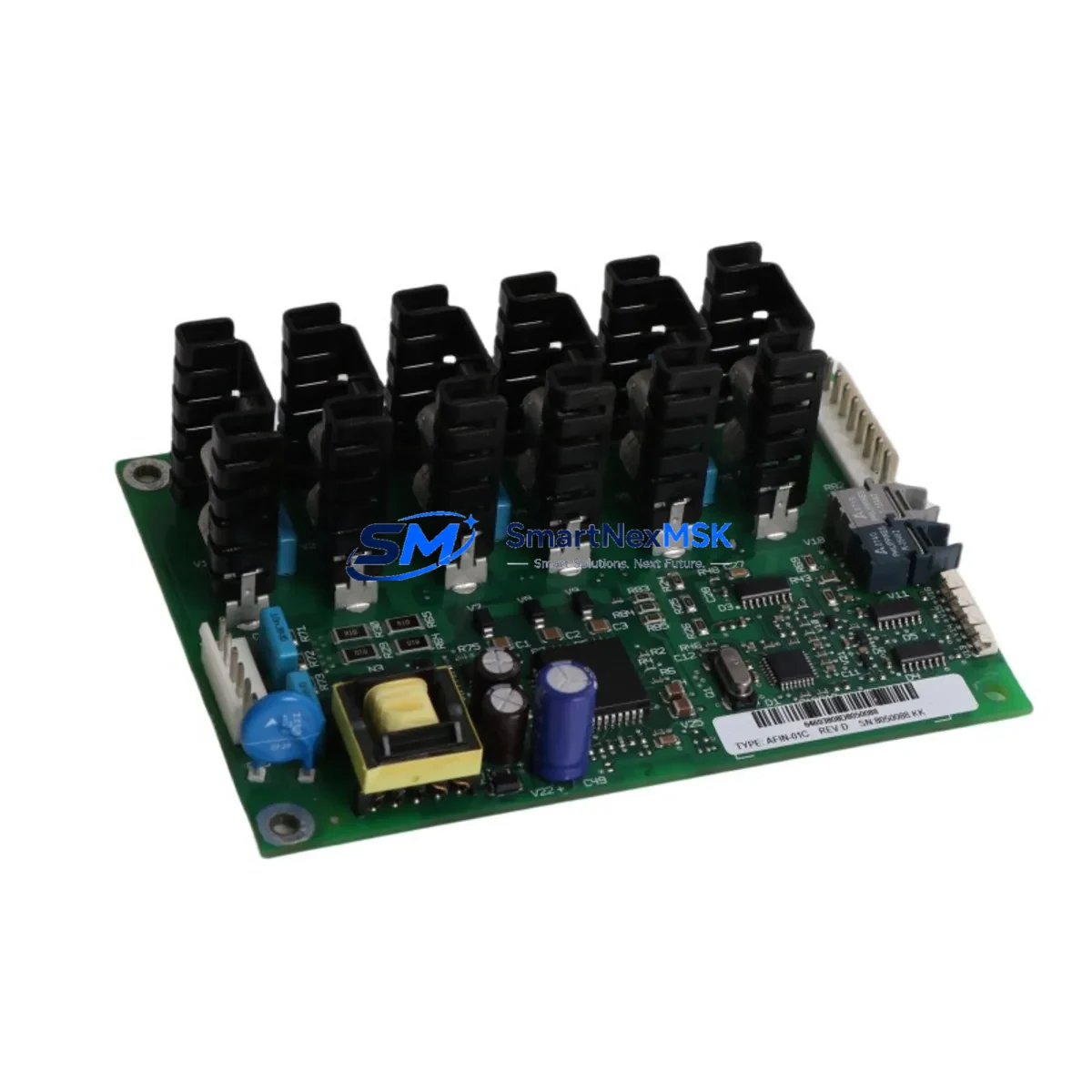
ABB AFIN-01C Maintenance-Ready Spare for ACS Automation
The ABB AFIN-01C is an original fan inverter option board designed for ABB ACS series variable frequency drives. In industrial automation environments where drive uptime is critical, unplanned cooling failures caused by a degraded or failed fan control board can trigger thermal shutdowns, production halts, and costly emergency maintenance windows. Stocking the AFIN-01C as a verified maintenance spare is a proven strategy for maintenance engineers managing ACS550, ACS800, ACS880, and related ACS platform drives in continuous-process, HVAC, pump, and compressor applications.
Sourced directly from ABB’s authorized supply chain, the AFIN-01C carries full original firmware compatibility and is tested prior to shipment. Each unit is covered by a 12-month warranty and ships with inspection documentation, ensuring traceability for ISO-compliant maintenance records. Whether you are executing a planned overhaul, responding to a fault code, or building a critical-spare inventory for a remote site, the AFIN-01C delivers the confidence of a genuine ABB component with the availability of a dedicated industrial spare parts supplier.
Spare Maintenance Table
| Part Number | AFIN-01C |
| Brand | ABB |
| Compatible Series | ACS550, ACS800, ACS880, ACS355 (fan inverter circuit) |
| Function | Fan Inverter Option Board — controls internal cooling fan speed and thermal management |
| Rated Power (Fan Control) | Up to 1 kW cooling circuit |
| Supply Voltage | Compatible with drive internal DC bus supply |
| Mounting | Option slot / board-level installation per ACS drive frame size |
| Origin | Germany (ABB manufacturing) |
| Weight | 170 g |
| Application Environment | Industrial panels, motor control centers, HVAC, pump stations, compressor rooms |
| Maintenance Recommendation | Inspect at every scheduled drive service interval; replace proactively if fan fault codes (e.g., FF, OH) appear |
| Condition | Original New (OEM) |
| Warranty | 12 Months |
| Pre-shipment Test | Yes — functional and visual inspection |
Maintenance Planning for Continuous Operation
When a maintenance or procurement engineer identifies the AFIN-01C as a replacement need, the root cause is almost always thermal: the drive has logged overtemperature faults (OH1, OH2) or the internal fan has stopped responding to speed commands. Before closing the work order, a thorough site inspection should extend beyond the fan board itself.
Start at the power supply level. The APOW-01C power supply board and associated AINT-xx inverter boards within the same ACS drive frame share the same DC bus and thermal environment — if the fan board has degraded, these boards may have experienced thermal stress as well. Check the AINT-07C or AINT-14C inverter interface boards for discoloration or capacitor bulging.
Move to the I/O layer. The AIAO-01C analog I/O extension module and ADIO-01C digital I/O module should be inspected for loose terminal connections, particularly if the drive is installed in a high-vibration environment such as a compressor skid or pump house. Loose I/O wiring is a common secondary fault that surfaces during thermal events.
For drives using fieldbus communication, verify the AFCAN-01 CANopen adapter or AFPBA-01 PROFIBUS-DP adapter is seated correctly and that the communication cable shielding is intact. Thermal cycling can loosen option board connectors over time.
At the cabinet level, inspect the terminal blocks and busbar connections on the input and output sides of the drive. Thermal imaging during operation is recommended if available. Check the input line fuses or circuit breakers — an overtemperature event may have caused nuisance trips that left the fuse in a marginal state. Replace any fuse that shows signs of heat discoloration.
If the site uses an ACS control panel (ACS-CP-C or ACS-CP-D HMI), verify that the panel cable and RJ-45 connector are undamaged, as these are often overlooked during drive board replacements. For systems with signal isolators on the analog reference or feedback channels, confirm isolation integrity with a loop calibrator before returning the drive to service.
Finally, document the replacement in your CMMS with the AFIN-01C serial number and installation date. Setting a proactive replacement interval of 5–7 years for fan-related boards in high-duty-cycle applications is a best practice that significantly reduces unplanned downtime.
Site Replacement Workflow
Step 1 — Isolation & Lockout: De-energize the ACS drive and apply LOTO. Wait the full DC bus discharge time specified in the ACS drive safety guide (typically 5 minutes for frames R4–R8) before opening the drive enclosure.
Step 2 — Fault Code Documentation: Before removing the AFIN-01C, record all active and historical fault codes from the ACS control panel or via DriveStudio/Drive Composer. This data supports root-cause analysis and warranty claims.
Step 3 — Board Removal: Disconnect the fan connector and any ribbon cables attached to the AFIN-01C. Note the orientation and connector positions with a photograph before removal. Remove the board carefully to avoid damaging adjacent option boards.
Step 4 — Visual Inspection of Slot & Connectors: Inspect the option slot connector on the drive mainboard for bent pins or corrosion. Clean with contact cleaner if necessary before installing the replacement AFIN-01C.
Step 5 — Installation & Reconnection: Seat the new AFIN-01C firmly into the option slot. Reconnect the fan connector and ribbon cables. Verify all connections are secure before closing the drive enclosure.
Step 6 — Power-Up & Verification: Re-energize the drive and monitor the fan operation via the ACS control panel. Confirm that fan fault codes are cleared and that the drive reaches normal operating temperature within expected parameters. Log the replacement in your maintenance records.
This workflow applies equally to legacy ACS550 installations and current ACS880 platforms, making the AFIN-01C a versatile spare that supports long-term system life extension without requiring drive replacement.
Spare Parts Support FAQ
Q1: Is the AFIN-01C compatible with all ACS drive frame sizes?
The AFIN-01C is designed for the fan inverter circuit in ACS series drives. Compatibility varies by frame size and drive generation. Please confirm your drive’s full model number and frame size (R1–R8 or larger) when ordering. Our technical team can verify compatibility before shipment.
Q2: What is included in the 12-month warranty?
Every AFIN-01C ships with a 12-month warranty covering manufacturing defects and functional failures under normal operating conditions. Each unit undergoes pre-shipment functional and visual inspection. Warranty claims are supported with replacement or refund, subject to return inspection.
Q3: How quickly can the AFIN-01C be shipped for emergency downtime recovery?
In-stock units are available for same-day or next-business-day dispatch. For critical downtime situations, contact our sales team directly at [email protected] or +86 18259474341 to confirm stock availability and arrange priority shipping.
Q4: Can the AFIN-01C replace older or discontinued ABB fan board variants?
In many cases, yes. ABB has issued cross-reference documentation for successor part numbers within the ACS option board family. Our team can advise on direct replacements and any parameter adjustments required when substituting a newer board revision into an older drive frame. We recommend verifying firmware compatibility via Drive Composer before returning the drive to full production load.
© 2026 SMARTNEXMSK. All rights reserved.
Original Source: https://smartnexmsk.com
Contact: [email protected] | +86 18259474341



