
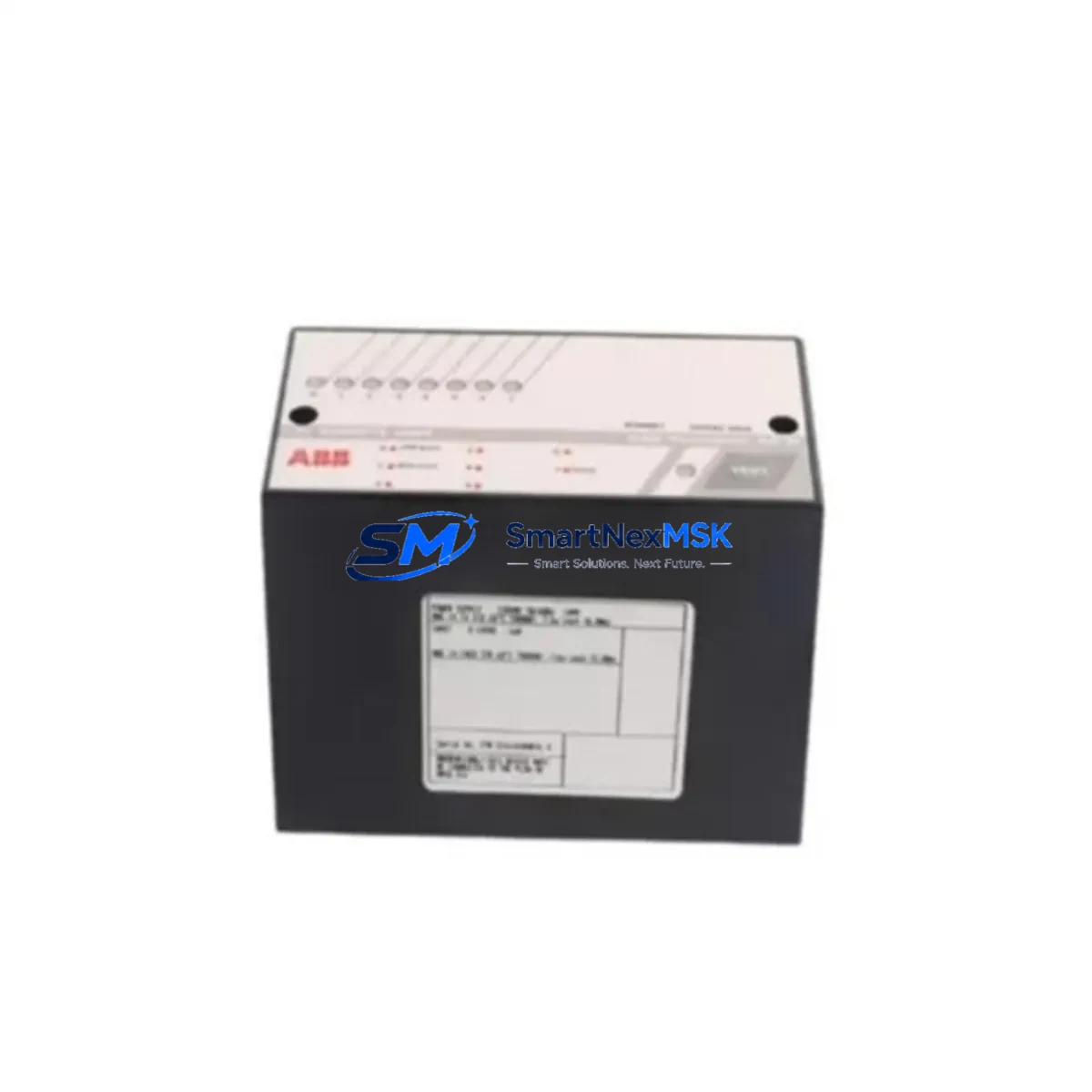
ABB AX645 3BHB001914R1 Retrofit-Ready Analog I/O for AC800M Control Systems
The ABB AX645 (part number 3BHB001914R1) is a mixed analog I/O module engineered for the AC800M Distributed Control System platform. As legacy DCS installations age and original spare parts become increasingly difficult to source, the AX645 3BHB001914R1 has become a critical retrofit component for facilities seeking to extend the operational life of their AC800M-based control architectures without committing to a full platform migration. This module supports both analog input and output channels, making it a versatile solution for process measurement and actuator control in power generation, oil and gas, chemical processing, and heavy industrial environments.
When planning a retrofit or spare-part replacement around the AX645 3BHB001914R1, engineers must verify several key parameters before installation. Power supply capacity on the S800 I/O backplane or the CI854 communication interface module must be confirmed to support the additional load introduced by the replacement module. Terminal wiring assignments on the TB820 or TB840 termination units should be cross-referenced against the original loop drawings to ensure signal polarity and shielding continuity are preserved. The module address configured via the hardware DIP switches or software node assignment in the AC800M controller must match the address previously held by the outgoing unit to avoid address conflicts that would prevent the PM865 or PM866 processor module from recognizing the new hardware during startup.
Program compatibility is another critical checkpoint. The Control Builder M engineering tool retains the I/O channel configuration in the project database, and after physical module swap, a forced download or partial download targeting only the affected I/O board may be required. Engineers should confirm that the function block connections referencing the AX645 channels remain intact and that no channel re-mapping is needed. If the plant HMI — typically running on an 800xA System or a third-party SCADA connected via OPC — displays analog tag values sourced from this module, the HMI faceplates and trend displays should be validated post-swap to confirm signal scaling and engineering unit conversion remain correct.
Communication link integrity is equally important. The AX645 3BHB001914R1 communicates over the MasterBus 300 or PROFIBUS DP backplane depending on the rack configuration. If the existing installation uses a CI854A or CI858 communication interface, the fieldbus segment address and baud rate settings must be preserved during the swap. Any interruption to the communication link will cause the PM865 processor to flag the I/O board as faulted, potentially triggering process alarms or initiating a controlled shutdown sequence in safety-critical loops.
Upgrade Compatibility Table
| Parameter | Detail |
|---|---|
| Module Part Number | AX645 / 3BHB001914R1 |
| Compatible Platform | ABB AC800M DCS (PM865, PM866 processors) |
| I/O Type | Mixed Analog Input / Analog Output |
| Backplane Interface | S800 I/O Bus / MasterBus 300 |
| Communication Interface | CI854, CI854A, CI858 (PROFIBUS DP) |
| Termination Unit | TB820, TB840 (field wiring unchanged) |
| Installation Requirement | Module address must match original configuration |
| Engineering Tool | Control Builder M (partial download supported) |
| HMI Compatibility | 800xA System, OPC-connected SCADA |
| Replacement Recommendation | Direct drop-in; verify power budget on backplane |
| Commissioning Note | Force I/O board rescan after installation |
| Warranty | 12 Months from date of shipment |
Retrofit Planning for Existing Automation Systems
A successful retrofit centered on the AX645 3BHB001914R1 typically involves coordinating several interdependent components across the control cabinet and field junction boxes. Before the module arrives on site, the project team should audit the existing S800 I/O rack to confirm available slot positions and verify that the rack’s internal power bus — supplied by the SD821 or SD822 power supply unit — can accommodate the module’s current draw without exceeding the backplane’s rated capacity. In installations where multiple racks are daisy-chained via the CI854 interface, the total segment load must be recalculated to prevent communication timeouts.
Field wiring connected to the TB820 termination unit should be documented and photographed before disconnection. Each analog input channel typically carries a 4–20 mA signal from field transmitters, and the corresponding output channels drive control valves or positioners. During the swap window, the team should also inspect the condition of the shielded cable runs and verify that the cable shield is grounded at one end only, in accordance with ABB’s wiring guidelines for the AC800M platform. If the plant uses a redundant CI854A pair for high-availability communication, the switchover behavior should be tested after the new AX645 is installed to confirm that the redundancy mechanism operates correctly.
For facilities running mixed-generation control architectures — for example, where an AC800M rack sits alongside legacy Advant OCS or MOD 300 equipment — the retrofit scope may extend to updating the OPC server configuration or the SattBus gateway settings to reflect the new module’s data addresses. In these environments, the PM865 processor’s memory map and the associated Control Builder M project must be synchronized before the system is returned to automatic control. The TB840 termination unit, if used in place of the TB820, provides additional terminal density and may simplify field wiring consolidation during the upgrade.
Downtime Control During System Migration
Minimizing unplanned downtime is the primary operational concern when replacing the AX645 3BHB001914R1 in a live production environment. The recommended approach is to schedule the swap during a planned maintenance window and to pre-stage the replacement module with its configuration verified offline using a bench test rack equipped with a PM865 processor and a CI854 interface. This allows the engineering team to confirm that the module powers up correctly, responds to the I/O bus scan, and accepts the downloaded channel configuration before the unit is transported to the plant floor.
During the actual swap, the affected control loops should be placed in manual mode at the DCS operator station to prevent the PM865 from issuing spurious output commands while the module is unpowered. The original program logic stored in the PM865’s non-volatile memory is not affected by the module replacement, and no full controller download is required — only a targeted I/O board configuration push via Control Builder M. Once the new AX645 is seated and the TB820 field wiring is reconnected, the operator can perform a controlled bumpless transfer back to automatic mode, loop by loop, while monitoring the 800xA trend displays for signal stability. The entire swap sequence, from module removal to return-to-auto, can typically be completed within a two-hour maintenance window when the pre-staging steps have been completed in advance.
For sites where a cold standby spare is not available and the failed module must be replaced under emergency conditions, SMARTNEXMSK maintains in-stock inventory of the AX645 3BHB001914R1 with same-day dispatch capability. Each unit undergoes a functional test protocol prior to shipment, including power-on verification, I/O channel continuity checks, and communication bus handshake confirmation, ensuring that the replacement module is ready for immediate installation upon arrival.
Retrofit Support FAQ
Q: Is the AX645 3BHB001914R1 a direct drop-in replacement for the original module?
A: Yes. The AX645 3BHB001914R1 is dimensionally and electrically compatible with the original S800 I/O slot. Field wiring on the TB820 or TB840 termination unit does not need to be modified. The module address must be set to match the original configuration before installation to ensure the PM865 processor recognizes it without requiring a full project download.
Q: What commissioning steps are required after installing the replacement module?
A: After seating the module and reconnecting the termination unit, perform a forced I/O board rescan from Control Builder M. Verify that all analog channels report expected signal values at the 800xA operator station. Place each affected loop in manual, confirm the output signal reaches the field device, then perform a bumpless transfer back to automatic. Document the as-found and as-left signal readings for the maintenance record.
Q: Can the AX645 be used with both CI854 and CI854A communication interfaces?
A: Yes. The AX645 3BHB001914R1 is compatible with both the CI854 and CI854A PROFIBUS DP interface modules, as well as the CI858 variant used in high-availability redundant configurations. Ensure the PROFIBUS segment address and baud rate settings on the CI854A are not altered during the module swap to avoid disrupting other nodes on the same segment.
Q: What does the 12-month warranty cover, and how is it claimed?
A: The 12-month warranty covers manufacturing defects, component failures, and functional non-conformance identified under normal operating conditions. Each AX645 3BHB001914R1 shipped by SMARTNEXMSK is tested prior to dispatch. In the event of a warranty claim, contact [email protected] with the order reference and a description of the fault. A replacement unit or repair will be arranged with priority handling to minimize your system downtime.
© 2026 SMARTNEXMSK. All rights reserved.
Original Source: https://smartnexmsk.com
Contact: [email protected] | +86 18259474341



