
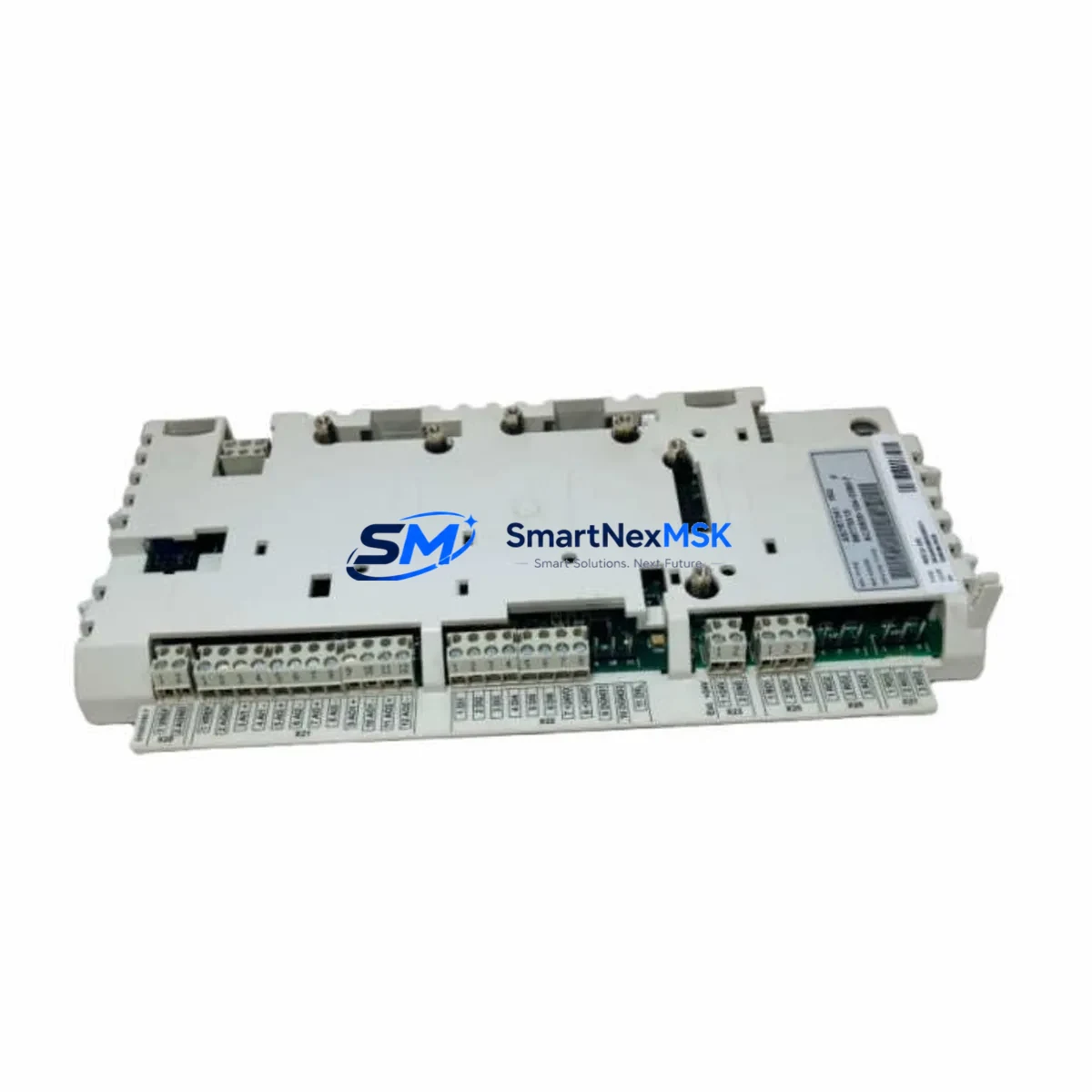
ABB BCU-02 Retrofit-Ready Drive Control Unit for ACS800 Control Systems
The ABB BCU-02 is a retrofit-ready drive control unit designed as a direct replacement and functional upgrade for the RDCU (Redundant Drive Control Unit) platform used across the ABB ACS800 series of industrial AC drives. As legacy RDCU modules reach end-of-life and spare parts become increasingly scarce, the BCU-02 provides a validated migration path that preserves existing wiring topology, communication architecture, and drive parameter logic — minimizing engineering rework and unplanned downtime during system modernization.
Whether you are managing a planned retrofit of an aging drive cabinet, responding to an unplanned RDCU failure, or executing a phased upgrade of a multi-drive production line, the BCU-02 delivers the control performance and I/O compatibility required to restore and extend system operation without replacing the entire drive assembly.
Upgrade Compatibility Table
| Parameter | RDCU (Legacy) | BCU-02 (Replacement) |
|---|---|---|
| Mounting Interface | ACS800 backplane slot | Compatible — same backplane form factor |
| Terminal Wiring | Standard RDCU terminal layout | Pin-compatible; verify encoder and I/O terminal mapping |
| Communication Protocol | DDCS / RDCO fiber optic | DDCS compatible; RDCO-02 or RDCO-03 adapter may be required |
| Drive Parameter Backup | DriveWindow / ACS800 panel | Restore via DriveWindow 2 or ACS800 control panel upload |
| Encoder Feedback | Pulse encoder via RTAC/RAIO | Verify RTAC-01 or RAIO-01 module compatibility |
| I/O Expansion | RAIO / RDIO modules | Fully compatible with existing RAIO-01 and RDIO-01 modules |
| HMI Interface | CDP312R / ACS800 panel | Compatible; no HMI screen reconfiguration required |
| Firmware | Legacy RDCU firmware | BCU-02 firmware; parameter migration via DriveWindow |
| Installation Requirement | Backplane insertion + fiber link | Same procedure; confirm RDCO fiber link seating |
| Warranty | N/A (EOL) | 12-Month Warranty included |
Retrofit Planning for Existing Automation Systems
A successful BCU-02 retrofit begins well before the module arrives on-site. Engineers should start by auditing the existing ACS800 drive cabinet to document the current RDCU firmware version, active parameter sets, and any application macros loaded into the drive. The ACS800 control panel (CDP312R) or DriveWindow 2 software should be used to perform a full parameter backup prior to module removal — this backup file becomes the foundation for restoring drive behavior after the BCU-02 is installed.
On the hardware side, confirm the condition of the RDCO-02 or RDCO-03 fiber optic communication module, which links the BCU-02 to the master controller or fieldbus adapter. If the existing RDCO module shows signs of degradation or is an early revision, replacement alongside the BCU-02 is strongly recommended to avoid communication faults post-commissioning. Similarly, inspect the RAIO-01 analog I/O module and RDIO-01 digital I/O module for terminal corrosion or loose connections — these modules remain in service during the BCU-02 swap and must be in reliable condition.
For drives integrated into a fieldbus network — whether PROFIBUS-DP via RPBA-01, DeviceNet via RDNA-01, or Modbus RTU via RMBA-01 — verify that the fieldbus adapter is seated correctly and that the network node address and baud rate settings are preserved in the parameter backup. Communication protocol migration is one of the most common sources of post-retrofit faults and should be validated at the network level before the drive is returned to automatic mode.
Power supply integrity is equally critical. Confirm that the APOW-01 auxiliary power supply module within the ACS800 cabinet is delivering stable 24 VDC to the control board section. Voltage fluctuations or ripple on the auxiliary supply can cause BCU-02 initialization errors that are easily misdiagnosed as module faults. If the APOW-01 is original to the installation and has not been serviced, consider replacing it as part of the retrofit scope.
For multi-drive systems using an ACS800-07 or ACS800-17 cabinet drive with a master-follower configuration, the BCU-02 must be configured with the correct master or follower role in the drive parameters before the system is energized. Failure to set the master-follower topology correctly will result in speed reference conflicts and potential mechanical damage to coupled loads. The RDCO fiber ring topology should be verified with a fiber power meter before commissioning begins.
Finally, if the retrofit involves an ACS800 with an integrated brake chopper and NBRA-6x resistor assembly, confirm that the brake control parameters are correctly restored from the backup file. Brake chopper activation thresholds and overvoltage control settings are drive-specific and must match the original commissioning data.
Downtime Control During System Migration
Minimizing production downtime during a BCU-02 retrofit requires a structured pre-outage preparation protocol. All parameter backups, spare module staging, and communication verification steps should be completed during scheduled maintenance windows or low-production periods — not during the outage itself.
The physical module swap — removing the failed or end-of-life RDCU and installing the BCU-02 — typically takes 15 to 30 minutes for a trained drive engineer familiar with the ACS800 backplane. The majority of retrofit time is consumed by parameter restoration, communication link verification, and functional testing under no-load conditions before the drive is returned to service.
To protect original program logic, never clear the drive parameter memory before completing a verified backup. If the existing RDCU is still partially functional, use DriveWindow 2 to extract the parameter file even if the drive is faulted — many fault states still allow parameter read access via the serial link. Store the backup file in at least two locations (local PC and network share) before proceeding.
For critical production lines where even a brief unplanned stop is unacceptable, consider staging a pre-configured BCU-02 with the parameter file already loaded and communication settings pre-set. This hot-swap preparation approach reduces live commissioning time to under 10 minutes and is strongly recommended for drives controlling compressors, pumps, or conveyors in continuous-process industries.
After installation, perform a controlled no-load run to verify speed reference tracking, I/O response, and fieldbus communication before reconnecting the mechanical load. Document the commissioning results and update the site maintenance record with the BCU-02 serial number and installation date.
Retrofit Support FAQ
Q: Is the ABB BCU-02 a direct drop-in replacement for the RDCU module in ACS800 drives?
A: The BCU-02 is functionally compatible with the RDCU platform and uses the same ACS800 backplane interface. However, it is not a mechanical clone — engineers should verify terminal assignments for encoder feedback and analog I/O connections before installation. A parameter backup and restore procedure is required to transfer drive settings.
Q: Do I need to replace the RDCO fiber optic module when installing the BCU-02?
A: Not always. If the existing RDCO-02 or RDCO-03 module is in good condition and the fiber links are clean and undamaged, it can remain in service. However, if the system has experienced repeated communication faults or the RDCO is an early production revision, replacing it alongside the BCU-02 is recommended to ensure long-term reliability.
Q: What commissioning steps are required after installing the BCU-02?
A: After physical installation, restore the parameter backup via DriveWindow 2 or the ACS800 control panel. Verify fieldbus node address and baud rate settings, confirm I/O terminal mapping against the original wiring diagram, and perform a no-load test run before reconnecting the mechanical load. Check encoder feedback response if the drive operates in closed-loop speed control mode.
Q: What warranty coverage is included with the BCU-02?
A: Every BCU-02 unit supplied by SMARTNEXMSK includes a 12-month warranty covering manufacturing defects and functional failures under normal operating conditions. Each unit undergoes pre-shipment functional testing. For warranty claims or technical support, contact our engineering team directly.
© 2026 SMARTNEXMSK. All rights reserved.
Original Source: https://smartnexmsk.com
Contact: [email protected] | +86 18259474341



