
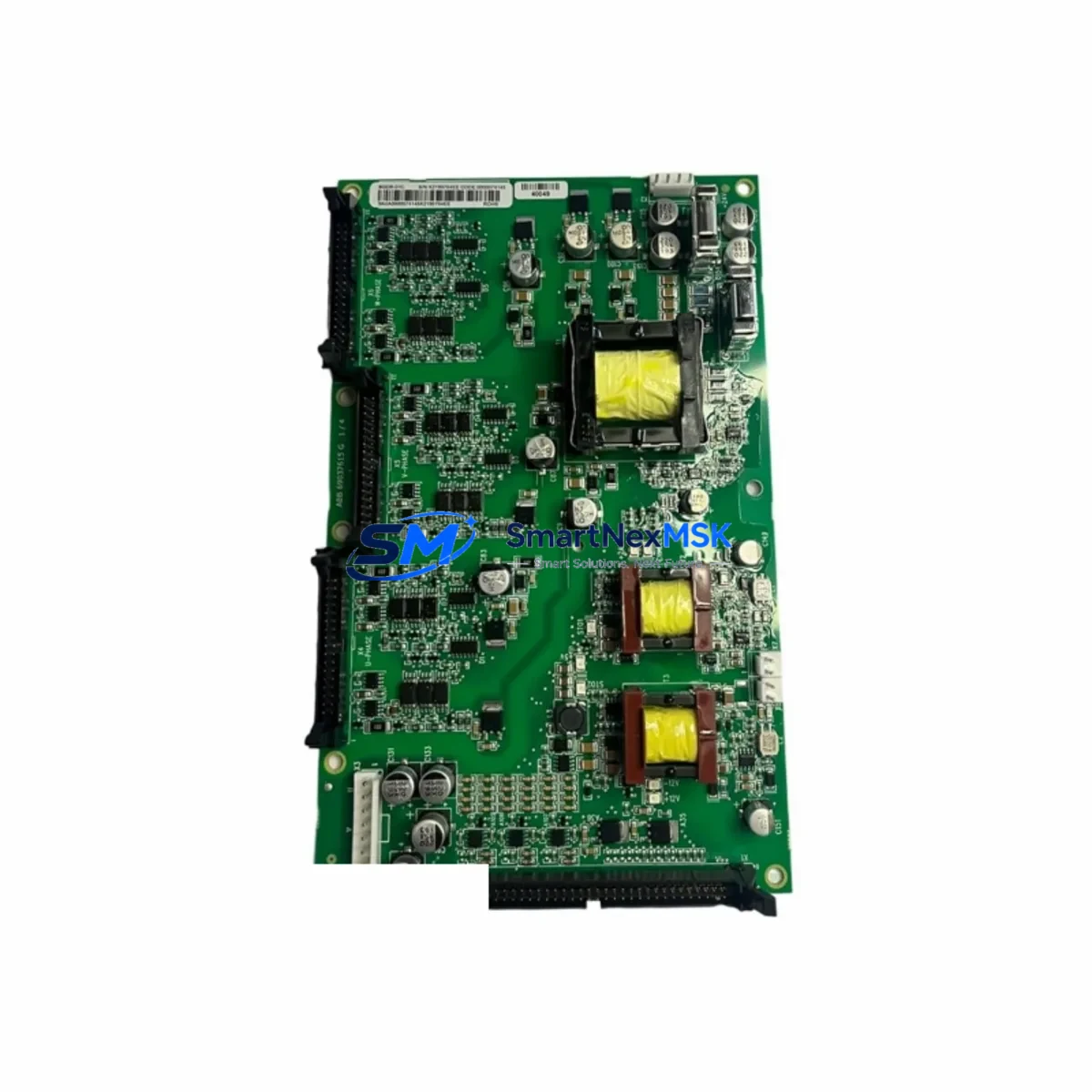
ABB BGDR-01C 3AUA0000074145 Retrofit-Ready Gate Driver for ACS800 Control Systems
The ABB BGDR-01C (Part No. 3AUA0000074145) is a gate driver board engineered for the ACS800 series of industrial AC drives. As legacy ACS800 installations age and original spare parts become increasingly scarce, the BGDR-01C has become a critical retrofit component for maintenance engineers tasked with keeping production lines operational without committing to a full drive replacement. This board directly manages the IGBT firing signals within the power stage, making it one of the most failure-prone and replacement-critical components in the ACS800 drive architecture.
Whether you are restoring a tripped drive after an IGBT fault, upgrading an aging control cabinet, or executing a planned preventive maintenance cycle, the BGDR-01C provides a verified drop-in upgrade path that preserves your existing wiring harness, backplane connections, and application program logic. Our stock is sourced, inspected, and dispatch-tested to ensure every unit meets ABB’s original performance specifications before shipment.
Upgrade Compatibility Table
| Parameter | Details |
|---|---|
| Compatible Drive Series | ABB ACS800 (all standard frame sizes) |
| Part Number | BGDR-01C / 3AUA0000074145 |
| Board Function | IGBT Gate Driver – Power Stage Control |
| Backplane Interface | Direct plug-in to ACS800 power module backplane; no adapter required |
| Communication Compatibility | Compatible with RDCO-01/02/03 DDCS fiber-optic communication modules |
| Installation Requirement | ESD precautions required; torque connectors to OEM specification |
| Replacement Recommendation | Replace as a matched set with IGBT module if drive has experienced shoot-through fault |
| Commissioning Note | Verify IGBT gate resistance and isolation before powering up; re-run drive ID run after installation |
| Warranty | 12-Month Warranty – covers manufacturing defects and functional failure under normal operating conditions |
Retrofit Planning for Existing Automation Systems
A successful BGDR-01C retrofit begins well before the board arrives on site. Engineers should first audit the full ACS800 drive assembly to assess the condition of surrounding components. In many aging installations, the APOW-01C power supply board and the AINT-02C inverter control board show concurrent degradation alongside the gate driver, and replacing only the BGDR-01C without inspecting these boards risks a repeat fault within weeks.
Terminal wiring should be documented and photographed before any disassembly. The ACS800’s modular backplane design means the BGDR-01C slots directly into the power module frame, but connector seating must be verified with a torque driver — loose gate driver connections are a leading cause of nuisance IGBT faults post-retrofit. If the installation includes an RDCO-03C DDCS communication module for DriveWindow or third-party SCADA connectivity, confirm that the fiber-optic link is intact and that the communication node address is correctly set before re-energizing the drive.
For sites running the ACS800 as part of a larger DCS or PLC-coordinated system — for example, where an ABB AC500 PLC or a Siemens S7-300 controller manages the drive via Profibus or Modbus RTU — the retrofit window should be coordinated with the control room to place the drive in local manual mode. This prevents the supervisory system from issuing start commands during the board swap and protects both personnel and equipment.
I/O wiring to the AIMA-01C analog I/O extension module and any AITC-01C pulse encoder interface should be verified for continuity after reinstallation. In multi-drive cabinets where several ACS800 units share a common DC bus, the ABRC-01C brake chopper board and associated braking resistor circuits should also be inspected, as DC bus transients from a faulted gate driver can stress these components. Finally, if the site uses an ACS800 application program stored on the RMIO-02C control board, confirm that the program version and parameter set are backed up to a PC tool such as DriveWindow Light before the retrofit begins — this eliminates the risk of losing tuned PID parameters, ramp settings, and I/O mappings during the board exchange.
Downtime Control During System Migration
Minimizing unplanned downtime is the primary concern for any gate driver replacement on a running production line. The recommended approach is to pre-stage the replacement BGDR-01C in the control room, confirm its part number and revision against the installed unit, and prepare all tools and ESD equipment before taking the drive offline. A well-prepared technician can complete the physical board swap in under 30 minutes on a standard ACS800 frame.
Before de-energizing the drive, capture the full parameter list using DriveWindow or the drive’s keypad upload function. After reinstallation, restore parameters from the saved file rather than re-entering them manually — this eliminates transcription errors and restores the drive to its pre-fault operating state in minutes. Perform a motor ID run if the drive’s internal model has been reset, then verify speed reference tracking and current limit behavior under no-load conditions before reconnecting the mechanical load.
For critical processes where even a 30-minute outage is unacceptable, consider maintaining a pre-tested spare BGDR-01C in the local spare parts cabinet. Our 12-month warranty covers the spare unit from the date of shipment, so holding stock does not compromise your warranty coverage. Coordinating the retrofit during a scheduled maintenance window — rather than responding reactively to a drive fault — is the single most effective strategy for protecting production continuity and controlling total downtime cost.
Retrofit Support FAQ
Q1: Is the BGDR-01C a direct drop-in replacement for all ACS800 frame sizes?
The BGDR-01C is compatible with the standard ACS800 power module backplane across the most common frame sizes (R2–R8). For very large frame sizes (R9 and above) or special application variants such as the ACS800-04 regenerative unit, confirm the exact part number against the drive’s nameplate and service manual before ordering.
Q2: What commissioning steps are required after installing the BGDR-01C?
After physical installation, verify IGBT gate resistance with a multimeter, confirm all connector seating, and restore the parameter backup. Power up the drive in local mode, check for fault codes, and perform a motor ID run. Verify analog and digital I/O signals before returning the drive to remote/auto control from the supervisory PLC or DCS.
Q3: Can the BGDR-01C be used if the original IGBT module has also failed?
If the drive experienced a shoot-through or IGBT short-circuit fault, it is strongly recommended to replace both the BGDR-01C gate driver and the associated IGBT power module together. Installing a new gate driver on a damaged IGBT module risks immediate re-failure and may void the warranty on the new board.
Q4: What does the 12-month warranty cover?
Our 12-month warranty covers manufacturing defects and functional failure under normal operating conditions from the date of shipment. It does not cover damage caused by incorrect installation, overvoltage events, or use outside the component’s rated specifications. All units undergo functional dispatch testing prior to shipment to verify gate signal output and board integrity.
© 2026 SMARTNEXMSK. All rights reserved.
Original Source: https://smartnexmsk.com
Contact: [email protected] | +86 18259474341



