
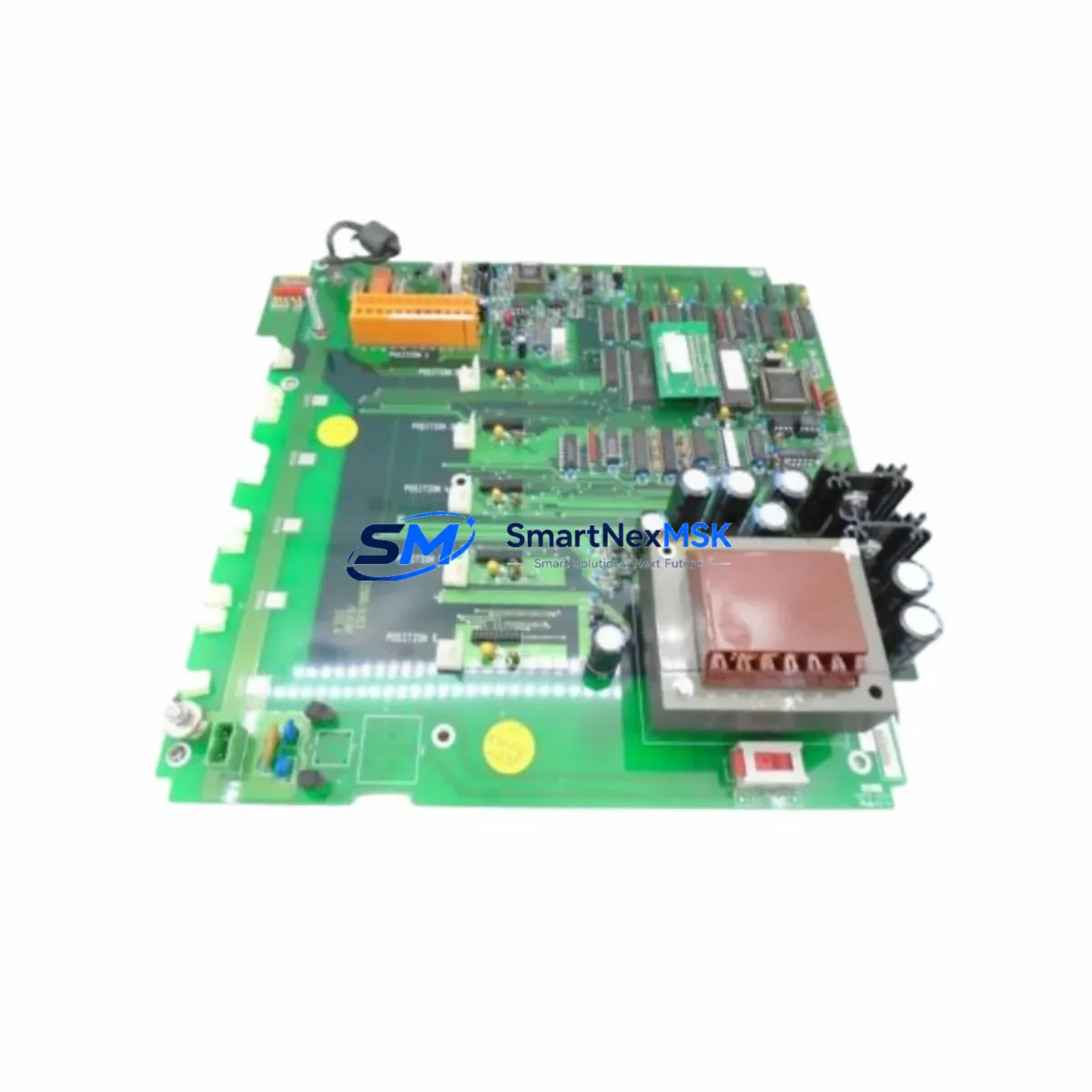
ABB C1900/0363/0360A Retrofit-Ready DCS Board for C1900 Series Control Systems
The ABB C1900/0363/0360A is a retrofit-ready distributed control system (DCS) board engineered for seamless integration into legacy C1900 Series control architectures. As ABB progressively phases out older C1900 platform components, plant engineers and system integrators face increasing pressure to source verified replacement boards that maintain full backward compatibility with existing backplane wiring, I/O addressing schemes, and process control logic. This module addresses that challenge directly — offering a tested, in-stock solution with a 12-month warranty and documented compatibility for the most common C1900 retrofit scenarios.
Whether you are managing a scheduled control system upgrade, responding to an unplanned board failure, or executing a phased migration from a legacy ABB Advant or Bailey INFI 90 platform, the C1900/0363/0360A provides the hardware foundation for a controlled, low-risk transition. Each unit undergoes functional burn-in testing prior to shipment, covering power-on self-test, communication link verification, and I/O channel integrity checks.
Upgrade Compatibility Table
| Parameter | Details |
|---|---|
| Compatible Series | ABB C1900 Series DCS |
| Backplane Interface | C1900 standard backplane connector; verify slot assignment before installation |
| Communication Compatibility | PROFIBUS DP, HART pass-through, proprietary ABB fieldbus (confirm firmware revision) |
| Power Supply Requirement | 24 VDC nominal; verify rack power budget against existing PS501 or equivalent power supply module capacity |
| Terminal Wiring | Compatible with existing C1900 Series terminal blocks; no re-termination required in standard replacement scenarios |
| Module Address Configuration | DIP switch or software-configurable; must match original node address in control database |
| Replacement Recommendation | Direct drop-in for C1900/0363/0360A; cross-reference with C1900/0363/0360 and adjacent board variants before ordering |
| Commissioning Notes | Download existing configuration backup before removal; restore via ABB Control Builder or equivalent engineering tool |
| Warranty | 12 months from date of shipment; covers manufacturing defects and functional failure under normal operating conditions |
Retrofit Planning for Existing Automation Systems
A successful C1900 Series retrofit begins well before the replacement board arrives on site. The first step is a thorough audit of the existing control cabinet: document the rack layout, record the slot positions of all installed modules, and photograph the terminal wiring before any disassembly. In a typical C1900 installation, the control board occupies a defined slot within a C1900 Series rack or subrack, sharing the backplane with power distribution modules, communication interface cards, and analog or digital I/O modules.
Power budget verification is critical. The existing power supply — often an ABB PS501 or a compatible 24 VDC rail-mount unit — must have sufficient headroom to support the replacement board without triggering overcurrent protection. If the cabinet has been expanded over the years with additional I/O modules or communication gateways, recalculate the total load before proceeding.
Terminal wiring on C1900 Series boards typically uses a plug-in terminal block system, which simplifies the physical swap. However, engineers should verify that the field wiring labels match the channel assignments documented in the original I/O list. Discrepancies between as-built drawings and actual wiring are common in systems that have been in service for more than a decade.
Communication link integrity must be confirmed after board installation. In systems using PROFIBUS DP, the replacement board must be assigned the correct station address and the GSD file must match the firmware version of the new module. For installations that include an ABB CI854 or CI857 communication interface module, verify that the fieldbus segment termination resistors are correctly positioned and that the bus cable impedance is within specification.
I/O expansion during a retrofit is a common requirement. If the existing C1900 rack is at capacity, engineers may need to add a C1900 Series expansion rack connected via a rack interconnect cable, or migrate selected I/O points to a remote I/O station using an ABB S800 I/O module cluster connected through an AF100 or PROFIBUS fieldbus segment. This approach allows the control program to remain largely unchanged while physically redistributing I/O across the upgraded architecture.
HMI screen updates are often overlooked during board replacements. If the replacement board introduces any change in tag names, data types, or communication addresses, the corresponding HMI faceplates — whether running on ABB Operate IT, System 800xA, or a third-party SCADA platform — must be updated and tested before returning the loop to automatic control. Coordinate with the HMI engineering team to schedule a parallel test period where both the old and new configurations can be validated against live process data.
Programming cable access is required if the board firmware needs to be updated or if the module address must be set via software. Ensure that the appropriate ABB programming cable and licensed engineering software are available on site before scheduling the maintenance window. For older C1900 installations, the original programming tool may be an ABB Master Piece 200/1 or Advant Controller 450 engineering station — confirm compatibility with the replacement board’s firmware before the cutover.
Downtime Control During System Migration
Minimizing unplanned downtime is the primary operational concern during any DCS board replacement. The recommended approach is to treat the C1900/0363/0360A swap as a hot-standby cutover wherever the system architecture permits. In redundant controller configurations, the standby controller can assume full process control while the primary board is replaced, eliminating the need for a process shutdown.
For non-redundant installations, the maintenance window should be planned during a scheduled production break. Before removing the existing board, export a full configuration backup from the engineering station, including the control module database, I/O assignment tables, and communication parameter sets. Store the backup on a separate medium — not only on the engineering workstation — to protect against data loss during the transition.
After installing the C1900/0363/0360A, perform a cold-start sequence and monitor the system diagnostic log for any fault codes related to module initialization, communication timeouts, or I/O channel errors. Clear any latched alarms that were generated during the board removal before transferring control back to automatic mode. Verify that all PID loops, interlocks, and sequence programs are executing correctly before releasing the system to operations.
Field calibration checks on critical analog input channels — particularly those connected to pressure transmitters, flow meters, or temperature sensors — should be performed after the board swap to confirm that signal scaling and engineering unit conversions are intact. This step is especially important if the replacement board has a different hardware revision than the original, as minor differences in analog input circuit design can affect zero and span calibration.
Retrofit Support FAQ
Q: Is the C1900/0363/0360A a direct replacement for the original ABB C1900/0363/0360A, or are there hardware differences I need to account for?
A: The replacement unit is functionally equivalent to the original C1900/0363/0360A and is designed for direct slot-for-slot substitution within the C1900 Series rack. Minor hardware revision differences may exist; review the revision history in the product documentation and confirm firmware compatibility with your engineering station before installation.
Q: What commissioning steps are required after installing the replacement board?
A: After physical installation, restore the configuration backup via your ABB engineering tool, verify the module address matches the original node assignment, confirm communication link status on all connected fieldbus segments, and perform a functional test of all I/O channels before returning the loop to automatic control. Document all steps in your maintenance log.
Q: Can I reuse the existing terminal wiring and backplane connections without modification?
A: In standard replacement scenarios, the existing C1900 Series terminal blocks and backplane connectors are fully reusable. Inspect the connector pins and terminal screws for corrosion or mechanical damage before reinstallation, and re-torque all terminal connections to the specified value.
Q: What does the 12-month warranty cover, and what is the process for a warranty claim?
A: The 12-month warranty covers manufacturing defects and functional failure under normal operating conditions from the date of shipment. To initiate a warranty claim, contact our sales team with the order reference, a description of the fault, and the results of any diagnostic tests performed. We will arrange for a replacement unit or repair at no additional cost within the warranty period.
© 2026 SMARTNEXMSK. All rights reserved.
Original Source: https://smartnexmsk.com
Contact: [email protected] | +86 18259474341



