
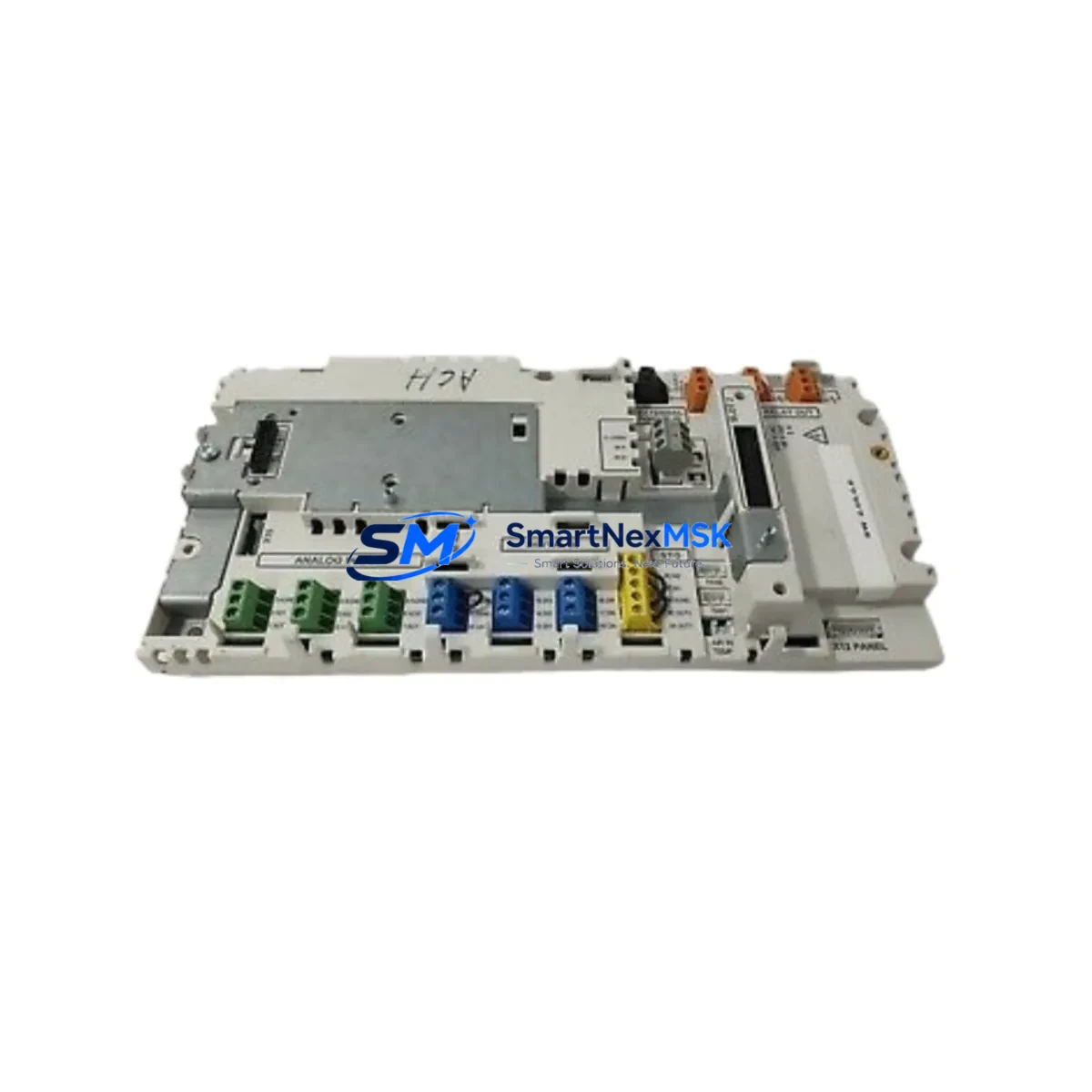
ABB CCU-24-H 3AXD50000018771 Retrofit-Ready Drive Control Unit for ACS880 Control Systems
The ABB CCU-24-H (Part No. 3AXD50000018771) is a factory-grade drive control unit engineered for seamless compatibility with the ABB ACS880 series of industrial AC drives. As legacy ACS800 and ACS600 platforms approach end-of-life and spare parts become increasingly scarce, the CCU-24-H provides a validated upgrade path that preserves existing control logic, minimizes rewiring, and dramatically reduces planned downtime during system migration. Whether you are managing a single-drive replacement or a full control cabinet overhaul, this unit is stocked, tested, and ready for immediate dispatch with a 12-month warranty.
Upgrade Compatibility Table
| Parameter | Details |
|---|---|
| Compatible Platform | ABB ACS880 Series (Single Drive & Multidrive) |
| Replaces / Upgrades From | ACS800 RDCU control units, ACS600 NAMC boards |
| Mounting Interface | Standard ACS880 control board slot; no mechanical modification required |
| Communication Compatibility | PROFIBUS-DP, PROFINET, EtherNet/IP, Modbus RTU via optional fieldbus adapter (e.g., FPBA-01, FENA-21) |
| I/O Interface | Compatible with AIMA-01 I/O extension modules and AINT-02 inverter interface boards |
| Power Supply Requirement | 24 VDC auxiliary supply; verify existing APBU-44C or APBU-12C power bus capacity before installation |
| Firmware Compatibility | Supports Drive Composer Pro parameter backup and restore; verify firmware version alignment |
| Installation Standard | IEC 61800-5-1; CE marked |
| Warranty | 12 Months from date of shipment |
| Pre-Shipment Testing | Full functional test performed; test report available on request |
Retrofit Planning for Existing Automation Systems
Successful integration of the CCU-24-H into an existing production environment requires a structured pre-retrofit assessment. Begin by auditing the current drive cabinet layout: confirm that the APBU-44C power bus unit or equivalent can supply the required 24 VDC auxiliary rail without overloading. If the existing cabinet uses an older APBU-12C, calculate the total current draw across all connected control boards before proceeding.
Terminal wiring is a critical checkpoint. The CCU-24-H uses the standard ACS880 X1 and X2 terminal blocks. When migrating from an ACS800 platform, the RDCU-02C or RDCU-12C wiring layout differs in pin assignment for the digital input commons — map each signal carefully against the ACS880 hardware manual before energizing. If the existing system uses an AIMA-01 I/O extension module, verify that the module firmware is compatible with the target ACS880 firmware version to avoid parameter mapping conflicts.
For communication migration, the CCU-24-H supports all major industrial fieldbus protocols through plug-in adapters. Sites running PROFIBUS-DP can retain their existing network topology by installing an FPBA-01 PROFIBUS adapter into the option slot. Facilities transitioning to Ethernet-based control should evaluate the FENA-21 EtherNet/IP and PROFINET adapter, which enables dual-port ring topology and supports PROFIsafe for safety-rated applications. Modbus RTU installations using the FMBA-01 Modbus adapter require no changes to the PLC program — only the node address and baud rate parameters need confirmation in the drive parameter set.
Backplane and rack considerations are equally important. In ACS880 multidrive configurations, the CCU-24-H communicates with inverter modules via the AINT-02 inverter interface board over the fiber-optic DDCS link. Confirm that the fiber cables are undamaged and that the AINT-02 firmware matches the CCU-24-H firmware revision. For systems using an ACU-02 application control unit in a master-follower topology, re-validate the follower drive parameter set after the control unit swap.
HMI integration should be addressed before the maintenance window begins. If the site uses an ABB CP600 HMI panel or a third-party SCADA system communicating via OPC-UA or Modbus TCP, export all current drive parameter sets using Drive Composer Pro prior to removal of the old control unit. This backup serves as both a restoration baseline and a commissioning reference for the new CCU-24-H. Programming cable OPCA-02 or a standard USB-to-RS232 adapter with the correct driver is required for direct PC connection during initial parameter upload.
Downtime Control During System Migration
Minimizing unplanned downtime is the primary concern for any brownfield retrofit. The CCU-24-H supports a hot-swap workflow when the replacement is pre-configured offline: use Drive Composer Pro to load the backed-up parameter file onto the new unit before installation, so that the drive is ready to run immediately after the physical swap and wiring verification are complete.
For critical continuous-process applications — such as pump stations, compressor trains, or conveyor systems — coordinate the replacement during a scheduled maintenance window and prepare a manual bypass circuit using the existing motor contactor if available. This preserves basic process continuity while the drive is offline. After installation, perform a no-load test first: energize the drive without connecting the motor, verify all I/O signals, confirm fieldbus communication with the PLC, and check that the HMI displays the correct drive status before reconnecting the load.
Document all parameter changes made during commissioning and retain the Drive Composer Pro project file. This record is essential for future troubleshooting and supports the 12-month warranty claim process if required. All units shipped by SMARTNEXMSK include a pre-shipment functional test report, reducing on-site commissioning risk and accelerating return to production.
Retrofit Support FAQ
Q1: Is the CCU-24-H 3AXD50000018771 a direct drop-in replacement for the RDCU-02C used in ACS800 drives?
The CCU-24-H is the ACS880-platform control unit and is not physically interchangeable with the RDCU-02C. However, it is the correct replacement when upgrading from an ACS800 to an ACS880 drive frame. The parameter structure differs between platforms, so a full parameter re-entry or migration using Drive Composer Pro is required. Wiring adaptation at the terminal block level is also necessary.
Q2: What fieldbus adapters are compatible, and do I need to re-program my PLC?
The CCU-24-H accepts all standard ACS880 option modules including FPBA-01 (PROFIBUS-DP), FENA-21 (PROFINET/EtherNet/IP), and FMBA-01 (Modbus RTU). In most cases, the PLC program does not require modification — only the drive-side communication parameters (node address, baud rate, telegram type) need to be verified and set. Confirm the fieldbus adapter firmware version matches the drive firmware before going live.
Q3: How do I verify wiring compatibility before powering up the new unit?
Before energizing, cross-reference the existing terminal wiring against the ACS880 hardware manual (3AUA0000085967). Pay particular attention to the digital input common (DICOM) configuration and the 24 VDC auxiliary supply polarity. Use a multimeter to verify signal levels at each terminal. If the existing installation uses an AIMA-01 I/O extension, confirm the ribbon cable connector orientation matches the ACS880 slot assignment.
Q4: What does the 12-month warranty cover, and what is the claims process?
The 12-month warranty covers manufacturing defects and functional failures under normal operating conditions from the date of shipment. It does not cover damage caused by incorrect installation, overvoltage events, or environmental contamination beyond the unit’s IP rating. To initiate a warranty claim, contact [email protected] with the order number, unit serial number, and a description of the fault. A replacement or repair will be arranged within the agreed lead time. Pre-shipment test reports are retained on file to support all warranty assessments.
© 2026 SMARTNEXMSK. All rights reserved.
Original Source: https://smartnexmsk.com
Contact: [email protected] | +86 18259474341



