
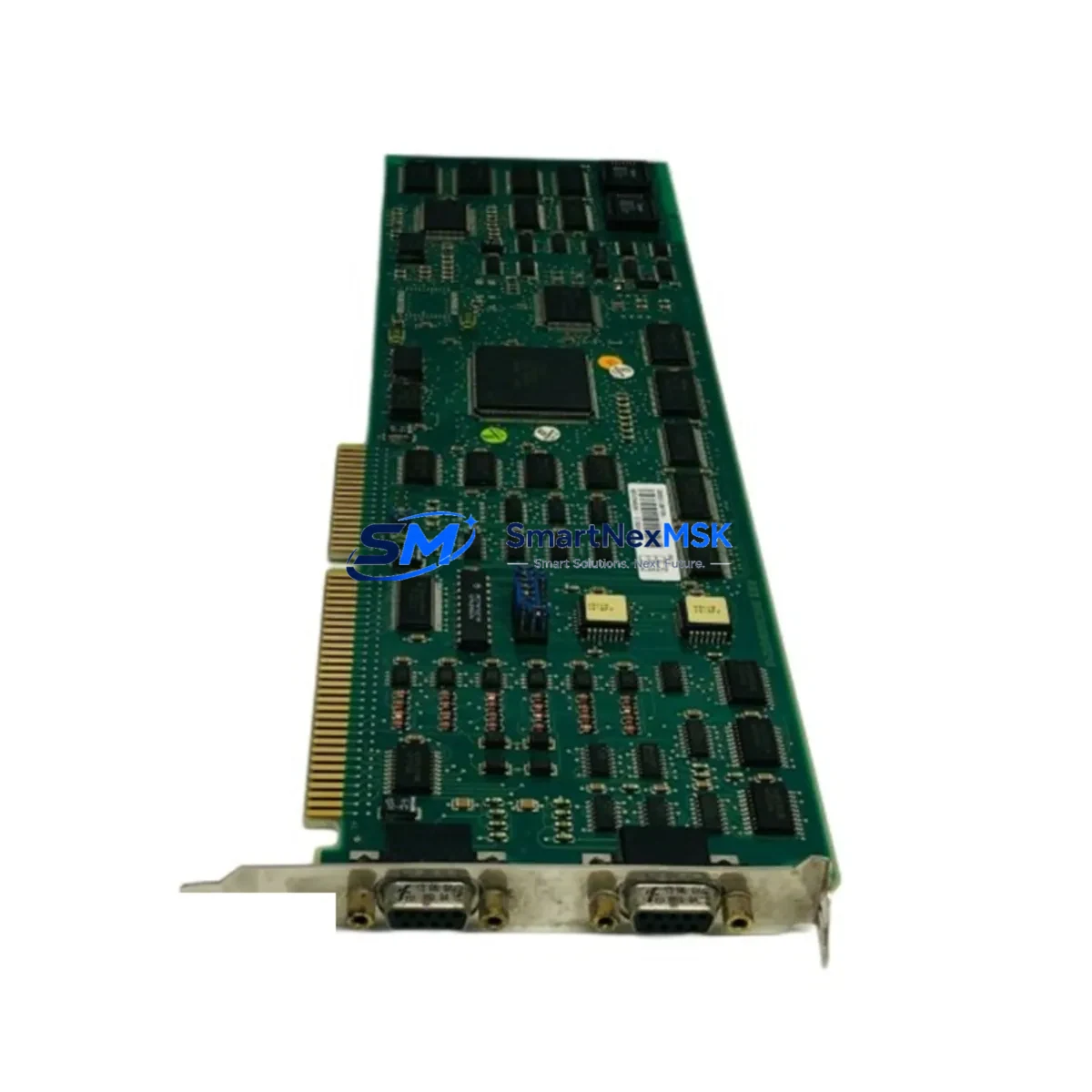
ABB CI526 Retrofit-Ready Interface Module for AC500 Control Systems
The ABB CI526 is a PROFIBUS DP communication interface module engineered for the AC500 programmable logic controller platform. Designed to slot directly into the AC500 CPU backplane, the CI526 enables high-speed cyclic data exchange between the AC500 controller and field devices — including distributed I/O stations, variable-speed drives, and intelligent sensors — over the PROFIBUS DP protocol at baud rates up to 12 Mbit/s. For facilities running legacy automation infrastructure, the CI526 represents one of the most reliable retrofit paths available: it preserves existing PROFIBUS network wiring, maintains GSD-file-based device parameterization, and integrates seamlessly with Automation Builder programming software without requiring a full control-system replacement.
As ABB progressively transitions its AC500 ecosystem toward newer communication standards, procurement teams and maintenance engineers are increasingly sourcing CI526 units to sustain production lines, extend asset life, and bridge the gap until a full platform migration can be planned and budgeted. SMARTNEXMSK maintains verified stock of the CI526 with full functional testing, 12-month warranty coverage, and same-week dispatch capability for urgent retrofit and breakdown-recovery scenarios.
Upgrade Compatibility Table
| Parameter | Detail |
|---|---|
| Compatible CPU Modules | AC500 PM571, PM581, PM591, PM595 (all firmware generations) |
| Communication Protocol | PROFIBUS DP-V0 / DP-V1 (Master Class 1 & 2) |
| Backplane Interface | AC500 internal bus — direct slot insertion, no adapter required |
| Max Baud Rate | 12 Mbit/s |
| Max DP Slaves | 125 stations per segment |
| Installation Requirement | Mounts in communication module slot on AC500 CPU or TB511/TB521 terminal base |
| Replacement Candidates | CI522, CI523 (older PROFIBUS variants); upgrade path from CI501 (CANopen) |
| Programming Environment | ABB Automation Builder 1.x / 2.x; CODESYS-based IEC 61131-3 |
| Commissioning Tool | Automation Builder Device Editor + GSD file import |
| Warranty | 12 months from dispatch — covers functional failure under normal operating conditions |
Retrofit Planning for Existing Automation Systems
A successful CI526 retrofit begins well before the module arrives on site. Engineers should start by auditing the existing PROFIBUS segment: confirm the network topology (line, tree, or star via repeaters), verify termination resistors are active only at both physical ends of the bus, and document the GSD files for every slave device currently on the network. Where the legacy controller was a third-party PROFIBUS master — such as a Siemens S7-300 CP342-5 or a Schneider Electric Quantum NOE module — the CI526 assumes the master role within the AC500 platform, and all slave address assignments must be re-mapped in Automation Builder before the first power-on.
Terminal wiring on the CI526 uses a standard 9-pin D-sub PROFIBUS connector. If the existing cable plant uses M12 circular connectors or open-wire termination blocks, short adapter harnesses will be needed — a detail that is easy to overlook during parts procurement but critical to avoid delays during the maintenance window. The CI526 draws its operating power from the AC500 backplane; no separate 24 VDC supply is required for the module itself, which simplifies cabinet wiring compared to some standalone PROFIBUS gateway solutions.
For sites upgrading from an older AC500 generation that used the CI522 or CI523 interface modules, the CI526 is a functional drop-in replacement at the hardware level. The module slot position, backplane connector, and physical form factor are identical. However, engineers should verify that the AC500 CPU firmware is at a version that supports CI526 — in most cases a firmware update to the PM571, PM581, or PM591 CPU is advisable before swapping the communication module. The PM595 high-performance CPU natively supports CI526 across all released firmware versions.
Beyond the communication module itself, a complete retrofit typically involves reviewing the AC500 power supply module (PS501 or PS502) to confirm it can sustain the additional bus current drawn by the CI526 alongside other installed modules such as the DC532 digital I/O module, the AX522 analog I/O module, or an additional CI590 PROFINET interface if a dual-protocol architecture is being implemented. The TB511 or TB521 terminal base must also be confirmed as compatible with the CPU variant in use. For larger rack configurations, the TA526 expansion adapter and associated expansion cables should be inspected for continuity and secure seating before commissioning begins.
Where the retrofit also involves migrating HMI screens — for example, replacing a legacy Panel Builder 600 operator panel with a CP600 series HMI — the PROFIBUS variable mapping between the AC500 and the HMI must be re-validated. Variable addresses that were hard-coded in the old HMI project may not align with the new Automation Builder symbol table, requiring a systematic cross-reference before the HMI project is downloaded to the new panel. This step is frequently underestimated in retrofit project timelines.
Downtime Control During System Migration
Minimizing unplanned downtime during a CI526 swap requires a structured pre-migration checklist. First, upload and archive the complete AC500 CPU program — including all PROFIBUS configuration data, GSD parameterization, and retain-variable values — using Automation Builder’s online backup function. Store this backup on at least two independent media before any hardware is disturbed. If the CPU supports it, note the current retain-variable values from the online variable monitor, as these will need to be restored after the module swap if the CPU loses power during the procedure.
The physical swap itself is non-destructive: the CI526 is hot-swap capable in certain AC500 configurations, but this must be verified against the specific CPU firmware release notes before relying on it in a live-production context. In most field retrofit scenarios, a controlled shutdown of the PROFIBUS segment — with all slave devices placed in a safe state — is the recommended approach. The entire hardware swap, including module seating verification and D-sub connector re-termination, typically takes under 15 minutes for a prepared technician.
After the module is installed, the Automation Builder project should be downloaded fresh to the CPU rather than relying on the resident program, to ensure the PROFIBUS configuration stored in the project matches the physical CI526 hardware. Monitor the PROFIBUS diagnostic LEDs on the CI526 during the first bus scan: a steady green BF (Bus Fault) LED indicates all configured slaves have been found and are exchanging data correctly. Any flashing pattern should be cross-referenced with the CI526 hardware manual diagnostic table before the system is returned to automatic mode. Retain variables should be restored via the Automation Builder retain restore function, and all HMI screens should be cycled through manually to confirm data integrity before handing the system back to production.
Retrofit Support FAQ
Q1: Is the CI526 a direct replacement for the CI522 or CI523 in an existing AC500 rack?
Yes. The CI526 shares the same physical form factor and backplane connector as the CI522 and CI523. It slots into the same communication module position on the AC500 CPU or terminal base without mechanical modification. A firmware update on the host CPU is recommended to ensure full feature compatibility, and the Automation Builder project must be updated to reference the CI526 hardware type before downloading.
Q2: What wiring changes are needed when installing the CI526 in a cabinet that previously used a third-party PROFIBUS master?
The CI526 uses a standard 9-pin D-sub female PROFIBUS connector. If the existing cable plant terminates in the same connector type, no wiring changes are required at the field end. Cabinet-side wiring to the D-sub connector should be inspected for correct pin assignment (pin 3 = B+, pin 8 = A−, pin 6 = VP, pin 5 = DGND) and termination resistor status. The CI526 has an integrated switchable termination resistor accessible via a slide switch on the module face.
Q3: How is the CI526 commissioned and what tools are required?
Commissioning requires ABB Automation Builder (version 1.x or 2.x) installed on a Windows engineering workstation connected to the AC500 CPU via USB or Ethernet. The PROFIBUS network is configured in the Automation Builder Device Editor by importing GSD files for each slave device and assigning station addresses. No separate PROFIBUS configuration tool is required. After downloading the project, the CI526 performs an automatic bus scan and reports slave status via onboard LEDs and the Automation Builder diagnostic view.
Q4: What does the 12-month warranty cover, and what is the process for a warranty claim?
The 12-month warranty covers functional failure of the CI526 module under normal operating conditions — correct supply voltage, ambient temperature within specification, and absence of physical damage or unauthorized modification. If a module fails within the warranty period, contact SMARTNEXMSK at [email protected] with the order reference and a description of the fault. A replacement unit will be dispatched after fault verification, and the failed module should be returned for inspection. Warranty does not cover damage resulting from incorrect installation, overvoltage events, or use outside the module’s rated environmental specifications.
© 2026 SMARTNEXMSK. All rights reserved.
Original Source: https://smartnexmsk.com
Contact: [email protected] | +86 18259474341



