
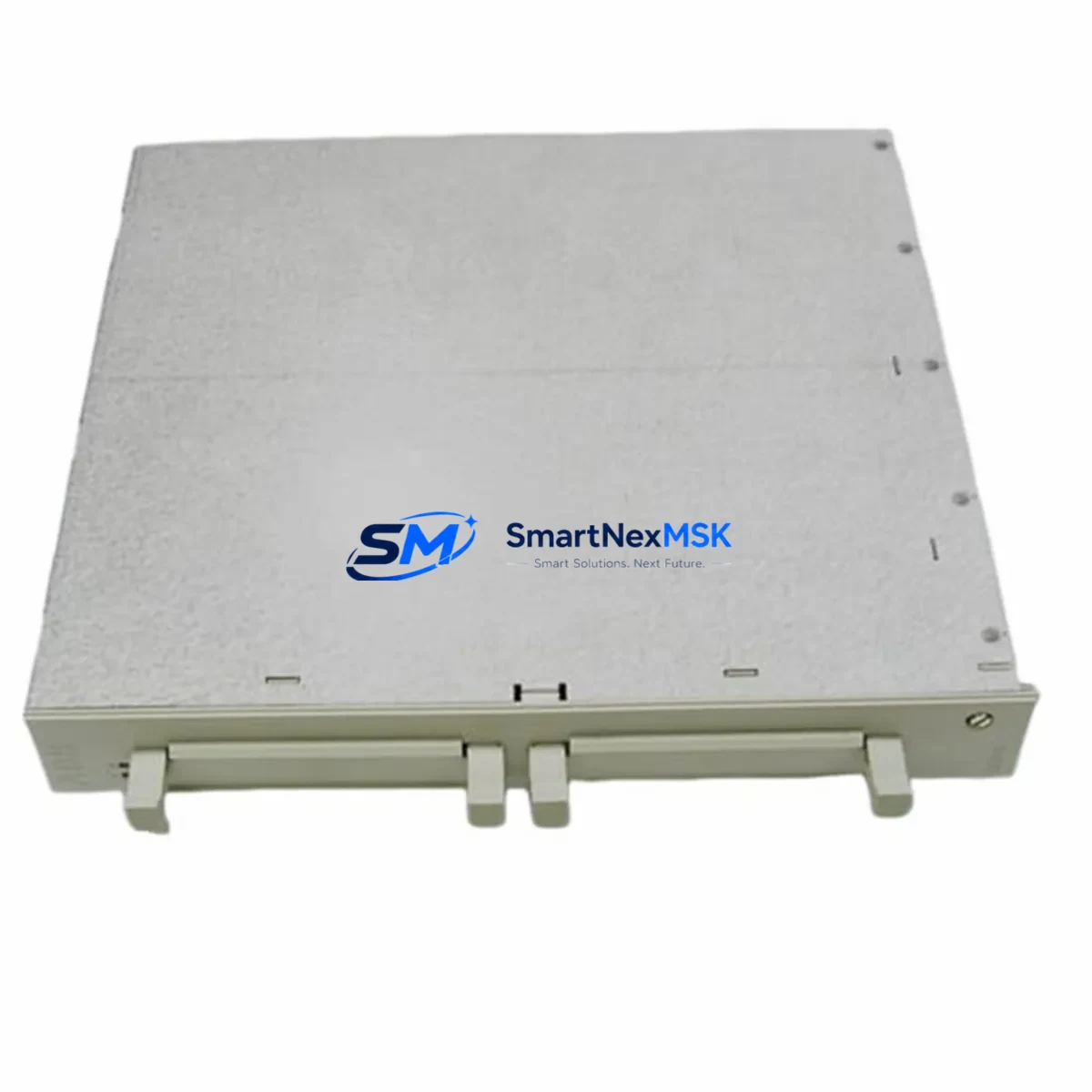
ABB CI530 Retrofit-Ready Communication Interface for AC450 Control Systems
The ABB CI530 is a PROFIBUS DP communication interface module engineered for seamless integration into ABB’s AC450 Distributed Control System platform. As legacy AC450 installations approach end-of-support milestones and original CI530 units become increasingly difficult to source through standard distribution channels, this module serves as a verified retrofit-ready replacement that preserves existing control architecture while enabling forward-compatible communication upgrades. Whether you are recovering from an unplanned module failure, executing a planned control cabinet modernization, or migrating from an MB300-based communication backbone to a PROFIBUS DP topology, the CI530 provides the interface continuity your system requires without forcing a full controller replacement.
Sourced from verified industrial supply channels and subject to pre-shipment functional testing, each CI530 unit is inspected for backplane connector integrity, firmware revision compatibility, and communication link stability before dispatch. A 12-month warranty is included with every unit, covering manufacturing defects and functional failures under normal operating conditions. Global shipping is available with lead times confirmed at order placement.
Upgrade Compatibility Table
| Parameter | Detail |
|---|---|
| Module SKU | CI530 |
| Brand | ABB |
| Compatible Platform | AC450 DCS, MB300 Communication Bus |
| Communication Protocol | PROFIBUS DP (Master/Slave configurable) |
| Backplane Interface | AC450 S800 I/O backplane — standard slot insertion |
| Installation Requirement | No hardware modification required for direct slot replacement |
| Firmware Compatibility | Compatible with AC450 controller firmware revisions supporting CI530 addressing |
| Module Address Configuration | DIP switch or software-configurable via AC450 engineering tool |
| Replacement Recommendation | Direct drop-in for failed or end-of-life CI530 units; verify firmware revision before commissioning |
| Commissioning Note | Re-download communication configuration from AC450 engineering station after installation |
| Warranty | 12 months from shipment date |
| Pre-Shipment Test | Functional communication link and backplane integrity verified |
| Origin | Germany |
Retrofit Planning for Existing Automation Systems
A successful CI530 retrofit begins well before the module arrives on site. Engineers responsible for the AC450 control system should first audit the existing communication topology to confirm whether the failed or aging CI530 is operating as a PROFIBUS DP master coordinating downstream S800 I/O stations, or as a slave node within a larger MB300 network segment. This distinction determines whether the replacement module requires reconfiguration of the PROFIBUS node address, baud rate, and GSD file parameters within the AC450 engineering environment.
During the pre-installation phase, it is advisable to export the current AC450 controller configuration — including all communication object assignments, I/O channel mappings, and alarm setpoints — to a backup file on the engineering workstation. This protects the control logic in the event that the replacement CI530 triggers a configuration mismatch alarm on first power-up. The AC450 processor module (typically a PM510 or PM511 variant) will attempt to re-establish communication with the new CI530 immediately upon backplane insertion; having the configuration backup available allows rapid re-download if the module does not auto-recognize.
For installations where the CI530 interfaces with third-party field devices — variable frequency drives, intelligent motor control centers, or remote I/O clusters from other vendors — engineers should verify that the PROFIBUS DP master parameters stored in the AC450 configuration match the slave device profiles. In many retrofit scenarios, the original GSD files for legacy field devices such as older ABB ACS800 drives or ACS550 series inverters may need to be re-imported into the engineering tool to ensure correct cyclic data exchange after the CI530 is replaced.
Power supply capacity within the control cabinet is another critical checkpoint. The CI530 draws power from the AC450 backplane, which is typically fed by a dedicated SD831 or SD832 power supply module. Before inserting the replacement CI530, confirm that the backplane power budget has not been exceeded by other recently added modules such as additional AI810 analog input modules, DI810 digital input modules, or DO810 digital output modules. An overloaded backplane power supply is a common cause of intermittent communication faults that can be misdiagnosed as a CI530 failure.
If the retrofit is part of a broader control system upgrade that includes migrating HMI screens from an older ABB Operate IT or Panel 800 operator station to a current-generation HMI platform, the CI530 replacement provides a natural checkpoint to verify that all PROFIBUS DP data tags referenced in the HMI configuration are still correctly mapped to the AC450 controller’s communication objects. Tag mismatches introduced during HMI migration are a frequent source of post-commissioning alarms that extend planned downtime unnecessarily.
For systems that include a CI532 or CI534 communication interface in parallel with the CI530 — a configuration sometimes used to provide redundant communication paths or to bridge between PROFIBUS DP and PROFIBUS PA segments — the retrofit plan should confirm that the parallel interface module’s configuration is not affected by the CI530 replacement. In some AC450 firmware versions, communication interface modules share configuration parameters that must be re-validated after any single module is replaced.
Finally, if the control system includes a TB820 or TB840 termination unit for field wiring, verify that the terminal block connections are correctly documented before removing the old CI530. Mislabeled or undocumented field wiring is one of the most common causes of extended commissioning time during retrofit projects, and a thorough wiring audit before module removal can prevent hours of troubleshooting after the new unit is installed.
Downtime Control During System Migration
Minimizing unplanned downtime during a CI530 replacement requires a structured hot-swap protocol even though the AC450 backplane does not support live module insertion under all firmware configurations. The recommended approach is to schedule the physical module swap during a planned maintenance window, pre-stage the replacement CI530 at the engineering workstation for address verification, and prepare the AC450 engineering tool with the current configuration file loaded and ready for immediate download.
Before removing the existing CI530, place the AC450 controller in a controlled stop state that holds all output modules in their last valid state rather than defaulting to zero — this preserves field device positions and prevents process upsets during the swap interval. The time between module removal and re-establishment of PROFIBUS DP communication after installing the replacement CI530 is typically under five minutes for experienced engineers working from a pre-validated configuration file, making this one of the lower-risk module replacements in the AC450 platform.
For critical processes where even a five-minute communication interruption is unacceptable, consider pre-configuring the replacement CI530 offline using a spare AC450 backplane and processor module if available, then performing a rapid physical swap with the pre-configured unit. This approach eliminates the configuration download step from the critical path and reduces the live outage window to the physical swap time only. After the swap, verify PROFIBUS DP bus status indicators on the CI530 front panel, confirm that all slave devices have re-established cyclic communication, and check the AC450 alarm list for any residual communication fault messages before returning the system to automatic control.
Retrofit Support FAQ
Q1: Is the CI530 a direct drop-in replacement for a failed unit in an existing AC450 rack?
Yes. The CI530 is designed for direct slot replacement in the AC450 backplane without hardware modification. After physical installation, a configuration re-download from the AC450 engineering station is required to restore full communication functionality. Verify that the replacement unit’s firmware revision is compatible with your controller’s current firmware before commissioning.
Q2: What wiring changes are required when replacing a CI530 in an MB300-connected system?
If the existing CI530 is connected to an MB300 communication bus via the module’s front-panel connector, the replacement unit uses the same connector pinout and cable type. No wiring changes to the MB300 segment are required. Confirm bus termination resistor settings at both ends of the MB300 segment are intact after the swap, as loose termination connectors are a common source of post-replacement communication instability.
Q3: How is the PROFIBUS DP node address configured on the replacement CI530?
The PROFIBUS DP node address is configured either via DIP switches on the module body or through the AC450 engineering tool, depending on the firmware version in use. Before installing the replacement unit, record the node address of the original CI530 from the existing AC450 configuration file. Set the replacement module to the same address before backplane insertion to avoid address conflict alarms during commissioning.
Q4: What does the 12-month warranty cover, and what is the process for a warranty claim?
The 12-month warranty covers functional failures and manufacturing defects under normal operating conditions from the date of shipment. Each unit undergoes pre-shipment functional testing including communication link verification and backplane connector inspection. To initiate a warranty claim, contact [email protected] with your order reference, a description of the fault observed, and any relevant diagnostic data from the AC450 alarm log. Replacement or repair will be arranged promptly upon fault verification.
© 2026 SMARTNEXMSK. All rights reserved.
Original Source: https://smartnexmsk.com
Contact: [email protected] | +86 18259474341



