
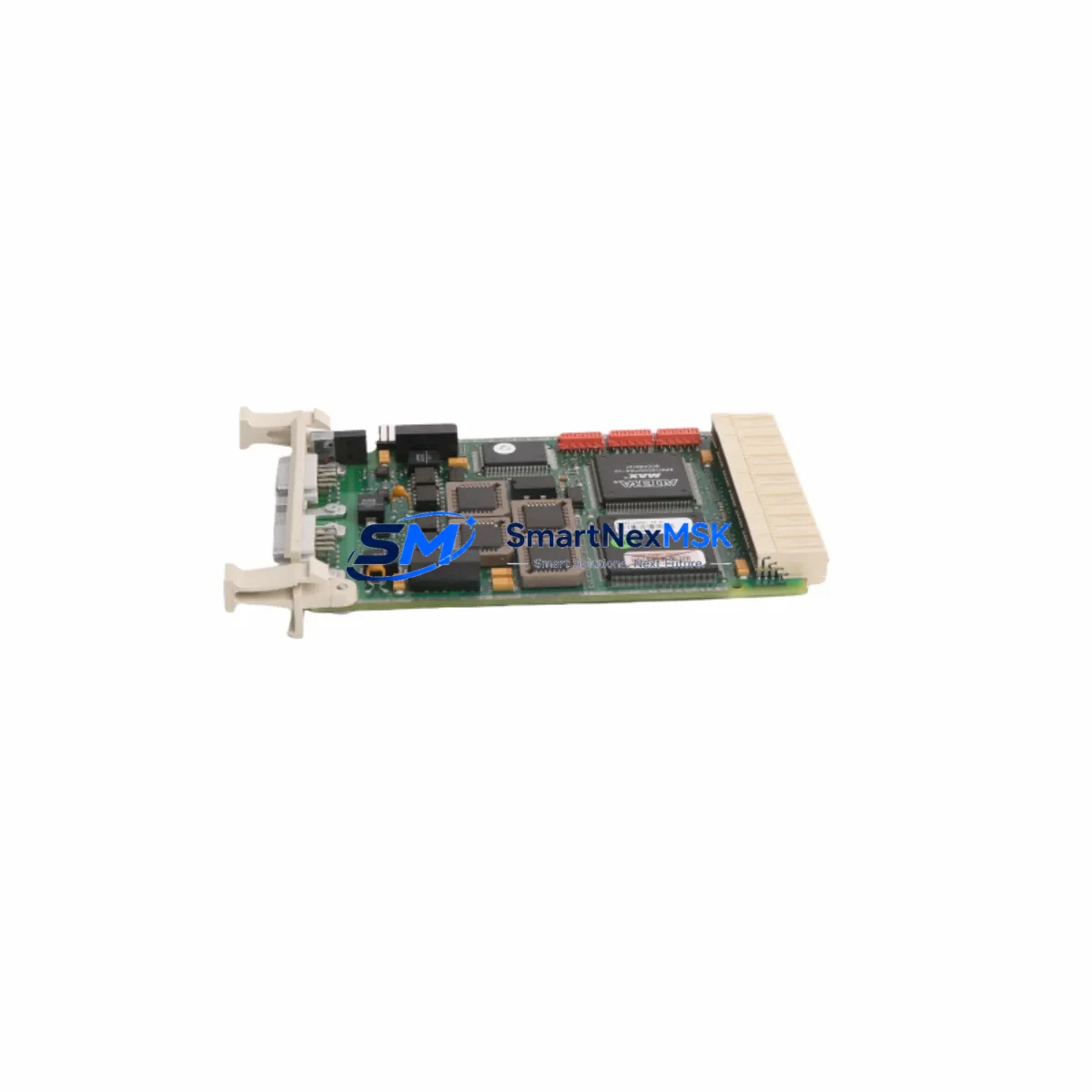
ABB CI541V1 3BSE014666R1 Maintenance-Ready Spare AC500 Automation
The ABB CI541V1 (part number 3BSE014666R1) is an original PROFIBUS DP interface module designed for the ABB AC500 PLC platform — one of the most widely deployed programmable logic controller families in industrial automation, process control, and critical infrastructure applications. For maintenance engineers and procurement teams managing aging AC500 installations, securing a verified, tested spare of the CI541V1 is a foundational step in any downtime-reduction strategy. This listing provides an original, factory-grade CI541V1 module, sourced from authorized supply channels, tested prior to shipment, and backed by a 12-month warranty.
The CI541V1 serves as the PROFIBUS DP master/slave communication interface on the AC500 CPU backplane. When this module fails or degrades, the entire PROFIBUS network segment — including field devices such as remote I/O stations, variable frequency drives, valve positioners, and intelligent sensors — loses communication with the PLC. The result is an unplanned production stoppage that can cascade across interconnected control loops. Having a pre-verified CI541V1 spare on the shelf is the single most effective way to reduce mean time to repair (MTTR) for PROFIBUS-related faults in AC500-based systems.
Spare Maintenance Table
| Parameter | Specification |
|---|---|
| Part Number | 3BSE014666R1 |
| Model | CI541V1 |
| Brand | ABB |
| Series | AC500 |
| Module Type | PROFIBUS DP Interface Module (Master/Slave) |
| Communication Protocol | PROFIBUS DP (EN 50170) |
| Baud Rate | 9.6 kbps – 12 Mbps (auto-detect) |
| Mounting | AC500 CPU backplane slot (left-side communication slot) |
| Supply Voltage | Supplied via backplane (3.3 V / 5 V internal bus) |
| Operating Temperature | 0 °C to +60 °C |
| Storage Temperature | -25 °C to +70 °C |
| Humidity | 5–95% RH, non-condensing |
| Protection Class | IP20 (panel-mounted) |
| Country of Origin | Germany |
| Compatibility | ABB AC500 PM5xx / PM5xxV2 CPU modules |
| Replaces / Interchangeable With | CI541V1 (all revisions), legacy AC500 PROFIBUS slots |
| Pre-Shipment Testing | Yes — functional and communication verification |
| Warranty | 12 Months |
| Condition | Original / New |
Maintenance Planning for Continuous Operation
When a CI541V1 module is flagged for replacement during a scheduled inspection or emergency fault response, experienced maintenance engineers know that the PROFIBUS interface rarely fails in isolation. A thorough site assessment should accompany any CI541V1 swap to prevent repeat failures and ensure the restored system operates reliably through the next maintenance cycle.
Start with the AC500 CPU module (e.g., PM554, PM564, PM583) — verify firmware version compatibility with the replacement CI541V1 and check for any logged communication errors in the CPU diagnostic buffer. Inspect the TB521 or TB541 terminal base that the CI541V1 mounts into; damaged or corroded contacts on the backplane connector are a common root cause of intermittent PROFIBUS faults that are misdiagnosed as module failure.
Examine the PROFIBUS cable and DB9 connector at the CI541V1 port. Cable shielding continuity, termination resistor status (active terminator at both ends of the segment), and bus topology should all be verified. A degraded cable or missing termination can cause the replacement module to exhibit the same fault symptoms as the original. If the installation includes a PROFIBUS repeater for long-distance or multi-segment networks, inspect it concurrently.
For the broader control cabinet inspection, check the AC500 power supply module (e.g., CP501, CP502) — measure output voltage under load and verify that ripple is within specification. An under-voltage condition on the backplane bus is a known cause of communication module instability. Review the DI/DO expansion modules (e.g., DA501, DC532) connected to the same rack; I/O module faults can generate bus load anomalies that stress the CI541V1.
If the AC500 system communicates upstream via Ethernet or Modbus TCP, inspect the CM589-PNIO or CM572-DP communication modules in adjacent slots. For installations with signal isolation requirements, verify that signal isolators or galvanic separators on analog input channels are functioning correctly — degraded isolation can introduce ground loops that affect PROFIBUS signal integrity. Finally, review the 24 VDC field power distribution feeding remote PROFIBUS slave stations; a voltage sag at the field level can cause slaves to drop off the bus, which is often misattributed to a master interface module fault.
Maintaining a minimum spare inventory of one CI541V1 per AC500 PROFIBUS segment — alongside spares for the CPU module, power supply, and at least one I/O expansion module — is the recommended practice for facilities targeting sub-4-hour MTTR on PLC-related stoppages.
Site Replacement Workflow
Step 1 — Preparation: Before powering down, export the current PROFIBUS configuration from the AC500 using ABB Automation Builder or PS501 Control Builder. Capture a screenshot of the GSD file assignments and slave address map. Confirm the replacement CI541V1 part number (3BSE014666R1) matches the installed module revision.
Step 2 — Safe Isolation: Follow site LOTO (Lockout/Tagout) procedures. Power down the AC500 rack via the CP501/CP502 power supply switch. Do not hot-swap the CI541V1 — the module is not designed for live insertion on the AC500 backplane.
Step 3 — Module Exchange: Remove the faulty CI541V1 by releasing the locking tab on the TB541 terminal base. Insert the replacement module firmly until the backplane connector seats fully. Reconnect the PROFIBUS DB9 cable, ensuring the cable shield is grounded at the cabinet entry point only (single-point grounding).
Step 4 — Restore and Verify: Power up the rack. The CI541V1 LED indicators should show: PWR (green), RUN (green after CPU initialization), and BF (Bus Fault — should extinguish within 10 seconds as slaves come online). Use Automation Builder to go online and verify all PROFIBUS slave addresses are recognized and in data exchange state.
Step 5 — Documentation: Record the replacement date, module serial number, and post-replacement test results in the site maintenance log. Update the spare parts inventory to trigger reorder of a replacement CI541V1 spare.
This workflow applies equally to planned maintenance replacements and emergency fault recovery scenarios. The CI541V1’s plug-and-play compatibility with all AC500 PM5xx CPU generations means no firmware re-flashing or hardware reconfiguration is required — reducing total replacement time to under 30 minutes for a prepared maintenance team.
Spare Parts Support FAQ
Q1: Is this CI541V1 (3BSE014666R1) compatible with all AC500 CPU versions?
The CI541V1 is compatible with the full range of ABB AC500 PM5xx and PM5xxV2 CPU modules, including PM554, PM564, PM573, PM583, and PM592. It occupies the left-side communication module slot on the AC500 CPU unit and requires no additional configuration beyond the existing PROFIBUS GSD file setup in Automation Builder. If your installation uses an older PM5xx revision, compatibility is maintained across all CI541V1 hardware revisions sharing the 3BSE014666R1 part number.
Q2: What pre-shipment testing is performed on this module?
Every CI541V1 unit is functionally tested prior to shipment. Testing includes power-on verification, backplane communication check, and PROFIBUS DP port signal integrity validation. A test report is available upon request. Modules are packed in anti-static ESD packaging with foam cushioning to prevent transit damage.
Q3: What does the 12-month warranty cover, and how is a warranty claim handled?
The 12-month warranty covers manufacturing defects and functional failures under normal operating conditions. It does not cover damage caused by incorrect installation, overvoltage events, or physical mishandling. To initiate a warranty claim, contact [email protected] with the order number, module serial number, and a description of the fault. Replacement or repair is processed within 5–7 business days of receiving the returned unit.
Q4: Can this module be used as a long-term supply solution for legacy AC500 systems?
Yes. The CI541V1 (3BSE014666R1) remains available through authorized industrial spare parts channels and is suitable for long-term system life extension strategies. For facilities operating AC500 systems beyond the original product lifecycle, maintaining a standing spare parts agreement — covering the CI541V1, CPU module, and power supply — is the most cost-effective approach to avoiding extended downtime caused by obsolescence. Contact us to discuss volume pricing and reserved stock arrangements for ongoing maintenance programs.
© 2026 SMARTNEXMSK. All rights reserved.
Original Source: https://smartnexmsk.com
Contact: [email protected] | +86 18259474341



