
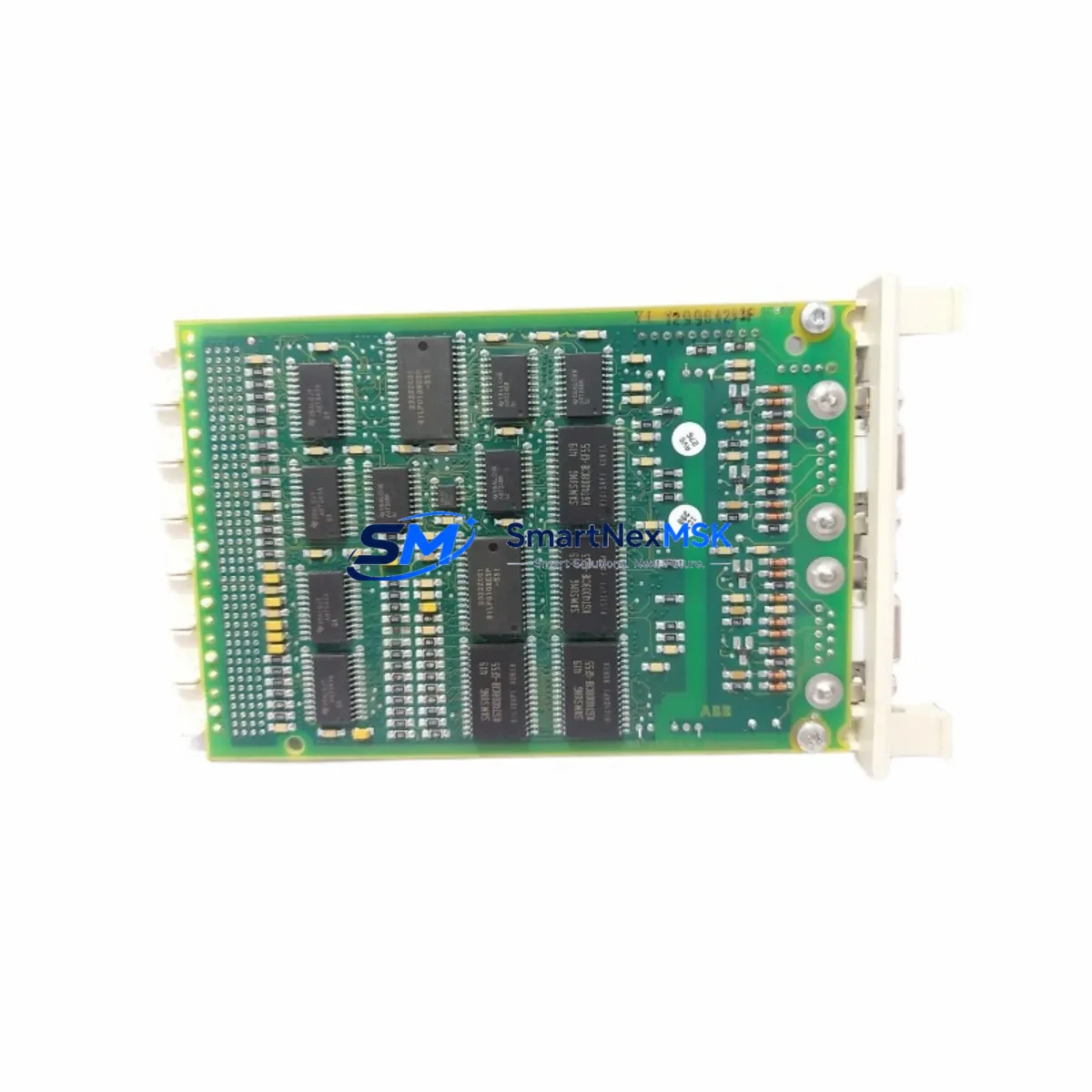
ABB CI545V01 3BSE011063R1 Retrofit-Ready Ethernet MVI for AC450 Control Systems
The ABB CI545V01 (catalog reference 3BSE011063R1) is a high-performance Ethernet MVI communication module engineered for the ABB AC450 Distributed Control System platform. As legacy AC450 installations approach end-of-support milestones, plant engineers and system integrators increasingly rely on verified retrofit-ready stock to sustain production continuity without committing to a full platform migration. SMARTNEXMSK maintains ready inventory of the CI545V01 3BSE011063R1 to support planned shutdowns, emergency replacements, and phased control-system modernization projects across process industries worldwide.
The CI545V01 occupies a dedicated communication slot on the AC450 master station backplane and provides the Ethernet MVI interface that bridges field-level I/O data to supervisory SCADA and DCS historian layers. When replacing a failed or end-of-life unit, engineers must confirm that the replacement module carries the same hardware revision and firmware baseline as the outgoing unit to avoid address-mapping conflicts with the existing PM511V16 or PM511V08 processor modules installed in the same rack. Mismatched firmware revisions between the CI545V01 and the active processor can cause communication timeouts that manifest as spurious alarms in the operator station.
Before removing the original module, document the full node address configuration stored in the AC450 engineering tool. The CI545V01 uses a rotary switch and DIP-switch combination on its front panel to set the MVI node address; these settings must replicate the outgoing module exactly. Failure to match the node address will prevent the module from joining the MVI ring and will isolate the associated I/O clusters — including any AI810, AO810, DI810, or DO810 I/O modules connected downstream — from the control loop.
Upgrade Compatibility Table
| Parameter | Detail |
|---|---|
| Module SKU | CI545V01 / 3BSE011063R1 |
| Compatible Platform | ABB AC450 DCS (Master Station S450, S400 series) |
| Interface Type | Ethernet MVI (Master-to-Slave communication) |
| Backplane Slot | Dedicated communication slot — not interchangeable with I/O slots |
| Processor Compatibility | PM511V16, PM511V08 (verify firmware revision before swap) |
| Node Address Setting | Rotary + DIP switch on front panel — must match outgoing unit |
| Power Supply Requirement | Supplied via backplane from SS822 or SS823 power supply module |
| Communication Protocol | ABB MVI over Ethernet (proprietary); not Modbus or PROFIBUS |
| Replacement Recommendation | Direct drop-in; confirm hardware revision and firmware match |
| Commissioning Focus | Node address, MVI ring integrity, I/O cluster re-scan |
| Warranty | 12-Month Warranty — covered from date of shipment |
| Origin | Germany (ABB Automation Products GmbH) |
Retrofit Planning for Existing Automation Systems
A successful CI545V01 retrofit begins well before the scheduled maintenance window. The first step is a full audit of the AC450 master station cabinet: verify that the SS822 or SS823 power supply module is delivering stable 24 VDC to the backplane, since an under-voltage condition will cause the new CI545V01 to fail its self-test and report a hardware fault even if the module itself is fully functional. If the power supply is original equipment from the mid-1990s installation, consider replacing it concurrently with the communication module to eliminate a second unplanned outage.
Next, export the current MVI network topology from the AC450 engineering workstation. The topology file records the node addresses of every module on the MVI ring — including remote I/O stations equipped with CI541 or CI543 communication interfaces — and serves as the reference document for post-swap verification. If the engineering workstation runs an older version of the AC450 configuration software, confirm that the software version supports the CI545V01 hardware revision you are installing; some early software releases do not recognize later hardware variants and will display an “unknown module” warning in the hardware catalog.
Terminal wiring on the CI545V01 is limited to the Ethernet port and the front-panel status LEDs; all power and backplane signals are carried through the module’s rear connector. However, if the installation includes an external Ethernet switch connecting the CI545V01 to a plant-wide SCADA network, verify that the switch port is configured for the correct VLAN and that the IP address assigned to the CI545V01 does not conflict with other devices on the subnet. IP conflicts will prevent the module from communicating with the historian server or the operator station HMI, even if the MVI ring itself is healthy.
For plants that are simultaneously upgrading their HMI layer — for example, migrating from an older OperateIT or IndustrialIT operator station to a current System 800xA environment — the CI545V01 retrofit must be coordinated with the OPC server reconfiguration. The OPC server reads process values from the AC450 via the Ethernet interface provided by the CI545V01; any change to the module’s IP address or node address requires a corresponding update in the OPC server’s device configuration before the HMI graphics will display live data. Failing to synchronize these changes is one of the most common causes of extended commissioning time during AC450 modernization projects.
If the retrofit scope includes expanding the I/O count — for example, adding new AI810 analog input modules or DO810 digital output modules to an existing cluster — confirm that the CI545V01’s MVI bandwidth allocation is sufficient to scan the additional I/O points within the required cycle time. High I/O counts on a single MVI ring can increase scan cycle times beyond the process control requirements, particularly in fast-loop applications such as compressor surge control or burner management. In such cases, adding a second CI545V01 on a parallel MVI ring and redistributing the I/O clusters is the recommended architecture.
Downtime Control During System Migration
Minimizing unplanned downtime during a CI545V01 swap requires a structured hot-swap protocol even though the AC450 does not support true online module replacement. The recommended approach is to pre-configure the replacement CI545V01 on a bench test rig — using a spare backplane and a PM511 processor running the same firmware as the production system — before bringing the module to site. Bench testing confirms that the node address settings are correct, that the module passes its internal diagnostics, and that it communicates correctly with a test I/O cluster before it is installed in the live cabinet.
During the actual swap, the control system should be placed in manual mode at the DCS operator station to prevent automatic control actions from responding to the temporary loss of I/O data. Document the current output states of all DO810 and AO810 modules in the affected cluster before powering down the backplane slot, so that operators can manually hold the process at the last known good state during the changeover. The physical swap itself — removing the old CI545V01 and seating the replacement — typically takes less than five minutes; the majority of the downtime budget is consumed by the post-swap MVI ring re-scan and the I/O cluster re-initialization, which can take two to ten minutes depending on the number of nodes on the ring.
After the ring re-scan completes and all I/O modules report healthy status in the AC450 diagnostic display, perform a structured return-to-auto sequence: verify each control loop individually before transferring from manual to automatic, starting with the lowest-risk loops and progressing to the critical process loops last. This sequence protects against any residual address-mapping anomaly that might cause a control output to drive to an unexpected value on the first automatic scan cycle.
SMARTNEXMSK ships all CI545V01 3BSE011063R1 units with a pre-shipment functional test report and a 12-month warranty covering manufacturing defects and communication failures. Units are dispatched within 24 hours of order confirmation for in-stock items, supporting both planned maintenance schedules and emergency breakdown scenarios.
Retrofit Support FAQ
Q1: Is the CI545V01 3BSE011063R1 a direct drop-in replacement for an existing CI545V01 unit?
Yes, provided the hardware revision of the replacement unit matches the outgoing module. Before ordering, confirm the hardware revision marked on the front label of the installed module. SMARTNEXMSK can advise on revision compatibility based on your existing system configuration — contact [email protected] with your current module’s label information.
Q2: What commissioning steps are required after installing the CI545V01?
After physical installation, set the rotary and DIP switches to match the original node address, power up the backplane, and allow the MVI ring re-scan to complete. Verify that all downstream I/O modules — including any AI810, DI810, AO810, or DO810 units — report healthy status in the AC450 diagnostic view. If the module is connected to a plant Ethernet network, confirm IP address assignment and OPC server connectivity before returning loops to automatic control.
Q3: Can the CI545V01 be used in an AC450 system that is being partially migrated to System 800xA?
Yes. During a phased migration, the AC450 master station — including the CI545V01 Ethernet MVI module — can continue to operate alongside new System 800xA controllers. The CI545V01 provides the Ethernet gateway that allows the 800xA OPC server to read AC450 process data during the transition period, preserving HMI continuity until the full migration is complete.
Q4: What does the 12-month warranty cover?
The 12-month warranty covers manufacturing defects, communication failures, and hardware faults attributable to the module itself under normal operating conditions. It does not cover damage resulting from incorrect installation, overvoltage, or physical impact. All units are functionally tested prior to shipment; the test report is included with the delivery documentation. For warranty claims, contact [email protected] with the order reference and a description of the fault.
© 2026 SMARTNEXMSK. All rights reserved.
Original Source: https://smartnexmsk.com
Contact: [email protected] | +86 18259474341



