
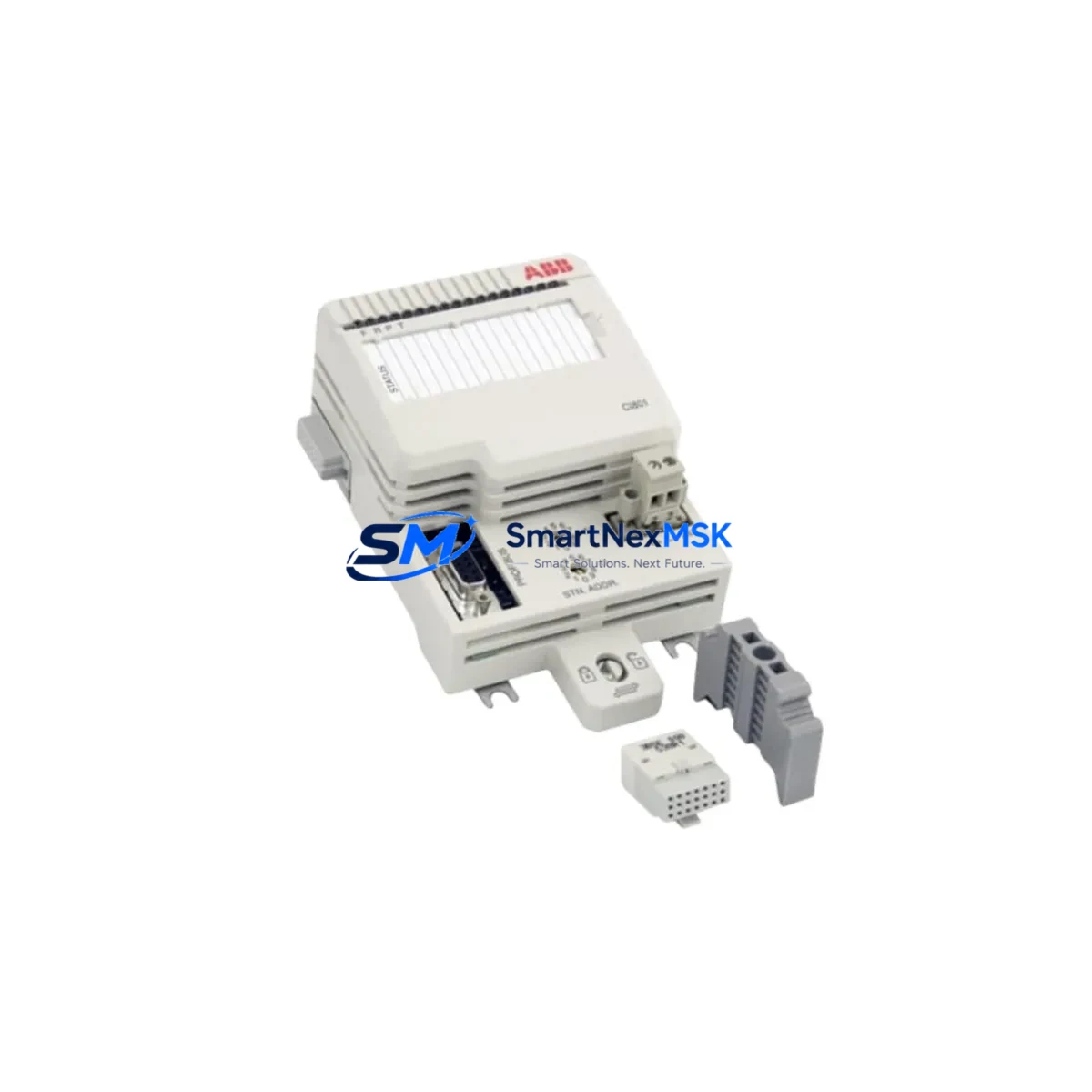
ABB CI801 3BSE038540R1 Retrofit-Ready PROFIBUS DP Module for AC800M Control Systems
The ABB CI801 (part number 3BSE038540R1) is a PROFIBUS DP communication interface module designed for integration within the ABB AC800M distributed control system platform. As legacy automation infrastructure ages and OEM support windows close, the CI801 has become one of the most sought-after retrofit components for engineers tasked with modernizing existing control cabinets without a full system overhaul. Whether you are replacing a failed unit, upgrading communication capacity, or migrating from an older PROFIBUS master configuration, the CI801 3BSE038540R1 delivers a direct, validated upgrade path that preserves your existing program logic and field wiring.
This module supports PROFIBUS DP master and slave operation, enabling seamless integration with field devices such as variable frequency drives, remote I/O stations, valve positioners, and intelligent transmitters already installed in your plant. Its compact form factor is designed to seat directly into the AC800M controller rack, sharing the backplane bus with the PM861, PM864, and PM866 processor modules. Before installation, engineers should verify available backplane slots, confirm the firmware revision of the active processor module, and review the PROFIBUS segment load to ensure the CI801 can assume the master role without exceeding bus cycle time limits.
Upgrade Compatibility Table
| Parameter | Details |
|---|---|
| Part Number | CI801 / 3BSE038540R1 |
| Brand | ABB |
| Series | AC800M |
| Module Type | PROFIBUS DP Communication Interface |
| Backplane Interface | AC800M S800 I/O Bus |
| Communication Protocol | PROFIBUS DP (EN 50170) |
| Replaces / Upgrades | CI810, CI810B, CI820, CI820V1 (same rack, same protocol) |
| Compatible Processors | PM861, PM864, PM866, PM891 |
| Installation Requirement | AC800M rack slot; confirm firmware ≥ 5.1 on processor |
| Terminal / Wiring | 9-pin D-sub PROFIBUS connector; verify bus termination resistors |
| Address Configuration | Module address set via Control Builder M software |
| Program Compatibility | Existing IEC 61131-3 application code retained; re-download required after swap |
| HMI Impact | 800xA / Operate IT faceplates unaffected if tag names unchanged |
| Commissioning | PROFIBUS live-list scan, GSD file verification, cyclic data check |
| Warranty | 12 Months |
| Condition | New / Surplus New / Tested Refurbished (specify on order) |
| Origin | Germany |
Retrofit Planning for Existing Automation Systems
Successful integration of the CI801 3BSE038540R1 into a running plant begins well before the module arrives on site. A structured retrofit plan should account for the full scope of the control architecture. In a typical AC800M installation, the controller rack houses not only the processor module but also redundant power supply units such as the SD821 or SD822, which must be verified for adequate current headroom before adding a new communication module. The CI801 draws power from the backplane; confirm that the combined load of all installed modules — including any AI810, AO810, DI810, or DO810 I/O modules already occupying the rack — does not exceed the power supply’s rated output.
On the field side, the PROFIBUS DP segment connected to the CI801 may include a range of devices: S800 remote I/O stations, ABB drives such as the ACS800 or ACS880 with RPBA-01 PROFIBUS adapters, Siemens ET 200S distributed I/O, or third-party positioners with PROFIBUS interfaces. Each of these devices has a GSD (General Station Description) file that must be loaded into the Control Builder M project before the CI801 can establish cyclic communication. Engineers should archive the current project, export the existing hardware configuration, and prepare a parallel offline project for the new CI801 configuration to allow rapid rollback if commissioning issues arise.
For sites migrating from an older CI810B or CI820V1 module, the physical swap is straightforward — the CI801 occupies the same rack slot and uses the same 9-pin D-sub PROFIBUS connector. However, the module address assigned in the hardware configuration must match the slot position in the new project. If the plant uses an ABB 800xA System or the legacy Operate IT environment, verify that the OPC server tags and HMI faceplates reference the correct module path before going live. Communication cables, including the PROFIBUS trunk cable and any TK501 or TK502 programming cables used for local diagnostics, should be inspected for continuity and proper shielding before the new module is powered.
Where the retrofit involves expanding I/O capacity alongside the communication upgrade, engineers often install additional S800 I/O clusters connected via the PROFIBUS segment. In these cases, the CI801’s master configuration must be updated to include the new slave addresses, and the Control Builder M application must be extended with the corresponding I/O variable declarations. This is also an appropriate time to review the DP segment’s baud rate — the CI801 supports rates up to 12 Mbit/s — and to confirm that all connected slaves are certified for the selected speed.
Downtime Control During System Migration
Minimizing unplanned downtime is the primary concern for any control system retrofit. When replacing the CI801 in a live production environment, the recommended approach is to prepare the replacement module offline, pre-configure it in a bench environment using Control Builder M, and validate the hardware configuration against the archived project before the maintenance window begins. Where the AC800M controller supports hot-standby redundancy via a paired processor module, the PROFIBUS communication can often be maintained on the redundant path while the primary CI801 is swapped, reducing the effective outage to the time required for a controlled switchover and module re-download.
For non-redundant systems, the maintenance window should be planned to coincide with a scheduled production break. Prior to shutdown, operators should capture a snapshot of all current process values, confirm that the DCS historian — whether ABB’s own 800xA Information Management or a third-party OSIsoft PI system — is recording normally, and verify that all field devices on the PROFIBUS segment are in a safe state. After the CI801 is installed and the application is downloaded, a systematic live-list scan using the PROFIBUS diagnostic tool within Control Builder M will confirm that all slave devices have re-established cyclic communication. Any device that fails to appear in the live list should be investigated for address conflicts or GSD file mismatches before the system is returned to automatic control.
Keeping a tested spare CI801 3BSE038540R1 in the site’s critical spares inventory is the most effective long-term strategy for downtime control. With a verified spare on the shelf, the mean time to repair for a communication module failure is reduced from days — the typical lead time for emergency procurement — to the duration of a single maintenance shift. Our stock is pre-tested, serialized, and shipped with a 12-month warranty, giving maintenance teams confidence that the spare will perform identically to the original factory unit.
Retrofit Support FAQ
Q1: Can the CI801 3BSE038540R1 directly replace a CI810B without changes to the Control Builder M project?
A: The CI801 and CI810B share the same rack slot form factor and PROFIBUS DP protocol, but they are distinct hardware types in the Control Builder M hardware library. The existing project must be updated to reference the CI801 module type, and the application must be re-downloaded to the processor. Field wiring and GSD files for connected slaves remain unchanged.
Q2: What commissioning steps are required after installing the CI801?
A: After physical installation, connect the PROFIBUS cable and power the rack. In Control Builder M, download the updated hardware configuration and application to the processor module. Use the PROFIBUS diagnostic view to run a live-list scan and confirm all slave devices are communicating cyclically. Check the module’s LED status indicators — a steady green RUN LED and no active fault LEDs confirm normal operation. Verify process values in the HMI against field instrument readings before releasing the system to automatic control.
Q3: Is the CI801 compatible with both 800xA and Operate IT HMI environments?
A: Yes. The CI801 operates at the controller level and is transparent to the HMI layer. Provided that the Control Builder M tag names and OPC server configuration are preserved during the retrofit, existing 800xA System or Operate IT faceplates will continue to display process data without modification. If tag names or module paths are changed during the project update, corresponding HMI graphics will need to be updated accordingly.
Q4: What does the 12-month warranty cover, and how is the module tested before shipment?
A: Every CI801 3BSE038540R1 supplied by SMARTNEXMSK undergoes functional testing prior to dispatch, including power-on verification, backplane communication check, and PROFIBUS port continuity test. The 12-month warranty covers defects in materials and workmanship under normal operating conditions. Units that develop faults within the warranty period are replaced or repaired at no charge. Test records and serial number documentation are available on request.
© 2026 SMARTNEXMSK. All rights reserved.
Original Source: https://smartnexmsk.com
Contact: [email protected] | +86 18259474341



