
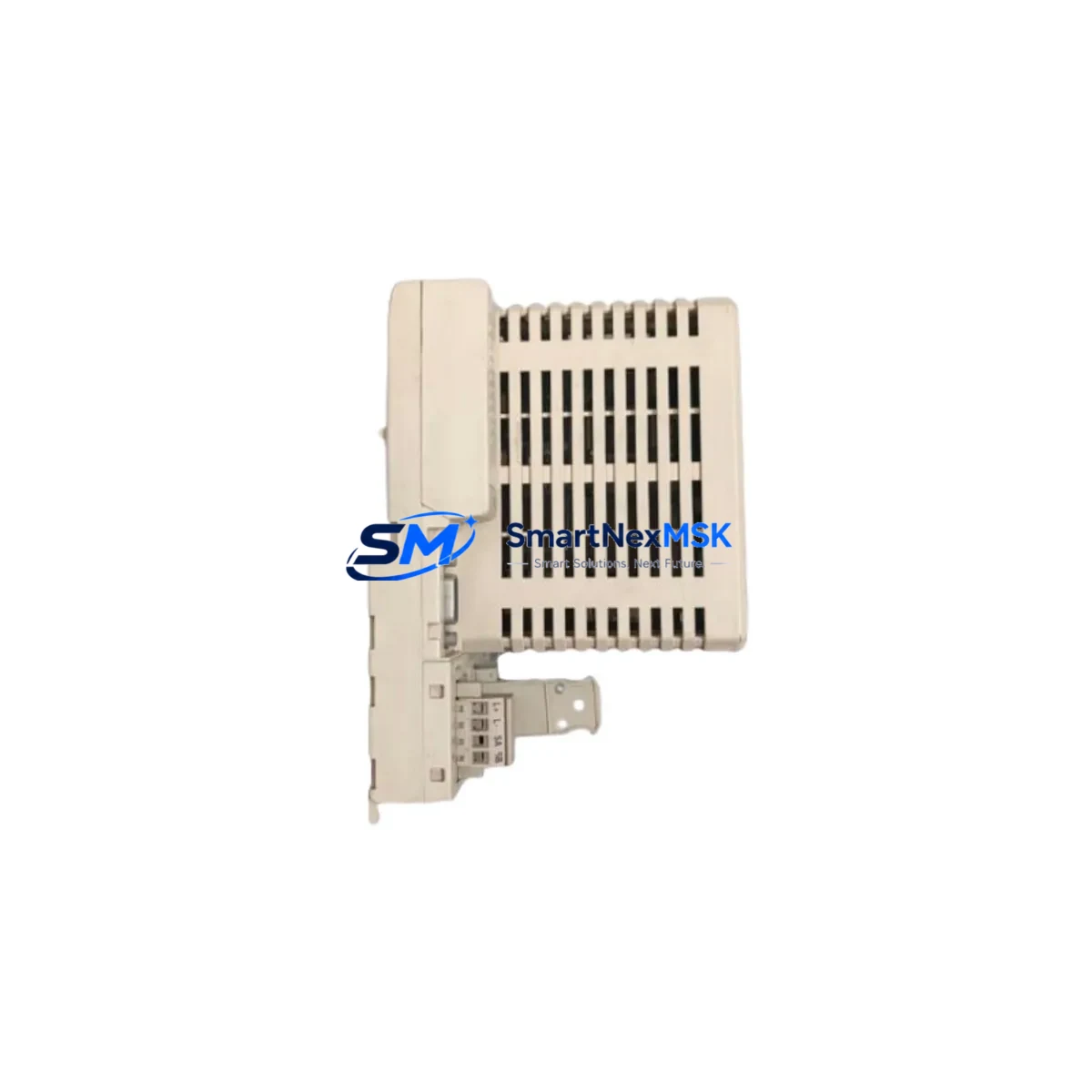
ABB CI810B 3BSE020520R1 Retrofit-Ready PROFIBUS DP Module for AC800M Control Systems
The ABB CI810B (part number 3BSE020520R1) is a PROFIBUS DP fieldbus communication interface module designed for integration within the ABB AC800M Distributed Control System platform. As legacy automation infrastructure ages across process industries — including oil & gas, pulp and paper, power generation, and chemical manufacturing — the CI810B has become one of the most sought-after retrofit and replacement components for engineers tasked with modernizing control cabinets without full system overhauls.
This module provides a high-speed PROFIBUS DP master/slave interface that connects the AC800M controller to field devices, remote I/O stations, and third-party instruments. When an existing CI810 or CI810A unit reaches end-of-life or fails in service, the CI810B 3BSE020520R1 serves as the direct functional replacement, maintaining backward compatibility with existing rack configurations, wiring terminations, and application program logic.
Before installing a CI810B as a replacement for an older CI810 or CI810A, engineers should verify several critical parameters. First, confirm the power budget of the PM861A or PM864A processor module and the TB840A or TB807 termination board — the CI810B draws from the same backplane power rail and must not exceed the rack’s total current capacity. Second, review the existing PROFIBUS segment topology: cable length, termination resistors, and baud rate settings (typically 1.5 Mbps or 12 Mbps) must remain consistent to avoid communication faults after module swap. Third, confirm that the GSD files for all connected PROFIBUS slaves are correctly loaded in the Control Builder M engineering tool, as a module address change or firmware version difference may require a re-download of the application program.
In retrofit projects where the AC800M rack is being relocated or the control cabinet is being rebuilt, the CI810B is typically installed alongside a new PM866 or PM891 controller module, sharing the same S800 I/O backplane. Engineers should also account for the CEX-Bus interface when planning multi-module configurations — the CI810B occupies one CEX-Bus slot and communicates with the processor via the internal high-speed bus, so slot assignment in Control Builder M must be updated accordingly.
Upgrade Compatibility Table
| Parameter | CI810B 3BSE020520R1 | Notes / Retrofit Guidance |
|---|---|---|
| Replaces | CI810, CI810A | Direct drop-in; same rack slot and backplane connector |
| Compatible Controller | PM861A, PM864A, PM866, PM891 | Verify firmware version ≥ 5.1 in Control Builder M |
| Backplane Interface | CEX-Bus (AC800M internal bus) | Slot address must be reassigned if rack layout changes |
| Communication Protocol | PROFIBUS DP (EN 50170) | GSD files for all slaves must be pre-loaded |
| Baud Rate Support | 9.6 kbps – 12 Mbps | Match existing segment baud rate; do not change without re-terminating |
| Termination Board | TB840A / TB807 | Confirm termination board revision before installation |
| Power Consumption | ~3.5 W (backplane) | Verify rack power budget with PM module datasheet |
| Installation Type | DIN rail / rack-mount (AC800M chassis) | No additional mounting hardware required for direct replacement |
| Commissioning Tool | ABB Control Builder M | Re-download application after module swap; verify I/O mapping |
| Warranty | 12 Months | Covers manufacturing defects; includes pre-shipment functional test |
Retrofit Planning for Existing Automation Systems
A successful CI810B retrofit begins well before the module arrives on site. In most AC800M-based control systems, the PROFIBUS DP network connects the controller to a mix of S800 I/O clusters (using AI810, AO810, DI810, and DO810 modules), remote valve positioners, variable frequency drives, and smart transmitters. Each of these devices has a unique PROFIBUS node address and a corresponding GSD configuration block in the Control Builder M project. When replacing the CI810B, the engineer must export the existing hardware configuration, verify that all node addresses are documented, and prepare a re-commissioning checklist before taking the system offline.
In cabinet upgrade scenarios where the AC800M rack is being replaced alongside the CI810B, it is common to also replace the TP830 power supply module and the SB821 or SB822 serial communication board if they are approaching end-of-life. The new rack should be pre-wired and bench-tested with the CI810B installed before being brought to site, reducing the window of control system unavailability. If the project also involves migrating from an older Advant OCS or MOD 300 platform to AC800M, the CI810B plays a central role in maintaining PROFIBUS connectivity to field devices that cannot be immediately replaced.
For projects involving HMI migration — for example, moving from an older Operate IT or IndustrialIT HMI to the current System 800xA Operations environment — the CI810B’s PROFIBUS configuration must be re-imported into the new OPC DA or OPC UA server structure. Engineers should verify that all PROFIBUS diagnostic variables (module status, communication error counters, and watchdog timeout settings) are correctly mapped in the new HMI tag database before cutover. The CI810B supports standard PROFIBUS DP diagnostic functions, making this migration straightforward when the GSD files are correctly maintained.
Downtime Control During System Migration
Minimizing unplanned downtime is the primary concern in any live control system retrofit. For CI810B replacements in running AC800M systems, the recommended approach is a hot-standby swap where the system supports redundant PROFIBUS masters — using a second CI810B in a redundant configuration with the CI858 PROFIBUS DP redundancy module. In non-redundant installations, the replacement window should be planned during a scheduled maintenance shutdown, with the application program backed up to the SD card on the PM module and a copy archived in Control Builder M before any hardware is touched.
During the swap, the PROFIBUS segment should be de-energized at the TB840A termination board rather than at the field device level, preserving the last known output states on analog and digital I/O modules such as the AO810V2 and DO810. After the CI810B is seated and the rack is powered, the Control Builder M download should be performed in “warm start” mode where possible, allowing the controller to resume execution from its last program state rather than performing a cold restart. Field engineers should monitor the PROFIBUS diagnostic LEDs on the CI810B front panel — a steady green RUN indicator and no flashing ERR LED confirms successful re-establishment of all slave communications.
For multi-drop PROFIBUS segments with more than 16 slave devices, it is advisable to bring slaves online in groups rather than all at once, reducing the initialization load on the CI810B and allowing the engineer to identify any address conflicts or GSD mismatches before they cascade into a full segment fault. All commissioning results, including bus cycle times, error counters, and diagnostic logs, should be documented and retained as part of the retrofit project record.
Retrofit Support FAQ
Q: Is the CI810B 3BSE020520R1 a direct replacement for the CI810A without any program changes?
A: In most cases, yes. The CI810B is backward compatible with the CI810A at the hardware and firmware level. However, if the Control Builder M project was compiled with an older hardware library version, a library update and re-download may be required. Always verify the hardware library version in your Control Builder M project before ordering.
Q: What wiring changes are needed when installing the CI810B?
A: No wiring changes are required for a direct replacement. The CI810B uses the same TB840A or TB807 termination board and the same PROFIBUS DB9 connector pinout as the CI810 and CI810A. Confirm that the PROFIBUS cable shield is correctly grounded at the termination board and that end-of-line termination resistors are active only at the two physical ends of the PROFIBUS segment.
Q: Can the CI810B communicate with non-ABB PROFIBUS DP slave devices?
A: Yes. The CI810B supports the standard PROFIBUS DP protocol (EN 50170 / IEC 61158) and is compatible with any certified PROFIBUS DP slave device, including Siemens ET 200 remote I/O, Endress+Hauser transmitters, and Danfoss or ABB variable frequency drives, provided the correct GSD file is loaded in Control Builder M.
Q: What does the 12-month warranty cover, and is pre-shipment testing performed?
A: Every CI810B 3BSE020520R1 unit is functionally tested prior to shipment, including power-on verification, backplane interface check, and PROFIBUS port continuity. The 12-month warranty covers manufacturing defects and functional failures under normal operating conditions. Units are shipped with anti-static packaging and include a test report on request.
© 2026 SMARTNEXMSK. All rights reserved.
Original Source: https://smartnexmsk.com
Contact: [email protected] | +86 18259474341



