
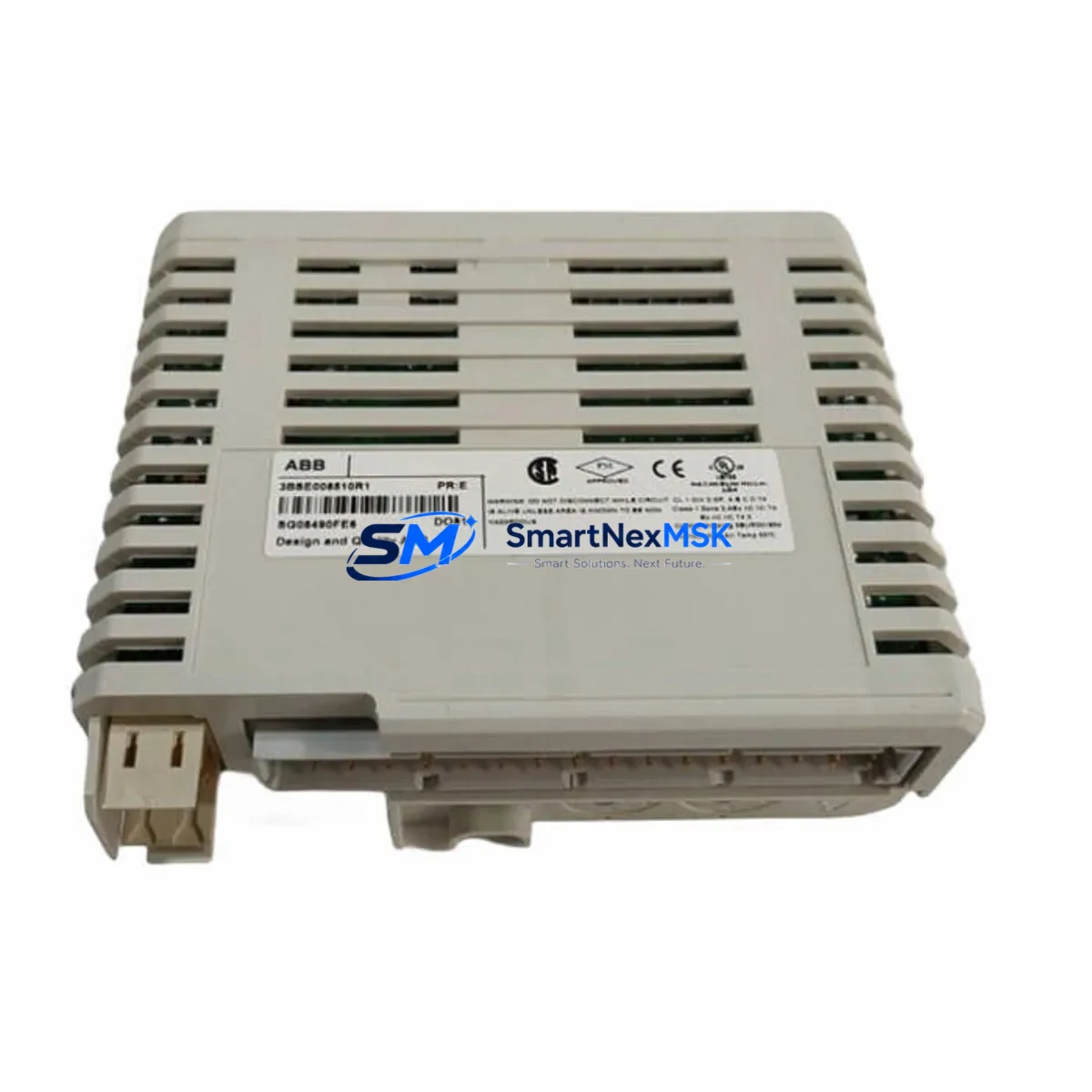
ABB CI851K01 3BSE018101R1 Spare for AC800M Automation: Spare Replacement & Downtime Risk Control
The ABB CI851K01 (3BSE018101R1) is an original PROFIBUS DP master communication interface module designed for the ABB AC800M Distributed Control System platform. In industrial facilities running continuous process automation — including oil & gas, power generation, pulp & paper, and chemical plants — this module serves as the critical communication backbone between the AC800M controller and field devices on the PROFIBUS DP network. When this module fails or degrades, the entire PROFIBUS segment goes offline, triggering unplanned shutdowns and costly production losses.
Stocking a verified original CI851K01 spare is not optional for maintenance engineers managing aging AC800M cabinets — it is a fundamental element of any credible spare parts strategy. This listing provides a tested, original ABB CI851K01 3BSE018101R1 module, shipped with full functional verification, ready for immediate site installation.
Spare Maintenance Table
| Parameter | Specification |
|---|---|
| Part Number | CI851K01 |
| Reference Number | 3BSE018101R1 |
| Brand | ABB |
| Series | AC800M DCS |
| Module Type | PROFIBUS DP Master Communication Interface |
| Communication Protocol | PROFIBUS DP (EN 50170) |
| Max DP Slaves | Up to 125 slaves per segment |
| Baud Rate | 9.6 kbps – 12 Mbps (auto-detect) |
| Supply Voltage | Via AC800M backplane (5 VDC internal bus) |
| Operating Temperature | 0°C to +55°C |
| Mounting | AC800M controller unit backplane slot |
| Country of Origin | Germany |
| Compatibility | AC800M PM851, PM856, PM860, PM861, PM864, PM866 controllers |
| Application Environment | Process automation, DCS, PROFIBUS field networks |
| Condition | Original, tested before shipment |
| Warranty | 12 Months |
Maintenance Planning for Continuous Operation
When a CI851K01 module is flagged for replacement during a planned shutdown or emergency callout, experienced maintenance engineers know that the PROFIBUS communication fault rarely exists in isolation. A thorough cabinet inspection and system audit should accompany every CI851K01 swap to prevent repeat failures and ensure the restored segment operates reliably through the next maintenance cycle.
Begin by inspecting the AC800M controller power supply module (such as the SD821 or SD822) that feeds the backplane. A degraded power supply delivering marginal voltage to the backplane bus is a common root cause of intermittent communication module faults. Simultaneously, check the TB820V2 PROFIBUS DP termination and bus connector — damaged or corroded connectors on the DP cable are frequently overlooked and will cause the replacement CI851K01 to exhibit the same fault symptoms as the original failed unit.
Review the PM856 or PM864 processor module firmware version and confirm it is compatible with the CI851K01 hardware revision being installed. Mismatched firmware between the processor and communication module can prevent the PROFIBUS segment from initializing correctly after replacement. If the AC800M cabinet also houses a CI854B EtherNet/IP communication interface or a CI857K01 FOUNDATION Fieldbus HSE module, inspect these modules for similar signs of wear — communication modules in the same cabinet often share environmental stressors and may be approaching end of service life simultaneously.
For sites running redundant PROFIBUS architectures, verify the CI851K01 redundancy partner module in the secondary controller unit is also functional. A failed redundancy partner will not trigger an immediate process alarm but will leave the system without failover protection. Additionally, inspect the PROFIBUS cable shielding and grounding at the cabinet entry point — poor shielding is a leading cause of EMI-induced communication errors that can damage interface modules over time.
Maintenance planners should also review the status of DI810 and DO810 digital I/O modules connected to the PROFIBUS segment. If field devices on the DP network have been reporting intermittent I/O faults prior to the CI851K01 failure, those field devices and their associated I/O modules should be inspected as part of the same work order. Finally, confirm that the AC800M system battery (used for memory backup during power interruptions) is within its service life — a depleted battery can cause configuration loss after a module replacement, extending the recovery time significantly.
Site Replacement Workflow
Replacing the CI851K01 on a live AC800M system requires careful sequencing to minimize downtime and avoid configuration loss. Before removing the failed module, use ABB Control Builder M to export the current PROFIBUS DP network configuration and save a backup of the controller application. This backup is essential if the replacement module requires a fresh configuration download.
Power down the affected controller unit following the site lockout/tagout procedure. Remove the CI851K01 by releasing the module locking mechanism and sliding it out of the backplane slot. Inspect the backplane connector pins for corrosion or mechanical damage before inserting the replacement module. Insert the new CI851K01 firmly until the locking tab engages, then restore power to the controller unit.
After power-up, monitor the CI851K01 status LEDs: the green RUN LED should illuminate within 30 seconds as the module initializes and the PROFIBUS segment scans for connected slaves. If the BF (Bus Fault) LED remains active, verify the PROFIBUS cable termination resistors are correctly enabled at both ends of the segment. Use Control Builder M to perform a live network scan and confirm all expected DP slave devices are online before releasing the system back to operations.
This workflow supports rapid replacement of legacy CI851 (non-K01) modules in older AC800M installations, maintaining full backward compatibility with existing PROFIBUS DP network configurations. The CI851K01 is a direct functional replacement for the earlier CI851 variant, reducing the need to maintain two separate spare part numbers in the warehouse.
Spare Parts Support FAQ
Q1: Is the CI851K01 a direct replacement for the original CI851 module?
Yes. The CI851K01 (3BSE018101R1) is the current production revision of the CI851 PROFIBUS DP master module and is fully backward compatible with all AC800M controller generations that supported the original CI851. No configuration changes are required when substituting CI851K01 for CI851 in an existing installation.
Q2: How is the module tested before shipment?
Each CI851K01 unit undergoes functional power-on verification and communication interface testing prior to dispatch. Modules are inspected for physical integrity, connector condition, and firmware readability. A test report is available upon request for critical infrastructure procurement.
Q3: What is the warranty coverage and what does it include?
All CI851K01 modules supplied carry a 12-month warranty from the date of shipment. The warranty covers functional failure under normal operating conditions. Modules damaged by incorrect installation, overvoltage, or physical mishandling are excluded. Warranty claims are processed with priority to minimize site downtime.
Q4: Can you support long-term or blanket spare parts orders for AC800M systems?
Yes. For maintenance teams managing multiple AC800M installations or planning multi-year spare parts budgets, we support standing orders, reserved stock arrangements, and scheduled delivery programs. Contact our team to discuss inventory reservation for CI851K01 and associated AC800M communication and I/O modules.
© 2026 SMARTNEXMSK. All rights reserved.
Original Source: https://smartnexmsk.com
Contact: [email protected] | +86 18259474341



