
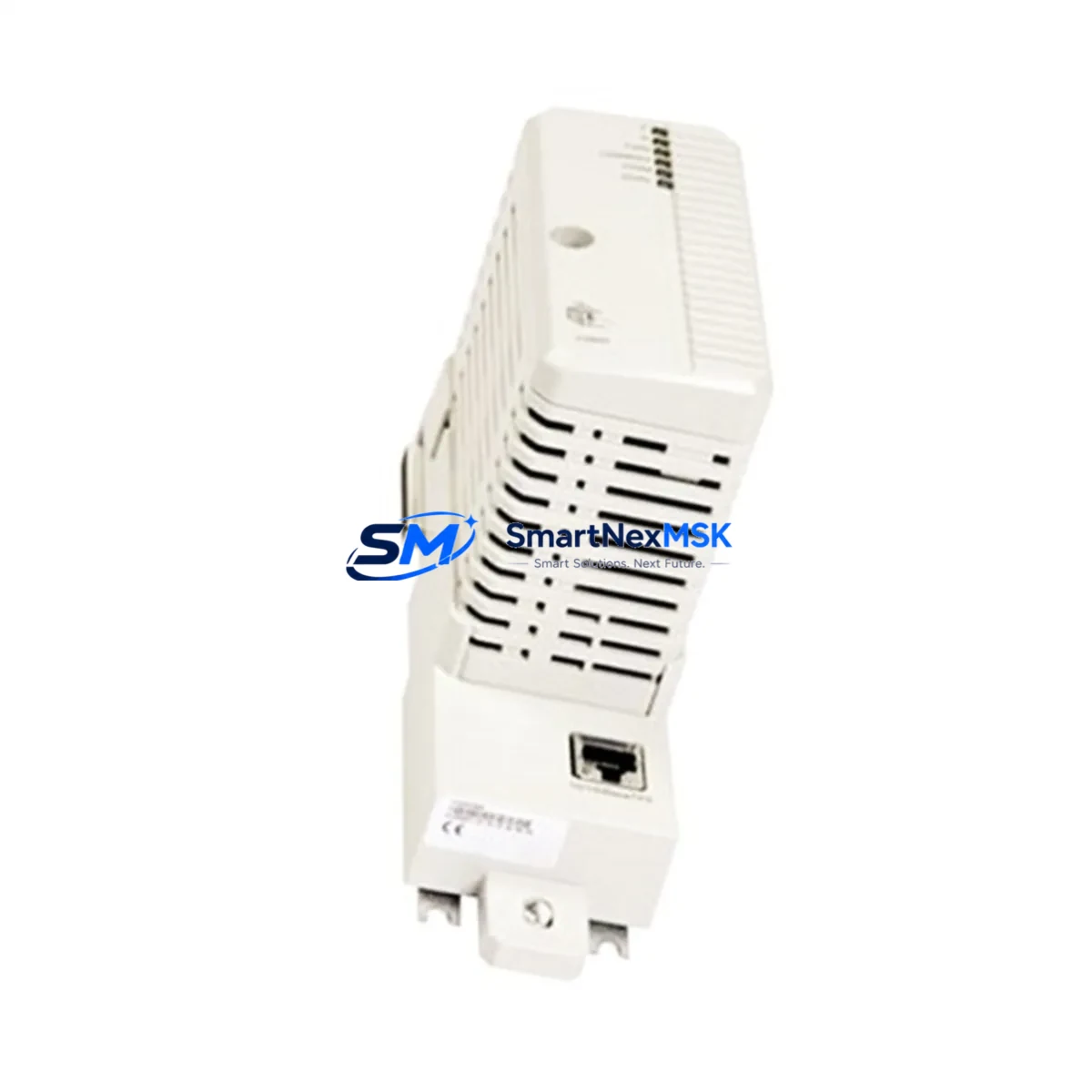
ABB CI860 3BSE032444R1 Retrofit-Ready PROFIBUS DP Master for AC 800M Control Systems
The ABB CI860 (part number 3BSE032444R1, also referenced as CI860K01) is a PROFIBUS DP Master communication module designed for integration into the ABB AC 800M Distributed Control System platform. As legacy DCS installations age and OEM support windows close, the CI860 has become one of the most sought-after retrofit components for engineers tasked with modernizing existing control architectures without full system replacement. Whether you are replacing a failed unit, upgrading a communication layer, or migrating from an older PROFIBUS configuration, the CI860 provides a direct, validated path forward with minimal disruption to your existing control logic and field wiring.
The CI860 module mounts into the standard AC 800M controller rack and interfaces directly with the PM865, PM866, or PM891 processor modules via the internal S800 I/O bus. It supports PROFIBUS DP-V0 and DP-V1 protocols, enabling high-speed cyclic and acyclic communication with field devices including variable frequency drives, remote I/O stations, intelligent valve positioners, and third-party PROFIBUS slaves. The module supports up to 125 slave devices per segment and operates at baud rates up to 12 Mbit/s, making it suitable for both legacy installations and newly expanded automation networks.
Upgrade Compatibility Table
| Parameter | CI860 / 3BSE032444R1 | Notes for Retrofit |
|---|---|---|
| Compatible Controller | PM865, PM866, PM891 (AC 800M) | Verify firmware version ≥ 5.1 on processor module |
| Protocol Support | PROFIBUS DP-V0, DP-V1 | Backward compatible with DP-V0 slaves |
| Max Slave Devices | 125 per segment | Segment repeaters required beyond 32 nodes |
| Max Baud Rate | 12 Mbit/s | Cable length must be reduced at higher baud rates |
| Rack Installation | AC 800M standard backplane (TB807, TB840) | Slot position configurable in Control Builder |
| Power Consumption | Supplied via backplane (SS822, SS823 power supply) | Verify total rack power budget before installation |
| Replacement for | CI858, CI854, CI801 (older PROFIBUS masters) | Address reassignment required in Control Builder |
| Communication Link | 9-pin D-sub PROFIBUS connector | Existing field cable termination typically reusable |
| Commissioning Tool | ABB Control Builder Plus / Professional | GSD files required for each slave device type |
| Warranty | 12-Month Warranty | Covers hardware defects; includes pre-shipment functional test |
Retrofit Planning for Existing Automation Systems
Successful integration of the CI860 into an existing AC 800M system begins well before the module arrives on site. Engineers should start by auditing the current rack configuration, identifying the backplane type (TB807 or TB840A), and confirming that the installed SS822 or SS823 power supply unit has sufficient capacity to support the additional communication module load. In multi-rack systems, the CI860 can be installed in any available communication slot, but the slot address must be pre-configured in ABB Control Builder to match the physical position before the controller is restarted.
When replacing an older CI858 or CI854 PROFIBUS master, the existing 9-pin D-sub field cable can typically be reused without modification, provided the cable shielding and termination resistors are intact. Engineers should verify that the PROFIBUS network termination is active only at the two physical ends of the segment — a common source of communication errors during retrofit. The CI860 supports both active and passive termination modes, which simplifies integration into networks where the previous master was located mid-segment.
For systems that also include S800 I/O modules such as the AI810, AO810, DI810, or DO810 connected via PROFIBUS, the CI860 maintains full cyclic data exchange compatibility. GSD files for each slave device must be imported into Control Builder, and the process image configuration should be validated against the existing application program to ensure that I/O addresses remain consistent. In cases where the original program was developed on an older Control Builder version, a project migration step may be required before downloading to the updated hardware configuration.
Systems that include ABB Panel 800 HMI units or third-party SCADA platforms communicating via OPC DA or OPC UA should also be reviewed. The CI860 does not alter the OPC server address space, but any changes to PROFIBUS slave addresses or data block structures will require corresponding updates in the HMI tag database and SCADA configuration. Coordinating these changes in advance — and preparing a rollback plan using a backup of the original Control Builder project — is essential for minimizing unplanned downtime.
In larger installations where the AC 800M communicates with a CI873 PROFINET controller or a CI871 EtherNet/IP module in the same rack, the CI860 operates independently on its own communication channel and does not interfere with parallel fieldbus traffic. This makes it well suited for phased migration projects where PROFIBUS and Ethernet-based fieldbus networks coexist during a transition period.
Downtime Control During System Migration
Minimizing production downtime during a CI860 retrofit requires a structured pre-commissioning approach. Before the scheduled maintenance window, engineers should complete a full backup of the AC 800M application program using Control Builder, document all PROFIBUS slave addresses and GSD configurations, and verify that a replacement SS822 power supply and spare TB807 backplane connectors are available on site in case secondary components require attention during the swap.
The CI860 module is hot-swap capable within the AC 800M architecture when the system is configured for redundant communication. In non-redundant configurations, a brief controller restart is required after module insertion and address assignment. To protect the original control logic, engineers should lock the application program download and use the “forced values” feature in Control Builder to hold critical output states during the restart sequence. This approach is particularly important in process industries where actuator positions, pump states, or valve commands must be maintained during the communication module changeover.
After the CI860 is installed and the controller has restarted, the PROFIBUS network should be brought online segment by segment, verifying slave device status in the Control Builder diagnostic view before enabling automatic control loops. Field technicians should confirm that all S800 I/O modules, drive controllers, and remote terminal units are reporting correctly before releasing the system to automatic operation. A structured commissioning checklist — covering power-up sequence, slave address verification, cyclic data validation, and HMI alarm acknowledgment — reduces the risk of overlooked faults and supports a clean handover to operations.
Every CI860 unit supplied by SMARTNEXMSK undergoes a pre-shipment functional test covering power-on self-test, communication port integrity, and backplane interface verification. Units are shipped with original or equivalent packaging and include a 12-month warranty covering hardware defects identified under normal operating conditions.
Retrofit Support FAQ
Q: Can the CI860 (3BSE032444R1) directly replace a CI858 or CI854 without hardware modification?
A: Yes. The CI860 uses the same backplane slot form factor as the CI858 and CI854 and connects to the same 9-pin D-sub PROFIBUS field cable. No hardware modification is required. However, the module address must be reassigned in ABB Control Builder, and the application program should be re-downloaded to the controller after configuration. GSD files for all connected PROFIBUS slaves must be present in the Control Builder project.
Q: What firmware version is required on the PM865 or PM866 processor to support the CI860?
A: ABB recommends AC 800M firmware version 5.1 or later for full CI860 feature support, including DP-V1 acyclic services. Earlier firmware versions support DP-V0 cyclic communication only. Firmware version can be verified in Control Builder under the hardware configuration view. If an upgrade is required, the firmware file and upgrade procedure are available through ABB’s software portal.
Q: How is the CI860 commissioned on a PROFIBUS network with existing slaves?
A: After physical installation, open the hardware configuration in Control Builder and assign the CI860 to the correct rack slot. Import or verify GSD files for each slave device, confirm slave addresses match the physical network, and download the updated configuration to the controller. Use the PROFIBUS diagnostic view to confirm all slaves are in data exchange state before enabling automatic control. Termination resistors at both ends of the PROFIBUS segment should be verified before powering the network.
Q: What does the 12-month warranty cover, and what is the return process?
A: The 12-month warranty covers hardware defects arising under normal operating conditions, including communication port failure, backplane interface faults, and power regulation issues. It does not cover damage resulting from incorrect installation, overvoltage, or physical impact. To initiate a warranty claim, contact [email protected] with the order reference and a description of the fault. A replacement or repair will be arranged within the agreed lead time. Pre-shipment functional test records are available upon request.
© 2026 SMARTNEXMSK. All rights reserved.
Original Source: https://smartnexmsk.com
Contact: [email protected] | +86 18259474341



