
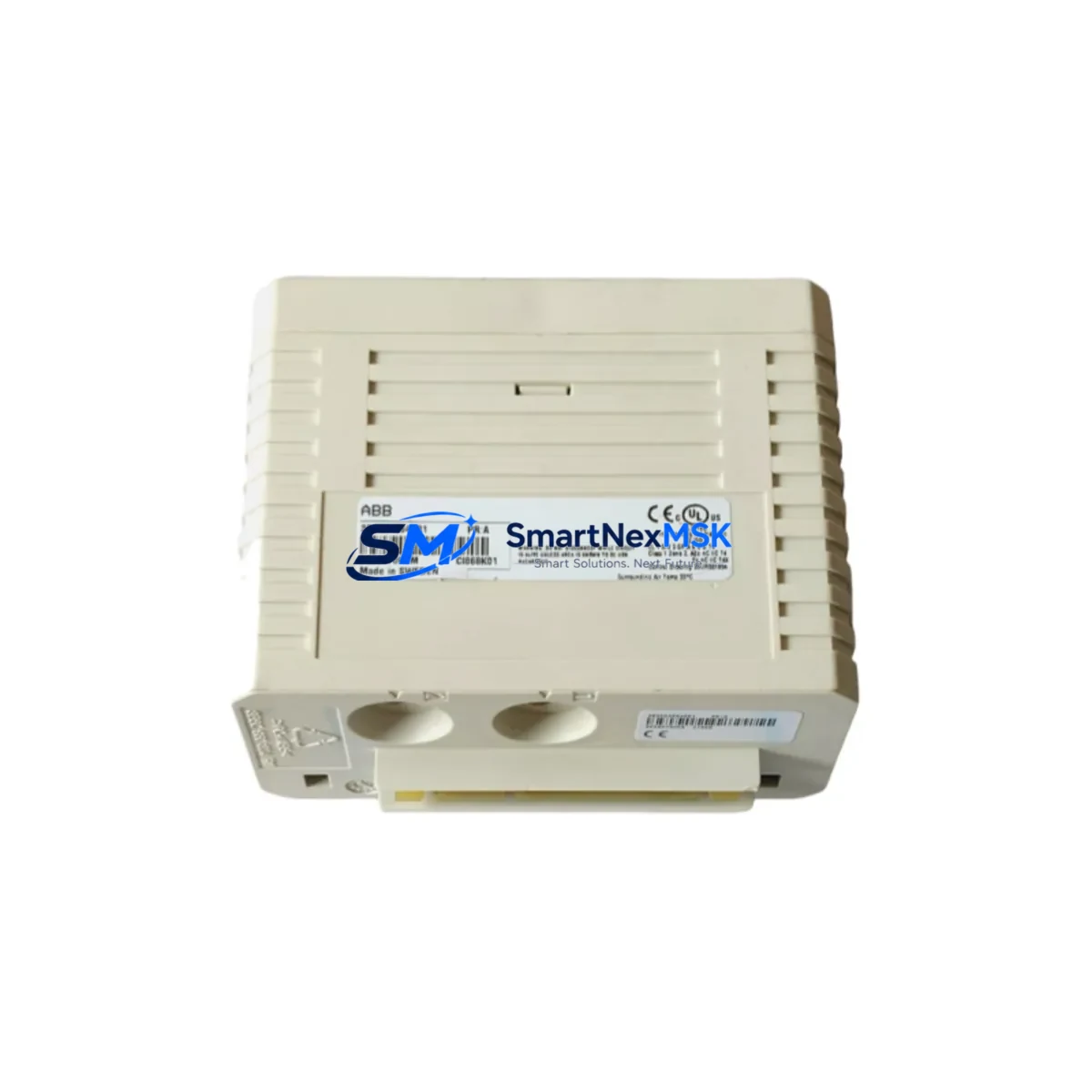
ABB CI868K01 Maintenance-Ready Spare for AC800M Automation
The ABB CI868K01 is an original PROFIBUS DP communication interface module designed for the AC800M Distributed Control System platform. For maintenance engineers managing aging DCS infrastructure, unplanned downtime caused by a failed communication module can cascade across entire process loops. Stocking a verified CI868K01 spare is a proven strategy to reduce mean time to repair (MTTR) and protect continuous production. This unit is sourced as an original ABB component, fully tested prior to shipment, and backed by a 12-month warranty — making it a reliable choice for both emergency replacement and planned maintenance inventory.
The CI868K01 provides PROFIBUS DP master/slave communication capability within the AC800M controller rack, enabling high-speed, deterministic data exchange between the controller and field devices such as variable frequency drives, remote I/O stations, and intelligent field instruments. Its role in the control architecture makes it a critical single point of failure if not properly maintained or backed by a ready spare.
Spare Maintenance Table
| Parameter | Specification / Detail |
|---|---|
| Part Number / SKU | CI868K01 |
| Brand | ABB |
| Series | AC800M DCS |
| Module Type | PROFIBUS DP Communication Interface Module |
| Communication Protocol | PROFIBUS DP (Master / Slave) |
| Compatible Controller | ABB AC800M (PM851, PM856, PM860, PM861, PM864, PM866 series) |
| Mounting | AC800M controller rack, CEX-Bus backplane |
| Supply Voltage | Supplied via CEX-Bus backplane (no external power required) |
| Operating Temperature | 0°C to +55°C |
| Country of Origin | Germany |
| Condition | Original, tested before shipment |
| Compatibility Verification | Confirmed for AC800M platform; firmware version check recommended on-site |
| Warranty | 12 Months |
| Typical Application | Process automation, DCS communication backbone, field device integration |
| Maintenance Recommendation | Inspect connector pins, verify PROFIBUS termination resistors, check LED status indicators during scheduled cabinet inspections |
Maintenance Planning for Continuous Operation
When a CI868K01 communication module fails or is flagged during a scheduled inspection, experienced maintenance engineers know that the fault rarely exists in isolation. A thorough site assessment should accompany any module replacement to prevent repeat failures and ensure the restored system operates reliably.
Begin by inspecting the AC800M controller module (such as the PM864 or PM866) for firmware currency and CEX-Bus connector integrity — a degraded backplane connection can cause intermittent PROFIBUS faults that mimic module failure. Check the CEX-Bus backplane itself for oxidation or mechanical damage at the module slots. If the CI868K01 was operating in a high-vibration environment, the backplane connectors should be cleaned and re-seated.
On the PROFIBUS network side, verify the PROFIBUS DP cable termination at both ends of the segment. Incorrect or missing termination resistors are a leading cause of communication errors that stress the interface module. Inspect the PROFIBUS connector plugs (typically 9-pin D-Sub) for pin damage or moisture ingress, particularly in outdoor or humid cabinet environments.
Review the status of remote I/O modules connected on the PROFIBUS segment — ABB S800 I/O modules such as the AI810, AO810, DI810, and DO810 should be checked for address conflicts and diagnostic alarms. A single misconfigured slave device can cause the entire PROFIBUS segment to fault, placing undue stress on the CI868K01 master interface.
Evaluate the 24VDC power supply modules feeding the controller cabinet. Voltage ripple or transient spikes from an aging power supply unit can corrupt PROFIBUS communication frames and accelerate module wear. If the cabinet uses an SD821 or SD822 power supply, verify output voltage stability under load.
For cabinets integrating ABB Freelance or Symphony Plus architecture alongside AC800M nodes, confirm that the PROFIBUS segment addressing and GSD file configurations remain consistent after the module swap. Additionally, inspect any signal isolators or PROFIBUS repeaters in the segment — these components are often overlooked during routine maintenance but can degrade over time and introduce communication latency.
Finally, if the control system interfaces with an ABB CP600 or CP620 HMI panel, verify that the HMI communication path is restored and all process variable displays are updating correctly after the CI868K01 replacement. Document the replacement in the cabinet maintenance log and update the spare parts inventory accordingly.
Site Replacement Workflow
Step 1 — Pre-replacement verification: Confirm the CI868K01 SKU against the module label and the system’s hardware configuration file (HWC) in ABB Control Builder. Note the current PROFIBUS node address and baud rate settings.
Step 2 — Safe isolation: Follow site-specific LOTO (Lockout/Tagout) procedures. The AC800M supports hot-swap of communication modules in some configurations — verify with your system documentation before proceeding without a full controller shutdown.
Step 3 — Module removal and inspection: Remove the faulty CI868K01 and inspect the CEX-Bus connector for bent pins or contamination. Clean the slot before inserting the replacement unit.
Step 4 — Replacement installation: Insert the new CI868K01 into the designated rack slot. The module will auto-configure its PROFIBUS address from the controller’s stored hardware configuration in most AC800M firmware versions.
Step 5 — Communication verification: Monitor PROFIBUS diagnostic LEDs on the CI868K01 (BF — Bus Fault, SF — System Fault indicators). Use ABB Control Builder or a PROFIBUS diagnostic tool to confirm all slave devices are communicating without errors.
Step 6 — System handback: Confirm process variable integrity at the HMI, verify alarm states are cleared, and document the replacement with date, technician ID, and new module serial number.
Stocking a CI868K01 spare on-site reduces emergency replacement lead time from weeks to hours, directly protecting production uptime and reducing the risk of extended unplanned shutdowns in critical process environments.
Spare Parts Support FAQ
Q1: Is this CI868K01 an original ABB module or a compatible replacement?
This is an original ABB CI868K01 module. It is not a third-party compatible or remanufactured unit. Each module is tested prior to shipment to verify communication functionality and physical integrity.
Q2: What is the warranty coverage and what does it include?
All CI868K01 units are covered by a 12-month warranty from the date of shipment. The warranty covers manufacturing defects and functional failures under normal operating conditions. Modules damaged by incorrect installation, overvoltage, or environmental factors outside the specified operating range are not covered.
Q3: How do I verify compatibility with my specific AC800M controller version before ordering?
The CI868K01 is compatible with the AC800M controller family across multiple firmware generations. To confirm compatibility with your specific PM8xx controller model and firmware version, provide your controller part number and firmware revision when placing your order. Our technical team will verify compatibility before shipment.
Q4: What is the typical lead time, and can I source this module for long-term spare parts inventory?
Standard orders ship within 3–7 business days. For customers building long-term maintenance inventory or managing end-of-life system support, bulk quantity pricing and extended stock reservation are available. Contact our sales team to discuss a spare parts supply agreement tailored to your maintenance schedule.
© 2026 SMARTNEXMSK. All rights reserved.
Original Source: https://smartnexmsk.com
Contact: [email protected] | +86 18259474341



