
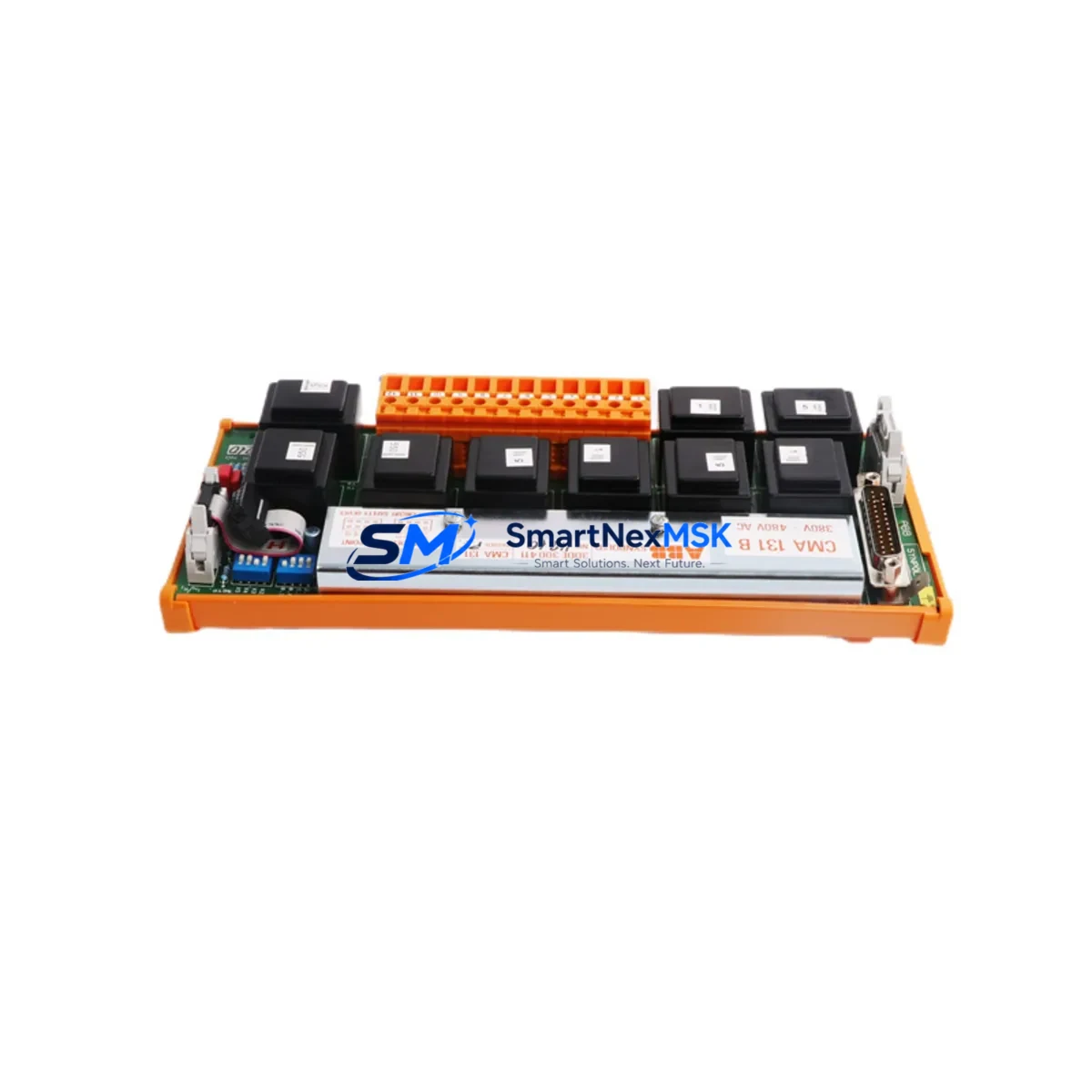
ABB CMA131 Maintenance-Ready Spare for AC500 ACS880 Automation
The ABB CMA131 is an original encoder interface module engineered for continuous-duty industrial environments where drive feedback accuracy and system uptime are non-negotiable. Designed for integration within ABB’s AC500 PLC platform and ACS880 industrial drive series, the CMA131 provides high-resolution encoder signal conditioning, enabling precise speed and position feedback loops in demanding motion-control and process-automation applications. For maintenance engineers managing aging control cabinets or executing planned overhauls, holding a verified CMA131 spare eliminates the single-point-of-failure risk that encoder interface degradation represents — a failure mode that can cascade into full drive trips, conveyor stoppages, or compressor shutdowns with no warning.
SMARTNEXMSK stocks the CMA131 as a tested, original-source spare with full traceability. Every unit undergoes pre-shipment functional verification before dispatch, and is covered by a 12-month warranty against manufacturing defects. Whether you are replenishing a critical-spares cabinet, responding to an unplanned drive fault, or executing a lifecycle refresh on an AC500-based control system, the CMA131 is available for immediate quotation and fast international dispatch.
Spare Maintenance Table
| Parameter | Specification / Detail |
|---|---|
| Part Number / SKU | CMA131 |
| Manufacturer | ABB |
| Module Type | Encoder Interface Module |
| Compatible Series | AC500 PLC Platform; ACS880 Industrial Drive Series |
| Signal Interface | Incremental / TTL encoder input; differential line-driver compatible |
| Supply Voltage | 24 V DC (nominal), sourced from AC500 backplane or ACS880 drive auxiliary supply |
| Encoder Supply Output | 5 V DC / 12 V DC selectable (encoder excitation) |
| Max Input Frequency | Up to 300 kHz (application-dependent; verify with drive firmware version) |
| Mounting | Direct slot insertion — AC500 CPU/expansion rack or ACS880 option slot |
| Country of Origin | Germany (DE) |
| Operating Temperature | 0 °C to +55 °C (storage: −40 °C to +70 °C) |
| Protection Class | IP20 (panel-mount, control-cabinet installation) |
| Approvals | CE; cULus (verify current certification status with datasheet) |
| Condition | Original, new — pre-shipment functional test completed |
| Warranty | 12 Months from date of dispatch |
| Compatibility Verification | Confirm AC500 firmware version and ACS880 drive type code before installation |
| Maintenance Interval | Inspect connector seating and cable shield integrity every 12–18 months |
| Recommended Spare Qty | Minimum 1 unit per 5 drives / PLC racks in critical process lines |
Maintenance Planning for Continuous Operation
When a CMA131 encoder interface module is flagged during a drive diagnostic or routine cabinet inspection, experienced maintenance engineers know that the encoder module rarely fails in isolation. A systematic replacement workflow should extend to the full signal chain and associated power infrastructure to prevent repeat faults and reduce the risk of a second unplanned stoppage within the same maintenance window.
Begin with the encoder cable assembly itself — shielded, twisted-pair encoder cables running to motors or gearboxes are a common source of intermittent faults that mimic module failure. Inspect for chafing, connector corrosion, and shield continuity before condemning the CMA131. Next, verify the 24 V DC auxiliary power supply feeding the AC500 rack; a sagging or noisy auxiliary rail — often sourced from an ABB CP-E 24/5.0 or equivalent DIN-rail power supply — can cause encoder interface resets that appear as module faults in the drive event log.
Within the AC500 rack itself, inspect the backplane connector and adjacent I/O modules. If the system uses an ABB CI592-CS31 or CI501-PNIO communication interface module in the same rack, confirm that the rack power budget has not been exceeded following any recent expansion. For ACS880 installations, check the drive’s RDCO-02 or RDCO-04 control unit and any installed RAIO-01 analog I/O extension modules — these share the drive’s internal bus and can be affected by the same power or grounding anomalies that stress the encoder interface.
On the motor side, verify the HTL or TTL encoder mounted to the motor shaft for bearing wear, contamination ingress, and output signal integrity using an oscilloscope or encoder tester. In high-cycle applications such as winding machines, hoists, or extruder lines, encoder bearing life is often the limiting factor. Simultaneously, inspect the terminal blocks and cable glands in the motor junction box — loose terminations at this point generate the differential noise that degrades CMA131 input signal quality over time.
For systems using safety-rated speed monitoring, confirm that any ABB FSO-12 or FSO-21 safety function module connected to the same drive is re-validated after the encoder interface replacement, as encoder channel substitution may require a safety parameter re-confirmation step per the drive’s safety manual. Finally, update the site’s critical-spares register to reflect the CMA131 replacement and schedule the next inspection interval — typically 12 to 18 months for encoder interface modules in continuous-process environments.
Site Replacement Workflow
Step 1 — Isolation and Lockout: De-energize the AC500 rack or ACS880 drive following site LOTO procedures. Allow the DC bus to discharge fully (minimum 5 minutes after power-off for ACS880 drives) before opening the cabinet.
Step 2 — Module Identification: Confirm the installed module’s part number against the CMA131 label and the drive/PLC configuration file. Note the slot position and any parameter settings stored in the drive memory — ACS880 drives retain encoder parameters in non-volatile memory, but it is best practice to export the parameter file via ABB Drive Composer or Panel Bus before removal.
Step 3 — Removal: Disconnect the encoder cable connector from the CMA131 face. Release the module retention latch and withdraw the module from the slot. Inspect the backplane connector pins for damage or contamination.
Step 4 — Installation of Replacement CMA131: Insert the new CMA131 into the correct slot until the retention latch engages. Reconnect the encoder cable. Verify cable shield termination at the module’s shield clamp or PE bar.
Step 5 — Power-Up and Verification: Re-energize the system. Confirm that the drive or PLC recognizes the CMA131 without fault codes. Run the encoder feedback test routine available in the ACS880 assistant panel or AC500 programming environment (Automation Builder). Verify speed feedback accuracy at low speed before returning the drive to full-load operation.
Step 6 — Documentation: Record the replacement in the site maintenance log, including the new module serial number, installation date, and technician sign-off. Update the critical-spares inventory to trigger reorder of a replacement CMA131 unit.
Spare Parts Support FAQ
Q1: Is the CMA131 compatible with both AC500 V2 and V3 CPU generations?
The CMA131 is designed for the AC500 platform. Compatibility with specific CPU generations (PM573, PM583, PM591, PM595) depends on the firmware version and hardware revision. SMARTNEXMSK recommends confirming your CPU type code and firmware version before ordering. Our technical team can assist with compatibility verification at no charge.
Q2: What pre-shipment testing does SMARTNEXMSK perform on the CMA131?
Every CMA131 unit is functionally tested prior to dispatch to verify encoder signal input/output integrity, power supply rail stability, and backplane connector condition. A test report is available on request. Units are shipped in anti-static packaging with physical protection to prevent transit damage.
Q3: How should the CMA131 be stored as a long-term critical spare?
Store in original anti-static packaging in a dry, temperature-controlled environment (recommended: 15–25 °C, relative humidity below 75% non-condensing). Avoid storage near strong magnetic fields or high-vibration areas. Inspect the module annually for connector oxidation if stored for more than 24 months. SMARTNEXMSK can supply sealed, long-term storage packaging on request for strategic spare holdings.
Q4: What is covered under the 12-month warranty?
The 12-month warranty covers manufacturing defects and functional failures under normal operating conditions as specified in the ABB CMA131 datasheet. It does not cover damage resulting from incorrect installation, overvoltage events, physical impact, or operation outside rated environmental parameters. In the event of a warranty claim, SMARTNEXMSK will arrange collection, inspection, and replacement or repair within an agreed lead time to minimize your system downtime.
© 2026 SMARTNEXMSK. All rights reserved.
Original Source: https://smartnexmsk.com
Contact: [email protected] | +86 18259474341



