
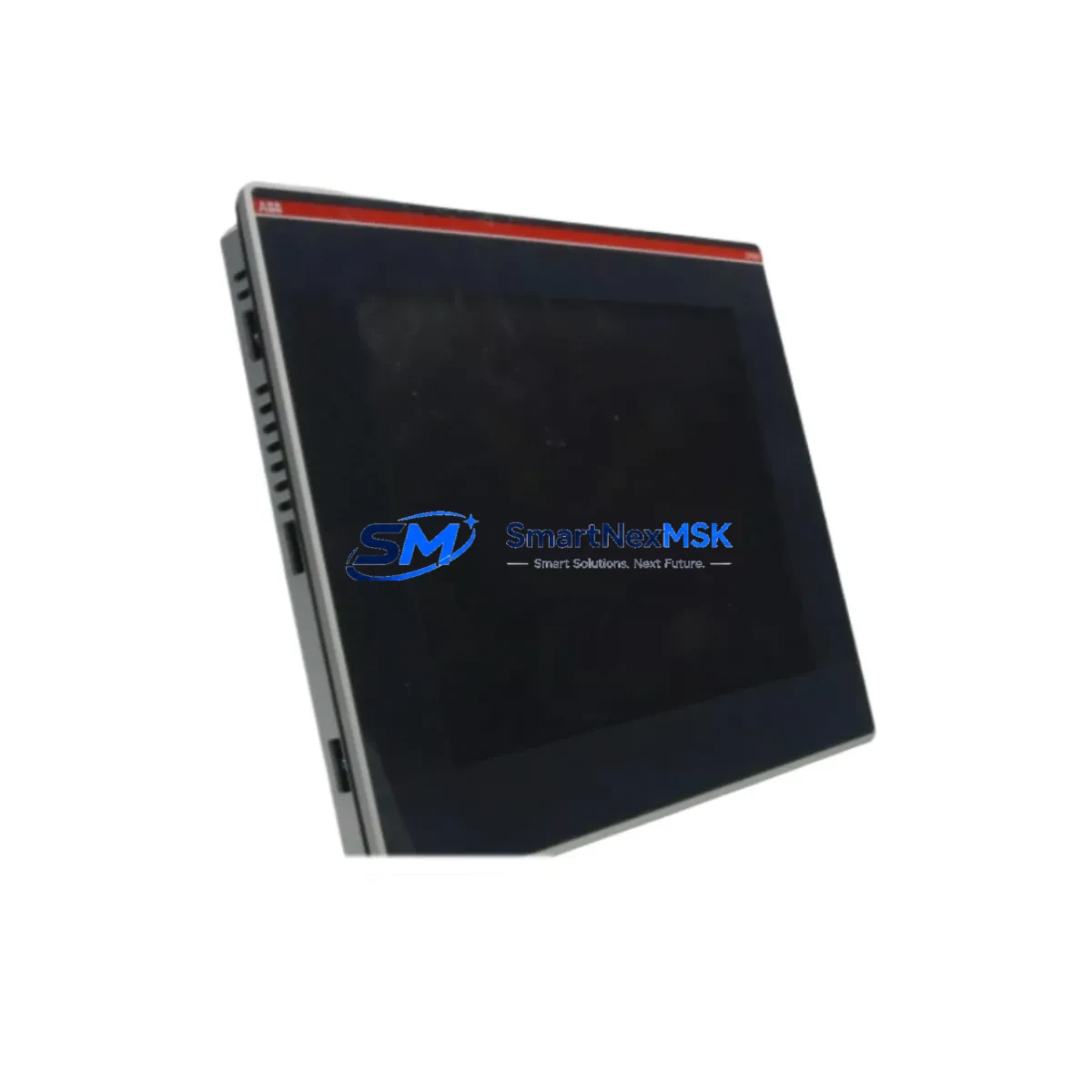
ABB CP651-WEB Maintenance-Ready Spare for CP600 Automation
The ABB CP651-WEB is a web-enabled operator panel from the CP600 Series, designed for demanding industrial HMI applications in process automation, machine control, and distributed control environments. As a maintenance-ready original spare, the CP651-WEB is stocked, tested, and shipped to support rapid downtime recovery — whether you are executing a planned overhaul, responding to an unplanned fault, or building a strategic spare parts inventory for aging CP600-based control systems.
For maintenance engineers managing ABB CP600 installations, the CP651-WEB represents a critical node in the operator interface layer. Its failure or degradation directly impacts operator visibility, alarm acknowledgment, and process control interaction. Sourcing a verified original replacement — rather than a refurbished or counterfeit substitute — ensures that panel firmware, communication stack, and display calibration remain consistent with the installed system baseline.
Procurement engineers should note that the CP651-WEB is compatible with the broader CP600 panel family and integrates with ABB’s standard communication protocols used across AC500 PLC platforms and Symphony Plus DCS architectures. This cross-system compatibility makes it a high-priority line item in any spare parts list covering ABB-based control cabinets.
Spare Maintenance Table
| Parameter | Specification |
|---|---|
| Part Number / SKU | CP651-WEB |
| Brand | ABB |
| Series | CP600 |
| Product Type | HMI Operator Panel (Web-Enabled) |
| Origin | Germany (DE) |
| Display | Color TFT touchscreen, industrial-grade |
| Communication | Ethernet (web-enabled), serial interfaces |
| Compatibility | ABB CP600 Series, AC500 PLC, Symphony Plus DCS |
| Operating Voltage | 24 VDC nominal |
| Operating Temperature | 0°C to +50°C (panel front IP65 rated) |
| Mounting | Panel cut-out, front-mount, standard CP600 footprint |
| Application Environment | Process automation, machine control, utilities, water treatment |
| Condition | Original, new or tested-serviceable |
| Pre-shipment Testing | Power-on, display, communication port verification |
| Warranty | 12 Months |
| Long-term Supply | Available for repeat orders and blanket PO arrangements |
Maintenance Planning for Continuous Operation
When replacing the CP651-WEB in a live control cabinet, a disciplined maintenance engineer will treat the panel swap as an opportunity to inspect the surrounding electrical environment. The 24 VDC panel power supply — typically a dedicated rail within the control cabinet — should be load-tested before the new panel is energized. A degraded power supply delivering voltage outside the ±10% tolerance band is a common root cause of premature HMI failure and should be replaced proactively alongside the CP651-WEB.
The Ethernet communication cable and RJ45 connector feeding the CP651-WEB’s web interface should be inspected for insulation damage, connector corrosion, and correct termination. In cabinets where the CP651-WEB communicates with an ABB AC500 PLC — such as the PM573 or PM591 CPU modules — the network switch or managed hub port should be verified for link integrity and correct VLAN assignment. If the panel also connects via serial RS-232 or RS-485 to legacy field devices, the serial cable shielding and termination resistors should be confirmed.
I/O expansion modules connected to the same backplane or communication bus — including ABB’s DC532 digital I/O modules or AI523 analog input modules — should be checked for fault LEDs and correct addressing after the panel replacement, as a reboot of the HMI can trigger re-enumeration of the I/O bus. Relay output modules in the same cabinet, such as the DO531, should be tested for contact continuity if they are driven by logic displayed or acknowledged through the CP651-WEB interface.
Signal isolators and barriers protecting analog inputs from field transmitters should be verified for correct output range, particularly if the CP651-WEB displays live process values from 4–20 mA loops. Terminal blocks and DIN rail-mounted fuse holders feeding the panel power circuit should be torque-checked and inspected for discoloration indicating thermal stress. If the control cabinet includes a communication gateway or protocol converter linking the CP600 panel to a SCADA or DCS historian, the gateway configuration should be backed up before the panel swap and verified post-replacement.
For sites running older CP600 installations where the CP651-WEB is approaching end-of-service life, a proactive spare parts strategy should include at minimum one additional CP651-WEB unit in local stock, alongside spare power supply modules, Ethernet patch cables, and a current backup of the panel project file. This approach eliminates the most common causes of extended downtime during unplanned failures.
Site Replacement Workflow
Step 1 — Backup: Export the existing CP651-WEB project file using ABB’s Panel Builder 600 software before powering down the panel. Store the backup on a local engineering workstation and a network share.
Step 2 — Isolation: Isolate the 24 VDC supply to the panel using the dedicated circuit breaker or fuse. Verify zero voltage at the panel power terminals with a calibrated multimeter before disconnecting any cables.
Step 3 — Disconnection: Label and photograph all cable connections — power, Ethernet, and any serial lines — before removal. Disconnect in reverse installation order.
Step 4 — Mechanical removal: Release the panel mounting clamps from the rear of the cut-out and carefully extract the CP651-WEB from the panel door. Inspect the cut-out gasket for damage and replace if necessary to maintain IP65 sealing.
Step 5 — Installation of replacement unit: Insert the new CP651-WEB, secure mounting clamps evenly, and reconnect all cables per the labeled photograph. Verify Ethernet link LED illuminates on connection.
Step 6 — Project restore: Power up the panel and load the backed-up project file via Panel Builder 600 or USB transfer. Verify all screens, alarms, and communication tags are functional before returning the system to service.
Step 7 — Functional test: Confirm live process values are displayed correctly, operator inputs are acknowledged by the PLC, and alarm history is intact. Document the replacement in the site maintenance log.
This workflow is applicable whether replacing a failed CP651-WEB with an identical unit or substituting an older CP600 panel variant with the CP651-WEB as a compatible upgrade. The standardized CP600 mounting footprint and communication interface ensure minimal reconfiguration effort and reduced mean time to repair (MTTR).
Spare Parts Support FAQ
Q1: What is the warranty coverage for the CP651-WEB spare?
All CP651-WEB units are covered by a 12-month warranty from the date of shipment. Coverage includes defects in materials and workmanship under normal operating conditions. Each unit undergoes power-on and communication verification testing prior to dispatch. Warranty claims are supported with direct technical assistance and replacement dispatch.
Q2: How do I verify compatibility before ordering?
The CP651-WEB is compatible with all standard CP600 Series panel applications and integrates with ABB AC500 PLC and Symphony Plus DCS communication architectures. To confirm compatibility with your specific installation, provide your existing panel part number, firmware version, and Panel Builder 600 project version. Our technical team will verify fit before order confirmation.
Q3: Can I order multiple units for a blanket spare parts inventory?
Yes. Blanket purchase orders and repeat supply arrangements are supported for maintenance departments requiring ongoing CP651-WEB stock. Volume pricing and reserved stock agreements are available. Contact our sales team to discuss inventory planning aligned with your planned maintenance schedule.
Q4: What pre-shipment checks are performed on each unit?
Each CP651-WEB is tested for: (1) correct power-up and display initialization, (2) touchscreen response across the full active area, (3) Ethernet port link establishment, and (4) absence of physical damage to connectors, housing, and display surface. A test report is available upon request for quality-critical procurement processes.
© 2026 SMARTNEXMSK. All rights reserved.
Original Source: https://smartnexmsk.com
Contact: [email protected] | +86 18259474341



