
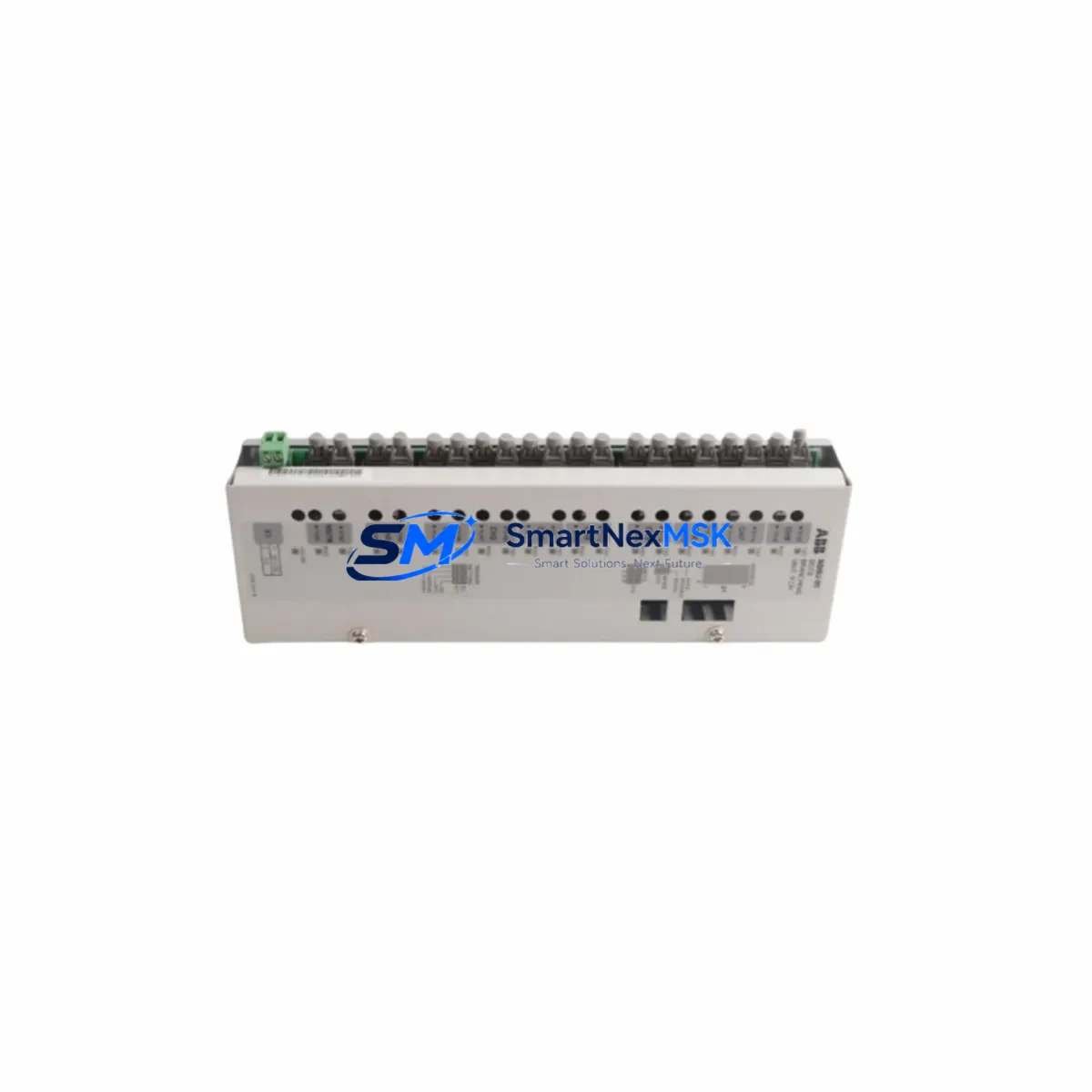
ABB DAI05 Retrofit-Ready Analog Input Module for S800 Control Systems
The ABB DAI05 is an 8-channel analog input module engineered for the ABB S800 I/O platform, widely deployed across DCS and PLC-based control architectures in process industries including oil & gas, power generation, chemical processing, and water treatment. As legacy S800 installations age and OEM support windows close, the DAI05 has become one of the most sought-after retrofit components for engineers tasked with extending the operational life of existing control systems without committing to a full platform migration.
Whether you are replacing a failed module in a running plant, building a spare-parts buffer ahead of a scheduled shutdown, or executing a phased upgrade from an older ABB Advant or MOD 300 architecture toward the ABB System 800xA environment, the DAI05 delivers the signal conditioning, resolution, and backplane compatibility required to maintain control continuity. Each unit supplied by SMARTNEXMSK undergoes pre-shipment functional verification and is backed by a 12-month warranty.
Upgrade Compatibility Table
| Parameter | Detail |
|---|---|
| Module SKU | DAI05 |
| Brand / Series | ABB / S800 I/O |
| Channel Count | 8 Analog Input Channels |
| Signal Range | 4–20 mA / 0–10 V (configurable per channel) |
| Resolution | 12-bit (standard); 15-bit with HART option |
| Backplane Interface | S800 ModuleBus — compatible with TB820, TB840, TB845 bus terminators |
| Communication Protocol | PROFIBUS DP via CI840 / CI854 communication interface modules |
| Power Supply Requirement | 24 V DC via S800 backplane; verify SA811 / SA812 power supply capacity before installation |
| Mounting / Form Factor | S800 DIN-rail module carrier; direct drop-in replacement for DAI04 in most configurations |
| Common Replacement Targets | DAI04, AI810, AI820, AI830 (with adapter consideration) |
| Compatible Controllers | AC800M (PM861, PM864, PM866), AC800F (Freelance) |
| Commissioning Tool | ABB Control Builder M / Control Builder F |
| Warranty | 12 Months from date of shipment |
| Origin | Germany (OEM manufactured) |
| Availability | In stock — ships within 3 business days |
Retrofit Planning for Existing Automation Systems
A successful DAI05 retrofit begins well before the module arrives on site. Engineers should start by auditing the existing S800 I/O station to confirm the number of occupied slots, the current load on the SA811 or SA812 24 V DC power supply module, and whether the active TB820 or TB840 bus terminator has sufficient ModuleBus addresses available. In multi-drop PROFIBUS DP topologies, the CI840 or CI854 communication interface must be checked for node address conflicts before the new DAI05 is assigned its module address in Control Builder M.
For plants migrating from older ABB Advant Controller 450 or MOD 300 architectures, the DAI05 is frequently paired with an AC800M PM864 controller as the new CPU backbone. In these scenarios, the existing field wiring — typically 4–20 mA loops from transmitters — can often be re-terminated directly onto the DAI05’s screw terminal block without rewiring the junction boxes, provided the loop power budget is recalculated. Engineers should verify that each transmitter’s loop resistance falls within the DAI05’s input impedance specification to avoid signal clipping.
When the retrofit involves a PROFIBUS DP to PROFINET migration, the DAI05 can continue to serve as the field I/O layer while a CI873 PROFINET communication interface replaces the legacy CI840, allowing the AC800M controller to communicate over Ethernet-based PROFINET without replacing any field modules. This approach dramatically reduces retrofit scope and preserves the existing S800 I/O rack and backplane investment.
For I/O expansion projects — where a production line is being extended or a new measurement point is being added — the DAI05 integrates seamlessly into an existing S800 station alongside DAO05 analog output modules, DI810 digital input modules, and DO810 digital output modules, all sharing the same ModuleBus and managed from a single Control Builder M project. HMI screens built in ABB 800xA Operations or third-party SCADA systems connected via OPC DA/UA will automatically recognize the new module’s process values once the hardware configuration is downloaded and the controller is restarted in warm-start mode.
Programming cable requirements should not be overlooked: a TK212A USB-to-serial programming cable or an Ethernet-connected engineering workstation running Control Builder M is required to perform the hardware configuration download. Ensure the engineering station’s firewall permits communication on the controller’s IP subnet before scheduling the cutover window.
Downtime Control During System Migration
Minimizing unplanned downtime is the primary concern for any brownfield retrofit. When replacing a failed DAI05 — or its predecessor DAI04 — in a live S800 station, the recommended approach is to use the AC800M controller’s hot-swap capability: the S800 ModuleBus supports module replacement without powering down the entire I/O station, provided the replacement module is of the same type and the controller is in RUN mode with the hardware configuration already downloaded.
Before pulling the failed module, document the current process values displayed on the HMI to establish a baseline for post-swap verification. After inserting the DAI05, the controller will automatically re-initialize the module and resume scanning within seconds. If the module address or channel configuration differs from the original, a partial configuration download — targeting only the affected I/O station — can be executed without interrupting other stations on the same PROFIBUS DP segment.
For planned migrations involving multiple modules, a phased replacement strategy is strongly recommended: replace one module per maintenance window, verify signal integrity and HMI display accuracy before proceeding to the next, and maintain a rollback plan by keeping the original module on the bench until the new DAI05 has completed a full 24-hour observation period under normal process conditions. This approach keeps the control system in a known-good state at every step and limits the blast radius of any unexpected compatibility issue.
All DAI05 units shipped by SMARTNEXMSK are pre-tested against ABB factory acceptance criteria and include a test report. The 12-month warranty covers manufacturing defects and early-life failures, giving your maintenance team confidence during the critical post-installation observation period.
Retrofit Support FAQ
Q1: Is the ABB DAI05 a direct drop-in replacement for the DAI04?
In most S800 I/O configurations, yes. The DAI05 occupies the same module slot, uses the same ModuleBus interface, and is compatible with the same TB820/TB840 bus terminators. The primary difference is an improved resolution specification on the DAI05. No hardware modifications to the rack or backplane are required. A hardware configuration update in Control Builder M is needed to reflect the new module type, followed by a partial download to the affected controller.
Q2: What commissioning steps are required after installing the DAI05?
After physical installation, open the Control Builder M project, update the hardware configuration to replace the old module entry with DAI05, and perform a partial download to the AC800M controller. Verify that each channel’s engineering unit scaling matches the field transmitter range. Confirm signal values on the HMI against a calibrated reference instrument. Check the PROFIBUS DP diagnostic view in Control Builder M for any module fault flags before returning the loop to automatic control.
Q3: Can the DAI05 be used with both AC800M and AC800F (Freelance) controllers?
Yes. The DAI05 is compatible with both the AC800M platform (programmed via Control Builder M) and the AC800F Freelance platform (programmed via Control Builder F). The ModuleBus interface and PROFIBUS DP communication layer are identical across both controller families. Confirm the communication interface module — CI840 for AC800M or the equivalent Freelance CI — is correctly configured for the target node address.
Q4: What does the 12-month warranty cover, and what is the return process?
The 12-month warranty covers manufacturing defects, component failures, and functional non-conformance to ABB’s published specifications for the DAI05. It does not cover damage caused by incorrect installation, overvoltage, or environmental conditions outside the module’s rated operating range. To initiate a warranty claim, contact SMARTNEXMSK at [email protected] with the order number and a description of the fault. A replacement or repair will be arranged within 5 business days of fault confirmation.
© 2026 SMARTNEXMSK. All rights reserved.
Original Source: https://smartnexmsk.com
Contact: [email protected] | +86 18259474341



