
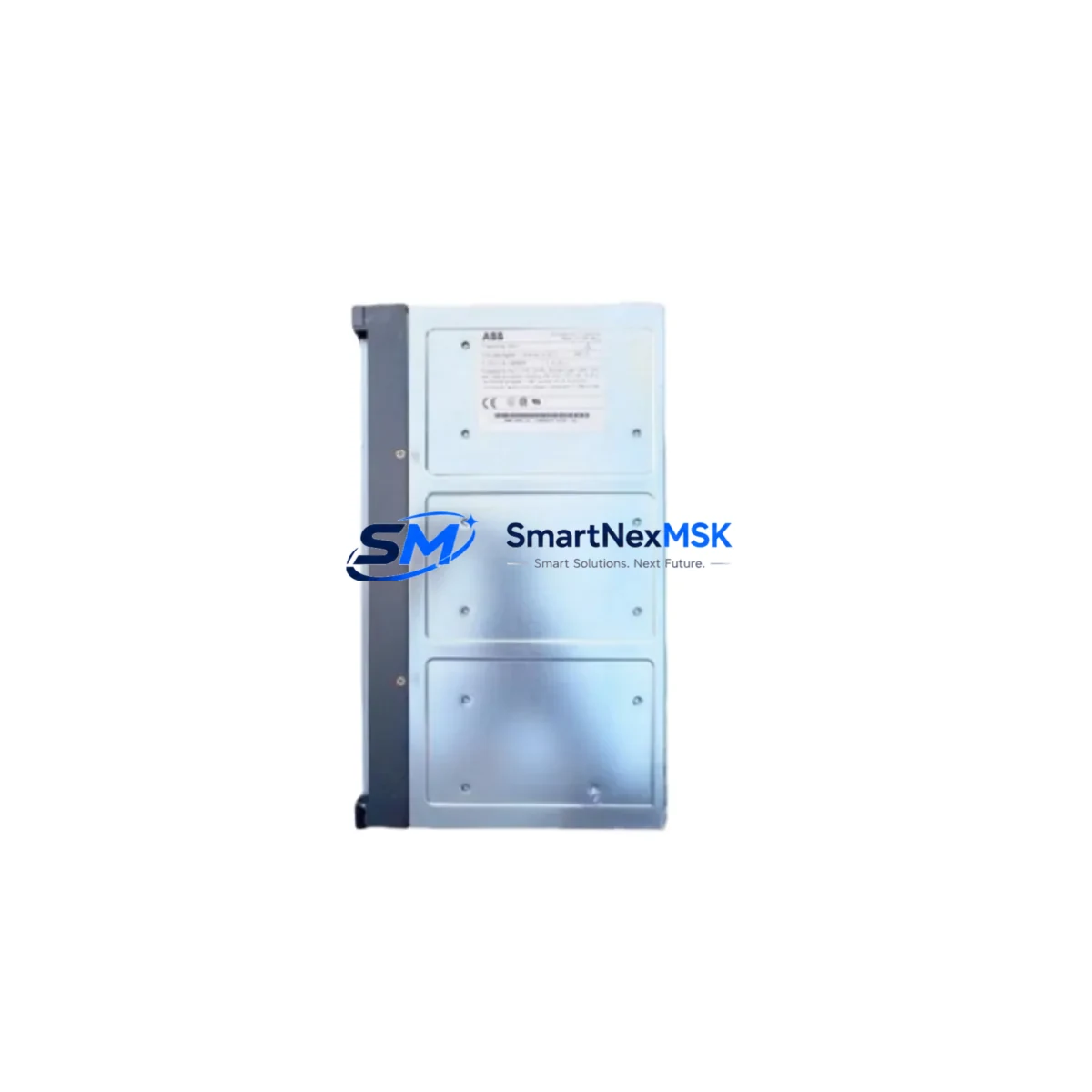
ABB DAO01 P3717-4-0369629 Maintenance-Ready Spare Advant: Spare Replacement & Industrial Downtime Risk Control
The ABB DAO01 P3717-4-0369629 is an original analog output module designed for ABB’s Advant OCS and AC DCS distributed control systems. In process industries — including oil & gas, chemical, pulp & paper, and power generation — this module serves as a critical interface between the controller and field actuators such as control valves, variable-speed drives, and positioners. When this module fails or degrades, the consequences range from process deviation to full loop shutdown, making rapid spare replacement a core maintenance priority.
Sourced as an original ABB component, the DAO01 P3717-4-0369629 is fully compatible with Advant OCS S100 I/O and AC DCS system architectures. Each unit is tested before shipment and backed by a 12-month warranty, giving maintenance engineers and procurement teams confidence in both quality and long-term supply continuity.
Spare Maintenance Table
| Parameter | Specification / Detail |
|---|---|
| Part Number | DAO01 P3717-4-0369629 |
| Brand | ABB |
| Module Type | Analog Output Module |
| Compatible System | ABB Advant OCS, AC DCS (S100 I/O) |
| Output Type | Analog (4–20 mA / 0–10 V, per channel configuration) |
| Output Channels | Typically 4 or 8 channels (per Advant S100 DAO01 standard) |
| Signal Resolution | 12-bit D/A conversion |
| Supply Voltage | 24 VDC (via S100 backplane) |
| Installation | S100 I/O rack, plug-in module, no tools required |
| Operating Temperature | 0°C to +55°C |
| Country of Origin | Germany |
| Condition | Original, new or refurbished-to-spec |
| Pre-shipment Test | Yes — functional and signal integrity test |
| Warranty | 12 Months |
| Lead Time | In stock — ships within 1–3 business days |
| Maintenance Recommendation | Inspect every 12–18 months; replace on signal drift >0.5% |
Maintenance Planning for Continuous Operation
When replacing the DAO01 P3717-4-0369629 analog output module, a thorough inspection of the surrounding control cabinet components is essential to prevent repeat failures and ensure loop integrity. Maintenance engineers should treat this replacement as an opportunity for a broader system health check.
Begin by verifying the 24 VDC power supply module feeding the S100 I/O rack — voltage ripple or under-voltage conditions are a leading cause of premature analog module failure. Check the S100 backplane bus connector for oxidation or mechanical wear, as poor backplane contact can cause intermittent signal loss that mimics module failure. Inspect the AI890 or DAI01 analog input modules in the same rack, since a failing output loop often correlates with degraded input signal quality on the same process loop.
Review the terminal block assemblies (such as ABB TB820 or equivalent field terminal units) connected to the DAO01’s output channels. Loose or corroded terminals are a frequent source of 4–20 mA signal interruption. If the system uses signal isolators or signal conditioners between the DAO01 and field devices, inspect these for drift or failure — particularly in high-EMI environments near variable-speed drives.
For systems with PROFIBUS DP or INSUM communication modules in the same cabinet, verify that the communication bus is stable after the module swap, as some Advant OCS configurations require a controller restart or I/O re-initialization. Check the CI810 or CI820 communication interface modules for firmware compatibility if the replacement DAO01 is from a different hardware revision.
Additionally, inspect any fuse holders or miniature circuit breakers protecting the analog output field circuits — a blown fuse on an output channel is often misdiagnosed as module failure. If the plant uses Yokogawa CENTUM, Siemens S7-300/400, or other third-party DCS systems in adjacent control rooms, ensure that cross-system signal references and grounding schemes are not affected by the replacement. Finally, review the operator HMI or DCS historian for any latent alarms or trend anomalies that may indicate upstream controller issues beyond the DAO01 module itself.
Site Replacement Workflow
Step 1 — Identify and isolate: Confirm the failed module slot in the S100 I/O rack using the DCS fault log or HMI alarm. Place the affected output loop in manual mode at the controller level before removing the module to prevent actuator runaway.
Step 2 — Remove and document: Note the module’s slot address, hardware revision label, and any DIP switch or jumper settings before extraction. Photograph the wiring and terminal connections for reference.
Step 3 — Verify replacement compatibility: Confirm that the replacement DAO01 P3717-4-0369629 matches the hardware revision and output configuration of the original. Check ABB’s Advant OCS hardware compatibility matrix if the system firmware has been updated since original installation.
Step 4 — Install and configure: Insert the replacement module into the correct rack slot. Reconnect field wiring per the documented terminal layout. Apply power and verify that the DCS controller recognizes the module without fault codes.
Step 5 — Test and return to auto: Perform a loop test by commanding each output channel from the DCS and verifying the corresponding field signal at the actuator. Once all channels are confirmed, return the loop to automatic control and monitor for 15–30 minutes before closing the work order.
This workflow minimizes downtime, maintains system compatibility, and ensures that the replacement module performs to the original specification — extending the operational life of legacy Advant OCS installations without requiring a full system migration.
Spare Parts Support FAQ
Q1: Is the DAO01 P3717-4-0369629 still available as a new original part, or only as refurbished?
We supply both new original and professionally refurbished-to-specification units depending on current stock. All units — regardless of condition — undergo functional testing and signal integrity verification before shipment. The 12-month warranty applies equally to both supply types.
Q2: How do I verify compatibility before ordering if my Advant OCS system has been partially upgraded?
Provide your system’s hardware revision, rack type, and controller firmware version when contacting us. Our technical team will cross-reference ABB’s Advant OCS compatibility documentation to confirm the correct DAO01 variant for your installation, preventing costly mismatches.
Q3: What is the recommended spare inventory strategy for the DAO01 module in a critical process plant?
For continuous-process facilities, we recommend maintaining a minimum of one cold-standby DAO01 per four installed units, with a review cycle aligned to your annual planned shutdown. For plants with no local ABB service presence, a two-unit buffer is advisable given typical international lead times for legacy Advant components.
Q4: What does the pre-shipment test cover, and will I receive a test report?
Each DAO01 P3717-4-0369629 is tested for power-up integrity, channel-by-channel analog output accuracy, signal linearity, and backplane communication response. A test report confirming pass status is available upon request and can be included with the shipment documentation for your maintenance records.
© 2026 SMARTNEXMSK. All rights reserved.
Original Source: https://smartnexmsk.com
Contact: [email protected] | +86 18259474341



