
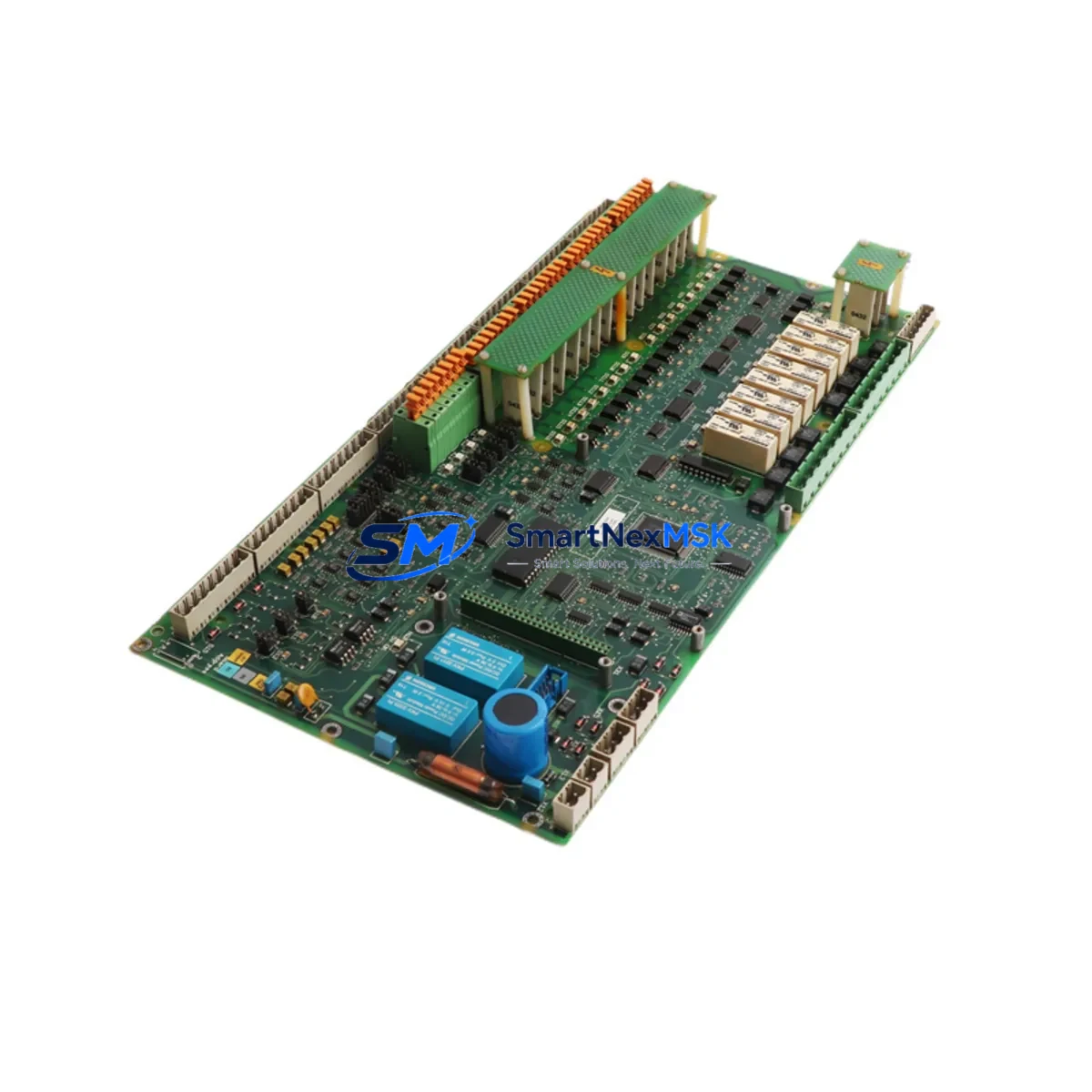
ABB DATX110 3ASC25H209 Retrofit-Ready I/O Board for ADVANT Control Systems
The ABB DATX110 (part number 3ASC25H209) is a digital I/O board engineered for the ADVANT series distributed control system platform, including the AC 450 and AC 410 controller families. As legacy ADVANT installations approach end-of-support milestones, the DATX110 3ASC25H209 has become one of the most sought-after retrofit and replacement components for engineers tasked with extending the operational life of existing control architectures or executing a phased migration to modern ABB 800xA or AC 900F platforms.
This board provides reliable digital input/output expansion within the ADVANT backplane environment. It interfaces directly with the ADVANT Modulebus, maintaining full compatibility with the existing rack and power distribution infrastructure. When replacing a failed or end-of-life DATX110, engineers must verify the backplane slot assignment, confirm the module address configuration via hardware DIP switches, and ensure the AMPL (ADVANT Master Programming Language) application program references the correct I/O channel mapping before hot-insertion or cold-restart commissioning.
Upgrade Compatibility Table
| Parameter | Details |
|---|---|
| Compatible Platform | ABB ADVANT AC 450, AC 410, AC 460 |
| Part Number | DATX110 / 3ASC25H209 |
| Module Type | Digital I/O Board |
| Backplane Interface | ADVANT Modulebus (parallel backplane) |
| Installation Requirement | Standard ADVANT rack; verify slot address via DIP switch |
| Communication Compatibility | ADVANT Modulebus; compatible with MasterBus 300 topology |
| Replacement Recommendation | Direct drop-in for failed DATX110 units; confirm firmware revision match |
| Commissioning Focus | DIP switch address, AMPL channel mapping, terminal wiring verification |
| Power Supply Requirement | 24 VDC via ADVANT rack power bus; verify DSPU110 or DSPU130 capacity |
| Warranty | 12-Month Warranty — functional test included before shipment |
Retrofit Planning for Existing Automation Systems
A successful DATX110 3ASC25H209 retrofit begins well before the replacement unit arrives on site. The first step is a full audit of the existing ADVANT rack configuration. Engineers should document the current slot layout, noting the positions of adjacent modules such as the DSAI130 analog input board, DSDO110 digital output module, and any DSDP140 pulse input cards sharing the same rack. The DSPU110 or DSPU130 power supply unit feeding the rack must be load-checked to confirm it can sustain the DATX110’s current draw alongside all co-installed modules without triggering an overcurrent fault.
Terminal wiring is a critical checkpoint. The DATX110 uses a standard ADVANT front-connector terminal block. Before disconnecting the existing board, photograph or document all field wiring connections. Each digital input and output channel should be traced back to the field device — whether a proximity sensor, solenoid valve, motor contactor, or safety interlock — and verified against the as-built wiring diagram. Any discrepancy between the physical wiring and the AMPL program’s I/O channel assignment must be resolved before the new board is powered.
For sites running MasterBus 300 or PROFIBUS DP communication segments, the DATX110’s role in the communication chain must be mapped. If the board participates in a distributed I/O node managed by a DSBC172 or DSBC176 communication interface module, the node address and baud rate settings must be preserved exactly. Changing these parameters without updating the corresponding AMPL configuration blocks will result in communication loss and process alarms.
Sites planning a longer-term migration from ADVANT to ABB 800xA should treat the DATX110 replacement as an interim measure. During this window, it is advisable to also audit the DSMB175 Modulebus modem, the DSCS140 communication supervisor, and any NTAI09 or NTAI30 analog termination units connected to the I/O chain. Identifying these components early allows the migration team to plan I/O marshalling changes, update the 800xA hardware library, and prepare the new AC 800M controller’s I/O module assignments before the cutover window.
HMI screens linked to the DATX110’s I/O channels — whether running on ABB Operate IT, an older UNIX-based OperateIT station, or a third-party SCADA system via OPC — should be reviewed to confirm that tag names and channel references remain consistent after the board swap. A mismatch between the HMI tag database and the AMPL program’s I/O list is a common source of post-replacement alarms that can extend commissioning time significantly.
Downtime Control During System Migration
Minimizing process downtime during a DATX110 replacement requires a structured pre-outage preparation protocol. Before the planned maintenance window, the AMPL application program should be backed up from the AC 450 or AC 410 controller using the ADVANT Builder or MasterView 800 engineering tool. This backup preserves all function block configurations, I/O assignments, and communication parameters, providing a recovery baseline if the replacement introduces unexpected behavior.
Where process conditions allow, individual I/O channels connected to the DATX110 should be placed in manual or forced mode within the AMPL program prior to board removal. This prevents spurious output signals from reaching field devices during the swap interval and protects downstream equipment — including motor drives, control valves, and safety relay circuits — from unintended actuation.
The physical board swap itself is typically completed within 15 to 30 minutes for a trained technician familiar with the ADVANT rack system. After insertion, the DATX110 requires a module initialization cycle. The AC 450 controller will perform an automatic module recognition scan on the Modulebus; engineers should monitor the controller’s diagnostic display or the MasterView 800 station for module OK status before releasing I/O channels from forced mode.
Post-replacement functional testing should cover every I/O channel on the DATX110 — both inputs and outputs — using a structured loop check procedure. Each digital input should be stimulated from the field device and verified at the AMPL program level. Each digital output should be commanded from the program and confirmed at the terminal block with a multimeter or signal tracer. This end-to-end verification, combined with a 30-minute monitored run at normal process load, provides confidence that the replacement board is performing correctly before the maintenance window is closed.
All DATX110 3ASC25H209 units supplied by SMARTNEXMSK are functionally tested prior to shipment. In-stock units are available for same-day or next-business-day dispatch, supporting urgent breakdown recovery scenarios where extended downtime is not acceptable. A 12-month warranty covers all supplied units against functional defects under normal operating conditions.
Retrofit Support FAQ
Q1: Is the DATX110 3ASC25H209 a direct drop-in replacement for my existing DATX110 unit?
Yes. The DATX110 3ASC25H209 is a direct form-fit-function replacement for all DATX110 variants used in ADVANT AC 450, AC 410, and AC 460 systems. Verify the firmware revision label on the existing board and confirm it matches the supplied unit. In most cases, the replacement is transparent to the AMPL application program, requiring no software changes. If the existing board carries a different hardware revision suffix, contact our technical team before installation.
Q2: What wiring checks are required before installing the replacement board?
Before removing the failed DATX110, document all terminal block wiring using the as-built drawings or a field photograph. Verify that field-side signal voltages are within the DATX110’s rated input range (typically 24 VDC for digital inputs). Check that output load currents do not exceed the board’s per-channel rating. Reconnect all field wiring to the new board’s front connector in the same terminal positions, then perform a continuity check before powering the rack.
Q3: How do I verify communication compatibility after the board swap?
After the DATX110 is installed and the rack is powered, monitor the Modulebus status from the AC 450 or AC 410 controller diagnostic interface. The controller should recognize the new module within one scan cycle. If the board participates in a MasterBus 300 or PROFIBUS DP node, verify that the node address DIP switch settings on the DATX110 match the original configuration. Check the AMPL program’s I/O status display for any channel fault or communication error flags before releasing the system to automatic control.
Q4: What does the 12-month warranty cover, and what pre-shipment testing is performed?
Every DATX110 3ASC25H209 unit is functionally tested on an ADVANT-compatible test bench before shipment. The 12-month warranty covers all manufacturing defects and functional failures under normal operating conditions, including correct installation per ABB’s published guidelines. The warranty does not cover damage resulting from incorrect installation, overvoltage, or physical mishandling. Warranty claims are processed with a target response time of 2 business days, and replacement units are dispatched from stock to minimize your system downtime.
© 2026 SMARTNEXMSK. All rights reserved.
Original Source: https://smartnexmsk.com
Contact: [email protected] | +86 18259474341



