
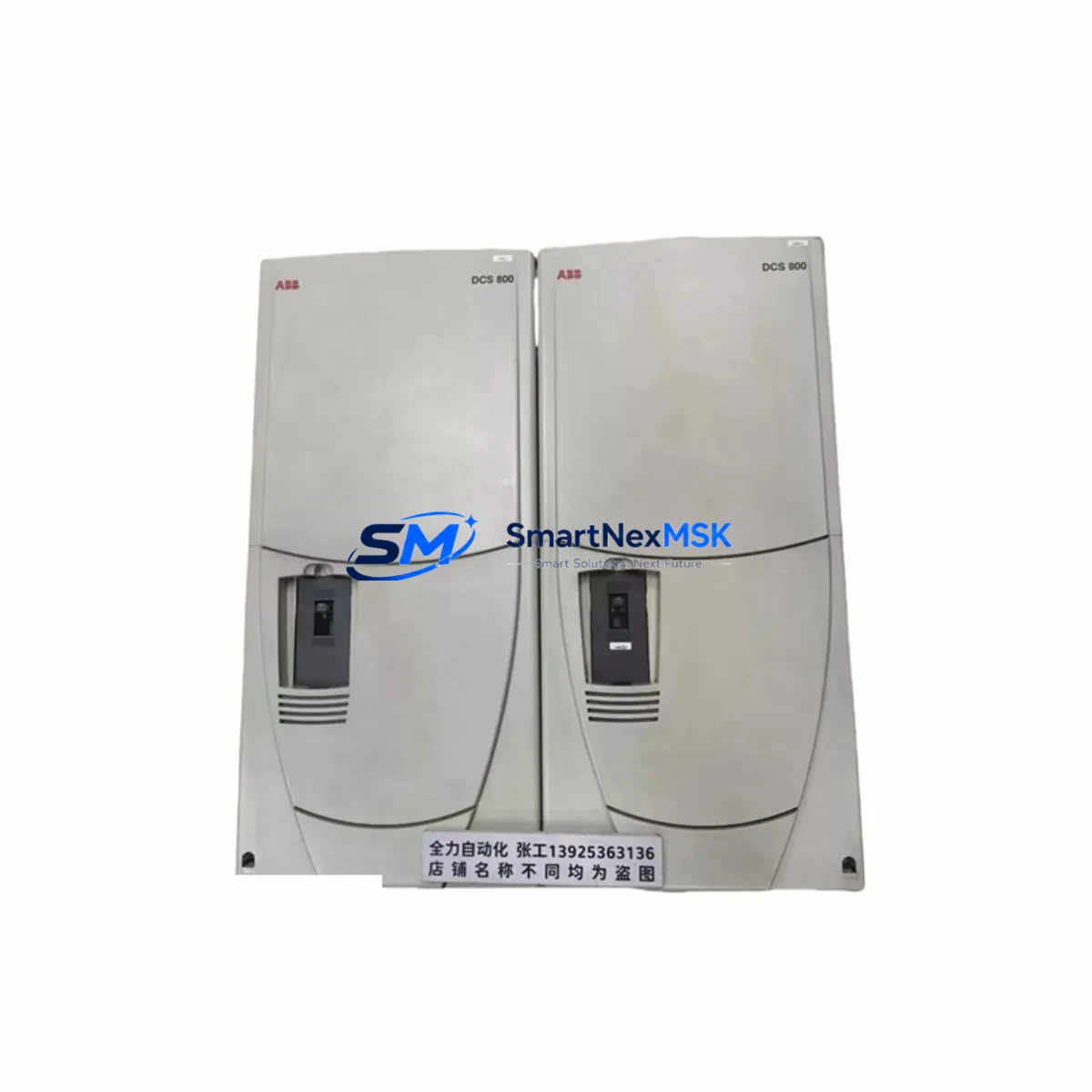
ABB DCS800-S01-0900-05 Retrofit-Ready DC Drive for DCS800 Series Control Systems
The ABB DCS800-S01-0900-05 is a high-performance, retrofit-ready DC drive engineered for seamless integration into existing DCS800 series control architectures. Rated at 900 A, this unit is purpose-built to replace discontinued or end-of-life DC drive modules in legacy industrial automation systems — including older DCS500 and DCS400 series installations that are being migrated to the current DCS800 platform. Whether you are upgrading a paper mill drive line, a steel rolling mill, or a crane hoist control cabinet, the DCS800-S01-0900-05 delivers the power density, communication flexibility, and field-proven reliability that industrial engineers demand.
SMARTNEXMSK maintains verified stock of the DCS800-S01-0900-05 with full pre-shipment functional testing, ensuring every unit leaves our facility in confirmed working condition. Each drive is covered by a 12-month warranty from the date of delivery, with technical support available throughout the commissioning process.
Upgrade Compatibility Table
| Parameter | DCS800-S01-0900-05 (This Unit) | Typical Legacy Reference |
|---|---|---|
| Rated Current | 900 A | DCS500B / DCS400 equivalent ratings |
| Supply Voltage | 3-phase 400–500 V AC | Verify existing cabinet supply before installation |
| Mounting / Form Factor | Wall-mount / cabinet-mount, standard DCS800 footprint | Confirm backplane clearance and ventilation spacing |
| Communication Interfaces | SDCS-COM-8 fieldbus adapter slot (PROFIBUS, DeviceNet, Modbus, PROFINET via adapter) | Map existing fieldbus node addresses before swap |
| Terminal Wiring | Compatible with DCS800 series terminal layout | Verify armature, field, and feedback wiring against existing drawings |
| Encoder / Feedback | SDCS-IOB-3 or SDCS-IOB-4 I/O board compatible | Confirm tachometer or encoder signal type (HTL/TTL) |
| Programming / Parameters | DriveWindow Light / DCS800 parameter set | Back up existing parameter file before replacement |
| HMI Compatibility | CDP312R panel or DCS800 keypad | Verify HMI communication cable and protocol version |
| Replacement Recommendation | Direct retrofit for DCS800 series; migration path from DCS500B with wiring adaptation | Consult SMARTNEXMSK for cross-reference confirmation |
| Warranty | 12 Months from delivery date — covers manufacturing defects and functional failures | |
Retrofit Planning for Existing Automation Systems
Successful retrofit of the DCS800-S01-0900-05 into an existing control system requires a structured pre-installation review. Engineers should begin by auditing the existing control cabinet layout, confirming available backplane slots, and verifying that the power supply module — typically an SDCS-POW-4 or equivalent — can sustain the additional load introduced by the 900 A drive. In many legacy installations, the original power supply was sized for a smaller drive, and an upgrade to the SDCS-POW-4 may be required in parallel with the drive replacement.
Terminal wiring is a critical checkpoint. The DCS800-S01-0900-05 uses the standard DCS800 terminal block layout, but when migrating from a DCS500B or an older third-party DC drive, armature circuit wiring, field excitation connections, and speed feedback cabling must all be re-verified against the new terminal designations. The SDCS-IOB-3 analog I/O board and SDCS-IOB-4 digital I/O board are commonly installed alongside the main drive to handle process interlocks, speed references, and fault relay outputs — confirm that these boards are present and correctly addressed before powering up.
For systems using PROFIBUS DP as the primary fieldbus, the SDCS-COM-8 communication adapter must be installed and the node address configured to match the existing PLC station list. In Siemens S7-300 or S7-400 environments, the GSD file for the DCS800 must be imported into STEP 7 or TIA Portal before the drive can be recognized on the network. In Allen-Bradley ControlLogix or CompactLogix environments using DeviceNet, the EDS file must be registered and the drive’s MAC ID set to match the original node. Where legacy systems use Modbus RTU over RS-485, the baud rate, parity, and station address parameters must be matched exactly to avoid communication faults at startup.
HMI screens connected to the original drive — whether running on a Siemens TP700, an ABB CP600 panel, or a third-party SCADA system — will need to have their drive parameter tag mappings reviewed. The DCS800 parameter numbering differs from older DCS500 conventions, so any HMI screen that reads speed feedback, current output, or fault codes directly from drive registers will require remapping. The CDP312R operator panel can be used for local parameter access and fault diagnostics during commissioning, reducing dependence on a laptop connection in the field.
Where the existing system includes a DDCS fiber-optic communication link to a master drive or a multi-drive coordination system, the SDCS-COM-8 adapter’s DDCS channel must be configured and the drive’s node number assigned within the master drive’s follower list. This is particularly relevant in winder, unwinder, and sectional drive applications where speed ratio and torque coordination are managed over the DDCS ring.
Downtime Control During System Migration
Minimizing production downtime during a DC drive replacement is a primary concern for plant engineers. SMARTNEXMSK recommends a pre-staged swap approach: the DCS800-S01-0900-05 is pre-configured on the bench using DriveWindow Light before it reaches the site. The existing drive’s parameter file is exported via the CDP312R panel or DriveWindow and loaded into the replacement unit, with only site-specific values — motor nameplate data, speed reference scaling, and fieldbus node address — adjusted for the new installation.
Before the planned shutdown window, all existing wiring terminations should be photographed and labeled. The armature circuit, field circuit, thermistor input, and encoder feedback cables should be tagged at both ends. During the swap, the original SDCS-IOB-3 and SDCS-IOB-4 boards can often be transferred directly to the new drive chassis, preserving the existing I/O wiring and reducing reconnection time. If the communication adapter — such as the SDCS-COM-8 with a PROFIBUS module — is also being reused, its configuration is already embedded and does not need to be re-entered.
After physical installation, a controlled motor no-load test should be performed before reconnecting the mechanical load. Speed feedback direction, field current level, and armature current limit should all be verified at low speed before ramping to full operating speed. This staged commissioning approach typically allows a complete drive swap to be completed within a single 8-hour maintenance window, even for complex multi-drive systems.
SMARTNEXMSK provides pre-shipment functional testing on all DCS800-S01-0900-05 units, with a test report available on request. Units are shipped with protective packaging suitable for air or sea freight, and expedited delivery is available for urgent breakdown situations. Our 12-month warranty covers all manufacturing defects and functional failures, with advance replacement available for qualified accounts.
Retrofit Support FAQ
Q: Is the DCS800-S01-0900-05 a direct drop-in replacement for the DCS500B-0900?
A: The DCS800-S01-0900-05 is functionally equivalent in current rating and application scope, but it is not a mechanical drop-in for DCS500B installations. The mounting footprint, terminal layout, and parameter structure differ between the two series. A wiring adaptation and parameter re-entry are required. SMARTNEXMSK can provide a cross-reference checklist to guide the migration process.
Q: Can I reuse my existing PROFIBUS wiring and node address when replacing the drive?
A: Yes, provided the SDCS-COM-8 PROFIBUS adapter is installed in the DCS800-S01-0900-05 and the node address is set to match the original drive’s station number. The GSD file for the DCS800 must be present in the PLC engineering tool. If the original drive used a different fieldbus adapter or protocol, a communication module change may be required.
Q: What pre-shipment testing is performed on each unit?
A: Every DCS800-S01-0900-05 shipped by SMARTNEXMSK undergoes a functional power-on test verifying gate firing, control board communication, and fault-free startup. A test report is available upon request. All units are covered by a 12-month warranty from the delivery date.
Q: How long does commissioning typically take for a like-for-like DCS800 replacement?
A: For a direct DCS800-to-DCS800 replacement where the parameter file is available and wiring is unchanged, commissioning can typically be completed within 2–4 hours. For migrations from DCS500B or third-party drives, allow a full 8-hour shift for wiring verification, parameter entry, and no-load motor testing before returning the system to production.
© 2026 SMARTNEXMSK. All rights reserved.
Original Source: https://smartnexmsk.com
Contact: [email protected] | +86 18259474341



