
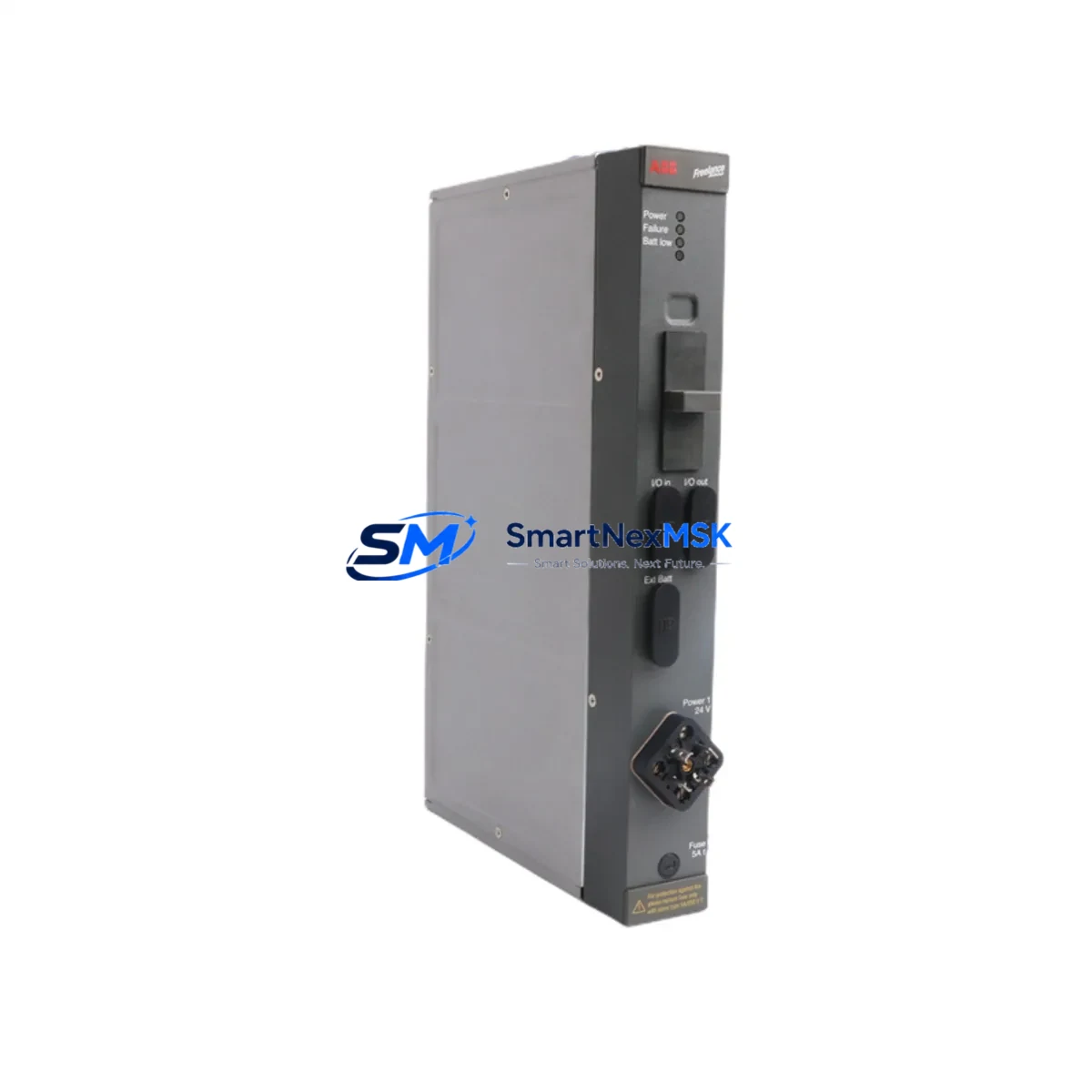
ABB DLM01 P37421-4-0369652 Maintenance-Ready Spare for AC500 Automation
The ABB DLM01 P37421-4-0369652 is a Link Module designed for the ABB AC500 PLC platform — one of the most widely deployed programmable logic controller families in industrial automation, process control, and infrastructure applications worldwide. As a critical communication and linking component within the AC500 rack architecture, the DLM01 serves as the backbone for inter-module data exchange, enabling reliable coordination between CPU modules, I/O expansion modules, and fieldbus communication interfaces. For maintenance engineers and procurement teams managing aging AC500 installations, maintaining a verified spare of the DLM01 P37421-4-0369652 is a fundamental element of any responsible spare parts strategy.
In industrial environments where continuous operation is non-negotiable — including water treatment facilities, power distribution substations, manufacturing lines, and building automation systems — an unplanned failure of the DLM01 link module can cascade into full system shutdown. Unlike peripheral I/O failures that may be isolated, a link module fault disrupts the internal communication bus, rendering connected modules unresponsive and halting program execution. Procurement engineers sourcing replacement units must confirm that the replacement carries the exact part reference P37421-4-0369652 to ensure full backward compatibility with existing AC500 backplane configurations and firmware revisions.
Every unit supplied by SMARTNEXMSK undergoes pre-shipment functional testing, visual inspection, and packaging verification. Stock is maintained to support both planned maintenance cycles and emergency breakdown orders, with global dispatch capability and a 12-month warranty covering all supplied components.
Spare Maintenance Table
| Parameter | Specification / Detail |
|---|---|
| Part Number | DLM01 / P37421-4-0369652 |
| Brand | ABB |
| Series | AC500 |
| Module Type | PLC Link Module |
| Origin | Germany |
| Weight | 1,600 g |
| Compatible Platform | ABB AC500 PLC Series (PM5xx, PM5xx-ETH, PM5xx-2ETH) |
| Installation | DIN rail / AC500 backplane slot mounting |
| Communication Role | Internal link bus coordination between CPU and I/O modules |
| Replacement Compatibility | Direct drop-in for existing DLM01 P37421-4-0369652 installations |
| Pre-Shipment Testing | Functional test, visual inspection, packaging check |
| Warranty | 12 Months |
| Availability | In stock — ready for immediate dispatch |
Maintenance Planning for Continuous Operation
When scheduling planned maintenance or responding to an unplanned breakdown involving the DLM01 P37421-4-0369652, maintenance engineers should treat the replacement as an opportunity to audit the broader AC500 control cabinet. The DLM01 operates in close dependency with the AC500 CPU module — typically a PM554, PM564, or PM583 variant — and any degradation in the CPU’s internal bus interface can accelerate link module wear. Before installing the replacement DLM01, engineers should verify the CPU module’s firmware version and confirm it remains within the supported compatibility range for the P37421-4-0369652 hardware revision.
The AC500 backplane or rack assembly itself should be inspected for oxidized connector pins, mechanical stress fractures, or contamination that could cause intermittent link faults after the new module is seated. I/O expansion modules such as the DC532 digital input module and DA501 analog output module, which rely on the link bus coordinated by the DLM01, should be individually verified for correct addressing and signal integrity following any link module replacement. If the system includes a TB511-ETH or TB521-ETH terminal base, the connection between the terminal base and the DLM01 should be checked for proper seating and contact resistance.
Communication modules installed in the same rack — such as a CM572-DP PROFIBUS DP master module or a CM589-PNIO PROFINET I/O module — should be tested for network re-registration after the DLM01 is replaced, as the link module replacement may trigger a bus re-initialization sequence. Signal isolators and surge protection devices installed on analog input channels should also be inspected during the same maintenance window, as transient events that damage link modules often affect adjacent signal conditioning components.
For control cabinets with integrated HMI panels — such as ABB CP600 series operator panels — engineers should verify that the HMI communication link to the AC500 CPU is re-established after the DLM01 replacement and that all process visualization screens are displaying live data correctly. Power supply modules feeding the AC500 rack, such as the PS501 or PS560 series, should be load-tested to confirm that output voltage remains within specification under the full module complement, as an undersized or aging power supply can cause intermittent link module resets that are frequently misdiagnosed as module failures.
Fuse holders and terminal blocks within the control cabinet should be inspected for signs of thermal stress or loose connections, particularly on 24 VDC supply rails feeding the AC500 rack. Maintaining a documented spare parts list that includes the DLM01 P37421-4-0369652 alongside the CPU module, at least one I/O expansion module, and the rack power supply ensures that the most common single-point failure scenarios can be resolved within a single maintenance shift.
Site Replacement Workflow
Replacing the DLM01 P37421-4-0369652 on an active AC500 system requires a structured approach to minimize downtime and protect program integrity. The recommended workflow begins with a full backup of the AC500 CPU program using ABB Automation Builder or the legacy Control Builder Plus software, saved to a secure offline location before any hardware is disturbed. The backup should include the complete project file, hardware configuration, and any fieldbus network configurations stored in the CPU.
Once the backup is confirmed, the AC500 rack should be powered down in a controlled sequence — first disabling field outputs, then halting the CPU, and finally removing rack power. The DLM01 module should be extracted by releasing the module locking mechanism and pulling the module straight out of the backplane slot. The replacement DLM01 P37421-4-0369652 should be inspected for shipping damage before insertion, then seated firmly into the same backplane slot until the locking mechanism engages.
After power restoration, the CPU should be allowed to complete its self-diagnostic boot sequence before any program download or run command is issued. Engineers should monitor the DLM01 status LEDs during startup to confirm that the link bus is established and all connected I/O modules are recognized. If any I/O module fails to register, the module address configuration should be verified against the original hardware configuration backup. Once all modules are online and the program is confirmed running, a functional test of all critical I/O channels should be performed before returning the system to production.
For systems where a cold restart is not acceptable, SMARTNEXMSK can advise on hot-swap compatibility based on the specific AC500 firmware version and rack configuration. Contact our technical team before attempting any live module replacement on safety-critical systems.
Spare Parts Support FAQ
Q1: Is the DLM01 P37421-4-0369652 a direct replacement for all AC500 rack configurations?
The DLM01 P37421-4-0369652 is compatible with the standard AC500 rack and backplane architecture. Compatibility should be confirmed against the specific CPU module variant and firmware version installed in your system. SMARTNEXMSK provides pre-sales technical confirmation upon request — contact [email protected] with your existing hardware configuration details.
Q2: What testing is performed before shipment?
Every DLM01 P37421-4-0369652 unit undergoes functional testing, visual inspection for physical damage, and packaging verification before dispatch. A test report is available upon request. All units are covered by a 12-month warranty from the date of shipment.
Q3: How should I manage long-term spare parts inventory for AC500 systems?
For AC500 installations with more than five years of operational history, we recommend maintaining at least one DLM01 link module, one CPU module of the installed variant, and one rack power supply as on-site cold spares. For critical production lines, a second complete rack assembly may be justified. SMARTNEXMSK supports long-term supply agreements to ensure continued availability of obsolete and hard-to-source AC500 components.
Q4: What is the warranty coverage and what does it include?
All units supplied by SMARTNEXMSK carry a 12-month warranty covering manufacturing defects and functional failures under normal operating conditions. The warranty does not cover damage caused by incorrect installation, overvoltage events, or physical mishandling. Warranty claims are processed within 5 business days of receipt of the returned unit, with replacement or refund options available.
© 2026 SMARTNEXMSK. All rights reserved.
Original Source: https://smartnexmsk.com
Contact: [email protected] | +86 18259474341



