
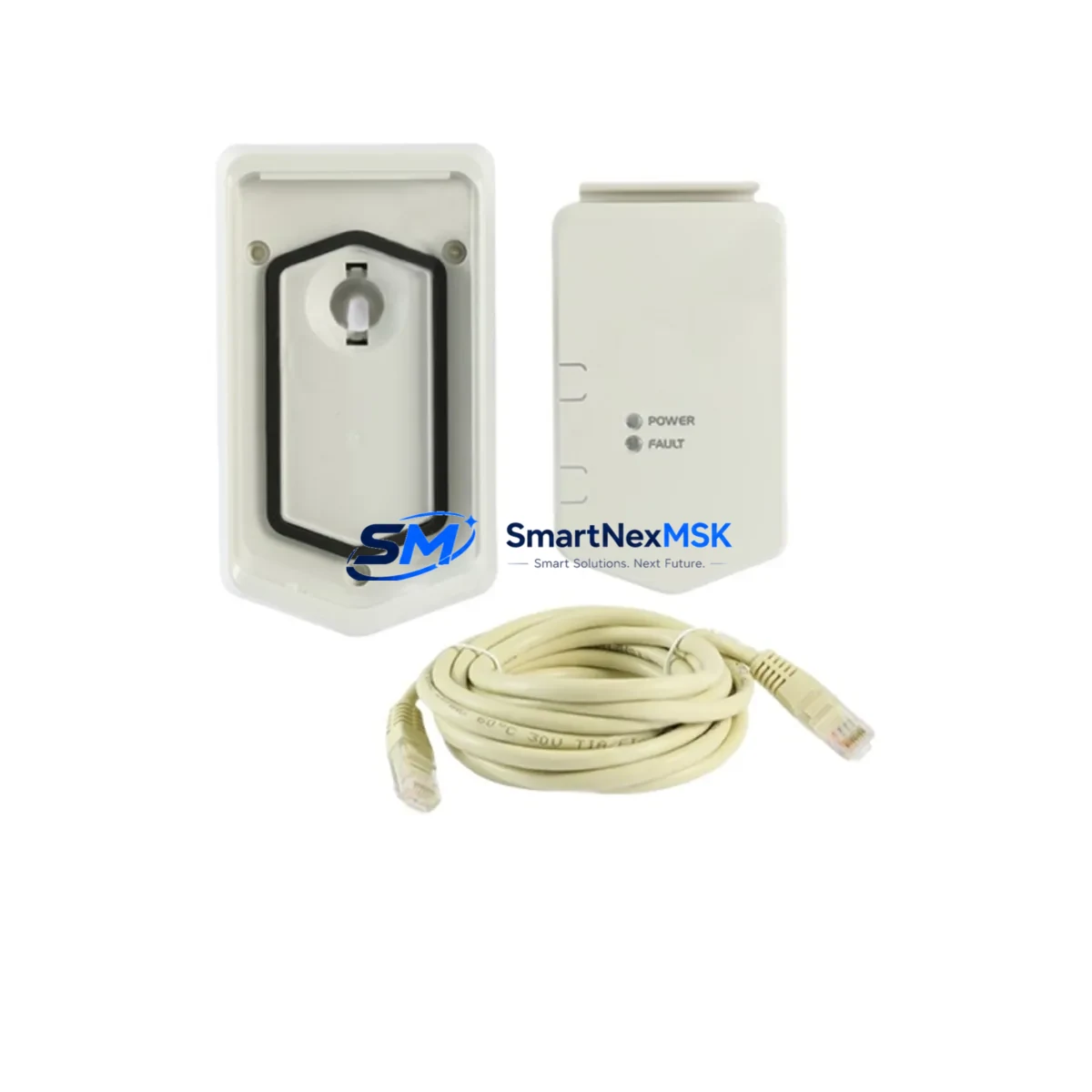
ABB DPMP-06 3AXD50000371082 Retrofit-Ready Panel Mount for ACS880 Control Systems
The ABB DPMP-06 (part number 3AXD50000371082) is a control panel mounting platform engineered for the ACS880 industrial drive series. Designed to support smooth integration of the ACS-AP-I or ACS-AP-W assistant control panels, this mounting bracket enables field engineers and system integrators to retrofit aging drive enclosures, upgrade control cabinet layouts, and restore panel accessibility without requiring full drive replacement. Whether you are modernizing a legacy ACS800 installation or expanding an existing ACS880 multi-drive cabinet, the DPMP-06 provides a mechanically compatible, drop-in solution that reduces engineering time and minimizes production downtime.
Upgrade Compatibility Table
| Parameter | Details |
|---|---|
| Part Number | 3AXD50000371082 / DPMP-06 |
| Compatible Drive Series | ABB ACS880 (single drive & multi-drive cabinet) |
| Compatible Control Panels | ACS-AP-I, ACS-AP-W assistant control panels |
| Mounting Interface | Standard ACS880 door/panel cutout; no additional drilling required for OEM enclosures |
| Communication Compatibility | Panel bus (DDCS/CDP protocol) via ACS880 control unit ZCON or RCON board |
| Replacement Recommendation | Direct replacement for damaged or missing OEM panel mounts; compatible with ACS800 retrofit enclosures with adapter bracket |
| Commissioning Notes | Verify panel cable routing (DPMP-06 includes cable guide); confirm panel address parameter 49.01 in ACS880 firmware |
| Warranty | 12-Month Warranty — covers manufacturing defects and functional failure under normal operating conditions |
Retrofit Planning for Existing Automation Systems
When planning a retrofit around the DPMP-06, the broader control architecture must be assessed systematically. In a typical ACS880 cabinet installation, the control panel communicates with the drive’s ZCON control unit board via a dedicated panel bus cable. Before installing the DPMP-06, engineers should verify that the existing ACS-AP-I or ACS-AP-W panel is undamaged and that the panel cable (part type DPMP panel cable, typically 3 metres) is routed without sharp bends or pinch points.
In multi-drive cabinet configurations, the ACS880 multi-drive architecture often includes a D2D (drive-to-drive) communication link managed through the RCON board. If the retrofit involves migrating from an older ACS800 system, the legacy NDPA-02 panel adapter and CDP-312R control panel will need to be replaced with ACS880-compatible equivalents. The DPMP-06 mounting platform is the first physical step in this panel migration path.
Power supply integrity is critical during any retrofit. The ACS880 ZPOW power supply module or the APOW auxiliary power supply board must be confirmed operational before panel commissioning. A failed ZPOW can prevent the control panel from powering on even when the DPMP-06 and panel cable are correctly installed. Similarly, the ZINT inverter interface board and ZCON control unit should be inspected for firmware version compatibility with the ACS-AP-I panel software.
For I/O-intensive applications, the retrofit plan should account for any AIMA-01 I/O extension modules or FDIO-01 digital I/O extension modules installed in the drive’s option slot. These modules communicate via the drive’s internal bus and do not interact directly with the DPMP-06, but their parameter mappings must be verified in Drive Composer or DriveWindow after panel replacement to ensure HMI screen displays remain accurate.
If the system includes a fieldbus adapter — such as the FENA-21 Ethernet adapter for PROFINET or EtherNet/IP, or the FPBA-01 PROFIBUS-DP adapter — the communication node address and baud rate settings stored in the ACS880 parameter group 51 must be re-confirmed after any control unit intervention. The DPMP-06 installation itself does not affect fieldbus parameters, but a full power cycle during installation provides an opportunity to audit these settings.
For cabinet-level wiring, the DPMP-06 mounts to the enclosure door and connects to the drive via the panel bus cable. Ensure the cable is not routed near high-voltage conductors or the drive’s output terminals to avoid EMI interference on the panel display. ABB recommends using the original cable management clips supplied with the ACS880 cabinet kit.
All replacement parts supplied by SMARTNEXMSK are tested prior to shipment, covered by a 12-month warranty, and sourced from verified industrial supply channels. Stock availability is maintained for fast dispatch to minimize unplanned downtime.
Downtime Control During System Migration
Minimizing production downtime during a panel mount retrofit requires careful pre-staging. Before taking the drive offline, use Drive Composer Pro or DriveWindow Light to perform a full parameter backup of the ACS880 drive. Save the backup file to a laptop or USB drive so that if the control unit loses its parameter set during the power cycle, restoration takes minutes rather than hours.
The DPMP-06 installation itself is a mechanical operation — no firmware changes are required. However, if the ACS-AP-I panel is being replaced simultaneously, the new panel must be addressed correctly via parameter 49.01 (Panel Communication Port) before the drive is returned to AUTO mode. Failure to set this parameter correctly will result in a PANEL LOSS fault on startup.
For systems where continuous process control is critical, consider using the ACS880’s fieldbus control mode (via FENA-21 or FPBA-01) to maintain remote start/stop and speed reference during the panel swap window. This allows the drive to remain in REM (remote) control mode while the local panel is temporarily disconnected, preserving process continuity. Coordinate with the PLC or DCS operator — whether running on a Siemens S7-300, Allen-Bradley ControlLogix, or Schneider Modicon M340 platform — to confirm that the remote control handshake remains active throughout the maintenance window.
After reinstalling the DPMP-06 and reconnecting the panel cable, perform a panel communication test by navigating to the ACS880 diagnostics menu. Confirm that the panel displays live motor speed, current, and fault history before returning the drive to service. Document the retrofit with photos of the final cable routing and a printed parameter report for the site maintenance file.
Retrofit Support FAQ
Q1: Is the DPMP-06 (3AXD50000371082) a direct replacement for the original ABB ACS880 panel mount?
Yes. The DPMP-06 is the OEM-specified panel mounting platform for ACS880 drives and is a direct drop-in replacement for units that are damaged, missing, or worn. No enclosure modification is required for standard ACS880 cabinet doors.
Q2: Can the DPMP-06 be used with the older ACS800 series drives?
The DPMP-06 is designed for the ACS880 series. For ACS800 installations, the legacy NDPA-02 panel adapter and CDP-312R panel are the appropriate components. However, when retrofitting an ACS800 enclosure to accept ACS880 hardware, the DPMP-06 can be used with a custom adapter bracket — consult your mechanical drawings before ordering.
Q3: What commissioning checks are required after installing the DPMP-06?
After mechanical installation, verify: (1) panel cable is fully seated at both the DPMP-06 connector and the drive’s panel port; (2) parameter 49.01 is set to the correct panel port; (3) the ACS-AP-I or ACS-AP-W panel powers on and displays the drive status screen. Run a test start in LOCAL mode before returning to AUTO/REMOTE.
Q4: What does the 12-month warranty cover?
The 12-month warranty covers manufacturing defects and functional failure under normal operating and storage conditions. Each unit is tested before shipment. Warranty claims are processed via [email protected] with proof of purchase and a fault description. Replacement or refund is arranged within the warranty period.
© 2026 SMARTNEXMSK. All rights reserved.
Original Source: https://smartnexmsk.com
Contact: [email protected] | +86 18259474341



