
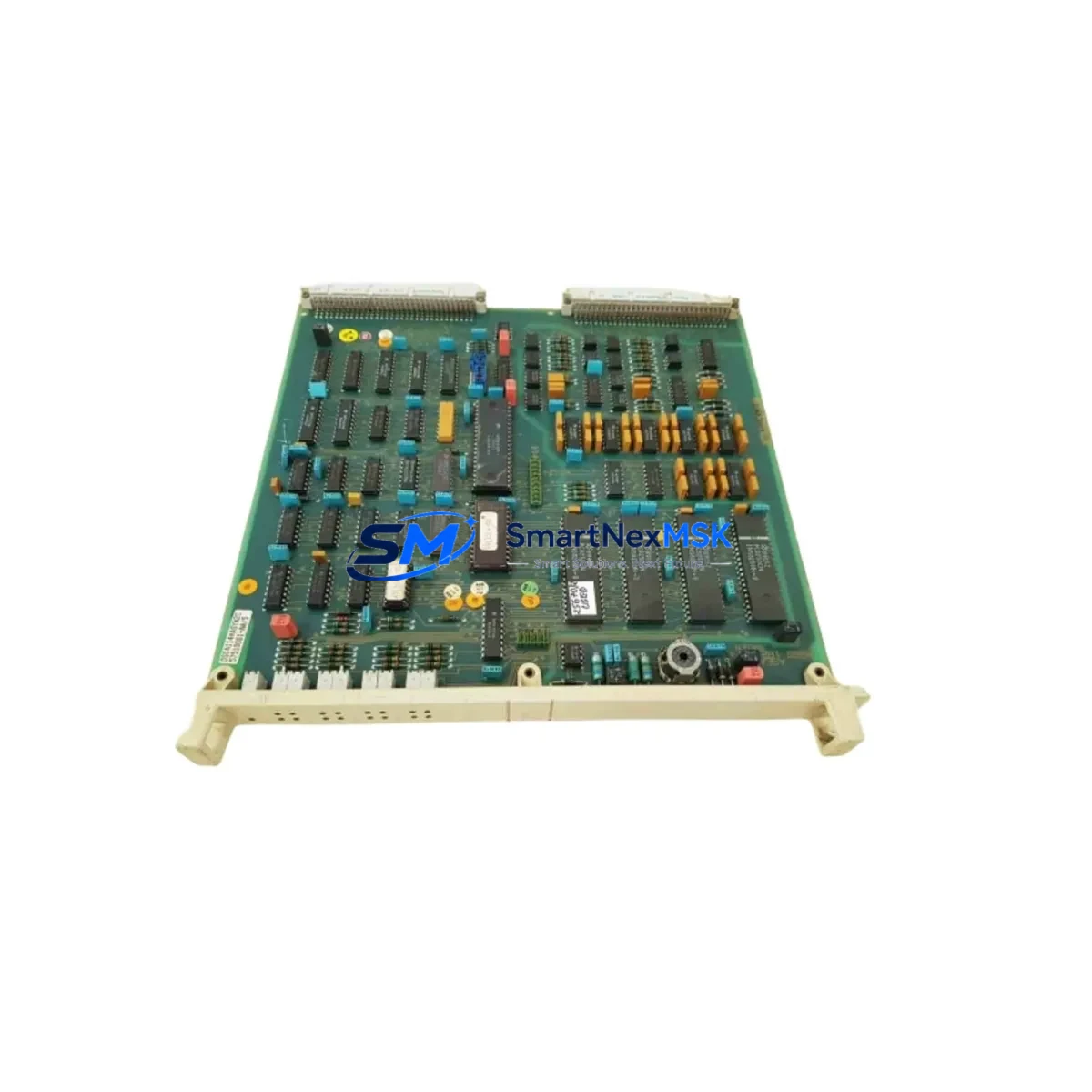
ABB DSCA 114 57510001-AA Retrofit-Ready Serial Interface for DSCA Series Control Systems
The ABB DSCA 114 (part number 57510001-AA) is a serial communication interface module designed for integration within ABB’s DSCA Series distributed control system (DCS) architecture. As legacy DSCA Series installations approach end-of-life or require capacity expansion, the DSCA 114 serves as a verified drop-in replacement and retrofit-ready upgrade component — enabling engineers to restore serial communication links, extend I/O capacity, and modernize aging control cabinets without full system replacement.
Sourced from certified inventory and subject to pre-shipment functional testing, each DSCA 114 unit is backed by a 12-month warranty covering hardware defects and communication failures under normal operating conditions. Stock is maintained for immediate dispatch to minimize unplanned downtime on critical production lines.
Upgrade Compatibility Table
| Parameter | Details |
|---|---|
| Part Number | 57510001-AA |
| Module Designation | DSCA 114 |
| Compatible Series | ABB DSCA Series DCS |
| Interface Type | Serial Communication (RS-232 / RS-485 compatible backplane) |
| Backplane / Rack Fit | Standard DSCA Series subrack; verify slot assignment before installation |
| Power Requirement | Supplied via backplane; confirm rack PSU capacity before adding module |
| Communication Protocol | DSCA proprietary serial; verify protocol version with existing DSCA 110 or DSCA 120 nodes |
| Replacement Candidates | Faulty DSCA 114, discontinued DSCA 112, degraded DSCA 116 units |
| Commissioning Requirement | Module address configuration via DIP switch or engineering station; confirm with DSCA system documentation |
| Pre-Shipment Test | Power-on, communication link, and I/O signal verification performed |
| Warranty | 12 Months — hardware defects and communication failures under normal use |
Retrofit Planning for Existing Automation Systems
Integrating the DSCA 114 into an existing DSCA Series installation requires a structured retrofit assessment. Begin by auditing the current subrack configuration: identify occupied slots, confirm available backplane power budget from the DSCA Series power supply module (typically a DSPS unit), and verify that the rack’s bus termination resistors are correctly positioned for the expanded node count.
Terminal wiring compatibility is a critical checkpoint. The DSCA 114’s field terminal block pinout must be cross-referenced against the existing DSCA Series wiring schedule. Where the original installation used a DSCA 110 or DSCA 120 as the primary serial node, the DSCA 114 can be added as a secondary communication path — but engineers must confirm that the DSCA Series master controller (such as the DSPC 155 or DSPC 172 processor module) supports the additional node address without firmware modification.
For sites running mixed I/O configurations, the DSCA 114 is commonly deployed alongside DSDI (digital input), DSDO (digital output), and DSAI (analog input) modules within the same subrack. Confirm that the total I/O load does not exceed the backplane’s rated current capacity. Where capacity is marginal, a supplementary DSPS power supply module should be added before commissioning the DSCA 114.
Communication protocol migration is another key consideration. Sites transitioning from older DSCA serial links to PROFIBUS or Modbus TCP should treat the DSCA 114 as an interim bridge module — maintaining legacy serial communication while the DSCA Series gateway or a third-party protocol converter is configured in parallel. This approach preserves HMI screen data integrity and prevents loss of process variable mapping during the transition period.
Programming compatibility should be verified using the ABB Master Piece engineering tool or equivalent DSCA Series configuration software. Confirm that the existing control program’s I/O address map accommodates the DSCA 114’s node address, and that no address conflicts exist with adjacent DSCA modules in the rack. Where the original program was developed for an earlier DSCA firmware revision, a compatibility check against the current DSCA 114 firmware baseline is recommended before go-live.
Downtime Control During System Migration
Minimizing production downtime during a DSCA 114 retrofit requires pre-staging all replacement components — including the module itself, terminal block adapters, and any required DIP switch configuration tools — before the maintenance window begins. A complete backup of the existing DSCA Series control program, I/O configuration, and HMI tag database should be archived to a secure engineering workstation prior to any hardware change.
Where the process cannot tolerate a full control system shutdown, a hot-swap strategy may be feasible depending on the subrack design. Consult the DSCA Series hardware manual to confirm whether the specific rack revision supports live module insertion. In most legacy DSCA installations, a controlled partial shutdown — isolating only the affected subrack while maintaining control continuity through redundant DSPC processor modules or a parallel DSCA rack — is the preferred approach.
After physical installation of the DSCA 114, restore communication links in sequence: first verify backplane power, then confirm module address recognition on the engineering station, then re-establish serial communication to field devices. Validate all I/O signals against the pre-retrofit baseline before returning the system to automatic control. Document the as-built configuration, including the new module’s slot position, address, and terminal wiring, to support future maintenance and audit requirements.
Retrofit Support FAQ
Q1: Is the DSCA 114 (57510001-AA) a direct drop-in replacement for a failed DSCA 114 in my existing rack?
A: Yes, in the vast majority of DSCA Series installations the DSCA 114 is a direct slot-for-slot replacement. Confirm the DIP switch address settings match the original module’s configuration before powering up. If the original module’s address label is missing, retrieve the address from the DSCA system configuration file on the engineering station.
Q2: What pre-shipment testing is performed on each DSCA 114 unit?
A: Each unit undergoes power-on verification, serial communication link testing, and I/O signal integrity checks before dispatch. A test report is available on request. All units are covered by a 12-month warranty from the date of shipment.
Q3: Can the DSCA 114 be used alongside newer ABB communication modules such as the DSCA 120 or DSCA 130 in the same subrack?
A: Mixed-module configurations are supported in most DSCA Series subracks, subject to backplane power budget and address space availability. Verify compatibility using the DSCA Series hardware configuration guide for your specific rack revision. Contact our technical team with your rack layout for a pre-installation compatibility review.
Q4: What is the lead time and warranty coverage for the DSCA 114?
A: Units are dispatched from stock within 1–3 business days. A 12-month warranty covers hardware defects and communication failures under normal operating conditions. Expedited shipping is available for urgent breakdown situations.
© 2026 SMARTNEXMSK. All rights reserved.
Original Source: https://smartnexmsk.com
Contact: [email protected] | +86 18259474341



