
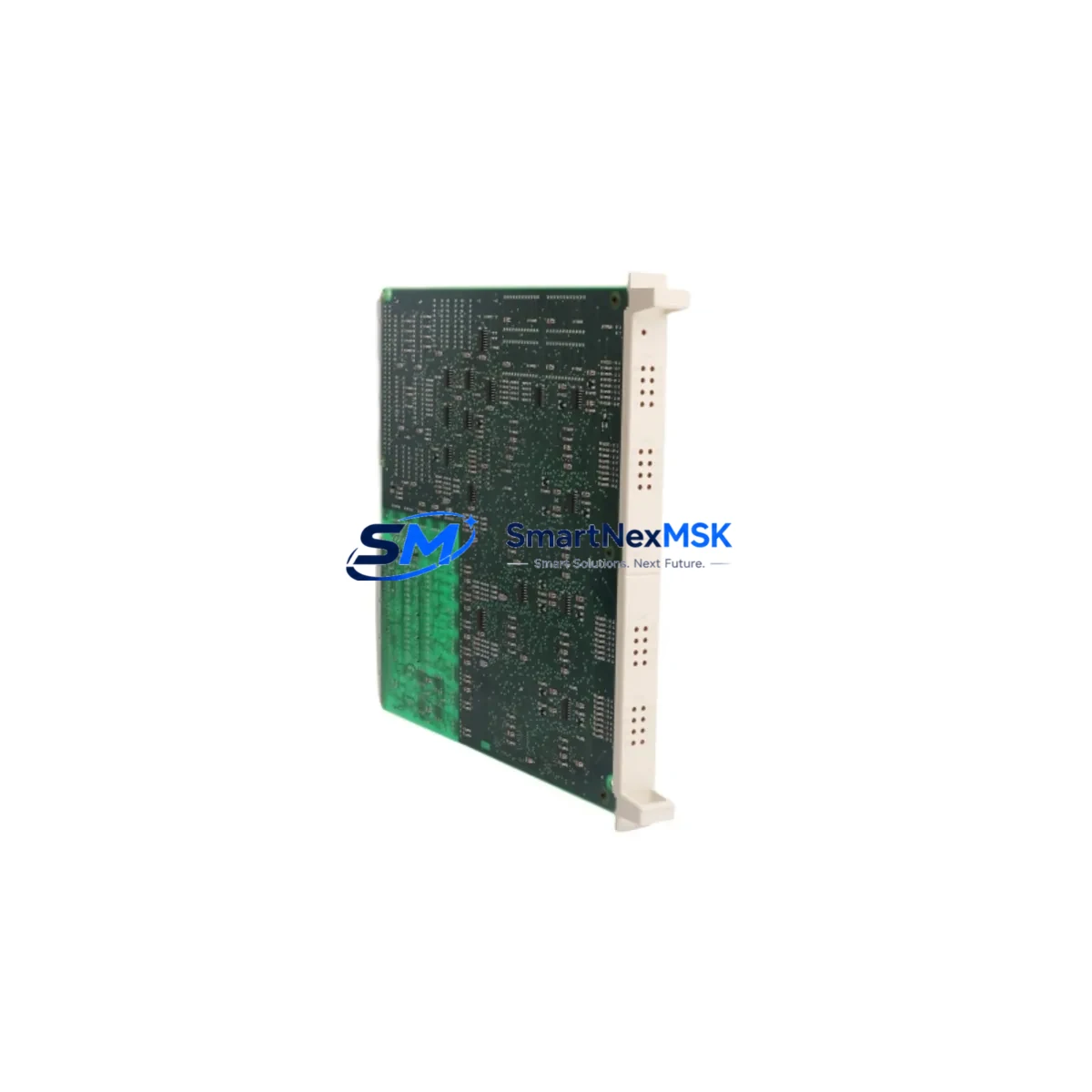
ABB DSDP170 Maintenance-Ready Spare for MASTERDRIVES Automation
The ABB DSDP170 is an original encoder interface module designed for the MASTERDRIVES series of AC drives and motion control systems. In industrial maintenance environments where unplanned downtime translates directly into production loss, having a verified, tested spare of the DSDP170 on hand is a critical element of any proactive maintenance strategy. This module handles encoder feedback signal processing between the drive control board and the connected motor encoder, making it a core component in closed-loop speed and position control applications across manufacturing, material handling, paper mills, metal processing, and heavy-duty automation lines.
For maintenance engineers managing aging MASTERDRIVES installations, the DSDP170 is frequently the first component to be inspected when encoder fault codes appear on the drive panel. Its role in signal conditioning and feedback loop integrity means that a degraded or failed DSDP170 can manifest as speed instability, positioning errors, or complete drive trip events. Sourcing a pre-tested, original replacement unit — rather than attempting field repair — is the fastest path to restoring system operation.
Spare Maintenance Table
| Parameter | Specification / Detail |
|---|---|
| Part Number | DSDP170 / DSDP 170 |
| Brand | ABB |
| Series Compatibility | MASTERDRIVES MC, VC, FC Series |
| Module Function | Encoder Interface / Feedback Signal Processing |
| Signal Type | Incremental Encoder (TTL / HTL compatible) |
| Mounting | Drive Control Board Slot (MASTERDRIVES backplane) |
| Origin | Germany (Original ABB Manufacturing) |
| Condition | Original, New or Refurbished-Tested |
| Application Environment | Industrial automation, closed-loop drive control |
| Maintenance Recommendation | Replace at first sign of encoder fault or signal loss |
| Pre-shipment Testing | Yes — functional verification before dispatch |
| Warranty | 12 Months from date of shipment |
Maintenance Planning for Continuous Operation
When a MASTERDRIVES drive system requires DSDP170 replacement, experienced maintenance engineers know that the encoder interface module rarely fails in isolation. A thorough site inspection should accompany any DSDP170 swap to prevent repeat failures and ensure the drive returns to stable operation. The following components and assemblies should be checked as part of the same maintenance window:
Begin with the MASTERDRIVES power supply module (such as the DCSB1 or equivalent DC bus supply board) to confirm that supply rail voltages are within tolerance — encoder interface boards are sensitive to voltage ripple and transient spikes. Next, inspect the SDCS-CON-4 or equivalent control board for signs of capacitor aging, corrosion on connector pins, or firmware version mismatches that could affect encoder signal interpretation.
The encoder cable and shielding between the motor and the drive should be tested for continuity and insulation integrity. Damaged or improperly shielded encoder cables are a leading cause of premature DSDP170 failure and signal noise. At the same time, verify the terminal block connections on the encoder input side — loose or oxidized terminals introduce intermittent faults that are difficult to diagnose without a scope.
If the MASTERDRIVES system includes a DDCS fiber optic communication module for master-follower or fieldbus connectivity, inspect the fiber connectors and verify link status. Communication faults can sometimes be misdiagnosed as encoder feedback issues. Similarly, check any installed I/O extension modules (such as RDIO or RAIO boards) for proper seating and signal integrity, particularly if the drive controls auxiliary functions tied to encoder position.
For systems with ACS600 or ACS800 series drives operating alongside MASTERDRIVES units in the same control cabinet, cross-check the common DC bus connections and ensure that the brake chopper module and associated resistors are functioning correctly — a failing brake chopper can introduce voltage transients that stress encoder interface circuitry. Also review the RMIO or RINT control boards in adjacent drives for any shared fault conditions.
Finally, if the installation includes an ABB Panel PC or operator panel (ACS-CP-C or similar HMI), confirm that parameter sets and encoder configuration data are backed up before replacing the DSDP170, as some drive configurations store encoder resolution and direction settings that must be re-entered after a board swap. Having a signal isolator or surge protection device on the encoder input line is also recommended as a long-term protective measure, particularly in environments with high electromagnetic interference from large motors or welding equipment.
Site Replacement Workflow
Replacing the ABB DSDP170 on a live MASTERDRIVES installation follows a structured sequence to minimize downtime and avoid secondary faults:
Step 1 — Preparation: Obtain the drive’s current parameter list and fault history from the operator panel or drive commissioning tool. Confirm the encoder type, resolution (PPR), and supply voltage used in the existing configuration. Cross-reference the DSDP170 part number against the drive’s hardware compatibility list to confirm the replacement unit matches the installed firmware revision.
Step 2 — Safe Isolation: Follow LOTO (Lockout/Tagout) procedures. De-energize the drive, discharge the DC bus capacitors (minimum 5 minutes after power-off), and verify zero voltage with a calibrated meter before opening the drive cabinet.
Step 3 — Module Removal: Carefully disconnect the encoder cable connector from the DSDP170. Note the cable routing and any ferrite cores or shielding clamps. Remove the module from its slot on the control board, taking ESD precautions throughout.
Step 4 — Installation: Seat the new DSDP170 firmly into the control board slot. Reconnect the encoder cable, ensuring the shield is properly terminated at the drive end only (single-point grounding). Restore all terminal connections to the torque values specified in the MASTERDRIVES hardware manual.
Step 5 — Commissioning: Power up the drive and navigate to the encoder configuration parameters. Verify that the drive reads encoder pulses correctly at low speed before running at full load. Clear any residual fault codes and perform a short test run to confirm stable closed-loop operation. Document the replacement in the site maintenance log.
This workflow is applicable whether replacing a failed DSDP170 or performing a scheduled preventive swap as part of a planned maintenance interval. Keeping one spare DSDP170 in the site spare parts cabinet eliminates the lead time risk associated with sourcing this module under emergency conditions.
Spare Parts Support FAQ
Q1: What is the expected service life of the ABB DSDP170, and when should it be proactively replaced?
The DSDP170 does not have a fixed replacement interval under normal operating conditions, but maintenance engineers typically schedule inspection after 8–10 years of continuous service or following any event involving drive overcurrent, overvoltage, or lightning-induced transients. If encoder fault codes become intermittent or recurring, proactive replacement is recommended rather than waiting for a complete failure.
Q2: How do I verify compatibility between a replacement DSDP170 and my existing MASTERDRIVES hardware revision?
Check the hardware revision label on the existing DSDP170 and cross-reference it with the MASTERDRIVES hardware manual for your specific drive type (MC, VC, or FC variant). Our team can assist with compatibility verification based on your drive nameplate data and existing board revision before shipment.
Q3: Is the DSDP170 tested before shipment, and what does the 12-month warranty cover?
Yes — every DSDP170 unit is functionally tested prior to dispatch. The 12-month warranty covers defects in materials and workmanship under normal operating conditions. It does not cover damage resulting from incorrect installation, overvoltage events, or use outside the specified environmental parameters. Warranty claims are supported with full technical documentation.
Q4: Can the DSDP170 be used as a direct replacement for older MASTERDRIVES encoder interface boards, and what is your lead time for urgent orders?
The DSDP170 is the standard encoder interface module for the MASTERDRIVES platform and is compatible across the MC, VC, and FC series subject to hardware revision matching. For urgent replacement requirements, we maintain stock for same-day or next-business-day dispatch. Contact our team with your drive model and site location for a confirmed lead time and shipping options.
© 2026 SMARTNEXMSK. All rights reserved.
Original Source: https://smartnexmsk.com
Contact: [email protected] | +86 18259474341



