
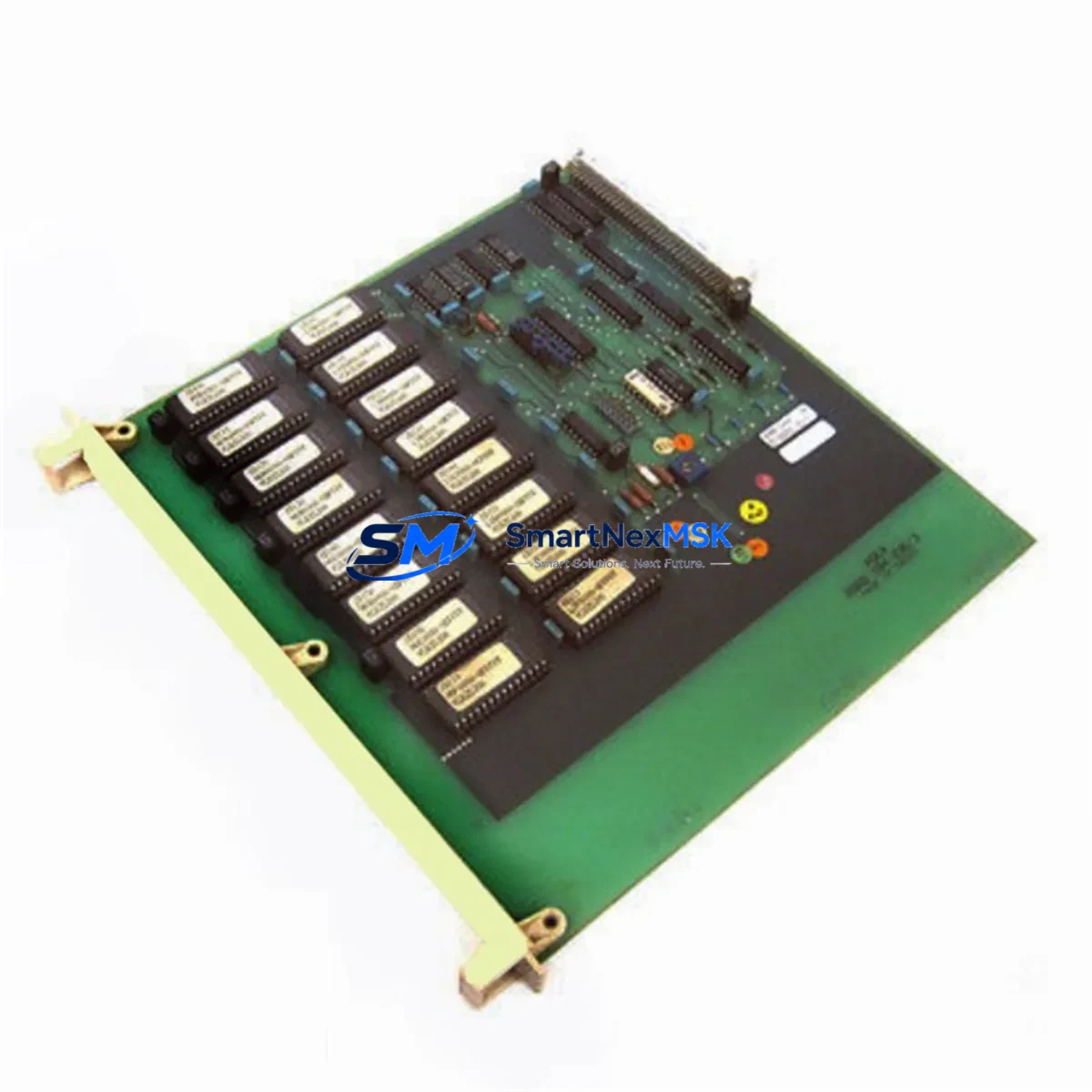
ABB DSMB144 57360001-EL Maintenance-Ready Spare AC800M: Spare Replacement & Industrial Downtime Risk Control
The ABB DSMB144 (part number 57360001-EL) is an original memory module designed for the ABB AC800M Distributed Control System (DCS) platform — one of the most widely deployed process automation architectures in power generation, oil & gas, chemical, and pulp & paper industries. When this module fails or degrades, the consequences extend beyond a single controller: the entire AC800M controller node loses its program retention capability, triggering unplanned shutdowns and costly recovery procedures. Stocking a verified replacement unit is the single most effective measure a maintenance team can take to compress mean time to repair (MTTR) and protect continuous production.
Every DSMB144 57360001-EL unit supplied by SMARTNEXMSK is sourced from original ABB production channels, individually tested under simulated AC800M operating conditions, and shipped with a 12-month warranty covering functional defects. Pre-shipment testing includes memory read/write verification, bus interface integrity checks, and compatibility confirmation against AC800M controller firmware revisions. Units are packaged in anti-static ESD-safe enclosures with humidity indicators to preserve module integrity during international transit.
Spare Maintenance Table
| Parameter | Specification / Value |
|---|---|
| Part Number | DSMB144 / 57360001-EL |
| Brand | ABB |
| Compatible Platform | ABB AC800M DCS Controller Series |
| Module Type | Memory Module (Battery-Backed SRAM) |
| Function | Program & Data Retention for AC800M CPU Modules |
| Compatible CPU Modules | PM851, PM856, PM860, PM861, PM864, PM866 series |
| Operating Voltage | 3.3 V DC (supplied via backplane) |
| Operating Temperature | 0°C to +55°C |
| Storage Temperature | -25°C to +70°C |
| Country of Origin | Sweden |
| Weight | Approx. 320 g (with packaging) |
| Installation | Direct plug-in replacement; no firmware reconfiguration required |
| Application Environment | Process automation, power plant DCS, chemical plant control systems |
| Maintenance Recommendation | Inspect battery backup status annually; replace module if memory retention errors appear in AC800M diagnostics |
| Warranty | 12 Months — functional defect coverage, tested before shipment |
Maintenance Planning for Continuous Operation
Replacing the DSMB144 57360001-EL in an AC800M controller cabinet is rarely an isolated task. Experienced maintenance engineers treat a memory module replacement as a trigger for a broader cabinet inspection, because the conditions that degrade a memory module — sustained vibration, thermal cycling, power quality issues, and aging battery backup — affect multiple components simultaneously.
Begin with the AC800M CPU module (PM856 or PM864 series) itself: verify that the processor board shows no corrosion on the backplane connector pins and that the CPU’s internal diagnostics report no persistent fault codes after the DSMB144 is reseated or replaced. Next, inspect the AC800M power supply module (SD821 or SD822 series) — an unstable 24 V DC rail is a leading cause of memory module data corruption and premature battery drain. Use a calibrated multimeter or power quality analyzer to confirm rail voltage is within ±1% tolerance under load.
The S800 I/O modules connected to the same controller node — including AI810 analog input modules, DI810 digital input modules, and AO810 analog output modules — should be checked for loose terminal connections and drift in signal calibration. A memory module failure that causes a controller restart will force all I/O modules to re-initialize, and any pre-existing wiring faults will surface as nuisance alarms during restart. Inspect TB820 ModuleBus optical port modules and CI854 PROFIBUS DP communication interface modules for fiber connector contamination and communication error counters — these are frequently overlooked during emergency replacements but are critical to restoring full system communication after a controller restart.
For cabinets with relay output modules such as the DO810 digital output module, verify relay contact resistance and coil drive voltage after the controller comes back online. Aging relay contacts in the same thermal environment as a degraded memory module are a common secondary failure point. Also confirm that SA811 signal conditioners or equivalent signal isolation barriers in the I/O loop are functioning within specification — a controller restart can expose latent signal offset errors that were previously masked by software filtering.
Finally, review the AC800M battery backup unit status in the controller’s diagnostic log. If the DSMB144 replacement was triggered by a memory retention failure rather than a physical module fault, the root cause may be a depleted backup battery rather than the module itself. Replacing the memory module without addressing the battery will result in repeat failures within months. Ensure the replacement DSMB144 is installed with a fresh, in-specification battery backup to guarantee program retention through the next planned maintenance window.
Site Replacement Workflow
Step 1 — Pre-replacement backup: Before removing the DSMB144, use ABB Control Builder M to perform a full project backup to the engineering workstation. Confirm the backup file is readable and timestamped correctly. This step is non-negotiable — it is your recovery baseline if the replacement module encounters any initialization issue.
Step 2 — Controller shutdown sequence: Place the AC800M controller in STOP mode via Control Builder M or the local hardware switch. Confirm all connected I/O modules have transitioned to their defined safe-state outputs. Notify the process control room before proceeding.
Step 3 — Module extraction: With the cabinet de-energized at the module level (backplane power off), remove the existing DSMB144 by releasing the module locking lever. Inspect the backplane connector for bent pins or contamination. Clean with dry compressed air if necessary.
Step 4 — Replacement installation: Insert the new DSMB144 57360001-EL firmly until the locking lever engages. Restore backplane power. The AC800M CPU will automatically detect the new memory module during its POST sequence — no manual configuration is required for a like-for-like replacement.
Step 5 — Program restore and verification: If the controller does not automatically reload the application program from the new module, use Control Builder M to download the backed-up project. Verify all I/O module statuses, communication links (PROFIBUS, ModuleBus), and process variable readings match pre-maintenance baselines before returning the controller to RUN mode.
Step 6 — Post-replacement documentation: Record the replacement in the site maintenance log with the new module’s serial number, installation date, and technician ID. Update the spare parts inventory to trigger a reorder for the next standby unit — maintaining at least one DSMB144 in stock at all times is the recommended practice for AC800M-based control systems.
Spare Parts Support FAQ
Q1: Is the DSMB144 57360001-EL a direct drop-in replacement for all AC800M controller variants?
The DSMB144 57360001-EL is compatible with the AC800M PM8xx CPU module family, including PM851, PM856, PM860, PM861, PM864, and PM866 variants. It is a direct plug-in replacement requiring no firmware changes or parameter reconfiguration. For legacy PM810 or PM820 controllers, compatibility should be verified against the specific controller hardware revision before ordering.
Q2: What pre-shipment testing does SMARTNEXMSK perform on each DSMB144 unit?
Each unit undergoes memory read/write cycle verification, backplane bus interface integrity testing, and battery backup voltage confirmation. Modules that fail any test parameter are quarantined and not shipped. A test report summary is available upon request for quality-critical procurement processes.
Q3: How should the DSMB144 be stored as a long-term spare?
Store in the original ESD-safe packaging in a climate-controlled environment (15°C–25°C, relative humidity below 60%, non-condensing). Inspect the battery backup voltage annually using a calibrated meter. If the module is stored for more than 24 months, perform a functional test before deploying it as an emergency replacement. SMARTNEXMSK recommends rotating spare stock on a 3-year cycle for AC800M memory modules.
Q4: What is covered under the 12-month warranty?
The 12-month warranty covers functional defects in materials and workmanship under normal operating conditions consistent with ABB AC800M installation specifications. It does not cover damage resulting from incorrect installation, overvoltage events, physical impact, or use outside the specified environmental range. Warranty claims are processed with return shipment coordination through SMARTNEXMSK’s after-sales team within 5 business days of claim submission.
© 2026 SMARTNEXMSK. All rights reserved.
Original Source: https://smartnexmsk.com
Contact: [email protected] | +86 18259474341



