
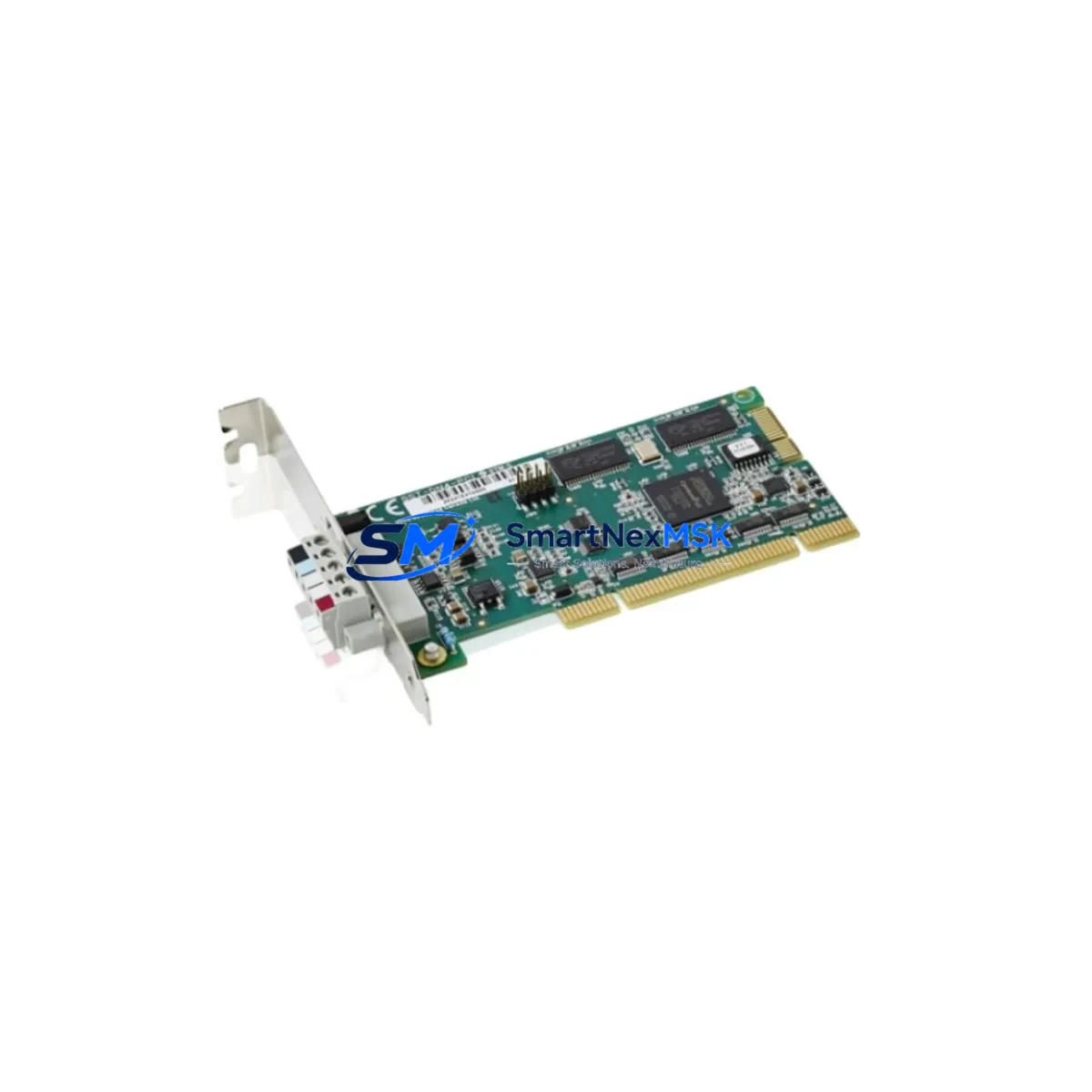
ABB DSQC1003 3HAC046408-001/02 Retrofit-Ready Digital I/O Module for IRB14000 YuMi Control Systems
The ABB DSQC1003 (part number 3HAC046408-001/02, cross-reference 3HAC036950-001/04) is a digital I/O module engineered for the IRB14000 YuMi dual-arm collaborative robot platform. As legacy automation lines face increasing pressure to modernize, the DSQC1003 serves as a direct retrofit solution for facilities migrating away from the discontinued DSQC697 (3HAC037084-001) and related I/O hardware. Whether you are upgrading a single workcell or overhauling an entire assembly line, this module provides the signal integrity, backplane compatibility, and software transparency required for a smooth transition with minimal downtime.
Industrial maintenance teams and system integrators working on YuMi-based collaborative robot cells frequently encounter the challenge of sourcing compatible I/O hardware when the original modules reach end-of-life. The DSQC1003 addresses this directly: it slots into the existing IRC5 Compact controller backplane used in YuMi installations, retains the same terminal block pinout as its predecessor, and is fully recognized by RobotWare 6.x without requiring firmware patches or driver updates. This means your existing RAPID programs, I/O signal mappings, and FlexPendant HMI screens remain intact after the swap — a critical advantage when production schedules cannot accommodate extended reprogramming cycles.
Upgrade Compatibility Table
| Parameter | DSQC697 (Legacy) | DSQC1003 3HAC046408-001/02 (Retrofit) |
|---|---|---|
| Part Number | 3HAC037084-001/0x | 3HAC046408-001/02 |
| Controller Platform | IRC5 Compact (YuMi) | IRC5 Compact (YuMi) — direct fit |
| Backplane Interface | YuMi internal bus | YuMi internal bus — fully compatible |
| Digital Inputs | 16 DI | 16 DI |
| Digital Outputs | 16 DO | 16 DO |
| Supply Voltage | 24 VDC | 24 VDC |
| Terminal Block | Standard screw terminal | Standard screw terminal — same pinout |
| Communication Protocol | Internal ABB bus | Internal ABB bus — no protocol migration needed |
| RobotWare Compatibility | RobotWare 6.x | RobotWare 6.x — no software changes required |
| Installation Requirement | Controller power-off, module swap | Controller power-off, module swap — identical procedure |
| Commissioning | I/O signal re-mapping required | Existing signal map retained — verify via FlexPendant |
| Warranty | OEM (discontinued) | 12-Month Warranty — SMARTNEXMSK |
| Availability | End-of-life / scarce | In stock — ready to ship |
Retrofit Planning for Existing Automation Systems
A successful DSQC1003 retrofit begins well before the module arrives on-site. Start by auditing the existing IRC5 Compact controller cabinet: confirm the 24 VDC power supply rail — typically sourced from the DSQC661 or DSQC662 power distribution unit — can sustain the combined load of all installed I/O modules after the swap. In most YuMi installations, the internal power budget is sufficient, but aging DSQC609 power supply boards should be inspected for capacitor wear before committing to a module replacement, as a marginal power supply will cause intermittent I/O faults that are difficult to diagnose post-retrofit.
Next, document the full terminal wiring on the outgoing DSQC697. Photograph each terminal block row and cross-reference against the original wiring diagram. The DSQC1003 uses the same 32-point terminal layout, so field wiring can be transferred directly without re-labeling — but verifying continuity with a multimeter before powering up is strongly recommended. If the installation includes a DSQC643 DeviceNet gateway or a DSQC688 PROFIBUS adapter for communication with upstream PLCs or SCADA systems, confirm that the I/O addresses assigned to the DSQC697 are preserved in the RobotWare I/O configuration file. Address conflicts between the new module and any DSQC652 analog I/O boards sharing the same backplane segment must be resolved before the controller is restarted.
For cells that include a FlexPendant TP with custom operator screens, verify that all I/O signal references in the HMI graphics point to logical signal names rather than hardware addresses. This is the most common source of post-retrofit screen errors and can be corrected in the RAPID configuration without physical hardware changes. If the cell communicates with a Siemens S7-300 or S7-400 PLC via PROFIBUS, or with an Allen-Bradley ControlLogix via EtherNet/IP through the DSQC688 adapter, run a full I/O handshake test in manual mode before releasing the cell to automatic production. Programming cables such as the DSQC615 USB service port cable are useful for pulling diagnostic logs from the IRC5 controller during commissioning without requiring a full FlexPendant session.
Downtime Control During System Migration
Minimizing unplanned downtime during a DSQC1003 module swap requires a structured pre-outage checklist. At least 48 hours before the scheduled maintenance window, back up the complete RobotWare system — including RAPID modules, I/O configuration, safety parameters, and calibration data — using the IRC5 backup function via the FlexPendant or RobotStudio. Store the backup on an external USB drive and verify the archive is readable before proceeding.
During the outage, follow the ABB-recommended controller power-down sequence: disable automatic mode, set the controller to manual reduced speed, stop all RAPID tasks, and then cut main power via the cabinet isolator. The DSQC1003 is a cold-swap module — do not attempt hot-swap. After seating the new module and reconnecting terminal wiring, restore power and allow the IRC5 to complete its boot sequence. The controller will automatically detect the DSQC1003 on the internal bus; if a hardware mismatch warning appears on the FlexPendant, navigate to the I/O configuration panel and confirm the module type assignment matches the new part number.
Once the controller is online, run a systematic I/O verification: activate each digital output individually in manual mode and confirm the corresponding field device responds correctly. Check all 16 digital inputs by triggering their source signals and verifying the FlexPendant I/O monitor reflects the correct state. This structured test sequence typically takes 30–60 minutes for a standard YuMi workcell and provides documented evidence of successful commissioning before the cell is returned to production. Total planned downtime for a straightforward DSQC1003 swap — including backup, module exchange, wiring verification, and I/O testing — is typically 2–4 hours for an experienced technician.
Retrofit Support FAQ
Q1: Is the DSQC1003 (3HAC046408-001/02) a direct drop-in replacement for the DSQC697 (3HAC037084-001)?
Yes. The DSQC1003 is the designated successor module for the DSQC697 in IRB14000 YuMi installations. It uses the same backplane connector, identical terminal block pinout, and is recognized by RobotWare 6.x without configuration changes. No RAPID code modifications are required for a standard replacement.
Q2: Will my existing FlexPendant HMI screens and RAPID programs work after installing the DSQC1003?
In the vast majority of cases, yes — provided your HMI screens reference logical I/O signal names rather than direct hardware addresses. Before the swap, verify signal name mappings in the RobotWare I/O configuration. If any screen references a hardware-specific address tied to the DSQC697 slot, update the reference to the logical signal name. This is a software-only change and does not require rewiring.
Q3: What should I verify regarding terminal wiring and power supply before installing the DSQC1003?
Confirm that the 24 VDC supply rail in the IRC5 Compact cabinet — typically provided by the DSQC661 or DSQC662 power unit — is within specification under full load. Inspect the terminal block wiring on the outgoing module, photograph all connections, and verify continuity after transferring wires to the DSQC1003. Check that module address settings (if applicable to your RobotWare version) match the original configuration to avoid I/O bus conflicts with other installed modules such as the DSQC652 analog board.
Q4: What warranty and pre-shipment testing does SMARTNEXMSK provide for the DSQC1003?
Every DSQC1003 unit shipped by SMARTNEXMSK undergoes functional testing prior to dispatch, including power-on verification and I/O channel continuity checks. All units are covered by a 12-month warranty against manufacturing defects and functional failures. In the event of a warranty claim, SMARTNEXMSK provides advance replacement support to minimize production downtime. Contact our technical team at [email protected] or +86 18259474341 for pre-sales compatibility confirmation or post-installation support.
© 2026 SMARTNEXMSK. All rights reserved.
Original Source: https://smartnexmsk.com
Contact: [email protected] | +86 18259474341



