
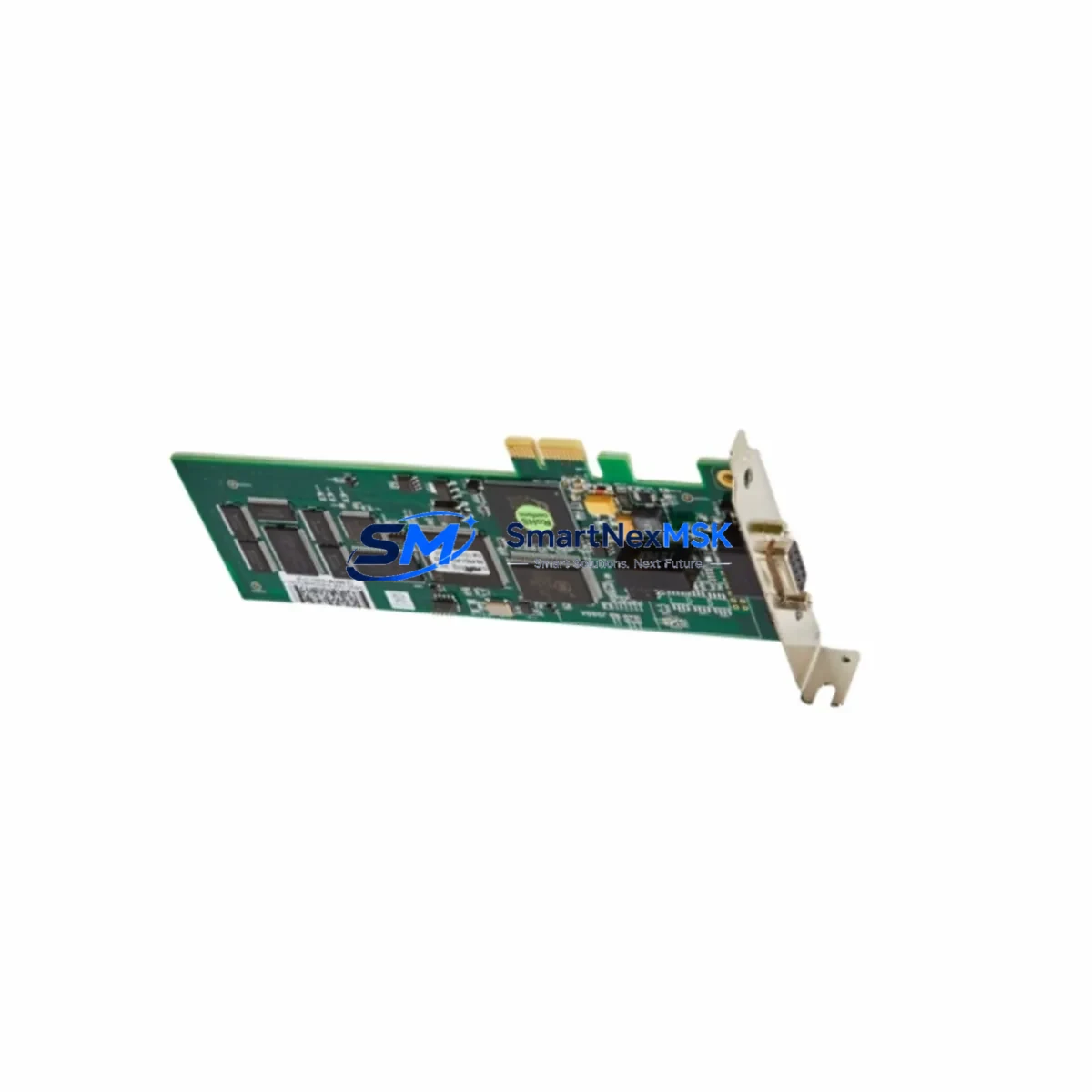
ABB DSQC1005 Maintenance-Ready Spare for IRC5 Automation
The ABB DSQC1005 (Part No. 3HAC044872-001) is an original PROFIBUS Master PCIe communication module designed for ABB IRC5 robot controllers. In industrial maintenance environments where robotic cell uptime is critical, having a verified, tested spare of this module on hand is a fundamental risk-reduction strategy. Unplanned downtime caused by a failed fieldbus communication card can halt an entire production line — the DSQC1005 is the direct, OEM-equivalent replacement that restores full PROFIBUS DP master functionality without firmware reconfiguration or compatibility compromise.
From the perspective of a maintenance engineer, the DSQC1005 sits at the heart of the IRC5 controller’s fieldbus architecture. It enables the robot controller to act as a PROFIBUS DP master, coordinating I/O data exchange with distributed field devices including remote I/O stations, frequency inverters, servo drives, and safety relay modules. When this card fails — typically presenting as loss of fieldbus communication, controller fault codes, or intermittent I/O dropouts — the fastest recovery path is a pre-stocked, pre-tested replacement unit. Sourcing this module reactively during a breakdown event introduces lead-time risk that a proactive spare parts strategy eliminates entirely.
For procurement engineers, the DSQC1005 / 3HAC044872-001 is a long-lifecycle ABB robotics component. As IRC5 controllers remain in service across automotive, metal fabrication, food processing, and electronics assembly plants worldwide, demand for this spare remains consistent. Stocking one or two units per robot cell cluster is a standard recommendation in ABB-aligned maintenance planning frameworks.
Spare Maintenance Table
| Parameter | Specification |
|---|---|
| Part Number | DSQC1005 / 3HAC044872-001 |
| Brand | ABB Robotics |
| Compatible System | ABB IRC5 Robot Controller (Single / Dual Cabinet) |
| Module Type | PROFIBUS DP Master, PCIe Interface |
| Fieldbus Protocol | PROFIBUS DP (EN 50170) |
| Interface | PCIe (PCI Express) slot, IRC5 main computer board |
| Origin | Sweden (ABB Robotics) |
| Condition | Original, New / Refurbished-Tested |
| Pre-shipment Test | Full functional verification prior to dispatch |
| Warranty | 12 Months |
| Application Environment | Industrial robot cells, automotive lines, assembly automation |
| Maintenance Recommendation | Replace on fieldbus fault codes or communication loss events |
| HS Code | 853710 |
Maintenance Planning for Continuous Operation
When a maintenance team identifies a DSQC1005 failure or schedules a planned replacement during a robot controller overhaul, the scope of inspection should extend beyond the PROFIBUS card itself. A thorough IRC5 cabinet inspection during this intervention typically includes the following associated components:
The ABB DSQC1000 (3HAC036060-001) main computer board should be inspected for PCIe slot integrity and firmware version compatibility before installing the replacement DSQC1005. The DSQC662 (3HAC026253-001) I/O board governs digital input/output signal routing within the IRC5 cabinet and is frequently checked alongside any fieldbus card replacement to rule out cascading I/O faults. The DSQC609 (3HAC14178-1) power supply unit should be load-tested to confirm stable 24VDC rail output, as undervoltage conditions are a known contributor to PCIe communication card instability.
The DSQC633 (3HAC025917-001) axis computer and the DSQC668 (3HAC031670-001) drive unit should be verified for firmware alignment with the restored fieldbus configuration. If the IRC5 cabinet includes a DSQC679 (3HAC026254-001) teach pendant interface board, its communication status should be confirmed post-replacement. For cells using safety-rated I/O, the DSQC1015 (3HAC057940-001) safety module should be inspected to ensure safe fieldbus mapping remains intact after the PROFIBUS master card swap.
Terminal blocks, PROFIBUS cable shielding, and DB9 connector integrity at the fieldbus port should be checked as part of the physical installation. Loose or corroded PROFIBUS connectors are a common root cause of intermittent communication faults that are misdiagnosed as card failures. Additionally, if the robot cell includes a DSQC688 (3HAC036060-002) or similar communication expansion module, its configuration should be reviewed to confirm no address conflicts exist after the DSQC1005 is reinstalled.
Site Replacement Workflow
Step 1 — Fault Isolation: Confirm the DSQC1005 as the fault source via IRC5 FlexPendant event log. Typical fault codes include fieldbus communication timeout errors and PROFIBUS master offline alarms. Back up the robot system configuration (RAPID programs, I/O configuration, system parameters) before any hardware intervention.
Step 2 — Controller Power-Down: Follow ABB IRC5 lockout/tagout procedure. Discharge capacitor banks per the IRC5 product manual before opening the cabinet.
Step 3 — Card Removal: Locate the DSQC1005 in the PCIe slot of the IRC5 main computer assembly. Remove the PROFIBUS DB9 cable, release the PCIe retention bracket, and extract the card. Note the slot position for reinstallation reference.
Step 4 — Replacement Installation: Insert the replacement DSQC1005 into the same PCIe slot. Reconnect the PROFIBUS cable. Verify cable shielding is properly grounded at the cabinet entry point.
Step 5 — System Restore and Verification: Power up the IRC5 controller. Confirm PROFIBUS master status in the FlexPendant I/O configuration panel. Verify all slave devices are online and I/O mapping is correct. Run a dry-cycle test before returning the robot cell to production.
This workflow minimizes downtime to under two hours for a prepared maintenance team with a pre-stocked DSQC1005 spare, compared to multi-day delays when sourcing the module reactively during a breakdown.
Spare Parts Support FAQ
Q1: Is the DSQC1005 compatible with all IRC5 controller variants?
The DSQC1005 (3HAC044872-001) is designed for ABB IRC5 single-cabinet and dual-cabinet robot controllers equipped with a PCIe-capable main computer board (DSQC1000 or compatible). Compatibility should be confirmed against the IRC5 system software version and main computer revision. Contact our technical team with your controller serial number for pre-purchase verification.
Q2: What is included in the 12-month warranty?
All DSQC1005 units are functionally tested prior to shipment. The 12-month warranty covers manufacturing defects and functional failure under normal operating conditions. It does not cover damage resulting from incorrect installation, overvoltage events, or physical mishandling. Warranty claims are processed via [email protected] with fault description and photographic evidence.
Q3: How quickly can the DSQC1005 be shipped?
In-stock units are dispatched within 1–3 business days. Express shipping options are available for emergency breakdown scenarios. Contact +86 18259474341 for urgent order processing and lead-time confirmation.
Q4: Should I stock multiple DSQC1005 units for a multi-robot facility?
For facilities operating three or more IRC5 controllers on the same PROFIBUS network, stocking a minimum of one DSQC1005 spare per five controllers is a standard maintenance planning recommendation. High-criticality lines (e.g., automotive body-in-white welding cells) should maintain at least one unit on-site at all times to support same-shift recovery from a fieldbus card failure.
© 2026 SMARTNEXMSK. All rights reserved.
Original Source: https://smartnexmsk.com
Contact: [email protected] | +86 18259474341



